Blockbench 5.2 stays focused on low-poly game art
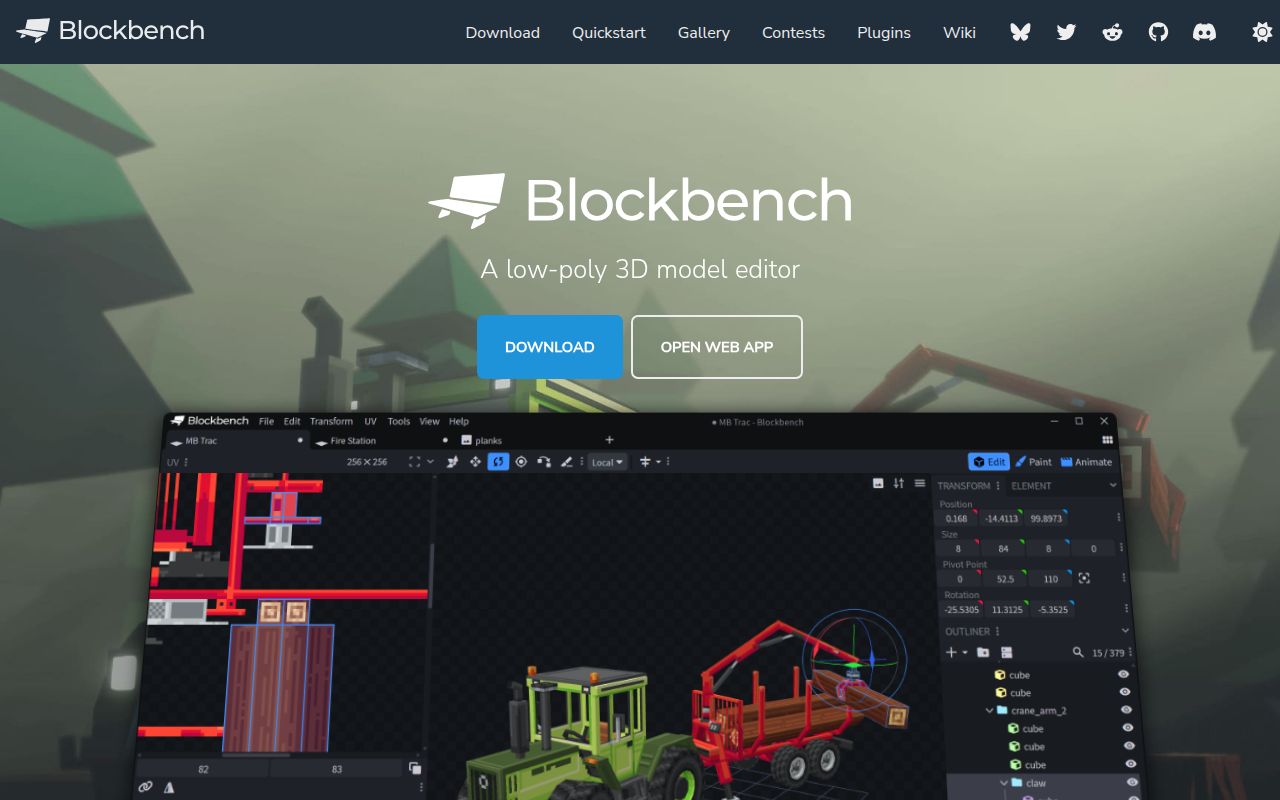
Blockbench is a 3D editor for low-poly models, pixel-art textures, animation, and export. You can run it as a desktop application or in a browser. The narrower toolset is the appeal: a Minecraft creator can work with Java and Bedrock formats without first configuring a general-purpose scene, while an indie artist can build a prop, paint its texture, animate it, and export it from one interface. Plugins add formats and tools when the built-in set stops short.
That focus also marks the boundary. The README talks about low-poly work, standardized export formats, game engines, and 3D printing. It does not present Blockbench as a sculpting, simulation, compositing, or photoreal rendering package. Blender remains the better destination for those jobs. Blockbench makes more sense when a large 3D suite would put several rooms between you and the one workbench you need.
Minecraft formats are first-class rather than import presets
Minecraft Java and Bedrock have dedicated formats with their own features, rather than being treated as generic geometry. Release 5.2.0 added Minecraft changes around generated Java item models, Bedrock display transform defaults, attachables, animation sound and particle loading, and Molang queries. The same release added layer groups, more mesh primitives, inverse-kinematics changes, and a screen-space brush for painting across visible faces.
There is enough general modeling here to reach other engines, but Minecraft remains a strong reason to choose the editor. If your pipeline depends on another engine's rigging rules or a studio interchange standard, prove export and re-import with a representative asset before moving the team. The README promises standardized formats, not perfect round trips through every downstream package.
What happened when we ran it
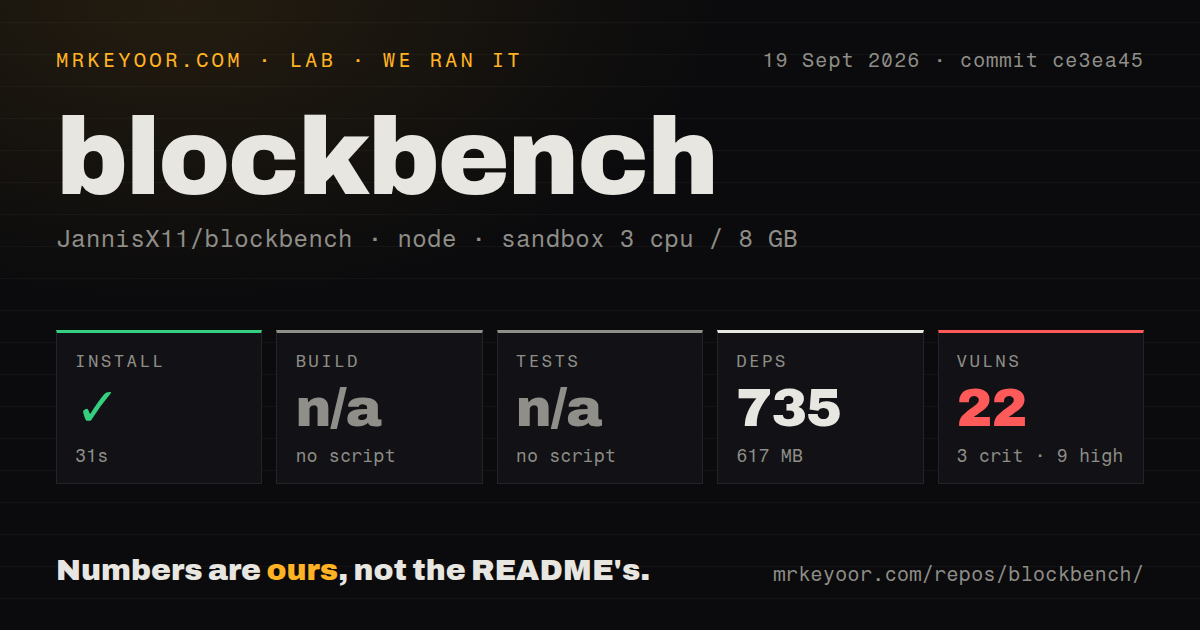
Our sandbox installed Blockbench in 31 seconds, pulling 735 npm packages and occupying 617 MB. The checkout at commit ce3ea45 contained 427 files, about 140,242 lines of source, and 15.1 MB before dependencies. Installation completed cleanly in the fresh Debian container with 3 CPUs and 8 GB of RAM.
The automation found no default build script or target, so it skipped the build step. It also found no test script or target and skipped tests. This does not mean the application cannot be built: the current package defines named web and Electron build commands. It means there was no generic target for our runner and no test result to use as a release signal. The scan found 4 CI workflow files, no Dockerfile, and no tests directory.
Npm audit reported 22 known vulnerabilities in the installed dependency tree: 3 critical, 9 high, 8 moderate, and 2 low. The log supplied no exploit analysis, so those counts do not prove Blockbench itself is exploitable. They do make a dependency review necessary before a company redistributes a modified Electron build or allows it to process untrusted files.
Node 20 gets the source running, not production-ready
The package requires Node 20 or newer. After npm install, npm run dev builds and launches the Electron application, while npm run serve starts the web version at port 3000. No API key, database, or hosted account appears in the source quick start. People who only want to create models should download the released app, which the README explicitly recommends over launching from source.
Web and desktop are distinct delivery paths. The repository has named commands for both, plus platform publishing commands for Windows, macOS, and Linux. There is no Dockerfile in the measured checkout, which matters only if your organization expects the browser build to arrive as a ready container. Blockbench is an application you package, sign, and distribute, not a server image you drop behind a reverse proxy.
Same-day code and issue activity outweigh the large queue
GitHub showed 5,925 stars and 669 open issues and pull requests when we fetched it. The last push was September 19, 2026, one day after the 5.2.0 release, and recently updated items included both bug reports and proposed fixes. The open total is not a defect count, but 669 items are still a lot to triage when your workflow depends on a specific exporter or plugin hook.
Fresh releases can carry fresh regressions. Open issue 3777 says copying a group between separate windows does nothing for a Bedrock model in 5.2.0 on Windows 11. The report is narrow and does not establish behavior on other formats or operating systems. It is still concrete enough that artists who split models across windows should reproduce that exact operation before updating a shared workstation.
GPL source and plugin exceptions support different adopters
Blockbench's source is GPL-3.0. The README separately says external plugins and themes that use its API may be open source, proprietary, or paid, and assets made with the editor remain yours. That distinction makes the plugin route attractive when you need a private exporter or workflow tool without maintaining a fork of the full 140,242-line application.
For most artists, the released app is the sensible choice. For source teams, the missing default checks and 22 audit findings are the work that comes with modification rights. Blockbench earns its place by keeping low-poly and Minecraft work close at hand; choose it for that constraint, then test the exact format and window workflow your production depends on.