mrkeyoor.com_
Sat 05 Sept 14:46 UTC
Dev Toolsevaluationupdated 05 Sept 2026

aseprite review

Aseprite is a desktop editor for drawing pixel art and frame-based sprite animation, with layers, palettes, onion skinning, tiled drawing, sprite-sheet export, Lua scripting, and a command-line interface. Its source is public, but the project EULA restricts modification and redistribution, so it is source-available rather than open source under a standard OSI license.

trackingstars / 7d
Verdict

Our Aseprite checkout exposed only a third_party/benchmark Python build, which took 5 seconds and then found 0 tests, so it provides no evidence that the C++ editor builds cleanly. The editor itself is an easy recommendation for focused pixel-art production if its timeline, export, scripting, and polished native workflow match the team. Developers seeking normal open-source rights should choose LibreSprite or Pixelorama because Aseprite's EULA blocks redistribution and limits source modification.

We ran it

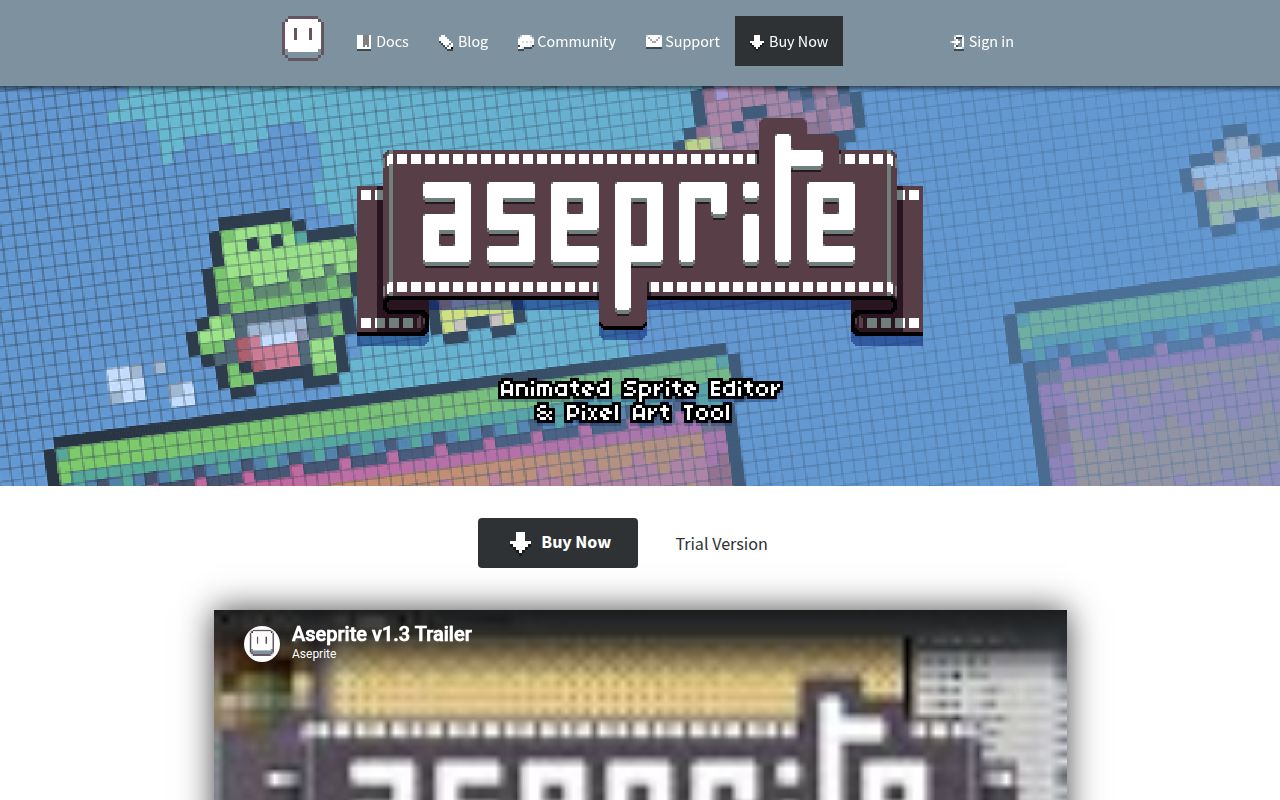
Lab card: what happened when we ran asepriteScreenshot of aseprite (www.aseprite.org)
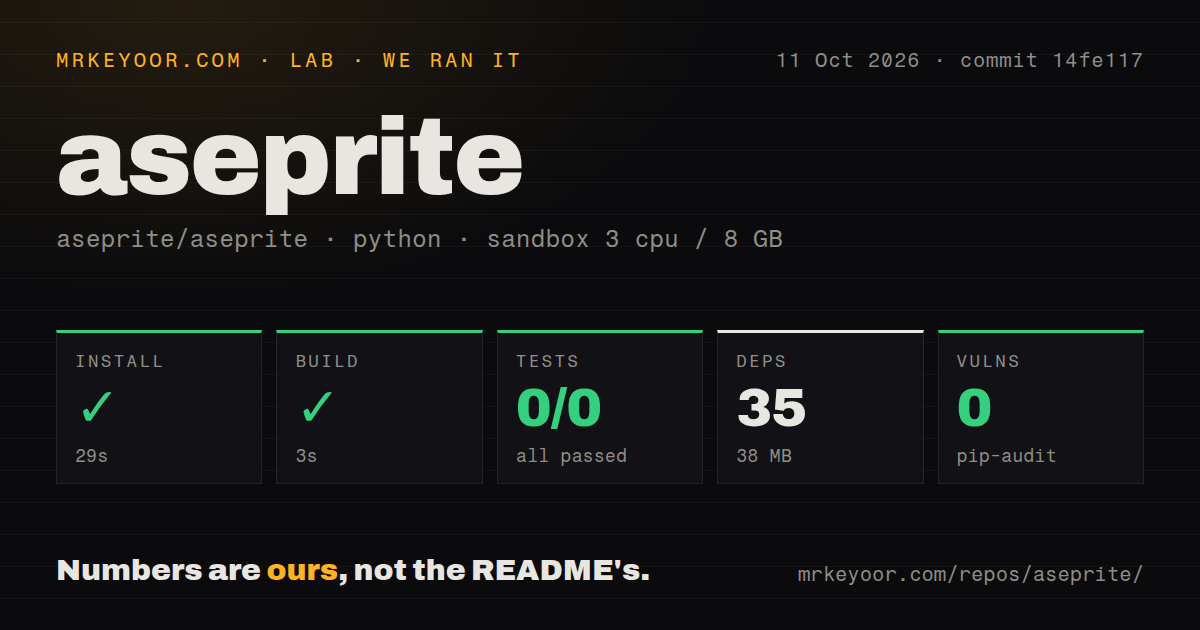
Install✓ · 30s35 packages · 37 MB
Build✓ · 5s
Tests✗ · 6s0 passed · 0 failed of 0 (pytest)
Known vulns0(pip-audit)
Repo14281 files~1,780,636 lines of source · 197.2 MB · 7 CI workflows · tests dir

Answers from our run

Does aseprite build from source?

Dependencies installed in 30 seconds (35 packages), and the build succeeded in 5 seconds. We cloned commit 56757b5 into a clean Debian container with 3 CPUs and no project-specific setup.

Do aseprite's tests pass?

Yes: 0 of 0 passed when we ran the project's own test command (pytest). Some failures need services or credentials a bare container does not have.

Does aseprite have known vulnerabilities in its dependencies?

pip-audit found none in the dependency tree at the time of our run.

Who should not use aseprite?

Distributors, hosted-service builders, or commercial forks: the EULA forbids third-party distribution and limits source modification to personal use or proposed contributions.

What are the alternatives to aseprite?

LibreSprite, Pixelorama, Piskel. Our Aseprite checkout exposed only a third_party/benchmark Python build, which took 5 seconds and then found 0 tests, so it provides no evidence that the C++ editor builds cleanly.

Setup2/5Real app build needs Skia, submodules, toolchains, and OS libraries
Docs4/5Feature and build docs are detailed, with platform-specific paths
Community5/539,225 stars with pushes and issue activity in September 2026
Maturity5/5v1.3.18.3 ships a long-used editor with active maintenance

Who it’s for

Pixel artists who need frame and layer timelines, onion skinning, palettes, and sprite-sheet export.
Game teams that want artists and build scripts to use the same sprite format and command-line exporter.
Tool builders who can automate repetitive work through Aseprite's Lua scripting API.
Individual developers willing to buy official binaries or compile a personal copy under the EULA.

Who it’s NOT for

Distributors, hosted-service builders, or commercial forks: the EULA forbids third-party distribution and limits source modification to personal use or proposed contributions.
Developers expecting a simple source build: INSTALL.md requires recursive submodules, CMake, Ninja, platform toolchains, system libraries, and the aseprite-m124 Skia branch.
Windows users committed to MinGW or cross-compilation: the build guide says neither path is supported.
Artists depending on GPU canvas acceleration: issue 960 says hardware acceleration is disabled until CPU-bound rendering work is resolved.
Linux artists using the exact Ubuntu 26.04 and OpenTabletDriver 0.6.7 setup from issue 6013: that open report says tablet input is not registered.

Setup reality

Our harness detected a Python project under third_party/benchmark/, installed 35 packages in 30 seconds, and used 37 MB. That subproject built in 5 seconds. Pytest exited 5 after 6 seconds because it found no tests: 0 passed and 0 failed out of 0. Pip-audit found 0 known vulnerabilities.

Those results do not build the Aseprite application. The documented app build needs a recursive clone, CMake, Ninja, a compiled or prebuilt aseprite-m124 Skia package, and platform dependencies. Windows uses Visual Studio 2022 and a Windows SDK; macOS uses Xcode; Linux needs a C++ compiler plus X11, cursor, input, OpenGL, and font libraries.

The checkout contained 14,281 files, about 1,780,636 source lines, and occupied 197.2 MB. Aseprite provides an assisted build script, but manual CMake flags still vary by OS and architecture. The EULA allows personal compilation and contributions, while redistribution and broader source use remain restricted.

v1.3.18.3 covers the full pixel-art production loop

Aseprite v1.3.18.3 is built around layers and animation frames as separate concepts. Artists get RGBA, grayscale, and indexed palettes of up to 256 colors, plus onion skinning, live preview, tiled drawing, layer groups, reference layers, and pixel-specific brush behavior. Finished work can leave as sprite sheets, GIFs, PNG sequences, or several older image formats. The workflow stays centered on game sprites and pixel animation instead of stretching into photo editing, vector illustration, or 3D work.

The editor also has useful production hooks. Lua scripting can turn repetitive transforms or exports into team tools, while the command-line interface fits an asset build. Multiple editors, configurable shortcuts, crash recovery, and nonlinear undo address long sessions rather than tutorial demos. Before standardizing on it, test the exact interchange path: confirm layer names, tags, pivots, color modes, sheet layout, and CLI arguments against the engine importer that consumes the result.

The 197.2 MB checkout needs Skia and recursive submodules

Our commit 56757b5 checkout contained 14,281 files and roughly 1,780,636 source lines in 197.2 MB. INSTALL.md tells developers to clone recursively, then obtain the aseprite-m124 branch of Skia as a compiled dependency or prebuilt package. CMake and Ninja drive the app build. This is a substantial native desktop tree with bundled libraries and platform code, so the attractive GitHub clone button is several steps away from an executable.

The supported toolchain changes by operating system. Windows guidance names Visual Studio Community 2022 and a Windows SDK, explicitly rejecting MinGW and cross-compilation. macOS guidance uses Xcode and separate x86_64 or ARM64 CMake settings. Linux requires a C++ compiler plus X11, cursor, input, OpenGL, and font development packages; the prebuilt Skia path also dictates the C++ standard library flags. An assisted build script can guide setup, but it cannot supply the missing system packages or compatible Skia archive.

What happened when we ran it

Our sandbox did not build the C++ editor. The harness identified a Python project under third_party/benchmark/, where installation took 30 seconds, pulled 35 packages, and consumed 37 MB. Its detected build succeeded in 5 seconds. Pip-audit found 0 known vulnerabilities in that Python environment. These numbers describe a third-party benchmark helper inside commit 56757b5, not CMake, Ninja, Skia, the native UI, or an Aseprite executable.

Pytest exited with code 5 after 6 seconds because it discovered no tests. The summary was exact: 0 passed and 0 failed out of 0. That is a failed test step, not a passing empty suite. The repository scan found 7 CI workflow files, no root Dockerfile, and a tests directory, but our detected subproject never exercised the app tests. A buyer compiling from source should validate launch, drawing, save and reopen, export, scripting, and tablet input on the target OS.

The EULA prevents normal open-source redistribution

Aseprite v1.3.18.3 ships source under a project EULA rather than one repository-wide OSI license. The README says some modules and libraries use MIT terms, then points the main source and official binaries to the EULA. That agreement permits installation and use, backup copies, personal source compilation and modification, and proposed contributions. It forbids distributing copies to third parties and does not grant a general right to publish a modified build.

This distinction changes procurement and engineering choices. An artist buying or personally compiling Aseprite can use the editor without needing a fork. A Linux distribution, hosted editor service, hardware bundle, or company planning its own redistributed variant needs different rights. Read the actual EULA and obtain legal advice for a commercial edge case. LibreSprite retains GPL-2.0 code from Aseprite's older licensing era, while Pixelorama and Piskel provide other license and deployment tradeoffs.

GPU canvas acceleration remains disabled in v1.3.18.3

Issue 960 says Aseprite's Skia port can use Direct3D, OpenGL, or Metal, but hardware acceleration performed worse than the software backend because of CPU-bound work and image transfers. The project disabled it pending renderer changes. Issue 3516 tracks that rewrite, with some items completed and others open as of September 4, 2026. Anyone choosing Aseprite for very large canvases or GPU-dependent effects should test actual document sizes rather than inferring performance from the presence of Skia.

Input devices need the same concrete check. Open issue 6013 reports that Aseprite v1.3.18.2 on Ubuntu 26.04 with OpenTabletDriver v0.6.7 showed a second tablet cursor but registered no drawing input. One configuration report does not establish a general Linux tablet failure. It is enough to justify a pre-purchase test with the artist's tablet, desktop session, pressure settings, and driver before the editor becomes required for a deadline.

August 2026 fixes and September work show active maintenance

Release v1.3.18.3 was published August 25, 2026, and the last repository push was September 4. GitHub reported 39,225 stars and 1,994 combined open issues and pull requests, with issue activity continuing September 5. The release fixed tile-edge previews, keyboard focus, macOS slowdown and brush behavior, a Linux eyedropper crash, and decoder handling. That is current maintenance; the large combined queue also means a device or workflow problem may wait behind many feature requests.

Aseprite is strongest when judged as an artist's tool rather than as a permissively licensed codebase. Its animation timeline, pixel-aware drawing, export routes, Lua API, and native UI cover a specific job well. The build and license ask for deliberate choices: buy the maintained binary for ordinary use, compile personally if the EULA fits, and choose a genuinely open alternative if redistribution matters. Our 5-second helper build offers no shortcut through either decision.

Alternatives

ProjectWhat it isPick it when
LibreSpriteA GPL-2.0 pixel-art and animated-sprite editor forked from Aseprite's last GPL commit.pick this instead when conventional open-source modification and redistribution rights are mandatory.
PixeloramaAn MIT-licensed pixel-art editor for sprites, tiles, and animation on desktop and web.pick this instead when a permissive license and a Godot-based cross-platform editor fit your workflow.
PiskelAn Apache-2.0 browser-based editor for sprites and pixel art.pick this instead when instant web access matters more than a native desktop workflow and Lua automation.

What people are saying

  1. [velocity-scout] aseprite/aseprite

Sources

  1. Aseprite README
  2. Aseprite build instructions
  3. Aseprite repository metadata
  4. Aseprite v1.3.18.3 release
  5. Aseprite EULA
  6. GPU acceleration issue 960
  7. Linux tablet issue 6013

More dev tools reviews

lazycodex · ai-toolbox · cli · comprehensive-rust · awesome-cpp · filament · the whole board →