Mini Apps give tasks an interface beyond chat
BitFun's most interesting idea is the Agentic Mini App. A task can produce a chart, form, board, or panel whose live state remains attached to the conversation. That is useful when the result needs repeated inspection or control, because users can point at what is on screen instead of describing the whole state again in text. The public gallery is also a distribution path for these small task interfaces.
The rest of the product is broad. BitFun edits repositories, runs terminals and tests, drives browsers and desktop applications, creates office documents, handles remote workspaces, and offers several agent modes. Four customization levels run from Markdown-defined agents through MCP, skills, hooks, Mini Apps, and source changes. Breadth is attractive on a personal workstation, while every enabled execution surface adds another permission and data-handling decision.
Self-hosted sync still requires an operated relay
BitFun says login, session and settings sync, and control between signed-in devices pass through a relay that you deploy. Clients derive keys locally, while the server stores Argon2id hashes and AES-GCM-wrapped material. This design avoids a mandatory vendor cloud, but it does not make multi-device use maintenance-free. Someone still owns relay updates, availability, backups, TLS, account recovery, logs, and network exposure.
Release v0.2.18 includes desktop builds for Windows x64, macOS Intel and Apple Silicon, and Linux x64 or ARM64 in AppImage, DEB, and RPM forms. It also adds remote and wearable work, signed macOS packages, browser attachment through CDP, and a beta channel. Connecting to a real signed-in browser is powerful and sensitive. Use a separate browser profile unless the agent genuinely needs access to personal sessions.
What happened when we ran it
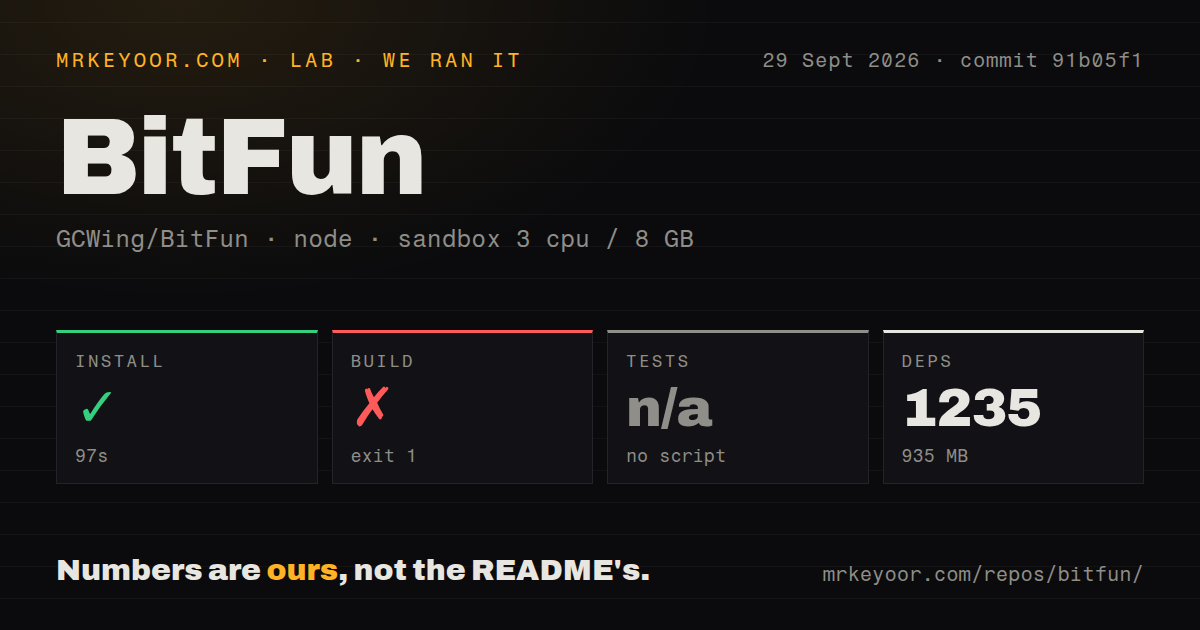
Our unprivileged sandbox installed 1,199 pnpm packages in 49 seconds, consuming 787 MB on disk. The build passed in 120 seconds. The monorepo exposed no test script or target to our harness, so the test step was skipped even though the checkout contains a tests directory and 7 CI workflow files.
Npm audit found 12 known vulnerabilities in the installed dependency tree: 10 high, 0 moderate, 2 low, and 0 critical. The measurement applies to commit 41f4af3 and does not identify which runtime paths include each affected package. It is still a poor starting signal for software that can touch source files, terminals, browsers, and desktop applications. Map every finding to production, build, or development use before approving deployment.
The checkout contained 6,280 files, around 1,484,545 source lines, and 166.7 MB before installation. Our 3-CPU, 8 GB container did not launch the graphical desktop, configure a model, deploy the relay, or test Computer Use. A successful build proves the monorepo compiles under the supplied environment. It does not validate agent quality, desktop permissions, encrypted sync, or generated Mini Apps.
Source setup spans Node, Rust, Tauri, and the operating system
The README requires Node 22.12 or newer, pnpm 10.15.0 through Corepack, the Rust toolchain, and Tauri's platform packages. That stack is reasonable for a Rust desktop shell with a large web interface, yet it raises the cost of a contributor's first fix. Downloading a release avoids compilation, then shifts trust to packaged binaries and the project's documented checksum verification flow.
A first run asks the user to open a project, create a model configuration, enter an API key, select models, and test the connection. Provider choice changes data routing and cost. Hooks can execute commands during the agent lifecycle, while MCP servers and Mini Apps bring more code into the process. Start with one disposable repository, the minimum permissions, and no personal browser profile before adding extensions.
No harness test target leaves the 120-second build carrying too much
The source tree and recent pull requests clearly mention focused Rust, frontend, architecture, localization, and device tests. Our measured package entry point still offered no single test target. For an outside evaluator, that means the standard install and build path cannot produce one repeatable green suite comparable with the 1,315-case result we observed for three.js. A documented aggregate command would make release checks easier to reproduce.
The absence matters because BitFun spans many boundaries: desktop IPC, model adapters, filesystem access, process execution, remote peers, mobile surfaces, and encrypted state. A compile error is only one failure class. Before adoption, run the repository's platform-specific checks, then add a local scenario that denies a tool, rolls back a session, reconnects a peer, and confirms no secret appears in logs or generated UI.
Version 0.2.18 is active research, not settled desktop infrastructure
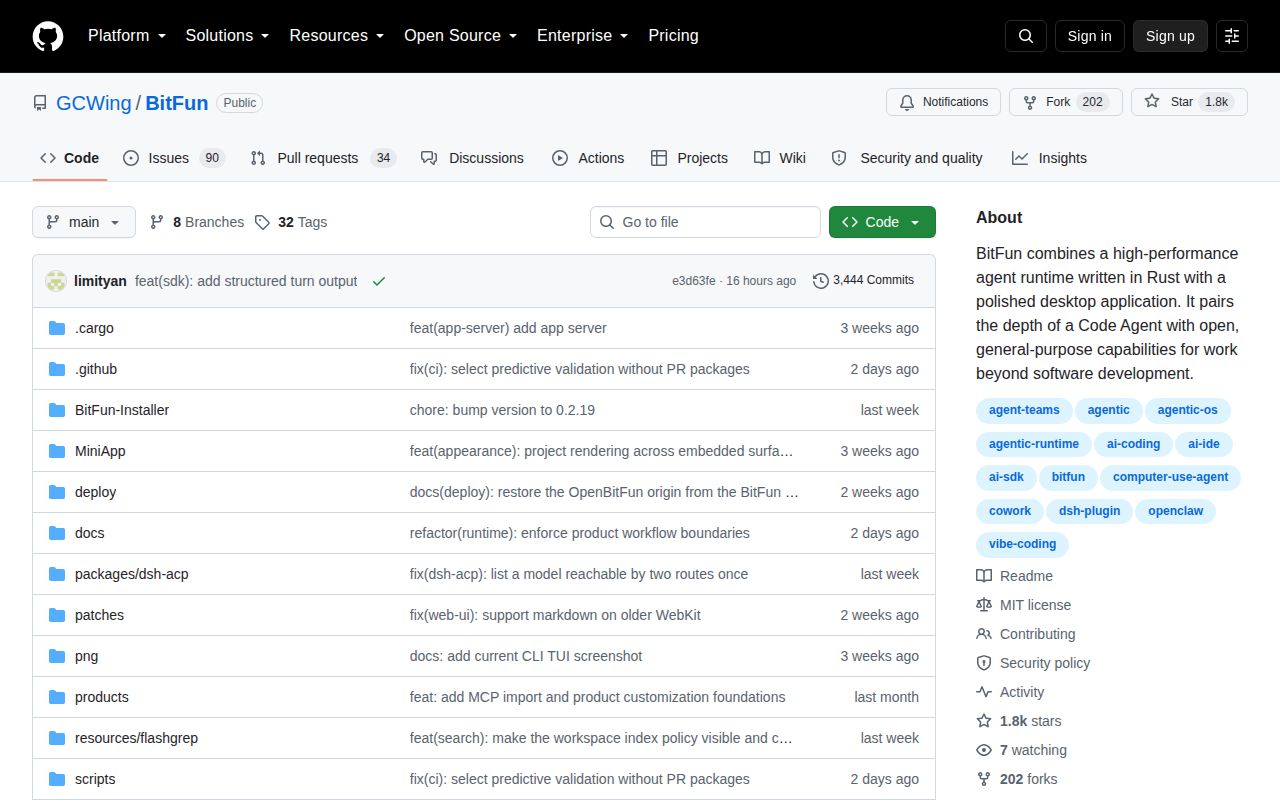
GitHub showed 1,817 stars and 124 combined issues and pull requests, with the last push on August 26, 2026. Release v0.2.18 was published August 14. Same-day changes covered agent settlement results, remote workspaces, design-system components, subagent state, and runtime assembly. That is active maintenance, paired with a wide product surface that is still changing quickly.
The README is direct about the project's status: BitFun is spare-time exploration and research, not a commercial profit-making project. Its roadmap labels Lights-Out Factory and Infinite Radius as in progress, so they should not be treated as finished capabilities. Try BitFun for its current Mini Apps and desktop workflow, not for future unattended factories. Keep important work behind review until the dependency audit and test entry point improve.