Your client's routing decides whether compression happens
Billion-context built in 26 seconds in our sandbox, but choosing the right connection matters more than compiling it. The proxy sits between a coding agent and its model provider, replaces older conversation ranges with summaries, and gives the agent tools to retrieve details later. I'd try it when repeated context loss interrupts a long debugging job. I'd first check the exact client path in the integration guide.
The tools explain the attraction. compress folds a range, decompress restores it, and search_context looks through summaries and visible messages. You can revisit an earlier error instead of relying entirely on the latest summary. Retrieval still depends on the agent asking for the right material. Our 900-second test timeout leaves us without a completed suite, and the supplied run doesn't establish whether a long session remembers every consequential detail.
What happened when we ran it
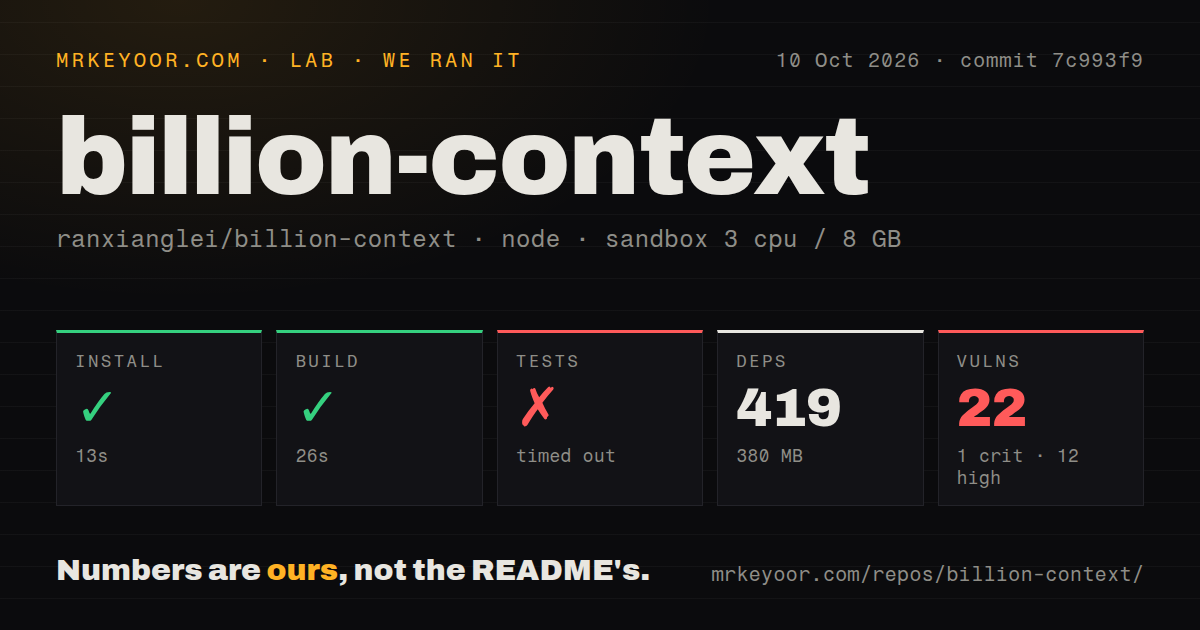
Our run installed billion-context commit 7c993f9 in 13 seconds, adding 419 packages and using 380 MB on disk. The build passed in 26 seconds. We ran it on October 10, 2026, in a fresh Debian container with 3 CPUs, 8 GB of RAM, and image lab-node:22, without secrets or elevated privileges. These measurements cover repository setup and checks, not live model performance or token savings.
Tests timed out at 900 seconds. The last visible checks passed: an emergency context trigger without the beta header, followed by a check that the effective limit honors the Anthropic extended-context header per request. Between them, the log records input usage falling from 261206 to 1000 and retiring a stale high reference. The tail contains no explanation for the timeout. It doesn't justify calling those checks failed or claiming the complete suite passed.
Npm audit reported 22 known vulnerabilities: 1 critical, 12 high, 8 moderate, and 1 low. That is reason to inspect the dependency paths before putting model credentials through this proxy, although the supplied summary doesn't identify an exploitable request path. The checkout contained 1234 files, roughly 325249 source lines, and occupied 21.9 MB. The scan found 25 CI workflow files and a tests directory, with no Dockerfile.
The Codex MCP companion needs a running proxy
The English README distinguishes launcher, native plugin, and URL-rewrite routes. bili plugin install codex supplies context tools through MCP, but doesn't start the proxy or route Codex's model traffic. For that client, the documented launcher is the simpler complete route. A visible MCP connection alone would be a poor acceptance check: you need evidence that the actual conversation passes through the compressor.
Installation itself was straightforward in our run: 13 seconds and 380 MB. Using it still requires an installed coding client and that client's provider login or API credential. Some launchers decrypt selected model traffic locally using a certificate, while others rewrite the provider URL. If your workstation policy forbids that interception, the launcher you need may be unsuitable. The configuration reference also documents persisted session data, which deserves the same care as your coding history.
Claude Desktop's Code tab can bypass the proxy
The README documents a concrete Claude Desktop limitation: its embedded Code tab overrides the managed provider URL. The native configuration can still disable the client's own automatic compaction, leaving that route with neither compression mechanism. Terminal Claude Code follows a different path. Desktop-only users should avoid this integration until their route is supported, rather than assume that the Claude name on the compatibility list covers every app.
Native plugins and the older standalone extensions must also stay separate because enabling both can compress the same conversation twice. The installer replaces legacy configuration entries, but the README says project-local entries need manual removal. Our successful 26-second build doesn't verify those settings on your workstation. Check the repository's client instructions against both your user configuration and the project's configuration before trusting a resumed conversation with important debugging evidence.
Automatic updates and attribution need explicit decisions
The update documentation says critical-defect advisories can force a package change even when ordinary automatic updates are off. It provides a separate advisory opt-out. That's inconvenient for a team that freezes tool versions during an incident investigation: pinning the usual update setting is insufficient. With 419 packages in our measured installation, I'd make the update policy part of the deployment record, alongside the selected client route.
The license file adds a product-surface attribution requirement to MIT's terms. GitHub reports its license identifier as NOASSERTION. Teams restricted to unmodified standard licenses should examine that file before adoption. RTK is a narrower alternative when command output is the main source of context bloat, while Context Mode concentrates on handling tool output and session memory. Neither choice should be treated as a verified substitute for every client integration here.
October activity shows maintenance alongside compatibility work
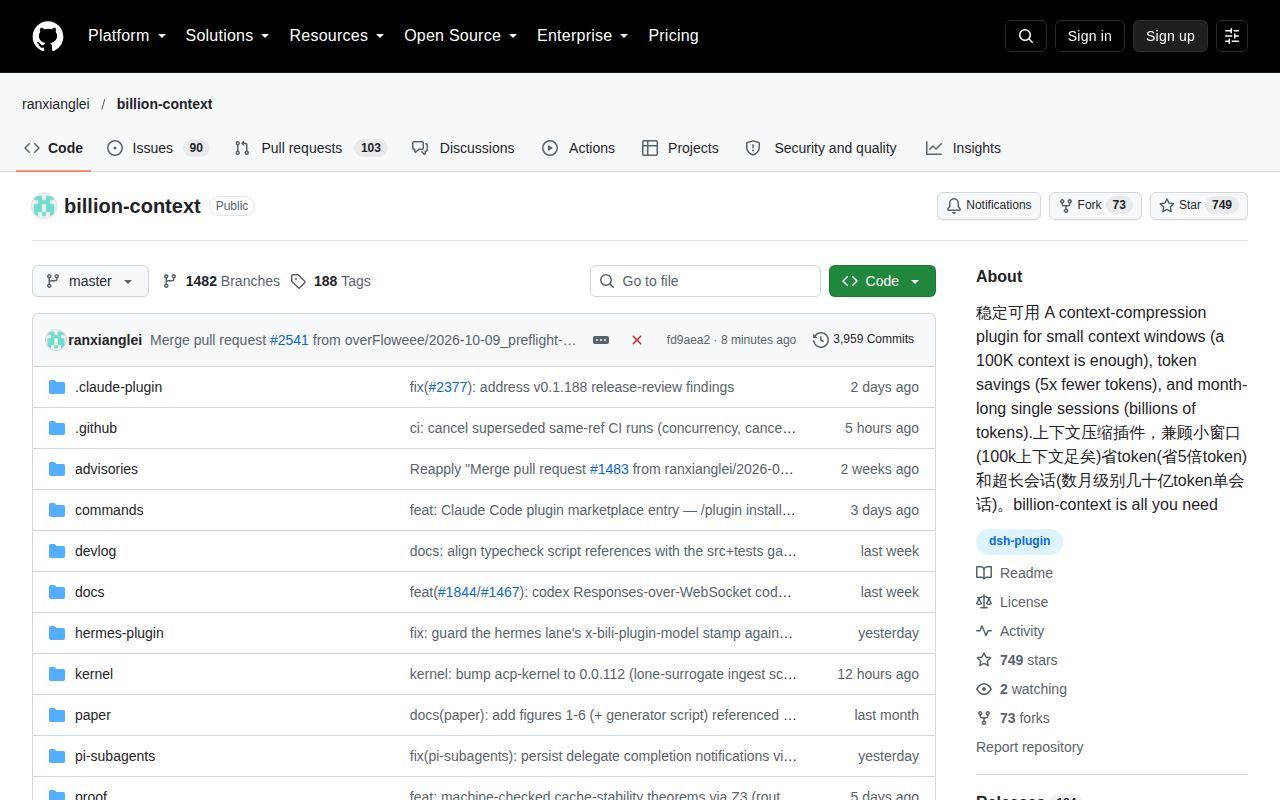
The repository's last push was October 10, 2026. GitHub returned 748 stars and 193 open issues and PRs, and release v0.1.191 shipped that day. Recent threads include client-routing and compaction fixes, so this is active maintenance with moving integration boundaries. Use it for a supervised terminal workflow where retained history matters enough to justify the proxy. Before making it your default, require a completed suite beyond our 900-second cap and confirm compression on the client you actually use.