Should you enable automatic rewriting?
Start with explicit filtering on familiar commands and compare the results with their originals. RTK's documented filters reduce diff context, shorten file bodies and collapse passing-test output. That can make navigation easier, but a patch review may need the surrounding lines that filtering removes.
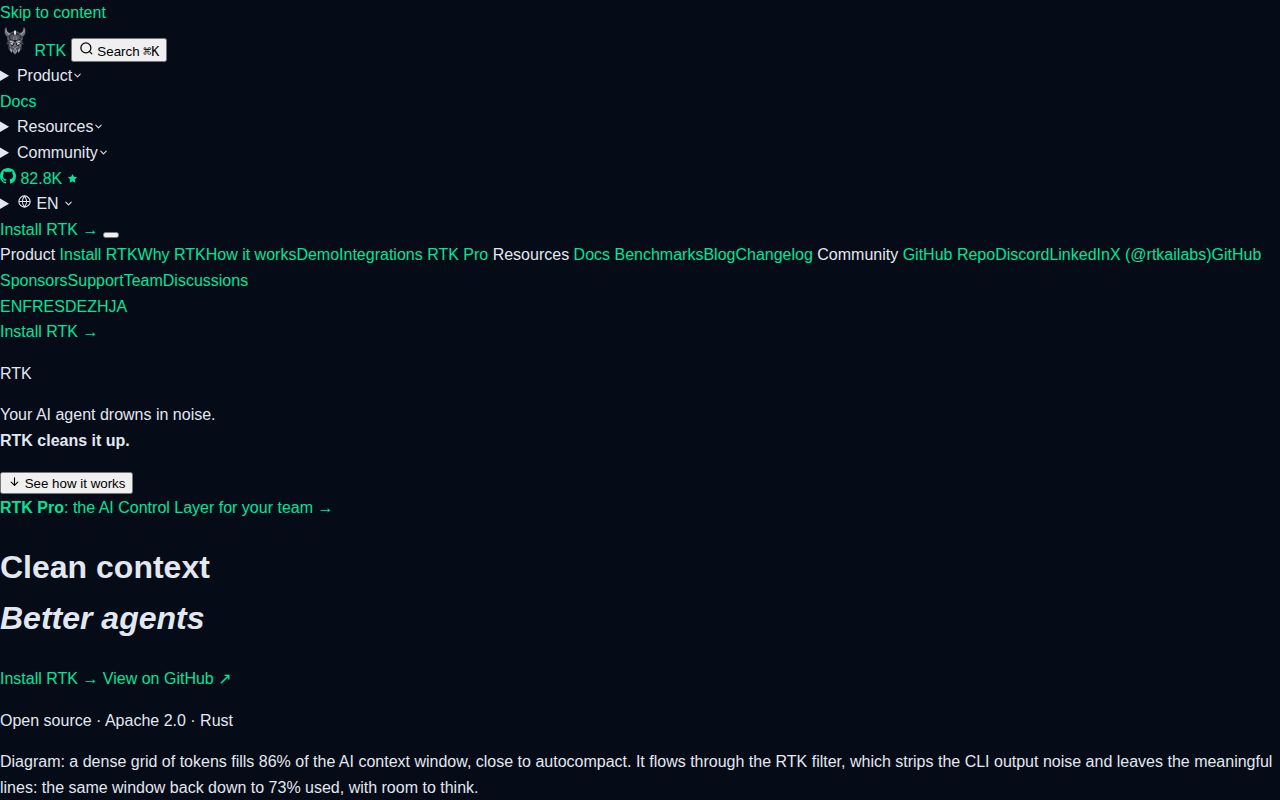
RTK intercepts shell commands and compresses their output before your agent reads it. This review evaluates that role using our stored sandbox record and the README at the tested commit. Current documentation describes additional components that this run did not exercise.
What our sandbox established
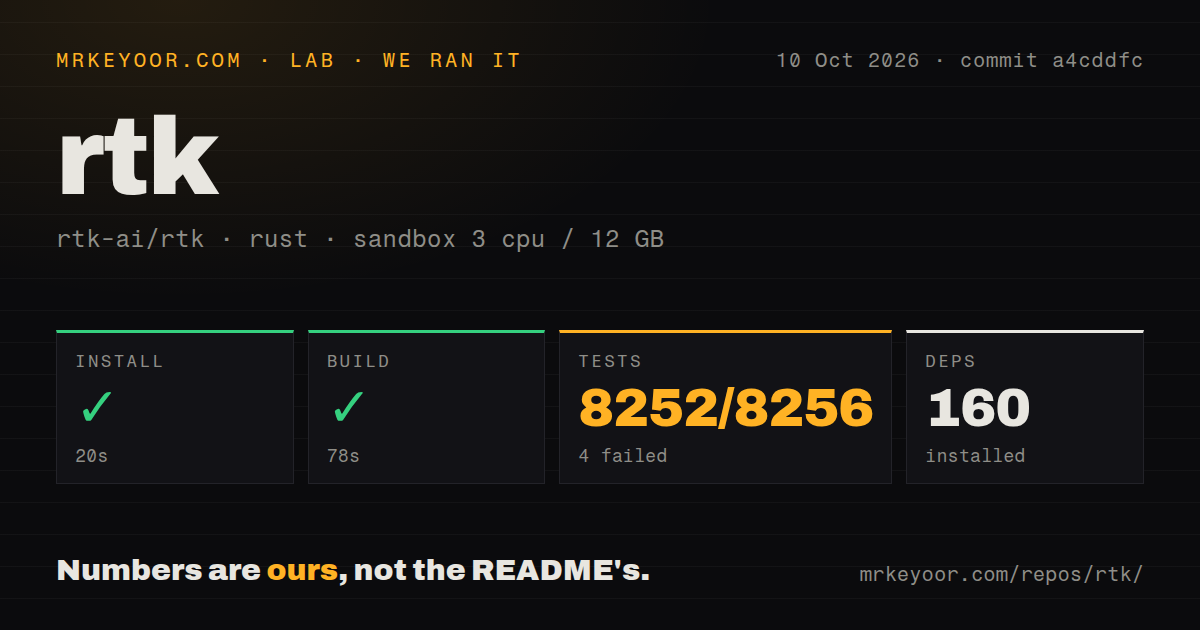
Our run on 2026-10-10 tested commit a4cddfc. Installation succeeded in 20 seconds and the build succeeded in 78 seconds. Our sandbox test command exited 101.
The harness records command outcomes as success flags, exit codes, elapsed times and timeout status, alongside parsed summaries and retained log tails. The test command took 587 seconds and did not time out. The MrKeyoor testing methodology explains this form of evidence and its limits. Its current procedure does not establish which methodology revision governed the October run.
The attached stored parser summaries report 8,252 passed, 4 failed and 8,256 total. Replayed summaries may double-count suites, so these are historical parser aggregates, not verified unique or exhaustive test counts. We preserve those stored figures without recalculating them from the displayed footers.
The raw log names git_diff_dash_dash_stat_pathspec_after_double_dash_is_not_stat_flag and git_log_malformed_digit_run_propagates_real_git_error as failures in guard_integration_test. The first assertion concerns compacted diff output for a modified file named --stat. The second expects Git's malformed-integer error to appear verbatim. These observations identify specific output checks needing investigation; they neither diagnose the cause nor account for every failure in the stored aggregate. Ignored tests elsewhere in the log are not failures.
We did not test a live coding-agent session, runtime overhead, financial savings or output fidelity across supported commands. No audit result is recorded, and security scan coverage is unknown.
Does the hook reach your workflow?
Claude Code's built-in Read, Grep and Glob tools bypass RTK's Bash hook. The pinned README documents shell commands and explicit RTK invocations as ways to obtain filtered output for those tasks. If built-in tools provide most of your agent's context, automatic Bash rewriting affects only part of its reading.
The pinned README also documents exclusions, raw execution through rtk run, and recovery of retained output through rtk recall. Before enabling the hook, compare a familiar diff and a failing command with their originals. Check that recovery exposes the details you need to investigate a failure. These are suggested acceptance checks, not work performed in our run.
Does less output mean a smaller bill?
RTK's reported token counts are byte-based estimates, not tokenizer measurements. The pinned README describes dividing bytes by four and distinguishes shell output from prompts, conversation history and generated replies. Our run provides no billing benchmark. Use the analytics to find verbose commands, then check provider usage if cost determines your adoption decision.
Which checkout and download does this review cover?
The build log identifies the tested crate as v0.49.0 at commit a4cddfc. The supplied v0.51.0 release notes describe a separate release dated 2026-10-02. That release page does not change the identity of our tested checkout.
The current RTK README distinguishes the full download, an Apache-2.0-only rtk-oss edition and a separately distributed BUSL-1.1 proxy. The engine also has different licensing terms from the CLI. Check those component boundaries before selecting a download or embedding code. The historical Apache-2.0 signal in our record is not a license assessment of every current component, and our run did not validate the current proxy or pipeline workflow.
Which alternatives fit the task?
ripgrep recursively searches files for a regex pattern. Choose ripgrep directly when source searching is the task and you want to control the matching output. It can also complement RTK: the pinned RTK README says some filters require it.
Repomix packs repository content into a single file for AI tools. Choose Repomix to prepare repository context for an assistant. It can complement subsequent shell filtering; packing files does not replace interception of command results.
How the scores work
These are editorial assessments, not performance measurements. The five-point rubric is: 1 indicates substantial observed obstacles; 2 indicates major limitations; 3 indicates usable capabilities with material reservations; 4 indicates strong supporting evidence with bounded caveats; 5 indicates strong evidence within the stated assessment scope.
Setup ease reflects successful installation and compilation, with agent configuration still required. Documentation reflects the pinned README's practical coverage, tempered by its stale version example. Community assesses visible public activity only: repository updates and detailed release notes support that narrow assessment, without establishing adoption or support quality. Maturity carries material reservations because our test command failed and the retained assertions concern output behavior.