This is a Chinese BetterGI catalog, not a standalone app
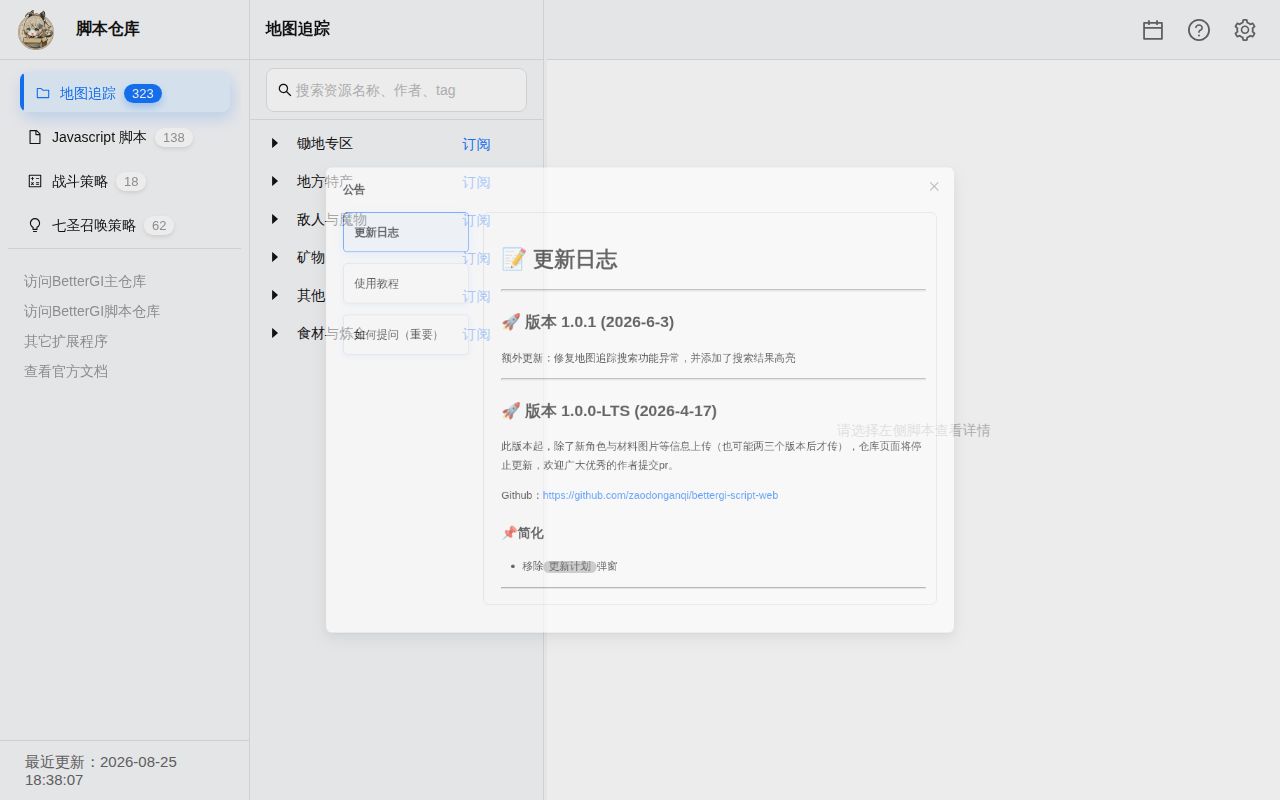
bettergi-scripts-list stores community automation for Genshin Impact. Its four main buckets cover combat strategies, JavaScript tasks, map-tracking routes, and Genius Invokation TCG strategies. The separate BetterGI desktop application executes them. The repository has 18,611 files, about 155,116 source lines, and a 107.8 MB checkout. Its README and submission rules are written in Chinese, with no English version for this catalog.
Cloning these files does not produce a working bot. BetterGI supplies screen capture, OCR, template matching, simulated input, scheduling, and the script runtime. Users normally browse through bgi.sh or its backup site. Contributors place content under prescribed directories and follow naming rules for the catalog index.
ArtifactScore needs BetterGI 0.61.0 and a Chinese 1080p screen
Our measured npm project lives at repo/js/ArtifactScore. It reads the artifact detail panel with OCR, estimates useful substats, applies character-specific weights, and draws a score overlay. Its README requires BetterGI 0.61.0 or newer and the Simplified Chinese game interface. It recommends 1920x1080 resolution, a 16:9 image, and default interface scaling.
Those limits come directly from the code. ArtifactScore defines fixed pixel regions against BetterGI's 1920x1080 standard screenshot, then looks for Chinese labels for positions, stats, elements, and character names. The manifest identifies version 1.8.0 and BetterGI 0.61.2. The score data comes from miao-plugin, and the README warns that inferred substat roll counts may differ from the actual history. The score is a filter, not a complete build recommendation.
What happened when we ran it
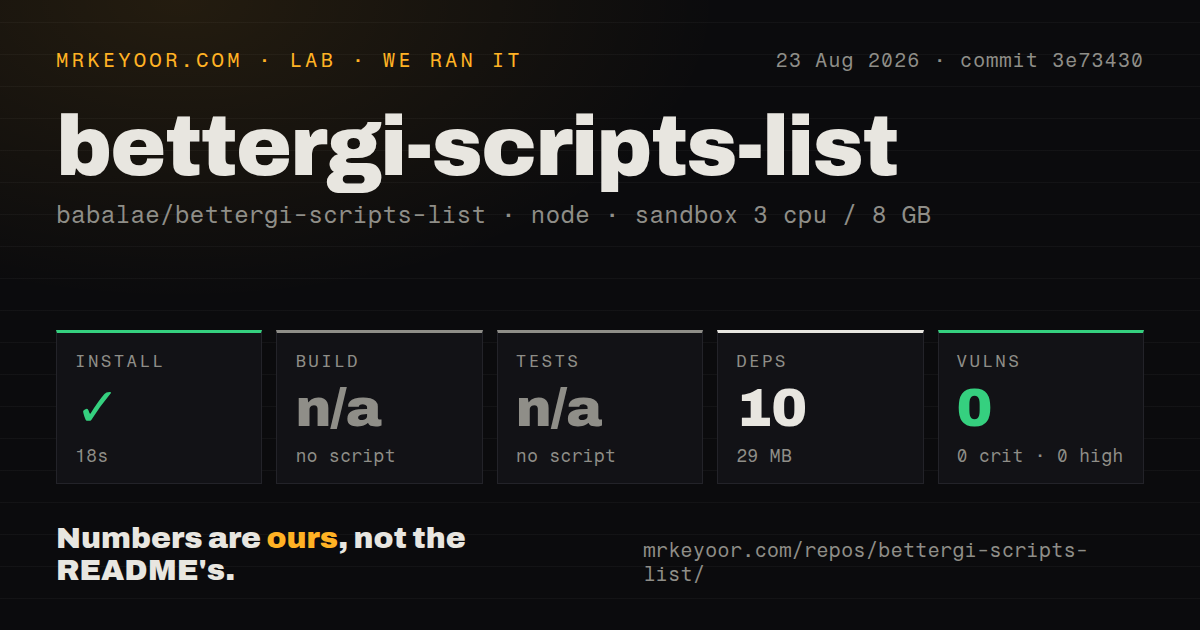
Our sandbox installed 10 npm packages in 18 seconds inside ArtifactScore and used 29 MB on disk. Npm audit reported 0 known vulnerabilities: 0 critical, 0 high, 0 moderate, and 0 low. The full checkout contained 7 GitHub CI workflow files, no Dockerfile, and no tests directory. These facts describe commit 3e73430 in a 3-CPU, 8 GB Debian container running Node 22 without secrets.
There was no build script or target, so the harness skipped that step. There was also no test script or target, which left application behavior untested. The successful package install proves only that this tool's declared npm dependencies resolved. Our container did not run BetterGI, attach to a game window, read a Chinese artifact panel, draw the overlay, or simulate input. The 18-second result is not an end-to-end setup time.
The audit covers ArtifactScore's npm dependency tree, not every script among 18,611 files or the C# BetterGI host. Community tasks can use BetterGI APIs and bundled assets outside that package tree. Each script still needs source review and a supervised trial.
BetterGI requires Windows and tightly controlled display settings
The host README requires 64-bit Windows 10 or newer plus .NET 8. BetterGI says low-spec machines may struggle because image recognition consumes resources. It supports 16:9 displays and recommends a 1920x1080 window. Changing window size, resolution, or monitor requires restarting the software, and HDR or GPU filters are unsupported. Security software may also block simulated clicks.
That explains why a shared route can work for one player and miss a button for another. OCR text, coordinate regions, display scaling, animation timing, network delay, and a game update all affect script state. ArtifactScore shows an error marker for unrecognized lines. Other tasks that click, cook, fish, or write completion records can have larger consequences when recognition fails.
Open reports show how unattended tasks can drift
Issue 3564 describes fishing automation that catches the fish but fails to click out of the exit dialog, leaving later time adjustment on the wrong screen. The report names BetterGI 0.64.0, script version 2.4.10, and a 1920x1080 full-screen game on a scaled 4K Windows 11 desktop. Supported internal resolution does not remove the surrounding display variables.
Issue 3533 is more serious for scheduling. A dialogue helper and AutoPickLitter can advance the same conversation, after which the script misses the expected option. The report says it writes a completion timestamp even though no conch was handed over and no chest was opened. Issue 3529 describes a cooking task repeatedly clicking after ingredients run out, with an external 120-second observation limit used to stop it. These are open reports, not universal failures.
Active contributions trade consistency for breadth
GitHub recorded a push on August 26, 2026, and listed 57 combined issues and pull requests. The recent queue included new collection routes, corrections to stuck path points, OCR tolerance work, and script bugs. That pace helps after game updates, while behavior remains distributed across many contributors and scripts.
Submission rules ask authors to test combat strategies in play and permit maintainers to reject low-quality work. JavaScript contributions with HTML overlays must include understandable source or link to it, and promotional material is prohibited. Those rules do not replace executable tests, which were absent from the measured ArtifactScore package.
Account policy is the final constraint
BetterGI says it does not modify game files or read game memory. It relies on computer vision and simulated input. The same FAQ acknowledges that the game's user terms identify third-party software and simulated operation as possible reasons for a ban, and that detection remains possible. No package audit or source review can remove that policy risk.
For an existing BetterGI user, the catalog is worth browsing. Pick a script whose README matches your game language, host version, resolution, and task. Read its code, run it while present, and confirm the game state before adding it to a schedule. Anyone seeking unattended automation with account guarantees should walk away.