The repository helps you choose a tunnel, but it is not one
The 0.1 MB checkout looks like a tiny networking utility. awesome-tunneling is mainly a long README, backed by one Python helper that sorts open-source entries by GitHub stars. There is no tunnel client, relay, daemon, or control panel. Its output is a shortlist for exposing a local service through NAT, DNS, TLS, or a private mesh.
The maintainer defines the desired outcome with four requirements. A service should connect domain registration to the tunnel server, manage HTTPS certificates, carry HTTP and TCP traffic without root on the client, and provide a GUI for mapping a hostname to a port on a machine. The README says no listed option satisfies all four, especially domain registration and DNS. The catalog records compromises rather than declaring a winner.
Its recommendations cut through more than 100 prose entries
The README recommends Cloudflare Tunnel for most people, Pangolin or frp for production-minded self-hosting, and the maintainer's SirTunnel for developers who want a small base to modify. Those picks sit above separate lists for open-source tunnels, commercial services, overlay networks, and reference articles. You can start with an opinion instead of scanning every entry.
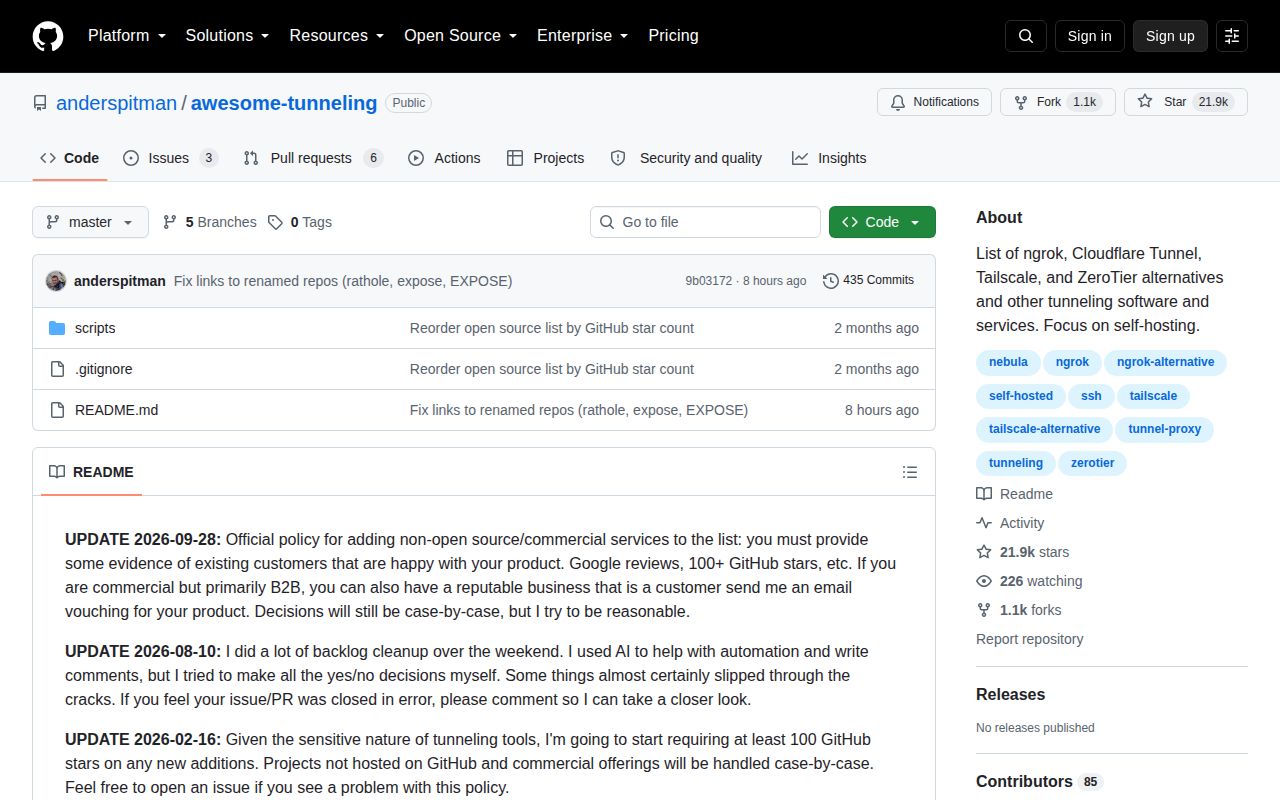
Admission has become stricter because tunnels handle sensitive traffic. Since February 16, 2026, a new GitHub-hosted project generally needs at least 100 stars, while non-GitHub and commercial submissions are judged case by case. A September 28 update also asks commercial services for evidence of satisfied customers. Those rules discourage drive-by promotion. They do not prove encryption design, relay isolation, authentication quality, or whether a hosted operator can inspect plaintext.
What happened when we ran it
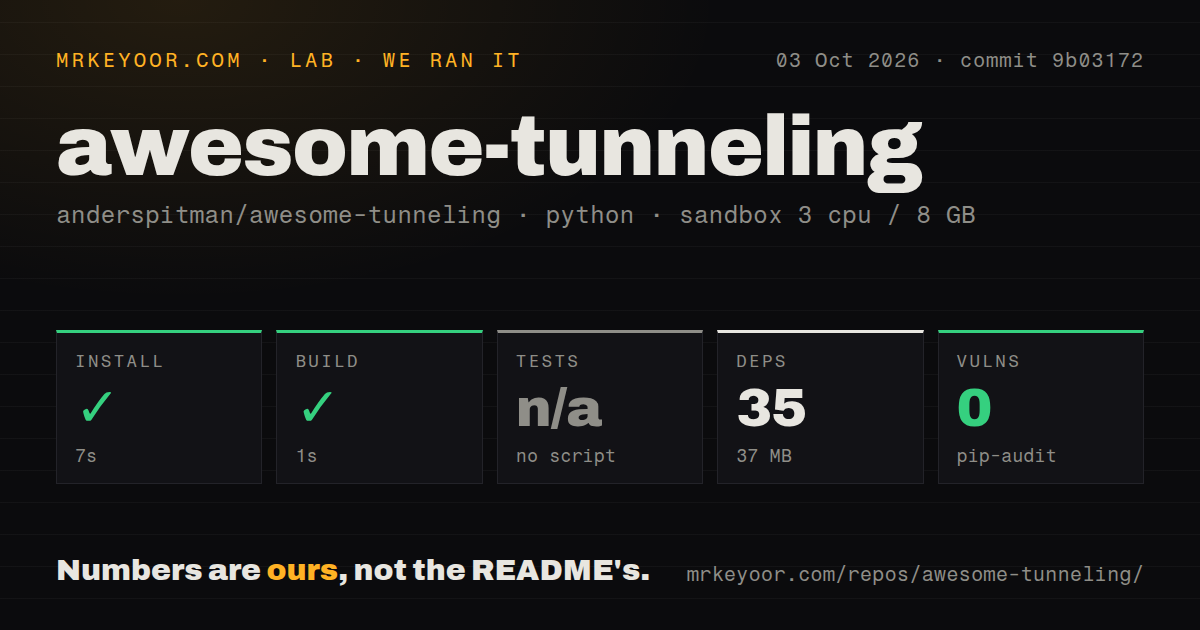
Our sandbox installed commit 9b03172 in 7 seconds. The process added 35 packages and left 37 MB on disk, then the build completed in 1 second. The environment was an unprivileged Debian container with 3 CPUs, 8 GB of RAM, Python 3.12, and no secrets. These results confirm that the repository's mechanics are light. They say nothing about the speed or reliability of any tunnel named in the README.
There was no test script or test target, so our run skipped tests. Pip-audit reported 0 known vulnerabilities in the installed environment. The checkout contained 3 files, about 176 lines of source, and no Dockerfile, CI workflow, or tests directory. The star-sorting rewrite has no supplied regression check, so review must catch a malformed entry or incorrect link.
The helper uses Python's standard library to query GitHub and rewrites only the open-source section. It declares a 6-hour cache age, but the load path never compares cached timestamps with that limit. Cached counts persist until --refresh is used or a value is null. GH_TOKEN or GITHUB_TOKEN is optional. The --check flag leaves the README unchanged but still writes the cache. Unresolved repositories retain their relative order as a separate group.
A 100-star gate cannot answer the security questions
The popularity rule is a coarse filter for software that opens routes into private machines. A project with 100 stars can still terminate TLS in an unexpected place, rely on a hosted coordinator, expose only HTTP, or require privileges you cannot grant. The catalog often notes protocol, license, language, and whether a service is hosted. Detail varies by entry, and the README does not claim to have run each tool.
awesome-tunneling has no detected repository license. Reading it and following its links is straightforward, but copying the catalog into a product raises a separate permission question. The root has 3 files and no license document. Ask for permission or get legal guidance before treating the collected prose as reusable open-source material. Individual projects keep their own licenses, which must be checked separately.
The catalog is easier to browse than to query
The grouping makes human browsing quick. Open-source relays are separate from paid services, while Tailscale-like meshes and advanced networking tools get their own section. Short notes mention automatic certificates, TCP or UDP support, custom clients, root requirements, and maintenance warnings. One page covers SSH relays, WireGuard products, WebSocket tunnels, Tor tools, and hosted webhook forwarding.
There is no machine-readable catalog or common set of columns. The 176-line Python helper extracts GitHub repository links and star counts, but it does not validate claims, check every URL, compare prices, or normalize security properties. Star ordering can favor older projects over a younger tool that fits better. Search the README, then compare finalists on TLS termination, protocols, identity controls, relay ownership, and operating burden.
October activity supports the shortlist, not the final decision
GitHub showed 21,908 stars and a last push on October 3, 2026. The same snapshot listed 9 open issues and pull requests: 3 issues and 6 pull requests. Recent commits added entries, fixed renamed repository links, and reordered the open-source section. There is no GitHub release, which is unsurprising for a README catalog. Current edits and review threads say more about its health than a missing release tag.
awesome-tunneling earns a bookmark because it states its preferences and limits. Our 7-second install and 1-second build show that maintaining the helper is cheap, while the absent tests show where confidence ends. Start with the named recommendations, reduce the field to two or three candidates, and test them in the network they must survive. The catalog cannot decide who should terminate your TLS.