Pangolin combines a reverse proxy with private network access
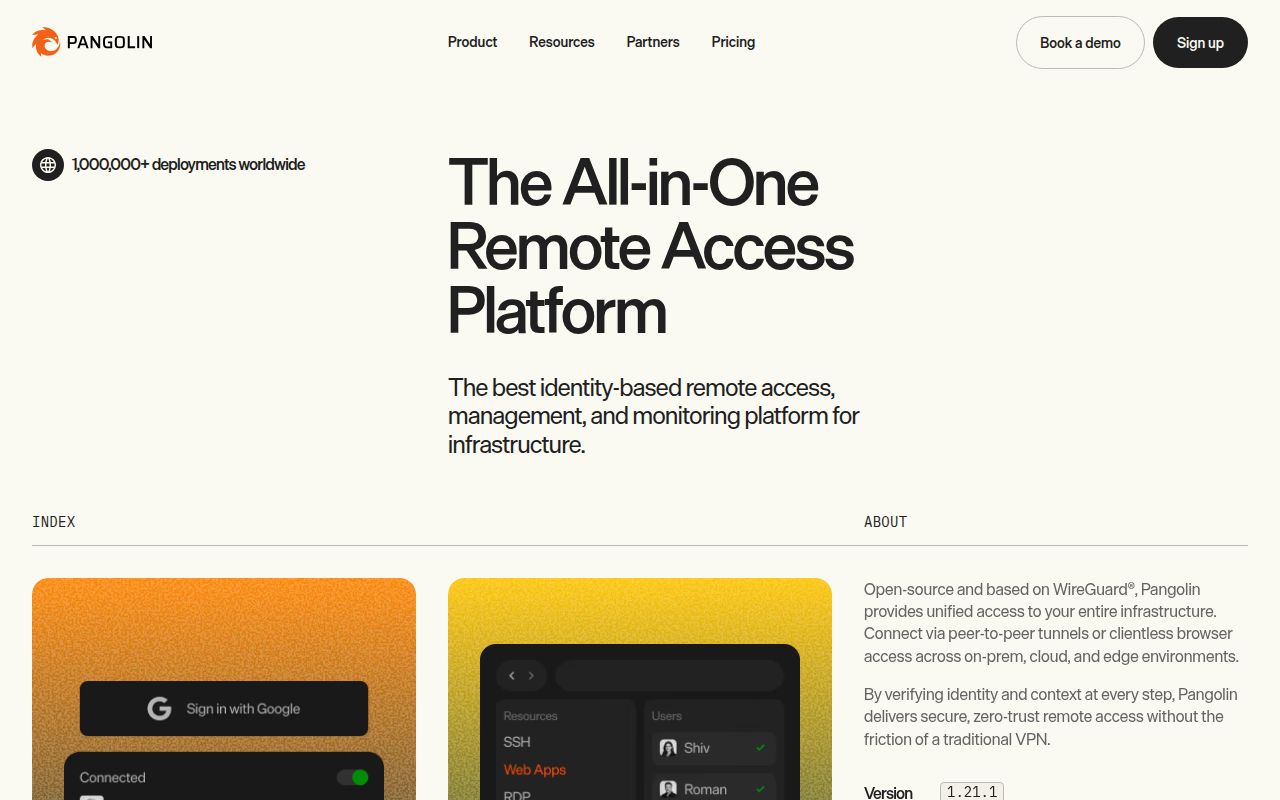
Pangolin covers two access patterns that are often operated separately. Browser users can sign in and open published HTTPS applications, remote desktops, or SSH sessions through a reverse proxy. Installed clients can reach private hosts, port ranges, and network ranges through WireGuard-based tunnels. Administrators assign users and roles to specific resources, which avoids handing every VPN user a route to an entire internal network.
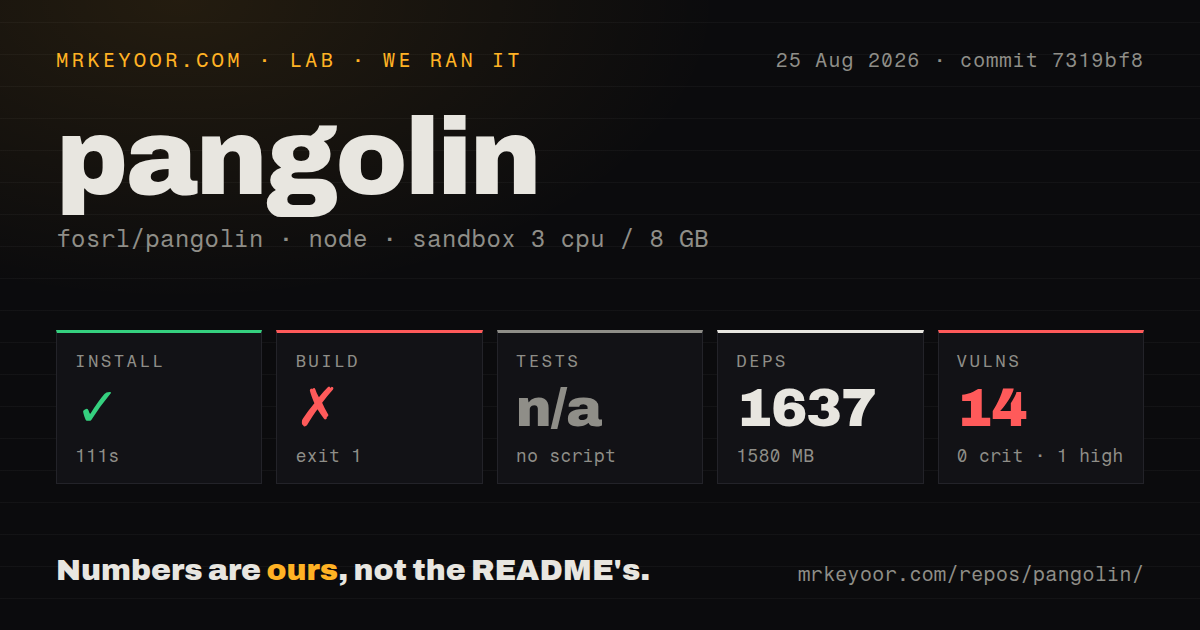
Sites run outbound connectors and can traverse NAT without a public address at the protected location. A personalized launcher shows each user the resources they can open. The product also handles certificates, health checks, routing, and audit logs. Our checkout contained 1,874 files and about 313,530 source lines in 30.2 MB, so this is a full access platform with several moving services, not a small WireGuard configuration generator.
Self-hosting starts with a public gateway and four open ports
The quick installer expects a Linux server with root access, a public IP address, a domain pointing at that server, and an email address for certificates and the first administrator. Firewall rules must admit ports 80 and 443 over TCP, plus 51820 and 21820 over UDP. The installer supports AMD64 and ARM64 and places its files in the directory from which it runs.
Pangolin then pulls containers for the application, Gerbil tunneling, and Traefik. Gerbil can be omitted if you only want a reverse proxy. Initial setup uses a token printed in the Pangolin container logs, after which the operator creates the first administrator and organization. Those steps are approachable, but the 1,580 MB dependency result from our source install hints at the software volume behind the friendly installer.
What happened when we ran it
Our fresh Debian sandbox installed commit 7319bf8 with npm in 111 seconds. The operation added 1,637 packages and occupied 1,580 MB. The repository had 5 CI workflow files, a Dockerfile, Compose configuration, and a tests directory. Installation completed without an exit error, but npm audit found 14 known vulnerabilities: 1 high, 3 moderate, 10 low, and none critical.
The build ran for 30 seconds and exited with code 1. The supplied log tail showed repeated module-not-found links from resource-creation, user-access, and administrator pages. Those lines did not include the missing module names, so we cannot say whether generation, workspace state, or an undeclared package caused the failure. No test script or target was available to the harness, and we therefore have no test result for this commit.
Identity narrows access, while the gateway remains sensitive
Pangolin can use built-in identities or an external identity provider, then assign access by user and role. Browser resources can add passcodes, email codes, location rules, and allow lists. Private resources can use friendly DNS names and redundant connectors. These controls are more precise than a flat VPN route, especially when contractors or separate teams should see only named applications.
The public gateway still handles authentication and routes toward private systems. Back up its configuration, protect administrator accounts, review identity synchronization, and inspect audit logs. Release 1.21.1 specifically fixed identity-provider organization ownership when saving a policy and included security updates. The 14 advisories in our dependency audit do not prove an exploitable gateway path, but the 1 high-severity result deserves triage against the shipped package and configuration.
Client and NAT behavior needs testing on real networks
Pangolin advertises direct connections where possible and relayed connections when needed. Open issue 3634 reports a connection shown as local by the client while the server recorded it as relayed. Issue 3625 reports sudden disconnections from private HTTP resources on iOS and macOS clients. Issue 3620 covers a Cloud connection failure on a T-Mobile dual-stack network. Each report names a particular environment rather than a universal defect.
Those cases are exactly why a remote-access trial must leave the office. Test home broadband, mobile data, corporate Wi-Fi, IPv4 and IPv6 paths, sleep and resume, and the client operating systems your users carry. A 30-second source build failure is a release-engineering finding; tunnel behavior requires an end-to-end network exercise that our repository harness did not perform. Keep a relay path available until direct-connect behavior is proven on your networks.
Community and Enterprise editions have different terms
The Community Edition is open source under AGPL-3. The Enterprise Edition uses the Fossorial Commercial License and is free for personal and hobby use, plus businesses below the revenue threshold stated in the README. Organizations should decide which edition they need and have counsel assess the applicable terms before building access policy around enterprise-only behavior. A public GitHub repository does not make every edition AGPL software.
Updates also deserve care. The official guide says to back up configuration before upgrading and recommends moving incrementally between major versions. Its procedure stops the Compose stack, updates several service image versions, pulls them, restarts, and checks sites and tunnels. Release 1.21.1 warns that downgrading is not easy without a backup, which makes a restore test more useful than merely copying the directory.
Same-day development is encouraging, not a substitute for a passing build
GitHub showed 22,493 stars, 116 combined issues and pull requests, and a push on August 26, 2026. The latest release, 1.21.1, was published July 30 with identity, rate-limit, domain-validation, interface, and security fixes. Recent issue discussion covers clients, routing, APIs, and browser behavior. The project is plainly active even though the latest release is several weeks older than the last push.
Pangolin's mix of browser publishing and private routes is genuinely useful for a team that would otherwise combine a proxy, VPN, and identity layer. Our source checkout did not earn a clean recommendation: 1,637 packages led to a failed build, no runnable test target, and 14 dependency advisories. Evaluate the released deployment with a narrow resource set, real client networks, and a tested backup before it becomes the front door to production systems.