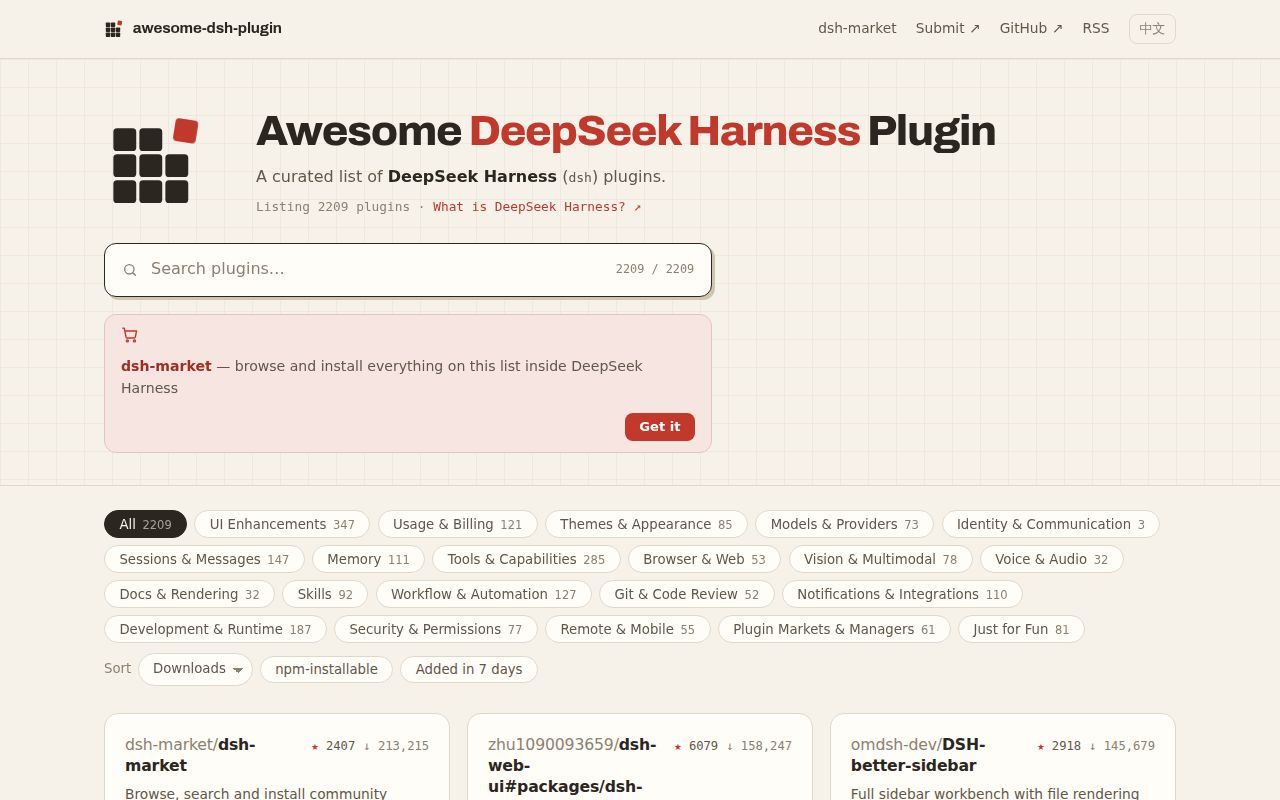
The catalog had 2,209 plugin records when fetched
Awesome DSH Plugin is a generated directory for the DeepSeek Harness ecosystem. The current repository tree contained 2,209 YAML files under data/plugins, with entries grouped into interface, model, memory, tools, browser, voice, workflow, Git, security, remote access, and other categories. The main README is in English and a full Chinese version is generated from the same data. Readers can browse GitHub, use the project website, or install the optional dsh-market interface inside DeepSeek Harness.
Each listing points to an external repository or subpackage and gives one sentence describing what the plugin does. DeepSeek Harness can install qualifying entries through dsh plugin add because every listed project declares a dsh.bundle manifest. That common shape is the directory's strongest feature. It removes entries that merely claim compatibility while lacking the manifest needed by the installer, and it gives marketplace clients structured data instead of asking them to scrape free-form prose.
Inclusion proves installability and one accurate sentence
A submission adds one YAML record with URL, name, category, and English description. The target repository must contain working code, carry the dsh-plugin topic, be at least 1 day old, and have at least 10 commits. CI checks the bundle manifest, repo age, commit count, generated README parity, and site build. A maintainer then reads the source to confirm the description and category, and checks for duplication or obviously alarming behavior.
The project deliberately stops short of ranking. Its contributing guide says a green CI run is a precondition rather than a final decision, yet a merged entry still does not mean the maintainers judge it better than alternatives. If a description claims a count or names an API, reviewers verify that claim. This makes the one-line entries more trustworthy than a bulk link dump, while leaving usability, code quality, privacy, and long-term support for the reader to judge.
What happened when we ran it
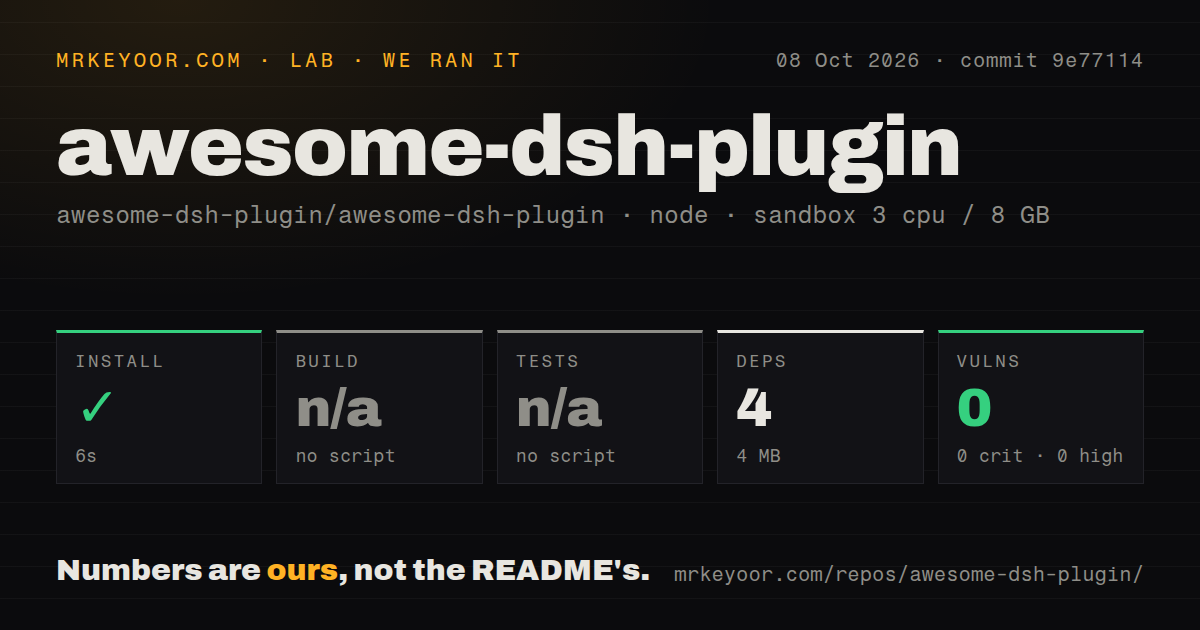
Our Node 22 sandbox installed 3 npm packages in 10 seconds and used 3 MB on disk. npm audit found 0 known vulnerabilities, including 0 critical, high, moderate, or low findings. The checked-out commit d0fac37 contained 2,014 files and roughly 9,940 lines of source in 8.7 MB. The enormous generated README is content rather than application logic, which explains why the source-line count stays modest.
The root package exposed no build script or target, so our harness skipped build. It also exposed no test script or target, so tests were skipped. That is acceptable for browsing a generated catalog, but it means our lab did not execute the submission checks, site generation, or one installation from every entry. A successful 3-package install only verifies the small root dependency tree; it does not verify 2,209 third-party plugins.
Contributors use node scripts/generate-readme.mjs after changing a YAML record, and CI performs further checks that are not available through a conventional root test target. The repository has 6 CI workflow files and no Dockerfile or tests directory. A clearer root check script would make local verification easier, especially for contributors who otherwise discover the correct sequence only through the guide and pull request template.
Every installed plugin runs with the user's permissions
The README's warning is the most important passage in the project. A DSH plugin can read files, use credentials, and reach the network with the user's permissions. Tool approval prompts do not sandbox plugin code. The maintainers inspect for obfuscation, credential exfiltration, and surprising install behavior, but call this a sanity check rather than a security audit. Users should read source and try unfamiliar plugins in an environment that does not hold production keys.
That risk varies by category. A theme may change only presentation, while a database, messaging, browser, or deployment plugin may require live credentials and network access. The directory does not express a permission manifest or isolation grade that lets users compare those risks mechanically. Check the plugin's package.json, bundle patch, install scripts, outbound hosts, credential access, and release history. Pin a version or commit when repeatability matters instead of installing a moving default branch blindly.
Generated data prevents collisions and still needs maintenance
Older awesome lists often ask contributors to edit one giant Markdown section. This project stores one plugin per YAML file, then regenerates both READMEs. That design keeps parallel pull requests from colliding and makes category changes mechanical. Pull requests may add at most 3 entries, because the maintainers read each target repository. Their guide says 92 of the last 100 merged submission pull requests added 1 entry and 8 added 2, evidence that the cap matches actual review behavior.
The list also scans for missing, archived, or dormant repositories and opens tracking work before removal. Screenshots now belong in each plugin repository, with 1 to 8 GitHub-hosted images, so authors can update them without another catalog pull request. The guide notes that 41 of 773 centrally stored screenshots had become 404s, a concrete reason for moving ownership toward the source plugin. These maintenance rules are more useful than claiming that every link will stay good forever.
No release tag does not mean the list is stale
GitHub recorded a push on August 26, 2026, with 12,740 stars and 466 open issues and pull requests. The latest-release endpoint returned no release. That absence fits a catalog updated through merges and a continuously rebuilt website, and current submission traffic shows the project is not dormant. The combined open count is dominated by both discussions and plugin pull requests, so it should not be read as 466 defects.
Awesome DSH Plugin is valuable because it sets a modest, checkable promise: an entry installs and its sentence matches the code reviewers saw. The 2,209-record scale makes search and categories necessary, while the 500 KB README makes dsh-market or the website friendlier than raw scrolling. Use the list to form a shortlist, then audit each candidate yourself. Discovery is what this project does well; trust remains the installer's job.