Automatisch keeps workflow data on your servers
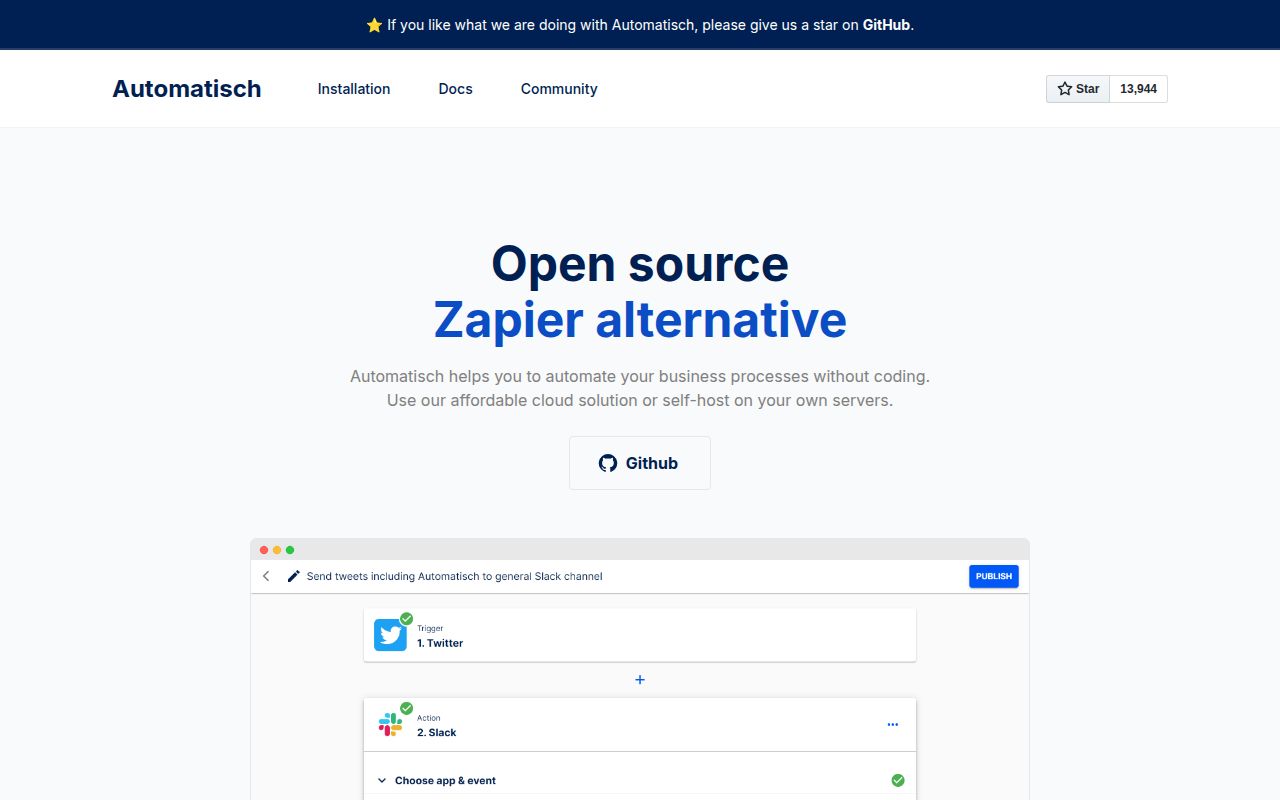
Automatisch gives non-programmers a visual way to connect services, pass values between steps, and run recurring business processes. The product is aimed at the familiar Zapier class of work: one event triggers a sequence of actions in other systems. Its clearest reason to exist is deployment control. The README specifically pitches self-hosting to organizations that handle sensitive data or need tighter control over where third-party credentials and workflow records live.
That control comes with a real application stack. The supplied Compose file starts 4 services: a main web process, a worker, PostgreSQL 14.5, and Redis 7.0.4. It also creates separate persistent volumes for application storage, the database, and Redis. This is manageable for an operator who already monitors containers and databases. It is a poor fit for someone expecting a desktop utility or a single process that can be forgotten after launch.
The license boundary runs through the same repository
Community Edition code uses AGPL-3.0, while Enterprise Edition files use a separate commercial license. The README explains the practical marker: filenames containing .ee. are Enterprise files, and the remaining files fall under AGPL-3.0. A company planning modifications or redistribution should review that split in the actual paths it intends to ship. The GitHub API reports the repository license as NOASSERTION, so the README and license files are the useful sources here.
The repository is substantial enough that this distinction cannot be treated as a footer detail. Our checkout at commit 41f3c56 contained 3,226 files and about 144,505 lines of source. It includes the application, workers, integrations, documentation, and Enterprise additions in one tree. That arrangement makes development convenient, but it asks adopters to know which edition-specific code they are reading when estimating what Community Edition will do.
What happened when we ran it
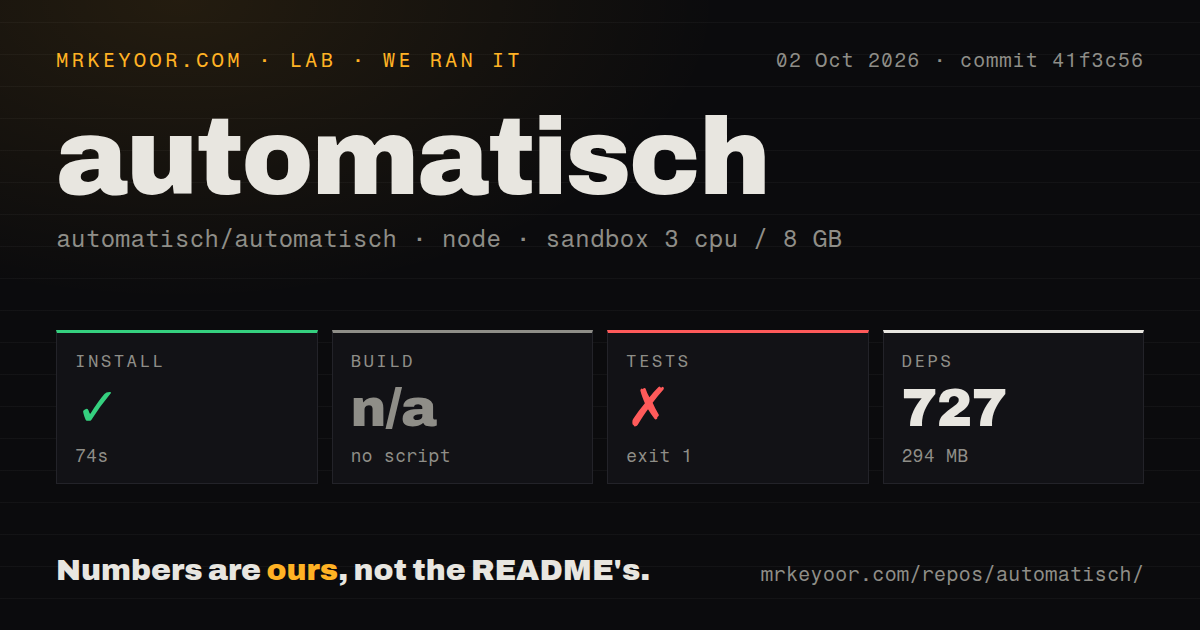
Our sandbox installed the backend in 71 seconds. Yarn added 727 packages and occupied 294 MB on disk. There was no build script or target in the measured package, so we skipped the build instead of inventing a substitute. The install result shows that the JavaScript dependencies resolve cleanly in a fresh Node 22 container, though it does not prove that the full four-service application is configured.
The test command failed with exit code 1 after 8 seconds. It did not report an assertion failure. The setup code threw an error because packages/backend/.env.test was missing, then told us to copy .env-example.test and fill in the values. That is a useful setup finding: a fresh dependency install is insufficient for the documented test entry point, and the required test environment file must be prepared before the suite will start.
Five CI workflow files and a tests directory were present, while our repository scan found no Dockerfile at the root. The README's recommended route still uses Docker Compose, whose main and worker images are built from docker/Dockerfile.compose. These statements describe different checks and do not conflict. Anyone reproducing the setup should follow the referenced Compose build context instead of looking only at the repository root.
Three stable secrets decide whether old flows survive
The configuration guide lists an encryption key for stored credentials, a webhook secret for request verification, and an application secret for user authentication. It warns that changing the first 2 can stop existing connections and flows from working. Put those values in a secret manager, back them up, and make their rotation procedure part of deployment design before users build workflows that matter. Default sample values belong only in a local trial.
PostgreSQL and Redis settings can point to external services, including SSL or TLS options. Email flows and account recovery need SMTP configuration. Every connected service then brings its own OAuth client or API credential. Automatisch keeps those credentials under your control, but self-hosting transfers responsibility for encryption keys, database backups, worker health, webhook reachability, and provider token renewal to your team.
An open password-reset report needs a decision before launch
Issue 2713, updated in June 2026, reports that the forgot-password endpoint returned 204 for a registered address and 404 for an unknown one at commit 41f3c56. The reporter says this allows unauthenticated account enumeration and limits the impact to disclosure of whether an email is registered. We did not reproduce that endpoint in the supplied lab run, so treat this as an open report to verify against the exact revision you plan to deploy.
The public activity picture is mixed rather than simply stale. GitHub recorded the last repository push on February 11, 2026, yet issues and pull requests were still being updated in August. The latest published release was v0.15.0 on August 8, 2025, and the repository showed 288 combined open issues and pull requests when fetched. Recent discussion exists, but a production buyer should inspect merge and release activity before assuming open contributions are reaching shipped builds.
Automatisch suits teams willing to own the control plane
The short README makes the first launch look like one docker compose up, and that is a fair entry point for seeing the interface. Operating it responsibly means managing 4 services, persistent state, backups, stable secrets, SMTP, and credentials for every external system. The failed test setup adds one more small but concrete task that the quick start does not mention.
Automatisch earns a trial when data location and an AGPL Community Edition matter more than having the widest connector catalog. Start with one low-risk workflow, verify the password-reset behavior, confirm that the needed integrations cover every required action, and practice restoring the 3 persisted stores. Teams without that operating capacity should choose a hosted service or a narrower automation tool whose failure modes they already understand.