AionUi puts file operations and previews in one desktop
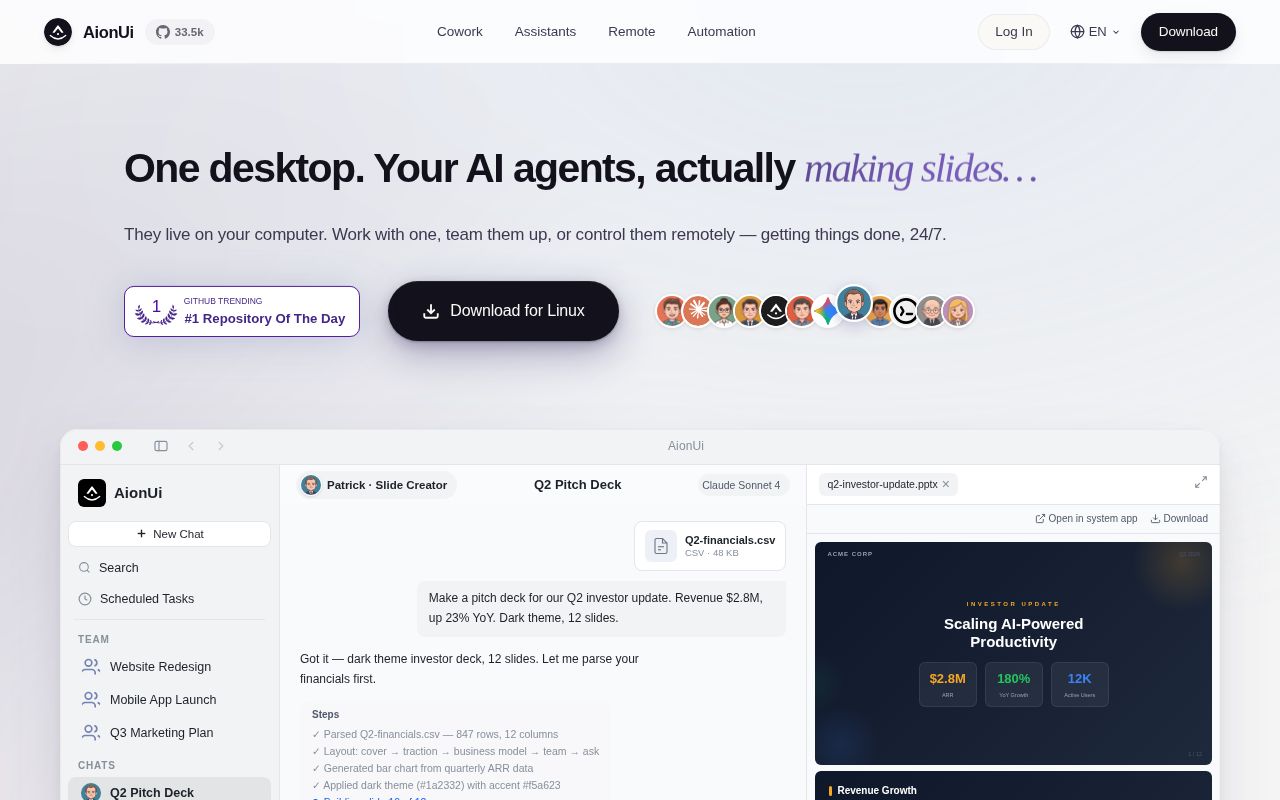
AionUi lets an agent rename files in your workspace, so its permission controls matter as much as its chat window. AionUi puts that kind of work inside an Electron app: a built-in agent can read and write files, while a preview panel displays the results. You can also bring installed agents such as Claude Code into the same interface.
The appeal is having your work and its output together. Document previews cover PDF, Word, Excel, and PowerPoint. Our checkout occupied 494.1 MB across 2,341 files, with about 298,097 source lines.
What happened when we ran it
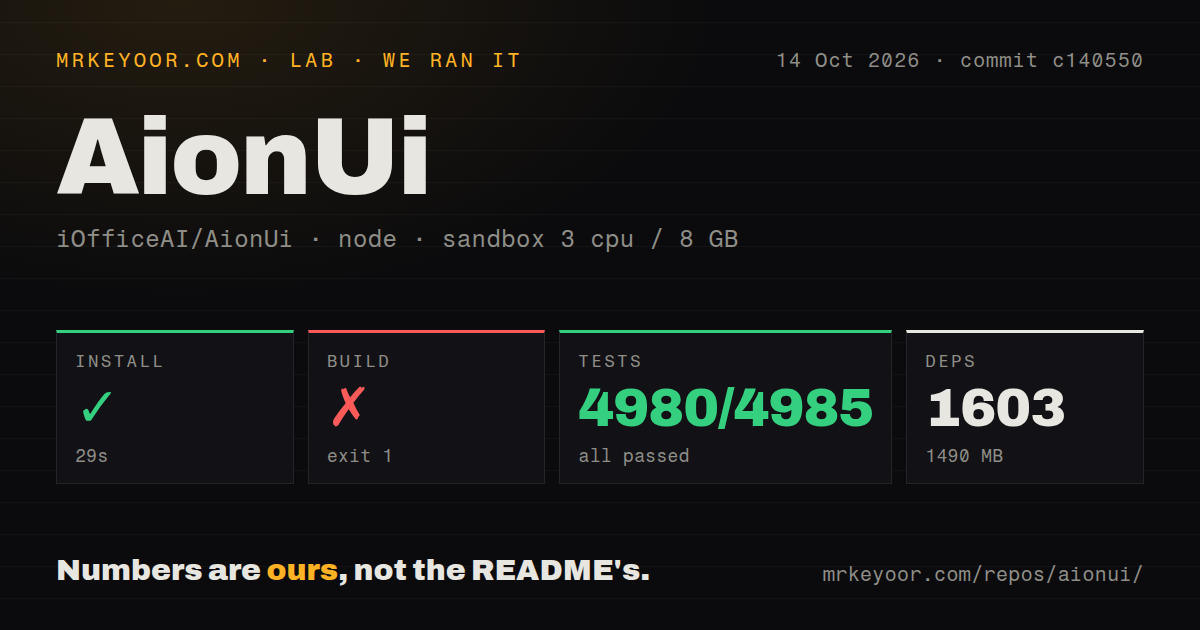
Our run installed 1,603 packages in 29 seconds and used 1,490 MB on disk. We cloned commit c140550 on October 14, 2026, into a fresh Debian sandbox with 3 CPUs and 8 GB of RAM, using image lab-node:22. The container had no secrets or elevated privileges. Installation succeeded, but the build exited with code 1 after 81 seconds.
Vitest succeeded in 309 seconds: 4,980 tests passed, none failed, and 5 were skipped out of 4,985. The repository scan found 13 CI workflow files, a Dockerfile, a tests directory, and workspace configuration. The passing suite gives us confidence in the checks that actually ran, while the failed build leaves the packaging path unresolved. We measured no agent accuracy or document quality.
The renderer finished building in 59.21 seconds before resource preparation failed. The log shows AionCore v0.2.2 downloading into a linux-arm64 directory, followed by an attempt to run that binary with prepare-managed-resources --bundle. The shell printed an ELF-related not found message and Syntax error: newline unexpected. The excerpt does not establish the host architecture or prove a missing system package caused the failure.
Installers moved off GitHub, and development needs AionCore
The v2.2.2 release, published September 9, says installers are no longer published on GitHub and directs users to the official website. The README still sends its download button to GitHub releases. That's a frustrating detour for someone following the quick start. Our source build failure does not establish whether the website's installers work, because that distribution path was outside the supplied measurements.
The development guide requires a separate AionCore checkout, Rust and Cargo, plus Node.js and Bun. Python is also listed for native compilation. AionUi discovers the backend through the terminal's PATH and launches it itself. The 1,603-package installation therefore describes the measured repository environment, not a complete account of everything needed for local development. Plan for both repositories if your adoption depends on changing the application.
Agent permissions vary, and Windows Antigravity has a reported blocker
AionUi manages MCP tools and coordinates agents through the Agent Client Protocol, which connects external agents to the interface. Team mode gives a leader and teammates a shared folder, mailbox, and task board. Each agent has its own approval dialog. The README explicitly says unattended modes and permission behavior depend on the selected agent. Sharing a window does not make different agents enforce identical permissions.
Open issue 4317 reports broken Antigravity tool hooks on Windows in v2.2.2, with Full Auto offered as a workaround that bypasses approval. I would wait for a verified fix if that combination is essential. Our 4,980 passing tests cannot settle this reported integration failure. Start with a disposable workspace and confirm a rejected operation stays rejected before allowing the agent near files you need.
Local conversation storage still requires a deliberate model choice
The README says conversations live locally in SQLite and lists hosted providers alongside Ollama and LM Studio. Local storage describes where the application keeps its records. Selecting a hosted model still means choosing an external service to process requests. The built-in agent needs provider configuration, such as an API credential or a local endpoint. External CLI agents bring their own authentication, and Telegram or other channels require separate bot configuration.
A passing connection check also needs scrutiny. Open issue 4315 reports a custom NVIDIA NIM configuration accepting a vision setting while sending text without the attached images. That's a user report, not an outcome from our 309-second test run. If image input matters, ask about a known image and inspect the actual request. A green settings indicator alone is insufficient evidence that your chosen model receives the attachment.
Goose suits one agent, while Cherry Studio suits model chat
Goose has a desktop app and CLI with MCP extensions. Pick it when you want one general-purpose agent rather than AionUi's interface for coordinating several external agents. Cherry Studio supports multiple providers, document conversations, and local models. It makes more sense when comparing answers and working with documents are your main activities, without needing AionUi's team coordination.
Our 1,490 MB installed footprint makes the extra interface worth questioning if you already work comfortably in a terminal. AionUi earns that space when its previews and shared workspace reduce your daily switching between tools. Try a representative task before migrating your habits: have your chosen agent produce a document, open it in the preview panel, and verify an approval prompt. We have no comparative measurements for these alternatives.
An October 14 push shows activity alongside unresolved reports
The repository's last push was October 14, 2026. GitHub listed 33,503 stars and 862 open issues and PRs, and the Windows and vision reports received October 11 updates. Those dates show ongoing activity alongside unresolved problems. The September release date alone says little about maintenance. Apache-2.0 licensing and an English development guide make inspection and modification accessible, though maintaining the separate backend adds work.
Choose your adoption check around the path you'll actually use. For a source-based deployment, reproduce the resource-preparation step that stopped our build after 81 seconds before investing in customization. For Windows Antigravity, require working approval hooks. For document work, verify the generated file opens correctly in the software that will consume it. Keep your existing workflow until AionUi completes that specific job with the permissions you expect.