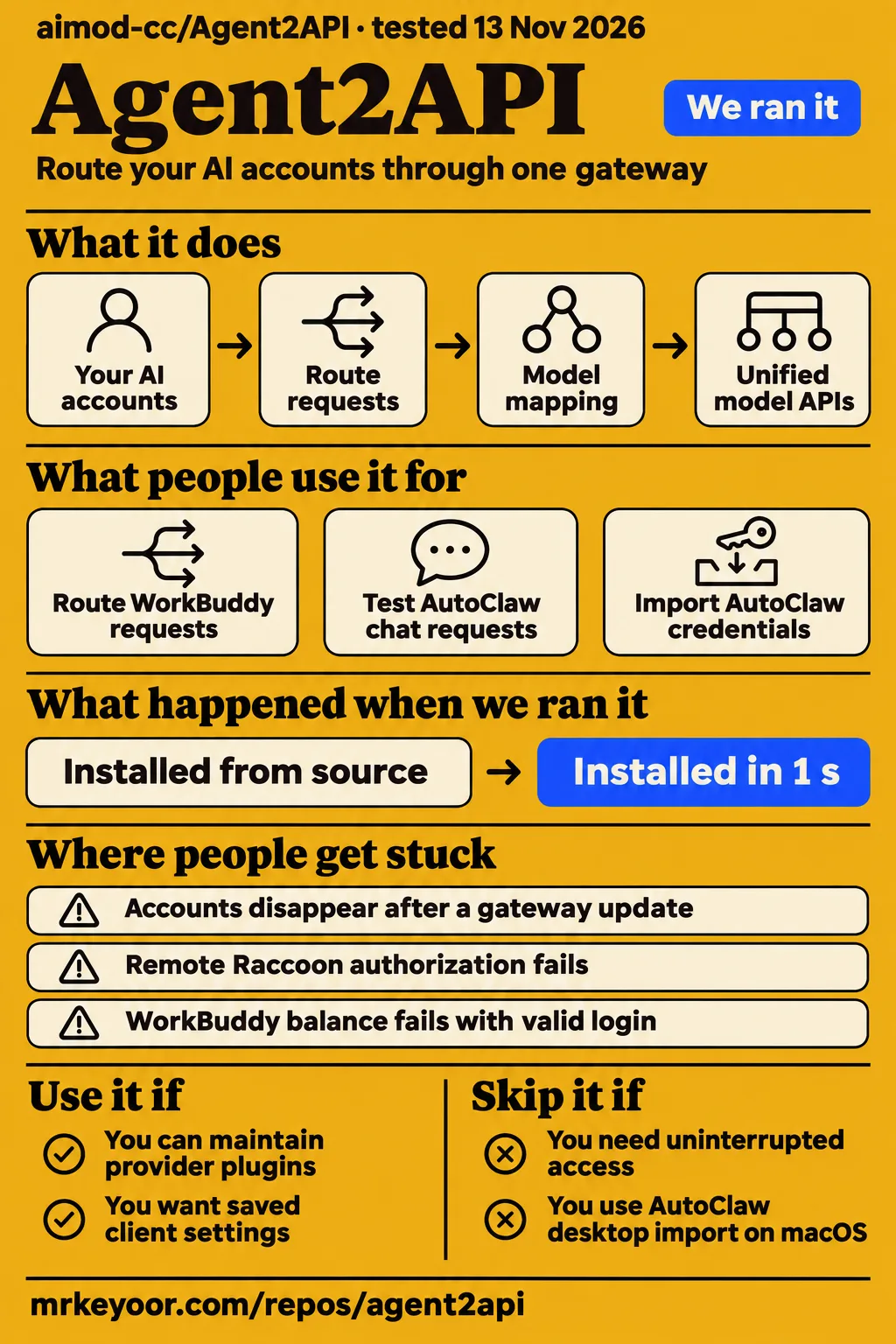
Our Docker deployment attempt failed after 311 seconds while pulling agent2api:local, according to our November 22 deployment log. Use aimod-cc/Agent2API if you want to experiment with routing your own AI accounts and can maintain provider plugins; skip it if customer delivery depends on those accounts working without intervention. The earlier npm install and the later Compose deployment cover different setup steps.
What people use Agent2API for
Agent2API users have routed WorkBuddy quota, diagnosed AutoClaw requests and tried remote authorization, with different results for each provider.
This review concerns aimod-cc/Agent2API. Its v3.4.2 README describes account routing, model mapping and local client connection profiles. A connection profile is a saved set of client settings pointing at a model service. The Agent page can import existing settings, preview configuration writes and switch between the gateway and custom services. Those controls are documented features, while the issue reports below describe particular users' attempts with individual providers.
| Who used it | What they did | What happened |
|---|---|---|
| GitHub user codehasbug | Preferred WorkBuddy International, with Loomy available for fallback | Requests stayed on Loomy; the reporter accepted session affinity as the likely explanation in issue #280. |
| GitHub users leo123-tto and TINKOUBUN | Changed AutoClaw request parameters in controlled comparisons | Small positive max_tokens values produced empty HTTP 406 responses; the maintainer described a v2.9.8 fix in issue #69. |
| GitHub user WWz33 | Tried Raccoon authorization from a Linux Docker server | Authorization failed; the maintainer said Docker login required a localhost or 127.0.0.1 URL in issue #256. |
| GitHub user aiforwards | Logged into z.ai in a browser, authorized the AutoClaw desktop client, then imported its credentials | Described that route in issue #11; another participant on macOS could not find the import button. |
The README's connection-profile controls address repeated changes to client settings, while the issues expose work at the provider level. AutoClaw's request-parameter fix, Raccoon's authorization URL restriction and WorkBuddy's account selection involve different parts of the gateway. A useful setup decision starts with the particular provider and client you intend to connect, rather than treating every listed integration as the same operating path.
What happened when we ran it
Our November 22 Docker deployment attempt failed in 311 seconds with a pull-access error for agent2api:local.
We used the repository's own Docker Compose configuration at commit e8bed7397aaf, with every port bound to 127.0.0.1. The recorded failed step reads: hands-on step deploy: FAILED in 311 s; Image agent2api:local Pulling Image agent2api:local. The same log reports pull access denied for agent2api, repository does not exist or may require 'docker login' and the warning WARNING: Some service image(s) must be built from source by running:, followed by docker compose build agent2api.
| Recorded step | Outcome | What it tells you |
|---|---|---|
| November 22 Compose deployment | Failed in 311 seconds while pulling agent2api:local; WARNING recommended docker compose build agent2api |
The attempted deployment stopped at the image pull. |
| November 22 cleanup | Teardown completed | The run's cleanup record says teardown: ok. |
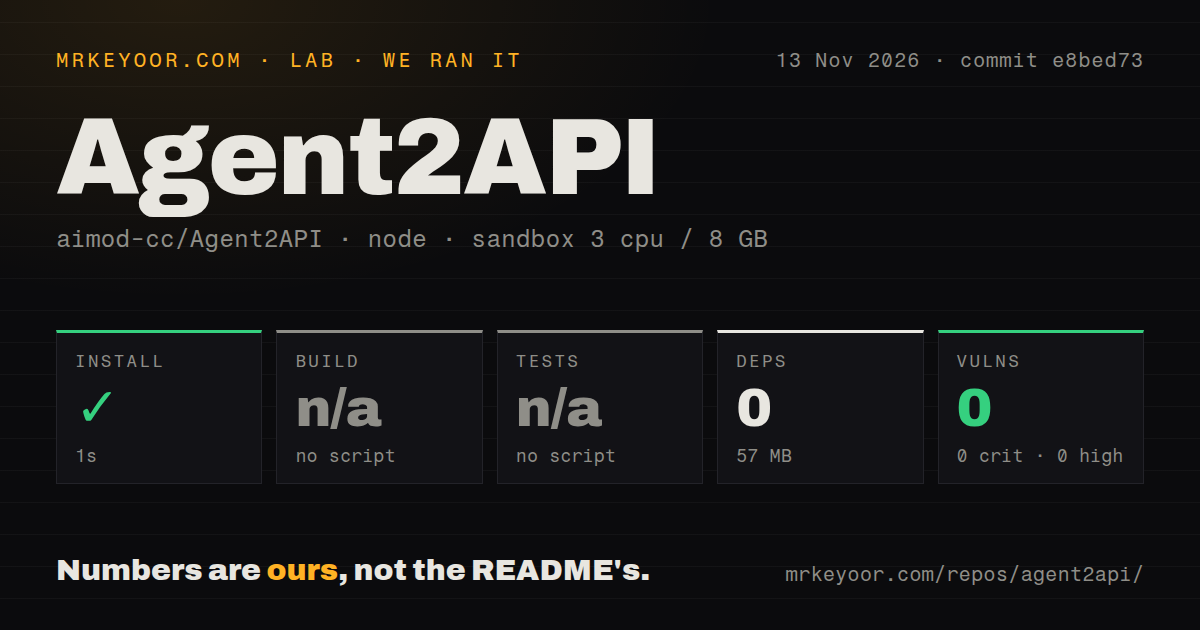
| November 13 npm install | Succeeded in 1 second; 0 dependencies recorded; 57 MB on disk | The npm install step completed. |
| November 13 build | No build script/target; skipped | The harness recorded a skipped build. |
| November 13 tests | No tests script/target; skipped | The harness recorded skipped tests. |
| November 13 npm audit | 0 known vulnerabilities: 0 critical, 0 high, 0 moderate, 0 low | The npm audit returned zero reported vulnerabilities. |
The November 13 sandbox run used commit e8bed73, 3 CPUs, 8 GB RAM and the image label lab-node:22. The checkout contained 1,591 files, approximately 271,420 source lines and 38.2 MB. It detected 3 CI workflow files, a Dockerfile and a Compose file, but no tests directory. Our run recorded a one-second npm install and skipped the generic build and test targets.
The README documents desktop packages, headless server archives and the Docker image aimodcc/agent2api:latest. The Compose log instead names agent2api:local and recommends a source build. Those are distinct deployment artifacts. Keeping the artifact name beside the 311-second result makes the failure actionable: the recorded command path reached an image-pull error, and the log explicitly identifies the build command it expected next.
Where people get stuck: gateway and plugin versions must agree
An upgrade to v3.4.2 hid 13 accounts for one reporter because the matching provider plugin had not been published, according to issue #479.
The account page said the data was retained and did not need adding again. The log rejected provider plugin v3.4.1 because the gateway required v3.4.2. The separate web-provider package loaded, and custom providers still worked. Missing accounts in this report therefore accompanied a rejected provider package, while other provider paths continued operating. The reporter identified the missing matching release artifact as the reason the older package could not satisfy the gateway's version requirement.
| Symptom | What the issue says | Useful next step |
|---|---|---|
| Provider accounts disappear after a gateway update | #479 reports a minimum-version check rejecting the older plugin | Compare application version, plugin version and the matching official artifact before re-adding accounts. |
| Accounts exist, but the check-in page is empty | #352 includes a report that changing the plugin update channel to beta exposed the update | Include the plugin's update channel in troubleshooting notes. |
| WorkBuddy forwards requests but cannot display its balance | In #369, wjw4604648 reported valid login and working forwarding | Investigate the billing request separately from forwarding. |
| Remote Raccoon authorization fails | In #256, the maintainer identified an upstream restriction on the login URL | Use the localhost/127.0.0.1 authorization context described in the response. |
The maintainer eventually wrote that #479 was resolved. For a first-time setup, the useful dependency is the gateway version together with its matching official provider artifact. The README says additional provider implementations are installed and updated separately, while custom providers do not require them. An application update and a provider update are therefore separate items to record when diagnosing a disappearing account list.
Priority routing can stay on the fallback account
Session affinity means keeping a conversation on the same account after it has been assigned. That can differ from an expectation that every request starts again at the top of the priority list. The reporter suggested an earlier failure had moved the session to Loomy and left it there. Another participant pointed to session affinity in the log, and the reporter then asked whether that policy could be adjusted.
For someone trying to consume WorkBuddy International allowance first, #280 gives a concrete diagnostic distinction: account preference and an existing session's selected account can point in different directions. Inspect the selected account and session details when traffic takes another route. In this report, the conversation continued through Loomy while the user expected WorkBuddy International to receive the requests, so forwarding success alone did not answer the account-allocation question.
Security starts with gateway keys and sensitive files
The v3.4.2 README says account credentials are encrypted in the local database, while exports, backups and key files can still contain sensitive data.
The installation guide says the server binds to 0.0.0.0 and refuses model requests until a gateway key exists. Binding to 0.0.0.0 means listening on all network interfaces. The guide directs users to register an administrator, create a key on the Gateway Keys page and configure the client's base URL and API key. Its stated default is to refuse /v1/* service until a key exists.
The README warns that exports, backups and key files may contain sensitive data and must be kept private. It specifically says not to upload those files to public repositories or cloud storage, or share them with others. Follow that warning when handling account material: the README's database-encryption statement appears alongside its warning about exported and copied files, rather than replacing that warning.
For licensing, the v3.4.2 README states AGPL-3.0 and permits commercial use subject to its obligations. It requires preservation of copyright and license notices and fulfillment of applicable source-code obligations. It also says a modified version offered over a network must offer its Corresponding Source to those users. The gateway's software license and an upstream provider's account terms govern different parts of the setup.
English documentation exists; desktop import depends on the platform
Agent2API has an English README and installation guide, but AutoClaw and ChatGLM desktop credential import is Windows-only in the installation documentation.
The guide attributes that restriction to Windows DPAPI and says the import section is hidden on macOS and Linux. DPAPI is the Windows facility protecting the credentials that this import route reads. That documented platform restriction gives a concrete explanation for the missing macOS button reported in #11. The same guide says Raccoon, CatPaw and Cline import paths read plaintext files under HOME and work on all three platforms.
The troubleshooting threads discussed here are chiefly in Chinese, while the product documentation includes English. The README also lists a six-language interface and desktop packages for Windows, macOS and Linux. These are separate facts: documentation language, issue-discussion language and operating-system support answer different setup questions. For AutoClaw desktop import, the relevant line is the guide's Windows-only restriction, even though the application itself has packages for other desktop systems.
Agent2API vs official APIs, manual clients and similarly named projects
Dongss/agent2api exposes installed agent CLIs over HTTP; aimod-cc/Agent2API documents account routing and local client connection profiles.
| Option | Why choose it | Basis for the comparison |
|---|---|---|
| Official provider APIs | Consider the provider's integration route for customer delivery or sensitive work | IT峰哥's 92zl review argues against this kind of gateway for customer delivery, production tasks and sensitive data; that is the author's judgment. |
| Official clients with manual check-in | Keep a small account setup simple | ivye's 3520.net review argues that manual use is simpler with only one or two platforms. |
| Third-party relay sites | Consider an externally operated account pool | The 3520.net comparison distinguishes someone else's pool from Agent2API using your own accounts and quota. |
| aimod-cc/Agent2API | Centralize your own account routing and client connection profiles | The v3.4.2 README documents routing, model mapping and profile switching. |
For the search agent2api github, check the repository owner before following instructions. Dongss/agent2api exposes installed agent CLIs through HTTP APIs. Choose it when installed command-line agents are the backends you want to expose. Its README names OpenAI- and Anthropic-compatible APIs and lists Claude Code, Codex, Cursor and Qwen Code among the supported agents.
jasmine-lee-2026/agent2api wraps a web-app chat agent as a local OpenAI-compatible API. Its README says the repository ships no vendor-specific endpoint paths, cookie names, headers or agent IDs; users capture those values themselves. Choose it for a custom browser-backed integration where you can supply those details. These projects share a name, so the repository owner determines which installation procedure and backend model apply.
What the other reviews get wrong
ToolHunter's license description differs from aimod-cc's v3.4.2 README, which permits commercial use under AGPL-3.0.
| Claim to leave behind | Where it appears | What to use instead |
|---|---|---|
| Commercial use is prohibited under MIT plus added restrictions | ToolHunter and the Starpuccino fork's English README | aimod-cc's v3.4.2 README states AGPL-3.0 and permits commercial use under that license. |
| Every form listens only locally by default | 3520.net's review | The official installation guide says the server form binds to 0.0.0.0. |
| There is no Linux desktop app | The Starpuccino English README's development section | The official guide documents Linux desktop packages, and the main README lists deb and AppImage artifacts. |
| Credential renewal and online model lists work across every provider | Broad feature wording in the older fork | The fork's own matrix notes say some providers have no usable refresh flow and ZCode uses a static model table. |
The fork's development section explicitly denies a Linux desktop app, while aimod-cc's documentation lists Linux desktop artifacts. Keeping the owner and relevant documentation together resolves that discrepancy without borrowing a platform claim from another repository. The provider matrix adds a second reason to read beyond a broad feature list: token refresh and model-list retrieval depend on the provider, and ZCode's model list is explicitly described as static.
Questions people ask
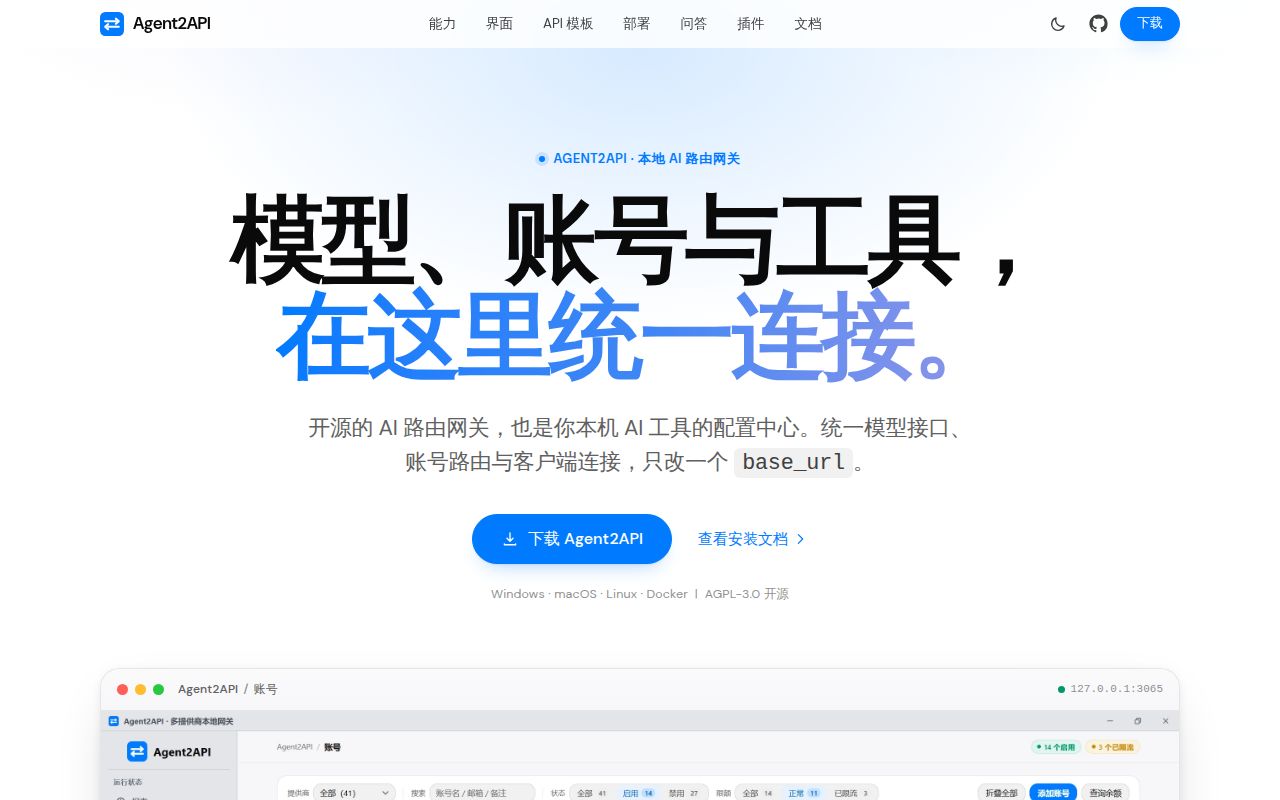
The Agent2API GitHub repository reviewed here is aimod-cc/Agent2API, whose v3.4.2 README documents unified model APIs and local client connection profiles.
Can Agent2API reuse AI client quota with Hermes Agent?
A Chinese-language Bilibili search result by 有云转晴 advertises Hermes Agent compatibility in its title. The Agent2API README separately documents client configuration through a gateway address and key, together with saved local client connection profiles. The video title is an attributed compatibility claim from its creator; the README's client-configuration workflow is the documented feature relevant to connecting a client through the gateway.
How do Docker users recover from the missing 3.4.2 provider plugin?
Issue #479 identifies a gateway/plugin version mismatch, and the maintainer later marked the release problem resolved. Use the gateway version and matching official provider artifact as the starting points for recovery. The report names provider plugin v3.4.1 being rejected by gateway v3.4.2, while the v3.4.2 web-provider package and custom providers continued working. That distinction directs troubleshooting toward the affected provider package.
Why does WorkBuddy balance lookup fail when forwarding and the official client work?
In #369, wjw4604648 reported valid authentication and working forwarding alongside a failed balance lookup. A later domestic billing comparison returned 403 without the official-client User-Agent and 200 after adding it. The reported header was WorkBuddy/5.5.4 WorkBuddy/5.5.4 CLI/2.137.1. Keep the editions separate: the earlier report concerns International, while that header experiment explicitly concerns the domestic billing endpoint.
Can Agent2API add manual and automatic check-in for WorkBuddy International?
The maintainer initially offered to add it, then said WorkBuddy International had no check-in function in issue #94. That reply directly addresses the requested manual and automatic check-in feature. The README describes background check-in tasks in provider-specific terms, so its general maintenance feature list should be read alongside the maintainer's answer about this particular edition rather than as a promise of International daily check-in.
Why does AutoClaw International login fail, and can I import its desktop credentials on macOS?
The installation guide makes AutoClaw desktop credential import Windows-only because it reads DPAPI-protected credentials. Issue #11 records a z.ai login failure and a browser-to-desktop authorization workaround, followed by a macOS user reporting no import button. The maintainer said the issue had been located and a fix would follow. The documented platform restriction directly answers why macOS users cannot follow the Windows desktop-import route.
Why does AutoClaw return an empty 406 response only through the gateway?
The maintainer's v2.9.8 fix raises positive max_tokens values below 10000 to 10000 for AutoClaw providers. The issue credits leo123-tto and TINKOUBUN's controlled comparisons and explains the failure through the small positive field values rather than the transport stack. Omitted values are left omitted, values at least 10000 are preserved, and max_completion_tokens is unchanged. The fix therefore changes a small requested output cap as part of avoiding that rejection.
Why does Agent2API show twice my CodeArts credit balance?
Issue #261 describes the panel adding a package total to its component balances, producing twice the available credits. The aggregation check was expanded to include all component rows, and the reporter said a newer version fixed the doubling. This is a display-accounting correction: the issue explains duplicated arithmetic in the panel rather than additional credit being issued by the upstream provider.
Why does ZCode's displayed daily quota stay full after I use it?
The reporter said ZCode's allowance failed to track consumption in issue #261. An automated maintainer reply named v3.0.6 as a fix, followed by another report that the value still did not change. A later automated maintainer reply directed the user to v3.0.8. That sequence separates the initial fix announcement from the subsequent user report instead of treating the first version recommendation as the issue's final outcome.
Can I change session affinity so requests return to my preferred account?
The reporter asked that question in #280 after requests stayed on Loomy despite a WorkBuddy International preference. Another participant attributed the ordering to session affinity, and the reporter accepted that as a likely explanation, suggesting an earlier failure had moved the session to Loomy. The useful diagnostic information in the exchange is the selected account and existing session, alongside the user's configured account preference.
Could using Agent2API get my upstream account banned?
The 3520.net review warns that unofficial reuse of login sessions may conflict with upstream service terms and carries account restrictions or bans as a risk. That is an attributed warning about upstream account access. The v3.4.2 README's AGPL-3.0 permission concerns the gateway software, including commercial use under its obligations; provider permission to reuse a login session is a separate decision governed by that provider's terms.
What we have not tested yet
Our Docker attempt stopped at the image pull, so this review has no measured model answers, request latency, throughput, runtime memory or successful account import from our lab.
We have not tested the suggested Compose build, the published Docker image, desktop packages, plugin recovery, Hermes compatibility, profile writes, credential encryption or key enforcement. The November 13 harness skipped build and tests, and its npm audit does not assess Rust dependencies, plugin code or upstream account handling. The failed local-image pull is not proof that the application itself is broken. The configured lab-node:22 image label also does not establish the actual runtime or operating-system version.
The Bilibili title records its creator's advertised compatibility rather than a completed Hermes request. Issue #479 ends with a Docker recovery question after the maintainer's resolution message; #280 gives no session-affinity adjustment procedure; #261 contains no user confirmation after the v3.0.8 recommendation. The login discussion in #11 does not identify every cause of International login failure, and #369's domestic header experiment does not demonstrate an International billing fix.
Search popularity, named production adoption and account-ban frequency are unknown here. The comparison articles express their authors' judgments, rather than measured comparative reliability. Before depending on the gateway, a useful next evaluation would take one provider through login, a real client request, a balance comparison and a gateway-plus-plugin update. Keep the official client available to help distinguish a gateway failure from an upstream account problem.