yazl review
yazl 3.3.1 writes ZIP archives from Node filesystem paths, Buffers, streams, and explicit empty-directory entries. A ZipFile exposes a readable outputStream, so file data can move to disk or an HTTP response under backpressure without collecting the finished archive in memory. It validates stored paths, compresses through Node zlib, calculates CRC values, and selects ZIP64 when classic limits are exceeded. Version 3.3.1 fixes a race that could call an addReadStreamLazy provider too early or more than once. It does not read or extract archives.
yazl 3.3.1 installed two packages and 1 MB in 0.8 seconds with 0 audit findings in our sandbox, and its failed browser build confirms it belongs in Node stream pipelines. Pick it for bounded-memory ZIP writing; pick a higher-level tool for recursion, progress, extraction, encryption, or browser output.
We installed it
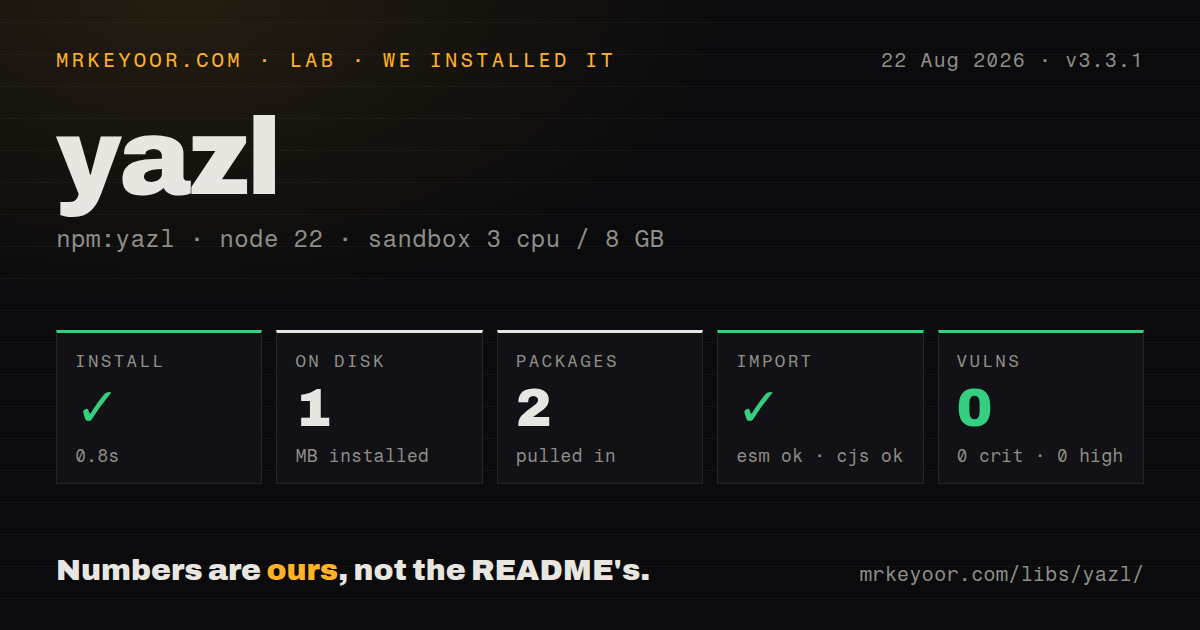
| Install | ✓ · 0.8s | 2 packages on disk · 1 MB |
| Import | ✓ | ESM import works · require() works · CommonJS package |
| Browser | n/a | could not be bundled for the browser (Node-only code, most likely) |
| Types | — | no TypeScript types found |
| Known vulns | 0 | 0 critical · 0 high · 0 moderate · 0 low (npm audit) |
Answers from our run
Does yazl install cleanly?
Yes. In a fresh container with an empty cache, npm install yazl finished in 0.8s, leaving 2 packages and 1 MB on disk. npm audit reported no known vulnerabilities.
Can yazl run in a browser?
Not directly: esbuild could not bundle it for the browser in our run, which normally means it depends on Node built-ins. Use it on the server, or find a browser-targeted alternative.
Does yazl work with both ESM and CommonJS?
Yes. Both import 'yazl' and require('yazl') worked in Node 22 in our run. The package is published as CommonJS.
Does yazl include TypeScript types?
No type declarations were found in our install, so TypeScript users need their own declarations.
yazl or archiver: which should you use?
archiver: Choose it for directory recursion, globbing, progress events, and TAR alongside ZIP. yazl 3.3.1 installed two packages and 1 MB in 0.8 seconds with 0 audit findings in our sandbox, and its failed browser build confirms it belongs in Node stream pipelines.
When should you not use yazl?
You need extraction, listing, append, or edits to an existing ZIP: yazl only creates new archives
Use it if
- A Node service must stream a ZIP response without buffering the completed archive
- A large file set should keep approximately one source file open at a time
- ZIP64 must turn on automatically for large entries or more than 65,534 archive members
- Your code can own directory walking, stream errors, destination completion, and callback-style lazy sources
- You need extraction, listing, append, or edits to an existing ZIP: yazl only creates new archives
- You need encryption or passwords: the documented API has no encryption option
- You want directory recursion, globs, progress events, TAR output, or a one-call Promise API
- Recipients use ZIP readers with weak ZIP64 or data-descriptor support: the README names macOS Archive Utility and old 7-Zip limitations
- You need a browser library, ESM packaging, or bundled TypeScript declarations: our browser bundle failed and version 3.3.1 ships CommonJS without types
Setup reality
Our install of yazl 3.3.1 finished in 0.8 seconds and left two packages using 1 MB on disk. npm audit reported 0 known vulnerabilities. The package is 72 KB unpacked, declares one direct dependency and no peers, and uses Node's built-in zlib rather than a native add-on build.
There are no credentials or config files. yazl is CommonJS without an exports map; require() and ESM import both worked in our Node 22 sandbox. No TypeScript declarations were bundled. esbuild could not produce our browser bundle, matching the package's direct use of Node files, streams, buffers, and zlib. Use a browser ZIP library for client-side archives.
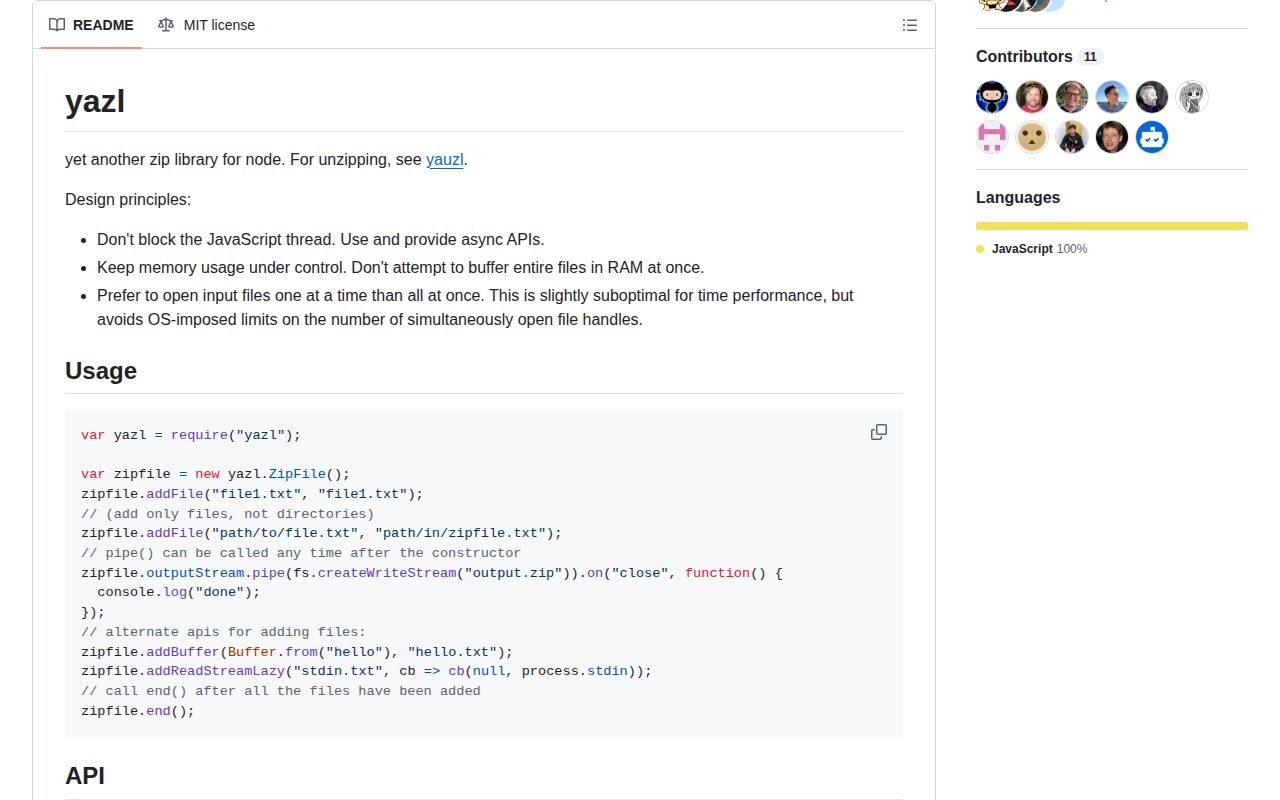
Archive creation is a stream lifecycle. Connect outputStream, add every entry, call end(), and wait for the destination to finish. end() does not return a completion Promise. addFile() stats immediately but opens content later. addReadStreamLazy() delays acquiring sockets or descriptors until yazl is ready; version 3.3.1 fixed its provider timing. Handle errors from the ZipFile and destination.
Stored file names cannot be blank, absolute, drive-prefixed, contain .. segments, or end in slash. yazl does not walk directories. Compression defaults to DEFLATE level 6, while already compressed media often belongs in store mode. Version 3.3 adds a UTC Info-ZIP timestamp field costing 9 bytes per entry. ZIP64 is automatic when required, but the README warns that some readers still mishandle it.
Patterns
Write two files into one ZIP zip-files
const fs = require('node:fs');
const yazl = require('yazl');

const zip = new yazl.ZipFile();
zip.outputStream.pipe(fs.createWriteStream('reports.zip'));
zip.addFile('reports/january.csv', 'reports/january.csv');
zip.addFile('reports/february.csv', 'reports/february.csv');
zip.end();
addFile() accepts file paths only; its second argument is the slash-separated name stored in the archive.
Await the destination pipeline await-zip-completion
const fs = require('node:fs');
const {pipeline} = require('node:stream/promises');
const yazl = require('yazl');

const zip = new yazl.ZipFile();
const finished = pipeline(zip.outputStream, fs.createWriteStream('out.zip'));
zip.addFile('input.txt', 'input.txt');
zip.end();
await finished;
end() only closes entry input; the pipeline Promise resolves when the writable destination has finished.
Add generated JSON from memory add-buffer
zip.addBuffer(
  Buffer.from(JSON.stringify(manifest, null, 2)),
  'manifest.json',
  {mtime: new Date('2024-01-01T00:00:00Z')}
);
addBuffer() retains the entire entry in memory, so a lazy stream is safer for large generated content.
Open a source only when yazl requests it add-lazy-stream
zip.on('error', handleArchiveError);
zip.addReadStreamLazy(
  'exports/orders.ndjson',
  {size: expectedBytes},
  (callback) => callback(null, createOrdersStream())
);
Version 3.3.1 fixes lazy-provider timing; pass stream creation failures as callback(error) so ZipFile emits them.
Pipe a ZIP into an HTTP response stream-http-response
res.setHeader('Content-Type', 'application/zip');
res.setHeader('Content-Disposition', 'attachment; filename=export.zip');

const zip = new yazl.ZipFile();
zip.on('error', (error) => res.destroy(error));
zip.outputStream.pipe(res);
zip.addBuffer(Buffer.from(csv), 'orders.csv');
zip.end();
After response bytes begin, an archive error cannot be replaced by a clean JSON response, so destroy the stream and log the failure.
Keep an empty folder in the archive add-empty-directory
zip.addEmptyDirectory('uploads/', {
  mtime: new Date('2024-01-01T00:00:00Z'),
  mode: 0o40775,
});
Ordinary file paths imply their parent folders; addEmptyDirectory() is needed only when an empty directory must survive extraction.
Enumerate a directory tree yourself walk-directory
const fs = require('node:fs/promises');
const path = require('node:path');

async function addTree(zip, root, dir = root) {
  for (const entry of await fs.readdir(dir, {withFileTypes: true})) {
    const realPath = path.join(dir, entry.name);
    const storedPath = path.relative(root, realPath).split(path.sep).join('/');
    if (entry.isDirectory()) await addTree(zip, root, realPath);
    else if (entry.isFile()) zip.addFile(realPath, storedPath);
  }
}
This walker skips symlinks and empty directories; choose explicit policies for both before traversing user-controlled trees.
Fix timestamps and modes make-reproducible-zip
const stable = {
  mtime: new Date('2024-01-01T00:00:00Z'),
  mode: 0o100644,
};

zip.addFile('build/app.js', 'app.js', stable);
zip.addBuffer(Buffer.from(version), 'VERSION', stable);
Stable mtime and mode remove two byte-level differences, while entry order and content must also stay deterministic.
Store an already compressed asset skip-useless-compression
zip.addFile('video.mp4', 'media/video.mp4', {
  compress: false,
});
MP4, JPEG, PNG, and existing archives often shrink little under DEFLATE, so store mode saves CPU.
Set the zlib level for text tune-compression-level
zip.addFile('database.sql', 'backup/database.sql', {
  compressionLevel: 9,
});
The default compression level is 6; level 0 means no compression, and conflicting compress options are rejected.
Calculate a streamable Content-Length calculate-content-length
zip.addReadStreamLazy(
  'payload.bin',
  {size: payloadSize, compress: false},
  (callback) => callback(null, openPayload())
);

zip.end({}, (totalSize) => {
  if (totalSize !== -1) res.setHeader('Content-Length', totalSize);
  zip.outputStream.pipe(res);
});
A predictable total generally requires compression disabled plus a declared size for every stream entry; otherwise the callback can return -1.
Force ZIP64 in a compatibility test force-zip64
zip.addFile('sample.bin', 'sample.bin', {forceZip64Format: true});
zip.end({forceZip64Format: true});
Production code should let yazl choose ZIP64 when required because the README warns that some readers mishandle the format.
Alternatives
| Package | Registry | Pick it when |
|---|---|---|
| archiver | npm | Choose it for directory recursion, globbing, progress events, and TAR alongside ZIP. |
| jszip | npm | Choose it for browser use or an in-memory archive object when inputs are small enough to buffer. |
| zip-stream | npm | Choose it for a low-level sequential entry API built directly around a ZIP output stream. |
| adm-zip | npm | Choose it for simple synchronous reading and writing of small archives where buffering is acceptable. |
More utils guides
lru-cache · type-fest · ajv · zod · p-limit · find-up · the whole shelf →
How this guide is made: grounded in the library's documentation, release notes, changelog, and issue history, on a fixed rubric — not a hands-on install of every release. The 50 most-downloaded entries are additionally install-verified in clean containers. Corrections: contact the desk.