@xyflow/react review
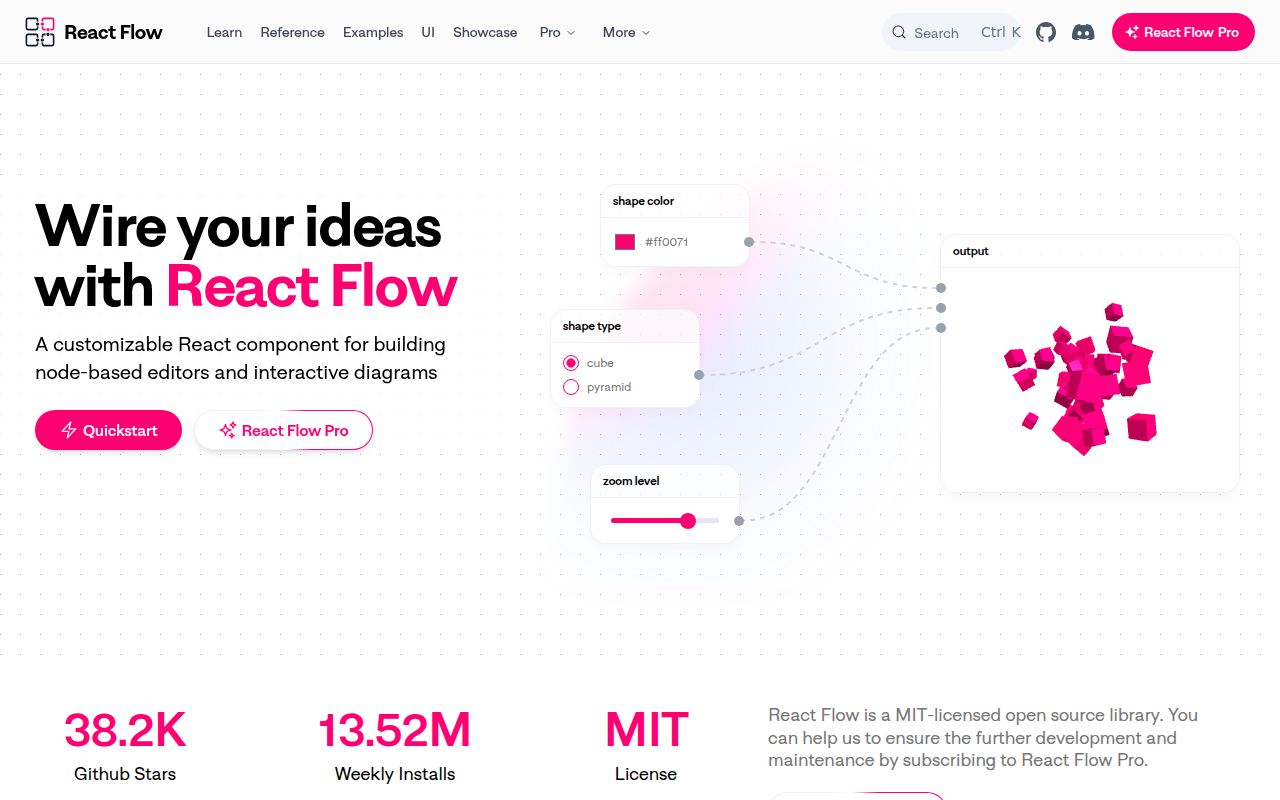
@xyflow/react 12.11.5 is React Flow, a controlled React canvas for workflow editors, node builders, and interactive diagrams. React components become draggable nodes, typed handles join them through edges, and the package supplies selection, zooming, keyboard behavior, controls, a minimap, and backgrounds. Application code still owns graph state and domain rules. Version 12.11.4 repairs several MiniMap remount and hidden-node bugs; 12.11.5 updates the shared system package for attribution-warning handling. Our bundle and install measurements cover 12.11.3.
@xyflow/react 12.11.3 installed in 4.9 seconds and produced a 64.3 KB gzipped whole import in our sandbox; npm now serves 12.11.5 with MiniMap and shared-system fixes. Choose it for a real React graph editor, not for a static chart or automatic layout.
We installed it
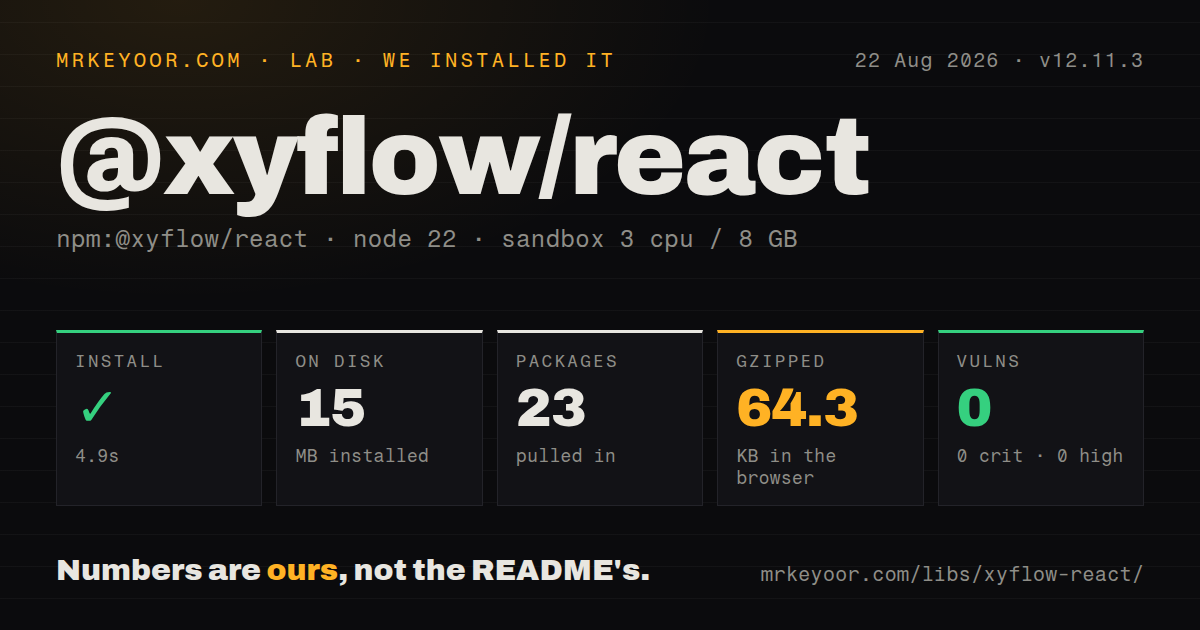
| Install | ✓ · 4.9s | 23 packages on disk · 15 MB |
| Import | ✓ | ESM import works · require() works · CommonJS package with exports map |
| Browser | 64.3 KB | gzipped (198.5 KB minified), bundled with esbuild |
| Types | ✓ | TypeScript types bundled |
| Known vulns | 0 | 0 critical · 0 high · 0 moderate · 0 low (npm audit) |
Answers from our run
Does @xyflow/react install cleanly?
Yes. In a fresh container with an empty cache, npm install @xyflow/react finished in 5 seconds, leaving 23 packages and 15 MB on disk. npm audit reported no known vulnerabilities.
How much does @xyflow/react add to a browser bundle?
64.3 KB gzipped (198.5 KB minified) when the whole package is bundled for the browser with esbuild. Importing only part of it is usually smaller.
Does @xyflow/react work with both ESM and CommonJS?
Yes. Both import '@xyflow/react' and require('@xyflow/react') worked in Node 22 in our run. The package is published as CommonJS with an exports map.
Does @xyflow/react include TypeScript types?
Yes, type declarations ship inside the package, so no @types install is needed.
@xyflow/react or @projectstorm/react-diagrams: which should you use?
@projectstorm/react-diagrams: Use it for another React node-diagram toolkit with its own engine and model structure. @xyflow/react 12.11.3 installed in 4.9 seconds and produced a 64.3 KB gzipped whole import in our sandbox; npm now serves 12.11.5 with MiniMap and shared-system fixes.
When should you not use @xyflow/react?
The result is a read-only diagram. Mermaid or plain SVG avoids our measured 64.3 KB gzipped whole import.
Use it if
- Users must drag, connect, select, resize, and edit React components on a graph canvas.
- Node and edge state must stay controlled for validation, persistence, collaboration, or an application store.
- Custom ports, edge renderers, viewport controls, and keyboard interaction are product requirements.
- The team wants typed APIs plus ready-made MiniMap, Controls, Background, and Panel components.
- The result is a read-only diagram. Mermaid or plain SVG avoids our measured 64.3 KB gzipped whole import.
- Automatic graph layout must be built in. React Flow supplies no layout engine; dagre or ELK remains your integration.
- Thousands of rich nodes must stay cheap. Each React Flow node creates DOM and React work; Cytoscape fits larger shape-based networks.
- React, React DOM, and their type packages cannot satisfy four declared peer dependencies at version 17 or newer.
- Server HTML must contain a fully measured fitted layout. Browser dimensions are needed unless node sizes and handles are supplied in advance.
Setup reality
We installed @xyflow/react 12.11.3, the measured release, in a clean Node 22 Bookworm sandbox in 4.9 seconds. npm left 23 packages using 15 MB. It declares three direct dependencies and four peers, while the package itself is 3,204 KB unpacked. npm audit found zero vulnerabilities at all severities. require and ESM import both worked. The CommonJS publication has an exports map and bundled TypeScript declarations.
PyPI is irrelevant here; npm now serves 12.11.5. Our esbuild number remains tied to 12.11.3: 198.5 KB minified and 64.3 KB gzipped for a whole-package import. Import the package stylesheet and give the canvas parent explicit width and height or the viewport appears blank. React, React DOM, and both React type packages are peers at 17 or newer.
Controlled mode commits nothing by itself. onNodesChange handles selection, dragging, and removals; onEdgesChange handles edge edits; onConnect normally adds a proposed link. Memoize or hoist nodeTypes, edgeTypes, defaultEdgeOptions, and snapGrid to prevent warnings and extra work. Store serializable nodes, edges, and viewport values rather than component instances or callbacks inside data.
React Flow does not calculate graph layout. dagre, ELK, or another engine needs dimensions that may only exist after browser measurement. Large canvases need memoized nodes, narrow store selectors, stable props, and modest CSS effects. SSR requires known node sizes and handle positions or a client-only canvas. Label custom controls, retain keyboard access, and test focus behavior inside draggable nodes.
Patterns
Load styles and give the canvas height render-flow
import { ReactFlow } from '@xyflow/react'
import '@xyflow/react/dist/style.css'

<div style={{ width: '100%', height: 600 }}>
  <ReactFlow nodes={nodes} edges={edges} fitView />
</div>
Without the stylesheet or measurable parent dimensions, the canvas is blank or visibly broken.
Commit node, edge, and connection changes control-graph-state
const [nodes, setNodes, onNodesChange] = useNodesState(initialNodes)
const [edges, setEdges, onEdgesChange] = useEdgesState(initialEdges)
const onConnect = useCallback(c => setEdges(es => addEdge(c, es)), [])
<ReactFlow {...{ nodes, edges, onNodesChange, onEdgesChange, onConnect }} />
Omitting a change callback makes that user edit disappear in controlled mode; validate connections before addEdge.
Register a node with a named output define-custom-node
function TaskNode({ data }) {
  return <div><Handle type='target' position={Position.Left} />{data.label}<Handle id='success' type='source' position={Position.Right} /></div>
}
const nodeTypes = { task: TaskNode }
Keep nodeTypes outside render or memoize it. Edges targeting one of several handles must carry the matching handle ID.
Convert screen coordinates before inserting add-at-pointer
const { screenToFlowPosition } = useReactFlow()
const position = screenToFlowPosition({ x: event.clientX, y: event.clientY })
setNodes(nodes => [...nodes, { id: crypto.randomUUID(), position, data: { label: 'Task' } }])
screenToFlowPosition accounts for current pan and zoom; older v11 tutorials call the previous project helper.
Fit the graph from a panel control-viewport
function Toolbar() {
  const { fitView, zoomTo } = useReactFlow()
  return <Panel position='top-right'><button onClick={() => fitView({ padding: 0.2 })}>Fit</button><button onClick={() => zoomTo(1)}>100%</button></Panel>
}
React Flow hooks need its store context, so render this inside ReactFlow or under ReactFlowProvider.
Add an arrow and label to an edge label-edge
const edge = { id: 'a-b', source: 'a', target: 'b', type: 'smoothstep', label: 'approved', markerEnd: { type: MarkerType.ArrowClosed } }Interactive React content in a label needs a custom edge and EdgeLabelRenderer.
Save nodes, edges, and viewport persist-flow
const saved = toObject()
localStorage.setItem('workflow', JSON.stringify(saved))
const restored = JSON.parse(localStorage.getItem('workflow'))
setNodes(restored.nodes); setEdges(restored.edges); setViewport(restored.viewport)
Keep node data serializable and reattach callbacks or runtime resources after loading.
Memoize nodes for a larger canvas reduce-renders
const TaskNode = memo(({ data }) => <div>{data.label}</div>)
const nodeTypes = { task: TaskNode }
<ReactFlow nodes={nodes} edges={edges} nodeTypes={nodeTypes} onlyRenderVisibleElements />
Stable component and configuration references matter during drag; side panels should subscribe to narrow state rather than the full nodes array.
Alternatives
| Package | Registry | Pick it when |
|---|---|---|
| @projectstorm/react-diagrams | npm | Use it for another React node-diagram toolkit with its own engine and model structure. |
| cytoscape | npm | Use it for larger graph analysis and shape-based visualization with layout choices. |
| mermaid | npm | Use it for static diagrams generated from text without editor interactions. |
More web frontend guides
postcss · react · react-dom · tailwindcss · clsx · htmlparser2 · the whole shelf →
How this guide is made: grounded in the library's documentation, release notes, changelog, and issue history, on a fixed rubric — not a hands-on install of every release. The 50 most-downloaded entries are additionally install-verified in clean containers. Corrections: contact the desk.