xmldoc review
xmldoc 3.0.0 synchronously parses a complete XML string into typed document, element, text, CDATA, and comment nodes. It gives known-shape API clients direct-child helpers, recursive name search, a small dot-path lookup, string attributes, and original line and column positions without exposing raw SAX events. Version 3 rewrites the source in TypeScript, restores the test suite, updates sax to 1.6, requires Node 22, removes the browser-global build, and publishes ESM. It is a compact tree for predictable XML, not XPath, a namespace-aware DOM, an HTML scraper, a streaming parser, or a safe XML writer.
xmldoc 3.0.0 installed in 0.9 seconds as 2 packages using 1 MB with 0 audit findings, and our browser bundle measured 26.2 KB minified. Install it for bounded, known-shape XML on Node 22 ESM; choose another parser for XPath, namespace semantics, streams, HTML, older runtimes, or production XML generation.
We installed it
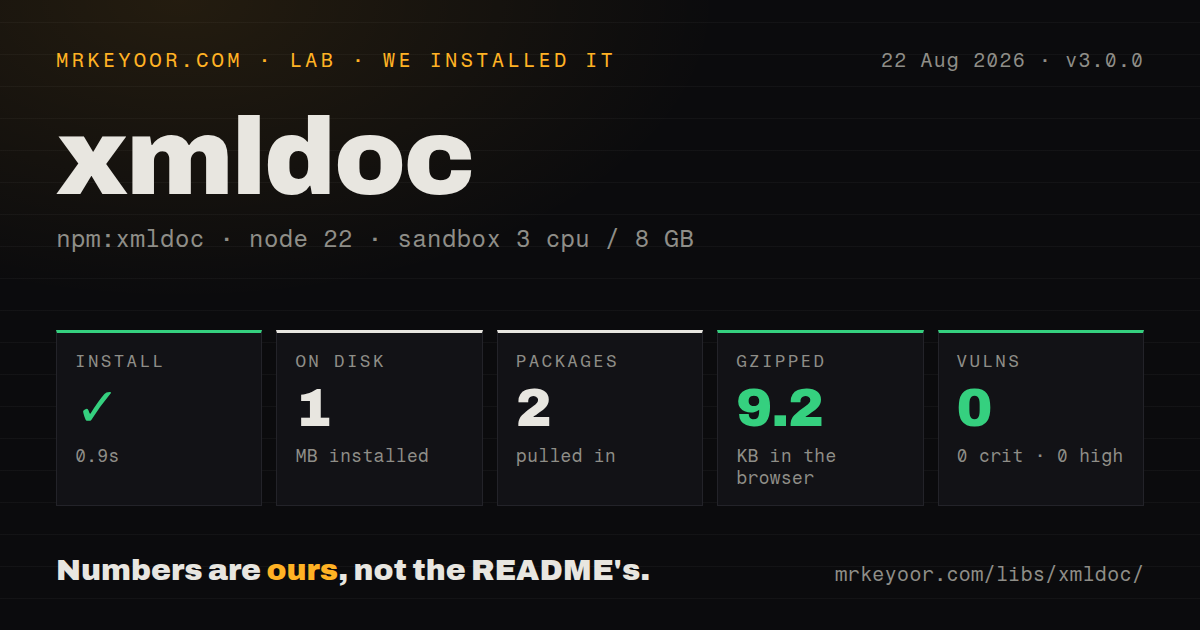
| Install | ✓ · 0.9s | 2 packages on disk · 1 MB |
| Import | ✓ | ESM import works · require() works · ESM package with exports map |
| Browser | 9.2 KB | gzipped (26.2 KB minified), bundled with esbuild |
| Types | ✓ | TypeScript types bundled |
| Known vulns | 0 | 0 critical · 0 high · 0 moderate · 0 low (npm audit) |
Answers from our run
Does xmldoc install cleanly?
Yes. In a fresh container with an empty cache, npm install xmldoc finished in 0.9s, leaving 2 packages and 1 MB on disk. npm audit reported no known vulnerabilities.
How much does xmldoc add to a browser bundle?
9.2 KB gzipped (26.2 KB minified) when the whole package is bundled for the browser with esbuild. Importing only part of it is usually smaller.
Does xmldoc work with both ESM and CommonJS?
Yes. Both import 'xmldoc' and require('xmldoc') worked in Node 22 in our run. The package is published as ESM with an exports map.
Does xmldoc include TypeScript types?
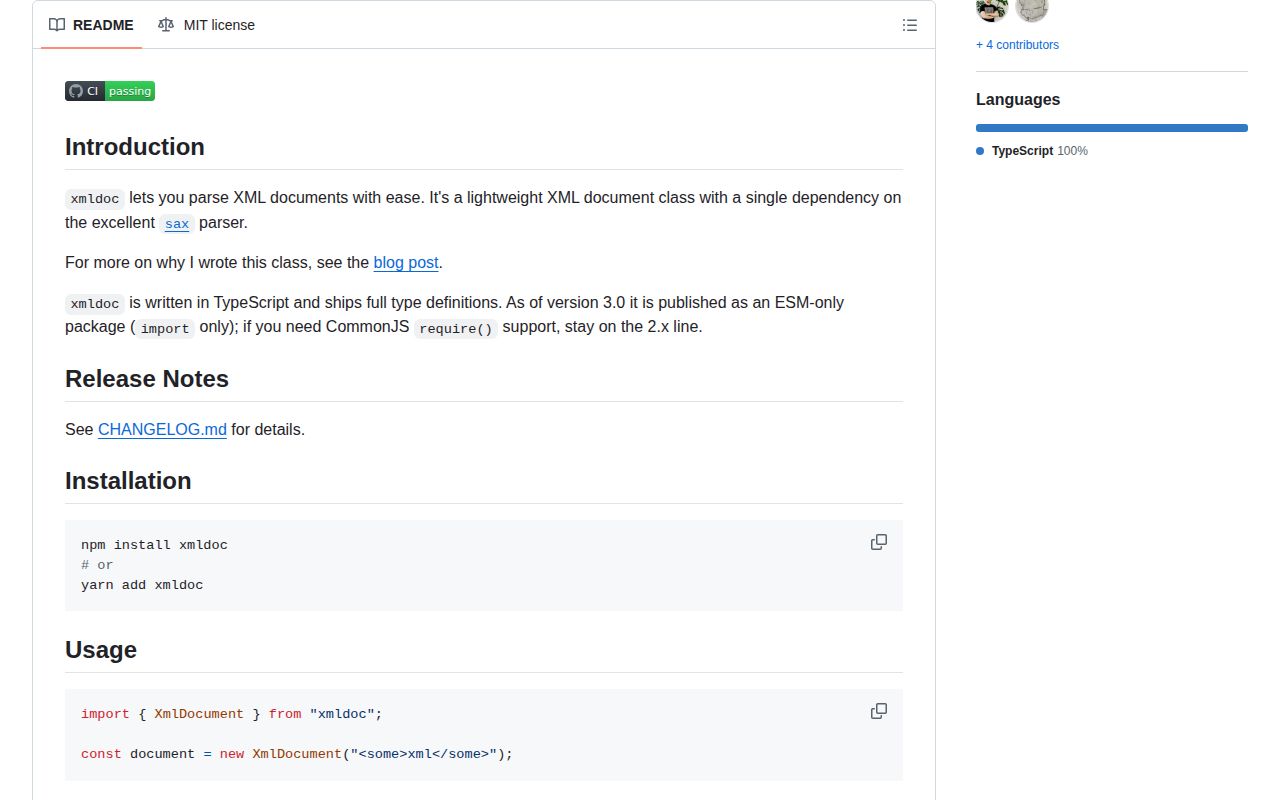
Yes, type declarations ship inside the package, so no @types install is needed.
xmldoc or fast-xml-parser: which should you use?
fast-xml-parser: Choose it for configurable XML-to-object parsing, validation, and XML building in one package. xmldoc 3.0.0 installed in 0.9 seconds as 2 packages using 1 MB with 0 audit findings, and our browser bundle measured 26.2 KB minified.
When should you not use xmldoc?
The supported runtime is below Node 22 or the application relies on CommonJS as a documented contract. Version 3 declares ESM-only; 2.x is the compatibility line.
Use it if
- A Node 22 ESM service receives bounded XML documents whose element hierarchy is already known.
- Code needs direct-child, repeated-child, recursive-name, and simple dot-path lookup without a DOM implementation.
- Validation errors benefit from element line, column, character position, and start-tag position.
- Text, CDATA, comments, attributes, and element order must remain visible in a typed in-memory tree.
- The supported runtime is below Node 22 or the application relies on CommonJS as a documented contract. Version 3 declares ESM-only; 2.x is the compatibility line.
- Queries require XPath predicates, CSS selectors, schema validation, or namespace URI resolution. Prefixes remain literal parts of names.
- Documents are large or unbounded. XmlDocument takes the full string and builds the complete hierarchy synchronously with no backpressure.
- Parsed XML must be edited and serialized for production. The README says toString() is diagnostic output and does not promise valid XML.
- The input is web HTML with inconsistent structure. The project explicitly targets XML whose desired paths are already known.
Setup reality
We installed xmldoc 3.0.0 in a fresh Node 22 Bookworm sandbox. npm finished in 0.9 seconds, left 2 packages using 1 MB, and reported 0 known vulnerabilities. The package is 60 KB unpacked with 1 direct dependency and no peers. It is ESM with an exports map, requires Node 22 or newer, and includes TypeScript declarations. Both require() and ESM import worked in our Node 22 check, although the documented v3 contract is import-only. Our browser bundle measured 26.2 KB minified and 9.2 KB gzipped.
There are no credentials, config files, or native builds. Import XmlDocument and pass it a complete string. React Native may need buffer and stream packages according to the README. Version 3 removed the old browser global, so the successful esbuild result does not restore a supported script-tag interface. CommonJS services should not rely on our Node 22 require() observation as a cross-version promise; migrate to import or stay on 2.x.
Construction is synchronous and malformed or empty XML throws immediately. Put a byte or character cap before decoding untrusted input, then catch parse failures. The full node tree remains in memory. Namespaces are not resolved: office:body is the literal element name and xmlns attributes remain in attr. Dot paths choose the first matching child at each segment and have no predicates, indexes, or namespace rules.
children contains elements, text, CDATA, and comments, while childNamed and childrenNamed filter to elements. An element's val contains its direct text and CDATA, not all descendant text. toString() can trim whitespace, compress output, or use HTML-style empty tags, and the documentation calls it debugging-only. Use a real XML builder when serialized correctness or round-trip fidelity matters.
Patterns
Parse known XML in ESM parse-document
import { XmlDocument } from 'xmldoc'
const doc = new XmlDocument('<catalog version="2"><book id="b1">XML Basics</book></catalog>')
console.log(doc.attr.version, doc.childNamed('book')?.val)
Version 3 declares Node 22 and ESM-only use. Import is the supported entry even though require() worked in our Node 22 measurement.
Bound and catch untrusted input catch-invalid-xml
function parseXml(input) {
  if (input.length > 1_000_000) throw new Error('XML too large')
  try { return new XmlDocument(input) }
  catch (error) { return null }
}
The 1,000,000-character ceiling is application policy. XmlDocument parses synchronously and supplies no built-in size limit.
Read one direct child find-child
const status = doc.childNamed('status')
if (!status) throw new Error('missing status')
console.log(status.val)
childNamed does not recurse and returns undefined when no direct element matches.
Map repeated child elements read-repeated-children
const items = doc.childrenNamed('item').map((item) => ({
  sku: item.attr.sku,
  quantity: Number(item.val),
}))
Attributes and val are strings. Convert and validate numbers, dates, and booleans yourself.
Locate the first attributed child find-attribute
const exact = doc.childWithAttribute('id', '42')
const withRole = doc.childWithAttribute('role')
The search covers direct child elements and returns only the first match.
Follow a known nested path read-dot-path
const name = doc.valueWithPath('author.name')
const id = doc.valueWithPath('author.name@id')
const node = doc.descendantWithPath('author.name')
Dot paths select the first child at each segment; they are not XPath and support no predicates or indexes.
Find every descendant with one name search-descendants
const entries = doc.descendantsNamed('entry')
console.log(entries.map((entry) => entry.val))
The recursive walk matches literal names over the in-memory tree, which can be costly on large documents.
Match namespace prefixes literally handle-prefixes
const entry = doc.childNamed('atom:entry')
console.log(entry?.attr['atom:id'])
console.log(doc.attr['xmlns:atom'])
xmldoc does not resolve namespace URIs, so a document using another prefix will need separate handling.
Branch on child node types inspect-mixed-content
for (const node of doc.children) {
  if (node.type === 'element') console.log(node.name)
  if (node.type === 'text') console.log(node.text)
  if (node.type === 'cdata') console.log(node.cdata)
  if (node.type === 'comment') console.log(node.comment)
}
Element-only helpers omit text, CDATA, and comments; parent val does not concatenate text inside descendant elements.
Exit direct-child iteration early stop-iteration
doc.eachChild((child, index) => {
  console.log(index, child.name)
  if (child.attr.stop === 'yes') return false
})
Returning false stops the walk. The index comes from the full children array, including non-element nodes.
Add a source location to validation report-position
const item = doc.childNamed('item')
if (item && !item.attr.id) {
  throw new Error(`missing id near line ${item.line}, column ${item.column}`)
}
Elements expose line, column, position, and startTagPosition from the underlying SAX parser.
Print a subtree for diagnostics format-debug-output
console.log(doc.toString())
console.log(doc.toString({ compressed: true, preserveWhitespace: true }))
console.log(doc.toString({ trimmed: true }))
The README does not guarantee valid XML from toString(). Never use this debug formatter as a persistence serializer.
Alternatives
| Package | Registry | Pick it when |
|---|---|---|
| fast-xml-parser | npm | Choose it for configurable XML-to-object parsing, validation, and XML building in one package. |
| xml2js | npm | Choose it for established Promise or callback conversion into plain JavaScript objects in older codebases. |
| saxes | npm | Choose it for event-driven parsing, namespace awareness, and bounded memory instead of an eager tree. |
More utils guides
lru-cache · type-fest · ajv · zod · p-limit · find-up · the whole shelf →
How this guide is made: grounded in the library's documentation, release notes, changelog, and issue history, on a fixed rubric — not a hands-on install of every release. The 50 most-downloaded entries are additionally install-verified in clean containers. Corrections: contact the desk.