xmlcreate review
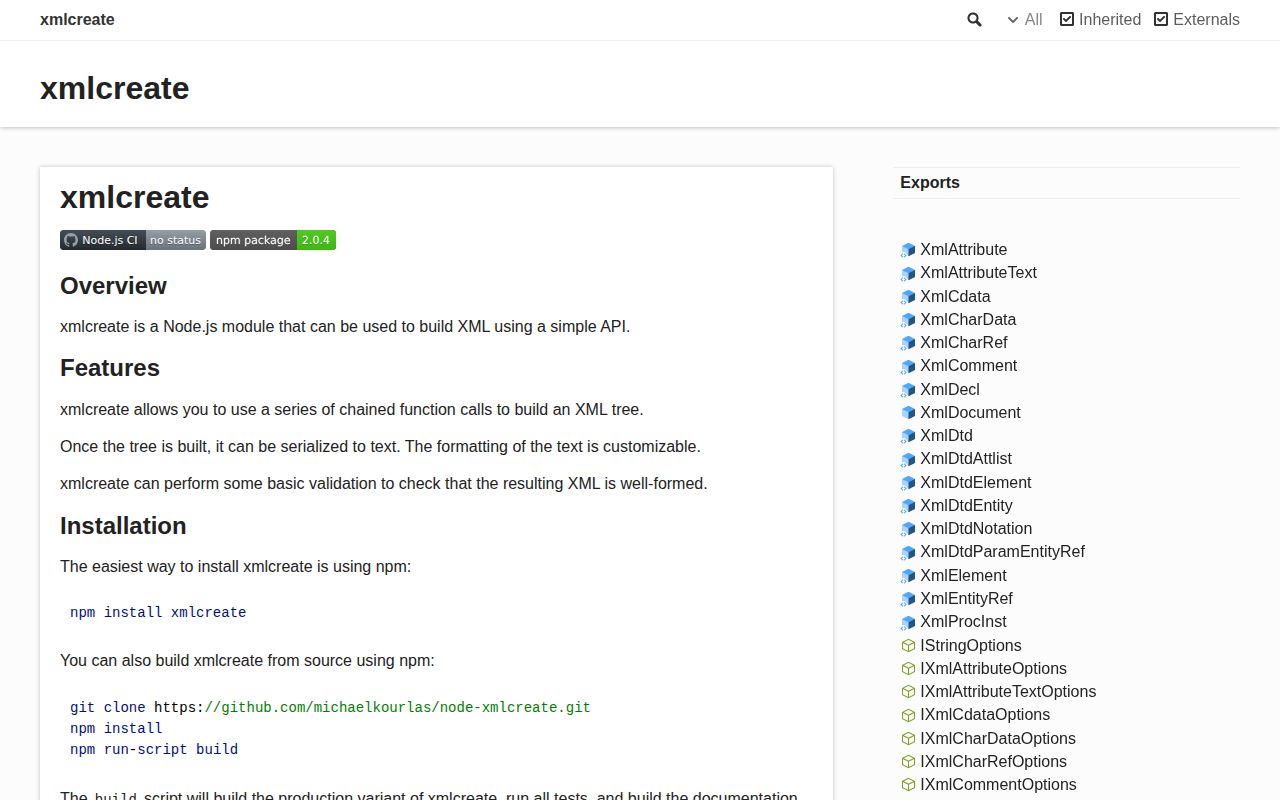
xmlcreate 2.0.4 builds a new XML document as an in-memory tree, then serializes it. Its node classes cover declarations, doctypes, elements, attributes, text, CDATA, comments, entity and character references, processing instructions, and DTD declarations. Child methods return the new node, while `up()` returns its parent for fluent construction. Basic checks catch several malformed XML names and character sequences. The current patch contains unspecified bug fixes and development dependency updates. It does not parse existing XML, understand namespace URIs, stream output, or validate XSD rules.
xmlcreate 2.0.4 installed as one 1 MB package in 0.6 seconds and bundled to 6 KB gzipped in our sandbox, with bundled types and no audit findings. Keep it for explicit small XML trees or compatible downstream code; choose xmlbuilder2 or a streaming writer for new namespace-heavy or large-output work.
We installed it
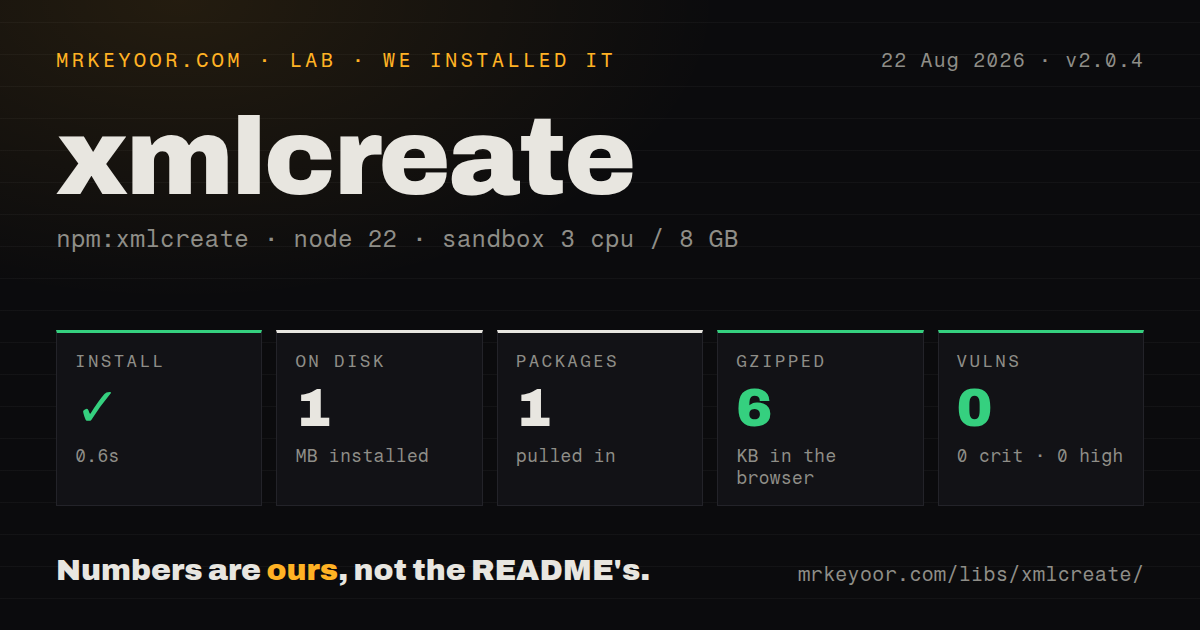
| Install | ✓ · 0.6s | 1 package on disk · 1 MB |
| Import | ✓ | ESM import works · require() works · CommonJS package |
| Browser | 6 KB | gzipped (31.3 KB minified), bundled with esbuild |
| Types | ✓ | TypeScript types bundled |
| Known vulns | 0 | 0 critical · 0 high · 0 moderate · 0 low (npm audit) |
Answers from our run
Does xmlcreate install cleanly?
Yes. In a fresh container with an empty cache, npm install xmlcreate finished in 0.6s, leaving 1 package and 1 MB on disk. npm audit reported no known vulnerabilities.
How much does xmlcreate add to a browser bundle?
6 KB gzipped (31.3 KB minified) when the whole package is bundled for the browser with esbuild. Importing only part of it is usually smaller.
Does xmlcreate work with both ESM and CommonJS?
Yes. Both import 'xmlcreate' and require('xmlcreate') worked in Node 22 in our run. The package is published as CommonJS.
Does xmlcreate include TypeScript types?
Yes, type declarations ship inside the package, so no @types install is needed.
xmlcreate or xmlbuilder2: which should you use?
xmlbuilder2: Choose it for namespace helpers, parsing, object conversion, and a more active general XML builder. xmlcreate 2.0.4 installed as one 1 MB package in 0.6 seconds and bundled to 6 KB gzipped in our sandbox, with bundled types and no audit findings.
When should you not use xmlcreate?
You must parse, query, modify, or round-trip an existing document. xmlcreate only constructs a new tree.
Use it if
- You need exact control over XML node order and constructs instead of mapping a JavaScript object automatically.
- The output includes DTD declarations, CDATA, comments, references, or processing instructions.
- A small or medium document can be held in memory until one final `toString()` call.
- Existing code already exchanges xmlcreate node objects, including code built around js2xmlparser.
- You must parse, query, modify, or round-trip an existing document. xmlcreate only constructs a new tree.
- Output may be very large. The full node graph and final XML string remain in memory, with no streaming writer API.
- Namespace correctness must be enforced. Prefixes and `xmlns` attributes are plain names; the library does not bind or validate namespace URIs.
- Ordinary objects should become XML with little ceremony. Here every element, attribute, and text node is an explicit call, and deep `up()` chains are easy to miscount.
- Active releases and a broad direct-user community matter. Version 2.0.4 dates to October 2021, the last repository push was in April 2023, and GitHub reports 5 stars.
Setup reality
We installed xmlcreate 2.0.4 in a fresh Node 22 Bookworm sandbox. npm completed in 0.6 seconds and left one package using 1 MB. The package was 276 KB unpacked with no direct or peer dependencies, and npm audit found 0 known vulnerabilities. It is CommonJS without an exports map; both require() and ESM import worked. TypeScript declarations are bundled.
There are no credentials, native addons, or config files. The learning cost sits in tree navigation. element(), attribute(), and text methods return the child they created. Add a sibling by keeping a parent variable or calling up() the correct number of times. Named variables are easier to review than a long fluent chain. A checked document permits one declaration, one doctype, and one root in XML order, but this is well-formedness checking rather than XSD or business validation.
Character data and attribute text escape reserved characters. CDATA cannot contain ]]>, comments cannot contain forbidden double-hyphen forms, and processing instruction content has separate rules. Some options replace invalid characters with U+FFFD, which changes data silently; reject invalid identifiers and signed payloads instead. Namespace handling is manual, so a prefixed element also needs the matching xmlns attribute written by your code.
Our browser bundle measured 31.3 KB minified and 6 KB gzipped. It can ship to a browser, but building and serializing a full tree still consumes memory proportional to the document. Pretty output is enabled by default with four-space indentation, newline separators, and single-quoted attributes. Set formatting explicitly for byte-sensitive snapshots, signatures, or partner integrations. Version 2.0.4 has no release detail beyond bug fixes and dependency updates, and no newer npm version exists.
Patterns
Build a document with one root create-document
const {document} = require('xmlcreate');

const doc = document();
doc.decl({encoding: 'UTF-8'});
const catalog = doc.element({name: 'catalog'});
catalog.element({name: 'title'}).charData({charData: 'Summer'});
console.log(doc.toString());
A validated XML document accepts one root element. Save the root variable when you plan to add several children.
Write escaped attribute text add-attributes
const product = catalog.element({name: 'product'});
product.attribute({name: 'id'}).text({charData: 'sku-42'});
product.attribute({name: 'label'}).text({charData: 'Tea & biscuits'});
`attribute()` creates a node, and its value comes from `text()`. Reserved ampersands in attribute text are escaped during serialization.
Use a parent variable for siblings add-siblings
const items = catalog.element({name: 'items'});
items.element({name: 'item'}).charData({charData: 'one'});
items.element({name: 'item'}).charData({charData: 'two'});
A saved parent avoids counting `up()` calls. The fluent method returns the child, not the element on which it was called.
Return to a parent in a fluent chain navigate-up
catalog
  .element({name: 'item'})
    .charData({charData: 'one'})
      .up()
    .attribute({name: 'active'})
      .text({charData: 'true'});
Each `up()` moves exactly one node. Here it returns from character data to the `item` element before adding the attribute.
Serialize text with XML metacharacters escape-character-data
catalog.element({name: 'expression'}).charData({
  charData: 'a < b && b > 0',
});
Character data escapes ampersands and opening angle brackets, plus closing brackets where needed to avoid an illegal `]]>` sequence.
Add literal CDATA content write-cdata
catalog.element({name: 'script'}).cdata({
  charData: 'if (a < b) console.log(a);',
});
One CDATA section cannot contain `]]>`. Split arbitrary hostile content or use character data so reserved text is escaped.
Place comments in the tree add-comments
doc.comment({charData: 'generated file'});
catalog.comment({charData: 'items begin here'});
XML comments reject forbidden sequences including double hyphens. Document-level placement must also respect declaration and root ordering.
Write a stylesheet instruction add-processing-instruction
doc.procInst({
  target: 'xml-stylesheet',
  content: 'type="text/xsl" href="catalog.xsl"',
});
xmlcreate writes the instruction data as supplied. It does not parse or verify the pseudo-attributes inside `content`.
Write a namespace prefix manually declare-namespace
const feed = doc.element({name: 'atom:feed'});
feed.attribute({name: 'xmlns:atom'}).text({
  charData: 'http://www.w3.org/2005/Atom',
});
feed.element({name: 'atom:title'}).charData({charData: 'Updates'});
Prefixes are plain names to this library. It does not bind `atom` to the URI or catch a mismatched namespace declaration.
Force separate open and close tags control-empty-element
catalog.element({
  name: 'description',
  useSelfClosingTagIfEmpty: false,
});
Empty elements self-close by default. This option emits `<description></description>` for consumers that care about lexical form.
Add character and entity references write-references
const text = catalog.element({name: 'text'});
text.charData({charData: 'Copyright '});
text.charRef({char: '©', hex: true});
text.charData({charData: ' Acme '});
text.entityRef({name: 'registered'});
A custom entity reference needs a matching DTD declaration or receiver-defined entity. The builder does not create that definition automatically.
Lock serialization whitespace and quotes format-output
const xml = doc.toString({
  pretty: true,
  indent: '  ',
  newline: '\n',
  doubleQuotes: true,
});
Defaults use four spaces and single-quoted attributes. Specify every formatting value when snapshots or signatures depend on exact bytes.
Alternatives
| Package | Registry | Pick it when |
|---|---|---|
| xmlbuilder2 | npm | Choose it for namespace helpers, parsing, object conversion, and a more active general XML builder. |
| xml-writer | npm | Choose it for sequential writer-style generation without navigating a retained fluent tree. |
| xml-js | npm | Choose it when conversion must work in both XML-to-JavaScript and JavaScript-to-XML directions. |
| fast-xml-parser | npm | Choose it when parsing and validation are primary and its builder is sufficient for output. |
More utils guides
lru-cache · type-fest · ajv · zod · p-limit · find-up · the whole shelf →
How this guide is made: grounded in the library's documentation, release notes, changelog, and issue history, on a fixed rubric — not a hands-on install of every release. The 50 most-downloaded entries are additionally install-verified in clean containers. Corrections: contact the desk.