xlrd review
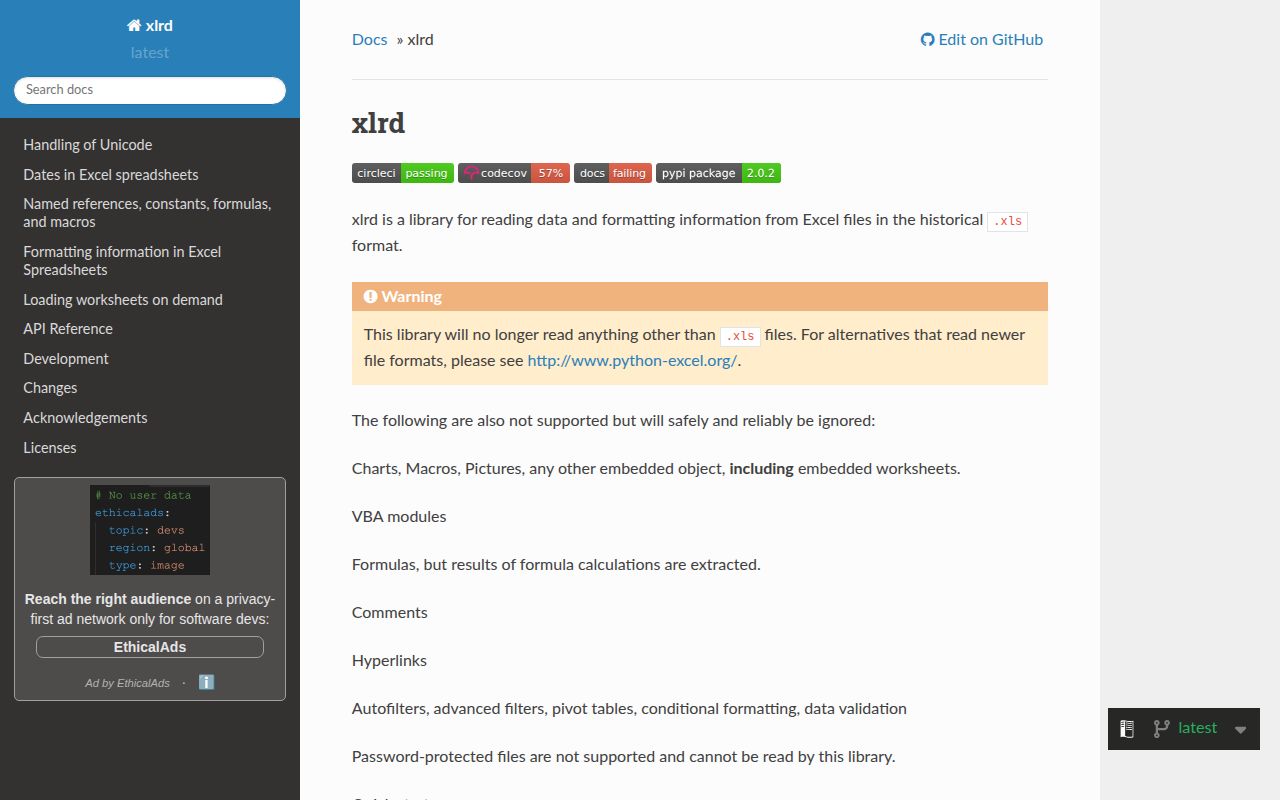
Our xlrd 2.0.2 install was a small, pure-Python reader for the binary Excel 97-2003 .xls format. It opens a workbook, exposes sheets, rows, cells, type codes, dates, merged ranges, and BIFF formatting records. It reads cached formula results and ignores formulas themselves, macros, charts, pictures, comments, hyperlinks, filters, validation, and other embedded objects. It cannot write a workbook. Since 2.0.0 it rejects .xlsx, .xlsb, and .ods files by design. Version 2.0.2, released in June 2025 after a gap of more than four years, fixes an occasional failure when a sheet contains invalid formula records.
Install xlrd 2.0.2 when the bytes are truly .xls and you need direct access to old BIFF cells or formatting records. For anything named .xlsx, choose openpyxl or python-calamine; downgrading xlrd only brings back an obsolete parser and the wrong maintenance path.
We installed it
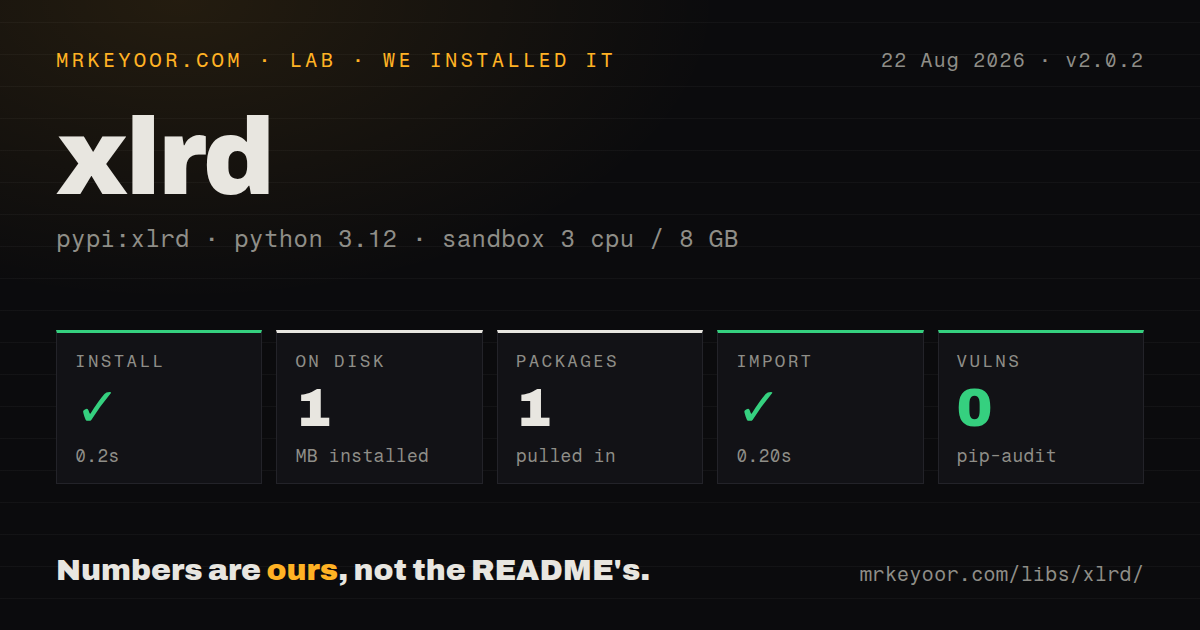
| Install | ✓ · 0.2s | 1 package on disk · 1 MB |
| Import | ✓ | import xlrd in 0.20s · pure Python · requires Python >=2.7, !=3.0.*, !=3.1.*, !=3.2.*, !=3.3.*, !=3.4.*, !=3.5.* |
| Known vulns | 0 | (pip-audit) |
Answers from our run
Does xlrd install cleanly?
Yes. In a fresh container with an empty cache, pip install xlrd finished in 0.2s, leaving 1 package and 1 MB on disk. pip-audit reported no known vulnerabilities.
What does xlrd need to run?
Python >=2.7, !=3.0., !=3.1., !=3.2., !=3.3., !=3.4., !=3.5., and nothing compiled: it is pure Python. In our run import xlrd succeeded in 0.20s.
xlrd or openpyxl: which should you use?
openpyxl: Choose it for reading or writing .xlsx and .xlsm workbooks, including formulas, styles, and modern worksheet structures. Install xlrd 2.0.2 when the bytes are truly .xls and you need direct access to old BIFF cells or formatting records.
When should you not use xlrd?
The file is .xlsx, .xlsm, .xlsb, or .ods. xlrd 2.x refuses those formats, regardless of a renamed extension
Use it if
- The input is genuinely an Excel 97-2003 .xls file from an old ERP, bank export, government portal, or archive
- You need BIFF cell type codes, datemode, merged ranges, or formatting records that a DataFrame import would flatten
- A large multi-sheet .xls should load sheets on demand and release each sheet after processing
- The deployment platform needs a pure-Python reader and the narrow .xls-only scope is acceptable
- The file is .xlsx, .xlsm, .xlsb, or .ods. xlrd 2.x refuses those formats, regardless of a renamed extension
- You must create, edit, recalculate, or save workbooks. xlrd is a reader and only exposes cached values for formula cells
- Password-protected files are in scope. The README says encrypted workbooks cannot be read
- Charts, macros, pictures, embedded worksheets, comments, hyperlinks, filters, pivots, conditional formatting, or validation rules matter. The parser ignores them
- Typed Python integration is required. Our install found no py.typed marker, while the package metadata still permits Python 2.7 and does not express a modern support policy
Setup reality
We installed xlrd 2.0.2 in a fresh Python 3.12 Bookworm container with no cache. uv finished in 0.2 seconds and left one package using 1 MB on disk. The measurement reported five direct dependencies. The package is pure Python and declares Python >=2.7 while excluding Python 3.0 through 3.5. pip-audit found zero known vulnerabilities. import xlrd worked in 0.20 seconds. The distribution uses the BSD license and does not ship py.typed metadata.
There are no credentials, services, or configuration files. File format is the first gate. inspect_format checks the signature and can distinguish xls, xlsx, xlsb, ods, generic zip data, and unknown input before open_workbook runs. Use it for uploads because users often rename a modern workbook to .xls. A real .xlsx passed to version 2 raises XLRDError. Installing xlrd 1.2.0 to recover modern-format parsing restores old code rather than fixing the format choice; openpyxl or python-calamine is the appropriate branch.
Excel stores dates as numeric serials and the workbook chooses either the 1900 or 1904 date system. Pass book.datemode into xldate_as_datetime or xldate_as_tuple; a hard-coded epoch shifts dates from a Mac-origin workbook. Numeric cells arrive as floats, including identifiers that look integral. Formula cells expose Excel's last cached result because xlrd does not calculate formulas. If the producer saved without recalculation, that value may be stale. Release 2.0.2 prevents malformed formula records from crashing some sheets but does not repair their formulas.
By default, opening a workbook parses every sheet. Set on_demand=True for large files, process one sheet, call unload_sheet, and release workbook resources when finished. formatting_info=True loads XF, font, color, and merged-cell data and adds memory cost. With ragged_rows=True, short rows are no longer padded to sheet.ncols, so callers must respect row_len. Password protection remains unsupported, and ignore_workbook_corruption skips selected consistency failures rather than restoring damaged data.
Patterns
Check the workbook signature inspect-file-format
import xlrd

format_name = xlrd.inspect_format(filename=upload_path)
if format_name != "xls":
    description = xlrd.FILE_FORMAT_DESCRIPTIONS.get(format_name, "unknown")
    raise ValueError(f"Expected .xls bytes, received {description}")
Inspect bytes rather than trusting the extension. Renaming .xlsx to .xls does not turn its ZIP-based format into BIFF.
Open a legacy workbook open-workbook
import xlrd

book = xlrd.open_workbook("legacy.xls")
print(book.sheet_names())
sheet = book.sheet_by_index(0)
print(sheet.name, sheet.nrows, sheet.ncols)
sheet_by_name raises XLRDError when the name is missing. It does not use KeyError like a normal dictionary lookup.
Parse uploaded bytes in memory read-upload-bytes
import xlrd

content = uploaded_file.read()
book = xlrd.open_workbook(
    filename=uploaded_file.name,
    file_contents=content,
)
sheet = book.sheet_by_index(0)
file_contents supplies the actual workbook. The filename is still useful in diagnostics even though xlrd does not read it from disk in this mode.
Map rows to header names iterate-row-values
headers = sheet.row_values(0)
for row_index in range(1, sheet.nrows):
    values = sheet.row_values(row_index)
    record = dict(zip(headers, values))
    process(record)
row_values discards ctype information. Use row() or cell() when dates, errors, empty cells, and numbers must stay distinguishable.
Interpret a cell by its BIFF type branch-on-cell-type
from xlrd import XL_CELL_DATE, XL_CELL_EMPTY, XL_CELL_ERROR, XL_CELL_NUMBER

cell = sheet.cell(row_index, column_index)
if cell.ctype == XL_CELL_EMPTY:
    value = None
elif cell.ctype == XL_CELL_NUMBER:
    value = cell.value
elif cell.ctype == XL_CELL_DATE:
    value = xlrd.xldate_as_datetime(cell.value, book.datemode)
elif cell.ctype == XL_CELL_ERROR:
    value = xlrd.error_text_from_code[cell.value]
else:
    value = cell.value
Numeric cells are floats. Convert identifier columns to int only when the file contract says fractional values are impossible.
Convert a serial date with its workbook epoch convert-excel-date
from xlrd import xldate_as_datetime

cell = sheet.cell(rowx=1, colx=3)
created_at = xldate_as_datetime(cell.value, book.datemode)
book.datemode selects the 1900 or 1904 system. Using the wrong value shifts the result by 1,462 days.
Release each sheet after processing load-sheets-on-demand
book = xlrd.open_workbook("large.xls", on_demand=True)
try:
    for sheet_name in book.sheet_names():
        sheet = book.sheet_by_name(sheet_name)
        process_sheet(sheet)
        book.unload_sheet(sheet_name)
finally:
    book.release_resources()
on_demand avoids parsing every sheet at open time. release_resources closes file or mmap resources even when processing fails.
Avoid padding sparse rows read-ragged-rows
book = xlrd.open_workbook("sparse.xls", ragged_rows=True)
sheet = book.sheet_by_index(0)

for row_index in range(sheet.nrows):
    length = sheet.row_len(row_index)
    values = sheet.row_values(row_index, end_colx=length)
    process(values)
With ragged_rows enabled, a row may be shorter than sheet.ncols. Use row_len before indexing its cells.
Locate values in merged cells read-merged-ranges
book = xlrd.open_workbook("layout.xls", formatting_info=True)
sheet = book.sheet_by_index(0)

for row_low, row_high, col_low, col_high in sheet.merged_cells:
    value = sheet.cell_value(row_low, col_low)
    print((row_low, row_high, col_low, col_high), value)
Merged ranges are half-open, and only the top-left cell stores the value. formatting_info is required for complete merged-cell information.
Inspect a cell's font record read-cell-format
book = xlrd.open_workbook("styled.xls", formatting_info=True)
sheet = book.sheet_by_index(0)

xf = book.xf_list[sheet.cell_xf_index(0, 0)]
font = book.font_list[xf.font_index]
print(font.name, font.bold, font.italic)
BIFF styles reference shared XF and font tables. These records describe formatting; xlrd cannot save a modified workbook.
Select xlrd explicitly in pandas read-xls-with-pandas
import pandas as pd

frame = pd.read_excel(
    "legacy.xls",
    engine="xlrd",
    sheet_name="Transactions",
)
Use this only for .xls. pandas needs openpyxl, calamine, or another matching engine for modern workbook formats.
Route formats to matching readers handle-unsupported-format
import xlrd
from openpyxl import load_workbook

format_name = xlrd.inspect_format(filename=path)
if format_name == "xls":
    workbook = xlrd.open_workbook(path)
elif format_name == "xlsx":
    workbook = load_workbook(path, read_only=True, data_only=True)
else:
    raise ValueError(f"Unsupported workbook format: {format_name}")
Routing is safer than catching every XLRDError because that exception can also report a damaged .xls file.
Alternatives
| Package | Registry | Pick it when |
|---|---|---|
| openpyxl | PyPI | Choose it for reading or writing .xlsx and .xlsm workbooks, including formulas, styles, and modern worksheet structures |
| python-calamine | PyPI | Choose it when one reader should accept .xls, .xlsx, .xlsb, and .ods through a Rust-backed engine |
| pandas | PyPI | Choose it when the desired result is a DataFrame and engine-specific workbook details are unimportant |
| pyxlsb | PyPI | Choose it for the binary .xlsb format, which is unrelated to the older BIFF .xls format handled here |
More data guides
numpy · pandas · fsspec · pyarrow · lxml · sqlalchemy · the whole shelf →
How this guide is made: grounded in the library's documentation, release notes, changelog, and issue history, on a fixed rubric — not a hands-on install of every release. The 50 most-downloaded entries are additionally install-verified in clean containers. Corrections: contact the desk.