write review
We installed write 2.0.0 as 3 small CommonJS packages occupying 1 MB, then traced its real value to one convenience: each file API creates missing parent directories before writing. The main function returns a Promise or accepts a callback, while `.sync` and `.stream` cover blocking and streaming work. Options can append one newline, reject replacement, or pick an incremented filename. Version 2.0.0 moved the async implementation to `fs.createWriteStream`, added `overwrite` and `increment`, removed the separate `.promise` method, and stopped accepting a custom newline string. It is Node filesystem glue, with no transactional or durability guarantee.
write 2.0.0 installed in 1.2 seconds and used 1 MB with 0 audit findings in our sandbox, but it has had no release since 2019 and its overwrite protections are non-atomic. Keep it where old CommonJS generators already depend on all 3 API forms; new Node code should usually use the standard library or write-file-atomic.
We installed it
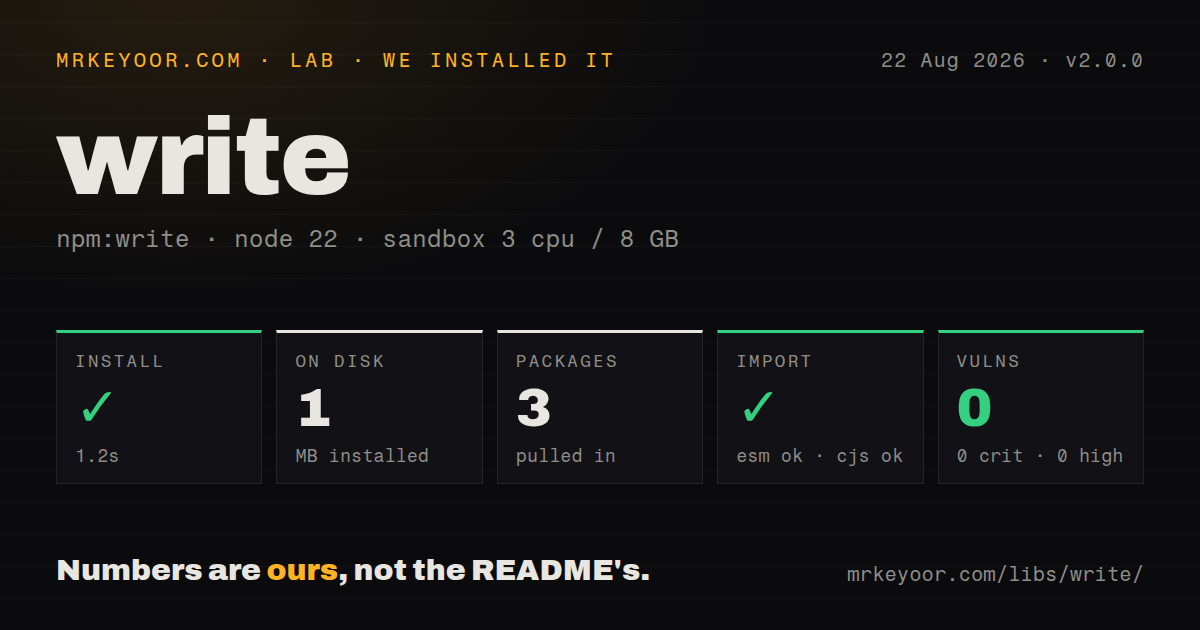
| Install | ✓ · 1.2s | 3 packages on disk · 1 MB |
| Import | ✓ | ESM import works · require() works · CommonJS package |
| Browser | n/a | could not be bundled for the browser (Node-only code, most likely) |
| Types | — | no TypeScript types found |
| Known vulns | 0 | 0 critical · 0 high · 0 moderate · 0 low (npm audit) |
Answers from our run
Does write install cleanly?
Yes. In a fresh container with an empty cache, npm install write finished in 1 seconds, leaving 3 packages and 1 MB on disk. npm audit reported no known vulnerabilities.
Can write run in a browser?
Not directly: esbuild could not bundle it for the browser in our run, which normally means it depends on Node built-ins. Use it on the server, or find a browser-targeted alternative.
Does write work with both ESM and CommonJS?
Yes. Both import 'write' and require('write') worked in Node 22 in our run. The package is published as CommonJS.
Does write include TypeScript types?
No type declarations were found in our install, so TypeScript users need their own declarations.
write or fs-extra: which should you use?
fs-extra: Choose it when the project also needs maintained copy, move, remove, JSON, and output-file helpers. write 2.0.0 installed in 1.2 seconds and used 1 MB with 0 audit findings in our sandbox, but it has had no release since 2019 and its overwrite protections are non-atomic.
When should you not use write?
You are writing new code on current Node. node:fs/promises.mkdir({ recursive: true }) plus writeFile is typed, built in, and makes each filesystem decision visible.
Use it if
- An existing CommonJS generator repeatedly creates nested directories and files through the same helper.
- One dependency must provide Promise, callback, synchronous, and writable-stream entry points.
- Generated exports may keep both copies by selecting names such as `report (2).csv`.
- Text generation needs an optional final line feed without adding duplicates.
- You are writing new code on current Node. `node:fs/promises.mkdir({ recursive: true })` plus `writeFile` is typed, built in, and makes each filesystem decision visible.
- Readers must never observe a partial destination. Version 2.0.0 writes directly to the target rather than writing a temporary file and renaming it.
- Several processes can target one path. Both `overwrite: false` and filename incrementing check the filesystem before opening, leaving a race between the check and the write.
- Your TypeScript or ESM policy requires native package support. The package includes no declarations, has no exports map, and documents CommonJS `require()`.
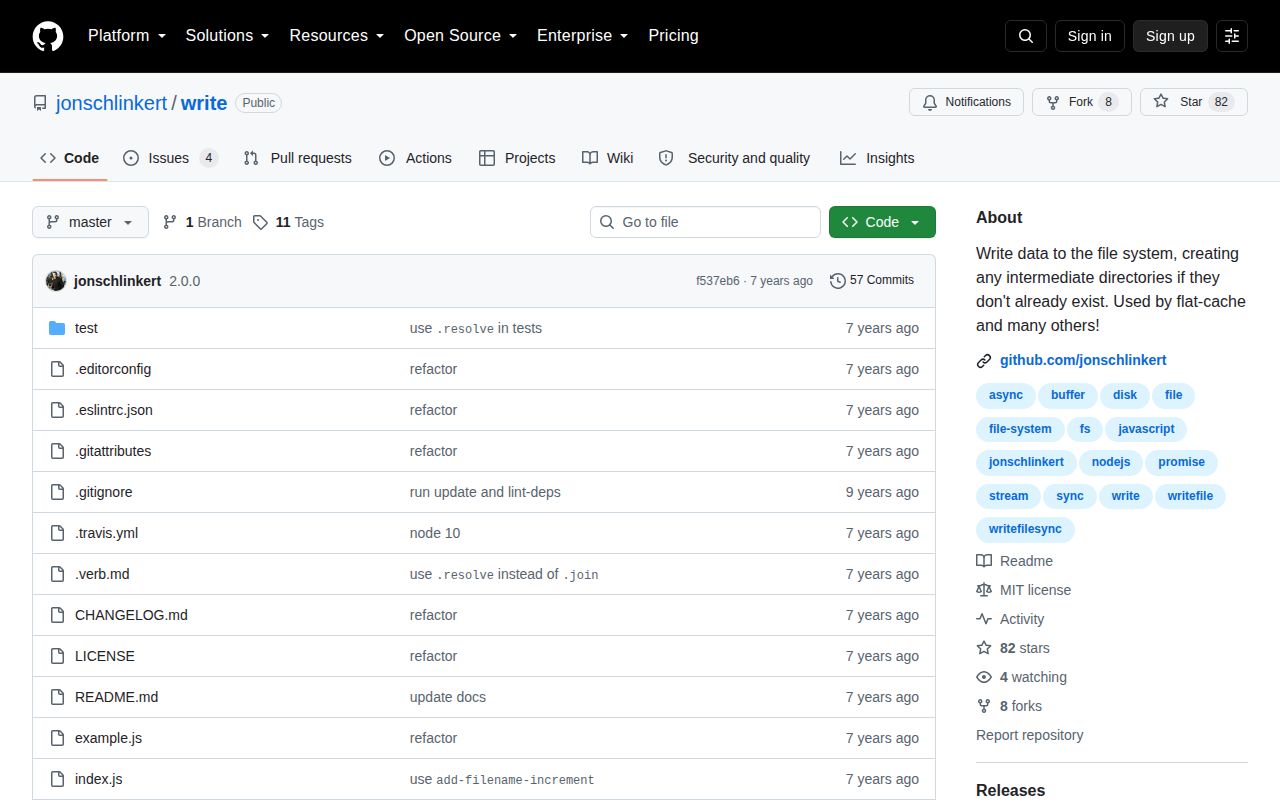
- You need active maintenance. npm 2.0.0 and the last repository push both date to September 2019, while the README disagrees with source about the returned `data` property.
Setup reality
We installed write 2.0.0 in a fresh unprivileged Node 22 Bookworm container. npm completed in 1.2 seconds, left 3 packages, and used 1 MB on disk. The package itself is 36 KB unpacked with 1 direct dependency, 0 peer dependencies, and 0 audit findings. It requires Node 10 or newer. Both require() and ESM import worked in our check, but the package is CommonJS with no exports map and no bundled TypeScript declarations.
No credentials, native builds, or config files are involved. All 3 entry styles create the destination's parent directory recursively. Directory creation errors are deliberately ignored in the source, so the following stream or file open reports the eventual failure. The default is replacement. overwrite: false first calls existsSync; it can throw before a callback or Promise is established, and it cannot protect against another writer appearing after the check.
The Promise result and .sync result use { path, data }, despite README text that calls the second property contents. With increment: true, always use the returned path because an existing report.csv can turn the destination into report (2).csv. The selection comes from a separate existence check and is not concurrency-safe. Version 2.0.0 also removed .promise; calling it from 1.x examples fails.
write.stream() creates directories synchronously, then returns an ordinary fs.WriteStream; wait for finish or use stream/promises.finished before consuming the file. The newline option touches only strings and Buffers and adds a line-feed byte when one is absent. Our esbuild browser attempt failed because the module imports Node fs and path, confirming that it belongs in server scripts and build tools, not client bundles.
Patterns
Create parents and write a file write-nested-file
const write = require('write');

const result = await write(
  'dist/reports/today.txt',
  'ready',
);
console.log(result.path, result.data);
Version 2.0.0 creates missing parent directories and resolves with `{ path, data }`. The README incorrectly names `contents` instead of `data`.
Use the callback entry write-with-callback
const write = require('write');

write('dist/status.txt', 'ok', (error, result) => {
  if (error) {
    console.error(error);
    return;
  }
  console.log(result.path);
});
Passing a callback suppresses the Promise return. `overwrite: false` can still throw synchronously before this callback is attached.
Write a Buffer unchanged write-buffer
const write = require('write');

const bytes = Buffer.from([0x89, 0x50, 0x4e, 0x47]);
await write('dist/signature.bin', bytes);
Strings, Buffers, and Uint8Arrays are accepted in 2.0.0. Leave `newline` off for binary payloads.
Add one final line feed ensure-final-newline
const write = require('write');

await write('dist/generated.conf', 'enabled=true', {
  newline: true,
});
Version 2.0.0 adds ` ` only when a string or Buffer lacks it. Custom newline strings from 1.x are no longer supported.
Reject an existing file refuse-replacement
const write = require('write');

try {
  await write('exports/report.csv', csv, { overwrite: false });
} catch (error) {
  if (!String(error.message).startsWith('File already exists:')) {
    throw error;
  }
}
The 2.0.0 existence check and write are separate operations. This does not prevent another process from winning the path after the check.
Keep an existing file under its name increment-destination-name
const write = require('write');

const result = await write('exports/report.csv', csv, {
  increment: true,
});
console.log(result.path);
If `report.csv` exists, the helper may choose `report (2).csv`. Use the returned path, and do not rely on this for concurrent writers.
Write synchronously in a build script write-during-build
const write = require('write');

const result = write.sync(
  'dist/meta/version.txt',
  '2.4.0',
  { newline: true },
);
console.log(result.path);
`.sync` blocks while it creates directories and writes. Keep it outside request handlers and latency-sensitive loops.
Pipe into a nested destination pipe-readable-to-file
const fs = require('node:fs');
const write = require('write');

const input = fs.createReadStream('README.md');
const output = write.stream('backup/docs/README.md');
input.on('error', console.error);
output.on('error', console.error);
input.pipe(output);
`write.stream` makes parent directories synchronously and returns `fs.WriteStream`. Handle errors on both sides of the pipe.
Wait until streaming output finishes await-stream-completion
const { finished } = require('node:stream/promises');
const write = require('write');

const output = write.stream('dist/events.log');
output.end('started\n');
await finished(output);
Calling `end` starts completion; it does not prove the file is done. `finished` resolves after the stream completes or rejects on error.
Pass a mode to the filesystem set-file-mode
const write = require('write');

await write('dist/run.sh', '#!/bin/sh\necho ok\n', {
  mode: 0o755,
});
Options reach `fs.createWriteStream`. On an existing path, `mode` does not necessarily replace current permissions, so use chmod when that is required.
Write Latin-1 text choose-text-encoding
const write = require('write');

await write('dist/latin1.txt', 'café', {
  encoding: 'latin1',
});
The package defaults to UTF-8. An encoding option affects string conversion; Buffer and Uint8Array inputs already contain bytes.
Replace a generated JSON file replace-config-file
const write = require('write');

const json = JSON.stringify(payload, null, 2);
await write('dist/latest.json', json, {
  overwrite: true,
  newline: true,
});
Replacement is already the default in 2.0.0. A crash during this direct write can expose a partial destination to readers.
Alternatives
| Package | Registry | Pick it when |
|---|---|---|
| fs-extra | npm | Choose it when the project also needs maintained copy, move, remove, JSON, and output-file helpers. |
| write-file-atomic | npm | Choose it when atomic replacement matters and readers must not see a partly written destination. |
| output-file-sync | npm | Choose it for a narrowly synchronous create-parents-and-write operation. |
More utils guides
lru-cache · type-fest · ajv · zod · p-limit · find-up · the whole shelf →
How this guide is made: grounded in the library's documentation, release notes, changelog, and issue history, on a fixed rubric — not a hands-on install of every release. The 50 most-downloaded entries are additionally install-verified in clean containers. Corrections: contact the desk.