use-intl review
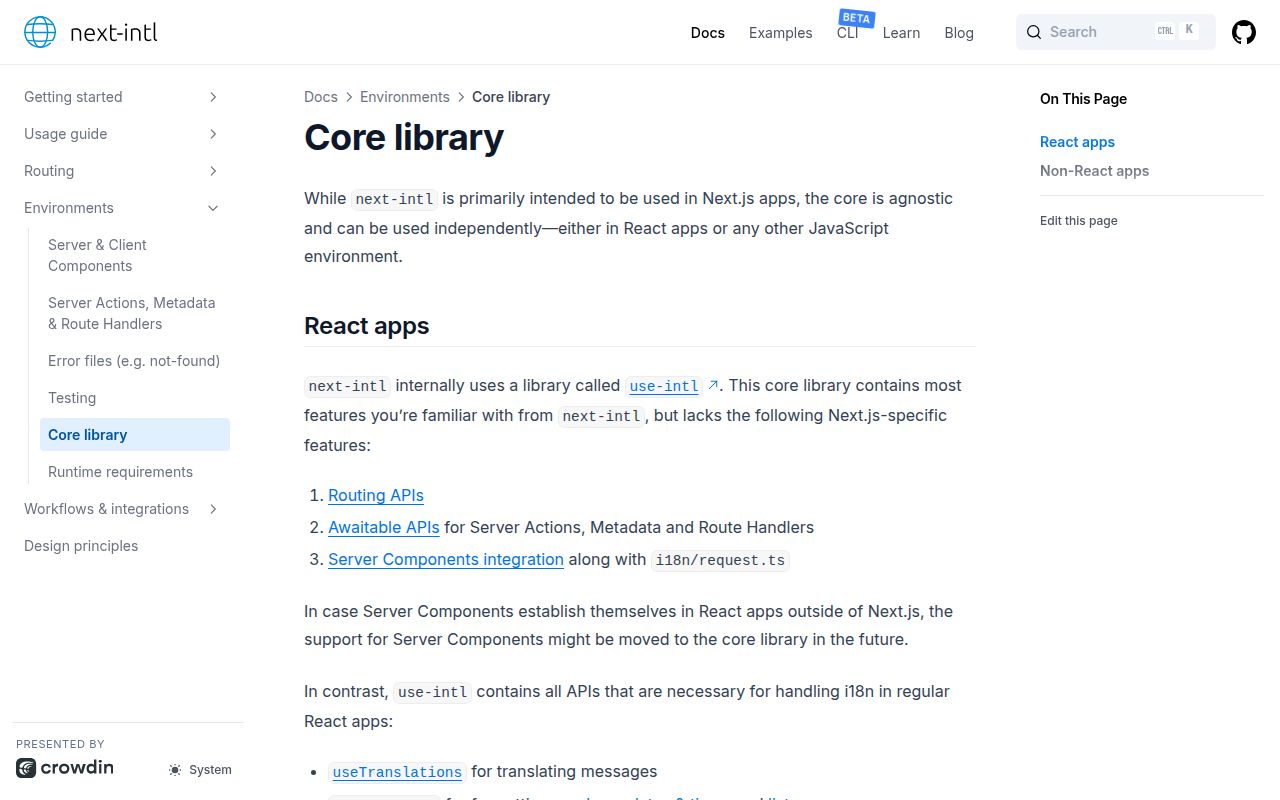
use-intl 4.13.7 is the framework-neutral internationalization core used by next-intl. React applications get `IntlProvider`, translation hooks, and locale-aware number, date, relative-time, and list formatting. Non-React code can import `createTranslator` and `createFormatter` from `use-intl/core`. Messages use ICU syntax for values, plurals, selections, and rich-text tags. It does not load catalogs, detect a locale, route localized URLs, or provide Next.js request and Server Component integration. The current monorepo patch pins SWC compatibility for its extractor; recent 4.13 fixes also correct ICU escaping and plural branches containing only `#` or empty text.
use-intl 4.13.7 installed in 3.3 seconds, occupied 2 MB, bundled to 15.7 KB gzipped, and returned 0 audit findings in our sandbox. It fits React teams that want typed ICU messages and own catalog delivery; Next.js teams should install next-intl, and tiny widgets should compare native `Intl` before paying the bundle cost.
We installed it
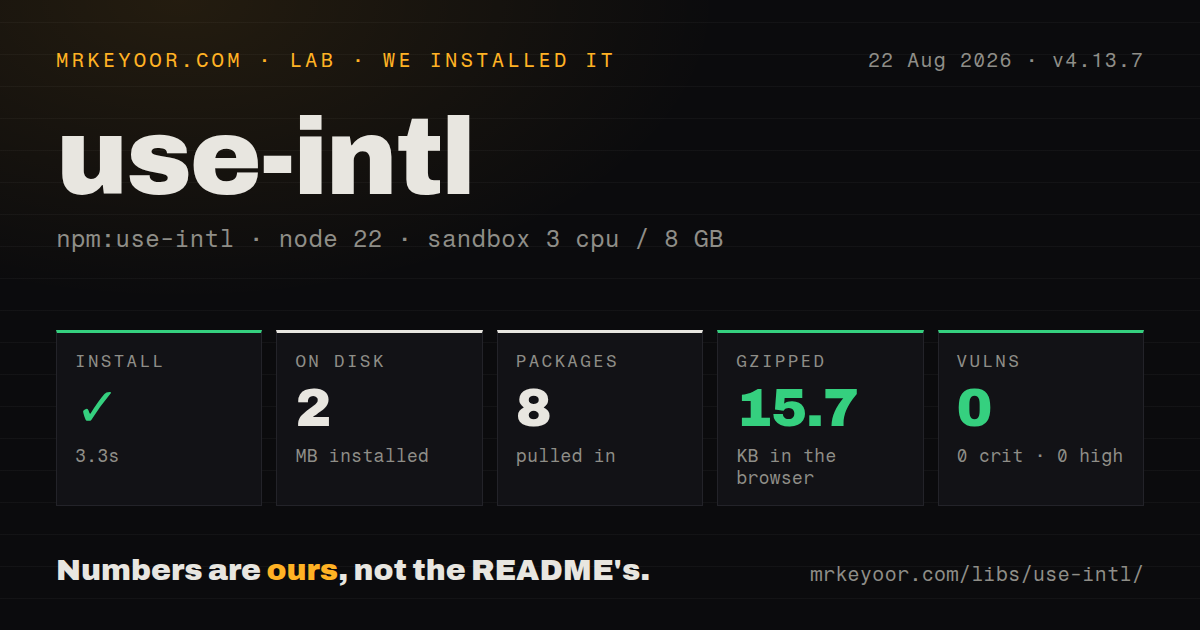
| Install | ✓ · 3.3s | 8 packages on disk · 2 MB |
| Import | ✓ | ESM import works · require() works · ESM package with exports map |
| Browser | 15.7 KB | gzipped (50.1 KB minified), bundled with esbuild |
| Types | ✓ | TypeScript types bundled |
| Known vulns | 0 | 0 critical · 0 high · 0 moderate · 0 low (npm audit) |
Answers from our run
Does use-intl install cleanly?
Yes. In a fresh container with an empty cache, npm install use-intl finished in 3 seconds, leaving 8 packages and 2 MB on disk. npm audit reported no known vulnerabilities.
How much does use-intl add to a browser bundle?
15.7 KB gzipped (50.1 KB minified) when the whole package is bundled for the browser with esbuild. Importing only part of it is usually smaller.
Does use-intl work with both ESM and CommonJS?
Yes. Both import 'use-intl' and require('use-intl') worked in Node 22 in our run. The package is published as ESM with an exports map.
Does use-intl include TypeScript types?
Yes, type declarations ship inside the package, so no @types install is needed.
use-intl or react-intl: which should you use?
react-intl: Use FormatJS's React package when component APIs and the wider FormatJS extraction and polyfill toolchain are already standard. use-intl 4.13.7 installed in 3.3 seconds, occupied 2 MB, bundled to 15.7 KB gzipped, and returned 0 audit findings in our sandbox.
When should you not use use-intl?
You expect language detection, catalog downloads, localized routes, browser persistence, or a translation-management backend. use-intl deliberately leaves those jobs to the application.
Use it if
- A React or React Native app wants the same ICU message and formatting API used by next-intl without adopting Next.js.
- Message keys and interpolation arguments should be checked through TypeScript module augmentation against one canonical catalog.
- The application can load its own locale catalog and pass locale, messages, timezone, formats, and error policy to a provider.
- Shared translation code must also run outside React through explicit translator and formatter factories.
- You expect language detection, catalog downloads, localized routes, browser persistence, or a translation-management backend. use-intl deliberately leaves those jobs to the application.
- The project is a Next.js app that needs middleware, localized pathnames, request configuration, awaitable APIs, or Server Components. Install next-intl, which wraps this package with those features.
- A small widget cannot justify the measured 50.1 KB minified and 15.7 KB gzipped namespace bundle. Native `Intl` plus a few literal strings may cost less.
- Your UI already standardizes on the i18next plugin and backend ecosystem or FormatJS components. Moving to use-intl means changing catalog syntax, provider setup, error policy, and message typing.
- Translations must arrive as trusted HTML strings from a CMS. `t.rich` expects application-owned tag functions, while `t.markup` returns a string whose safe rendering policy remains your responsibility.
Setup reality
We installed use-intl 4.13.7 in a fresh Node 22 Bookworm sandbox. npm completed in 3.3 seconds and left 8 packages using 2 MB on disk. The package is 356 KB unpacked with 4 direct dependencies and 1 React peer dependency. npm audit reported 0 known vulnerabilities. TypeScript declarations are included.
The package is ESM with an exports map; both import and require() worked in our Node 22 checks. It accepts React 17, 18, or 19 through its peer range. There is no native build or required config file. Our full namespace browser bundle measured 50.1 KB minified and 15.7 KB gzipped. Import from use-intl/core outside React and let the bundler remove unused exports.
Your code must choose a locale and load the matching messages before rendering IntlProvider. Set a timezone when server and browser output must match, especially for date formatting and hydration. Missing keys and malformed ICU messages call onError; define getMessageFallback if a production UI should show something other than the default key-like fallback. Sending every locale catalog to the browser wastes transfer and memory, so load only the active catalog.
ICU placeholders, plural other branches, rich-text tag names, and formatter options are runtime contracts with translators. Module augmentation can type message keys and arguments, but it does not prove every locale file has the same shape; validate catalogs in CI. useNow({updateInterval}) schedules recurring updates, so match the interval to displayed precision. Version 4.13.7's release note concerns the extractor's SWC range rather than a core runtime API change.
Patterns
Provide one locale catalog to React provide-locale
import { IntlProvider } from 'use-intl';

const messages = { App: { greeting: 'Hello {name}!' } };
root.render(
  <IntlProvider locale="en" messages={messages} timeZone="UTC">
    <App />
  </IntlProvider>,
);
The application loads the catalog and chooses the locale. A fixed timezone prevents server and browser date output from drifting.
Read a message inside a namespace translate-namespace
import { useTranslations } from 'use-intl';

function Header() {
  const t = useTranslations('Header');
  return <h1>{t('title')}</h1>;
}
The component must render beneath `IntlProvider`, and the active catalog must contain `Header.title`.
Pass a named value into an ICU message interpolate-message
// Profile.greeting: 'Hello, {firstName}!'
const t = useTranslations('Profile');
return <p>{t('greeting', { firstName })}</p>;
Object keys must match ICU placeholder names. Type augmentation can turn missing or extra arguments into compile-time errors.
Select a plural branch format-plural
// Cart.items: '{count, plural, =0 {Empty} =1 {One item} other {# items}}'
const t = useTranslations('Cart');
return <span>{t('items', { count })}</span>;
Every plural message needs an `other` branch. Version 4.13.2 fixed branches whose entire content is `#` or an empty string.
Map a status through ICU select select-enum
// Order.state: '{status, select, paid {Paid} pending {Pending} other {Unknown}}'
const t = useTranslations('Order');
return <span>{t('state', { status: order.status })}</span>;
Select keys are exact string matches. Keep `other` for new or unexpected application values.
Map catalog tags to React elements render-rich-message
// Legal.terms: 'Read the <link>terms</link>.'
const t = useTranslations('Legal');
return t.rich('terms', {
  link: chunks => <a href="/terms">{chunks}</a>,
});
Catalogs name tags; application code owns the actual element and destination. Do not inject the translated string through `dangerouslySetInnerHTML`.
Format a number as currency format-currency
import { useFormatter } from 'use-intl';

const format = useFormatter();
const label = format.number(1299.5, {
  style: 'currency',
  currency: 'EUR',
});
Currency formatting does not convert exchange rates. Supply a number already denominated in the requested currency.
Format a date in the provider timezone format-date-time
const format = useFormatter();
const label = format.dateTime(order.createdAt, {
  dateStyle: 'medium',
  timeStyle: 'short',
});
Set `IntlProvider` timeZone or pass one in options when server-rendered text must hydrate identically in the browser.
Refresh a relative timestamp once per minute update-relative-time
import { useFormatter, useNow } from 'use-intl';

const format = useFormatter();
const now = useNow({ updateInterval: 60_000 });
return <time>{format.relativeTime(publishedAt, now)}</time>;
Each interval causes rerenders. A minute is sensible for minute-level labels; second-level updates across a long list are expensive.
Report broken messages and show a stable fallback define-error-policy
<IntlProvider
  locale={locale}
  messages={messages}
  onError={error => reportI18nError(error)}
  getMessageFallback={({ namespace, key }) =>
    namespace ? `[${namespace}.${key}]` : `[${key}]`
  }
>
  <App />
</IntlProvider>
Missing keys and malformed ICU syntax reach `onError`. A deliberate fallback keeps the rendered result predictable while telemetry records the defect.
Create a translator without React context translate-outside-react
import { createTranslator } from 'use-intl/core';

const t = createTranslator({
  locale: 'en',
  messages: { greeting: 'Hello {name}!' },
});
console.log(t('greeting', { name: 'Sam' }));
The core factory receives locale, messages, formats, timezone, and error policy directly. It does not read `IntlProvider`.
Type message keys through module augmentation type-catalog
// global.d.ts
import messages from './messages/en.json';

declare module 'use-intl' {
  interface AppConfig {
    Messages: typeof messages;
  }
}
One catalog defines the compile-time shape. Run a separate CI check to prove every other locale has the same keys and placeholder structure.
Alternatives
| Package | Registry | Pick it when |
|---|---|---|
| react-intl | npm | Use FormatJS's React package when component APIs and the wider FormatJS extraction and polyfill toolchain are already standard. |
| react-i18next | npm | Use it when i18next backends, language detectors, plugins, namespaces, and an established non-ICU catalog workflow matter. |
| @lingui/react | npm | Use Lingui when compile-time extraction, macros, and translator catalog tooling should drive the workflow. |
| @formatjs/intl | npm | Use it outside React when a direct imperative FormatJS API fits better than use-intl's shared React and core surface. |
More web frontend guides
postcss · react · react-dom · tailwindcss · clsx · htmlparser2 · the whole shelf →
Related reading
How this guide is made: grounded in the library's documentation, release notes, changelog, and issue history, on a fixed rubric — not a hands-on install of every release. The 50 most-downloaded entries are additionally install-verified in clean containers. Corrections: contact the desk.