react-intl review
react-intl 10.1.23 is FormatJS's React layer for ICU messages and locale-aware formatting. `IntlProvider` supplies the active locale and catalog; components and `useIntl()` format translated text, plurals, numbers, currencies, dates, ranges, lists, display names, and relative time. ICU syntax lets translators reorder values and own plural or select branches instead of receiving sentence fragments. The package does not detect languages, fetch catalogs, or run a translation service. Version 10.1.23 is a coordinated monorepo release with no react-intl runtime change called out; its notes center on extraction, review tooling, and docs. Our 10.1.22 full-import bundle measured 58.3 KB minified and 17.5 KB gzipped.
Our react-intl 10.1.22 install took 2.7 seconds, used 3 MB across 9 packages, and produced a 17.5 KB gzipped full import with no audit findings; 10.1.23 lists no package-specific runtime change. Choose it for a serious ICU and extraction workflow across React client and server code, not for a couple of native formatter calls.
We installed it
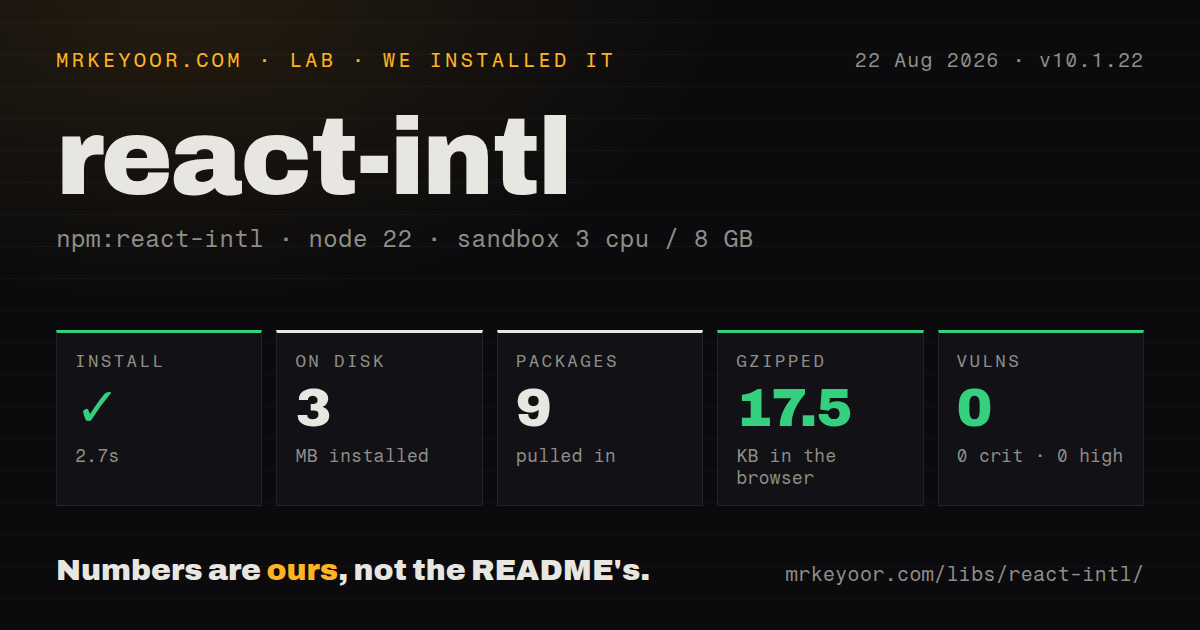
| Install | ✓ · 2.7s | 9 packages on disk · 3 MB |
| Import | ✓ | ESM import works · require() works · ESM package with exports map |
| Browser | 17.5 KB | gzipped (58.3 KB minified), bundled with esbuild |
| Types | ✓ | TypeScript types bundled |
| Known vulns | 0 | 0 critical · 0 high · 0 moderate · 0 low (npm audit) |
Answers from our run
Does react-intl install cleanly?
Yes. In a fresh container with an empty cache, npm install react-intl finished in 3 seconds, leaving 9 packages and 3 MB on disk. npm audit reported no known vulnerabilities.
How much does react-intl add to a browser bundle?
17.5 KB gzipped (58.3 KB minified) when the whole package is bundled for the browser with esbuild. Importing only part of it is usually smaller.
Does react-intl work with both ESM and CommonJS?
Yes. Both import 'react-intl' and require('react-intl') worked in Node 22 in our run. The package is published as ESM with an exports map.
Does react-intl include TypeScript types?
Yes, type declarations ship inside the package, so no @types install is needed.
react-intl or react-i18next: which should you use?
react-i18next: Choose it when language detection, resource backends, namespaces, and the i18next plugin system matter most. Our react-intl 10.1.22 install took 2.7 seconds, used 3 MB across 9 packages, and produced a 17.5 KB gzipped full import with no audit findings; 10.1.23 lists no package-specific runtime change.
When should you not use react-intl?
You want language detection, resource loading, namespaces, and backend adapters in the runtime package. The application must supply those around react-intl.
Use it if
- A React 18+ interface needs ICU plural and select messages whose grammar stays under translator control.
- The same typed API should format text, numbers, dates, ranges, lists, and display names in components and server code.
- Build-time extraction through FormatJS CLI, Babel, TypeScript, SWC, or bundler plugins is part of the localization workflow.
- Client components, server rendering, and React Server Components need one catalog format and matching ECMA-402 behavior.
- You want language detection, resource loading, namespaces, and backend adapters in the runtime package. The application must supply those around react-intl.
- Developers and translators will not learn ICU MessageFormat. Its plural, select, escaping, and rich-text syntax is more demanding than plain key-to-string maps.
- React 17 or `injectIntl` class wrappers must remain. Version 10 requires React 18 and removed `injectIntl` with its wrapper types.
- Targets lack the required `Intl` features and cannot carry ordered polyfills plus locale data. Relative time and display names are common gaps on older runtimes.
- One native formatter is the entire requirement. Our measured full import was 17.5 KB gzipped before messages, polyfills, or locale data.
Setup reality
We installed react-intl 10.1.22 in 2.7 seconds in a fresh Node 22 Bookworm sandbox. It left 9 packages and 3 MB on disk. The package was 204 KB unpacked with 3 direct and 2 peer dependencies, and npm audit found 0 known vulnerabilities. It shipped TypeScript declarations as an ESM package with an exports map. Both require() and ESM import worked. Our esbuild full import measured 58.3 KB minified and 17.5 KB gzipped.
The registry now serves 10.1.23, so the lab figures remain tied to 10.1.22. The current manifest peers on React 18+ and @types/react 18+, which can surprise JavaScript projects that do not normally install React types. Every consumer needs IntlProvider or RawIntlProvider. Your app chooses the locale, loads catalogs, defines fallback behavior, stores user preference, and decides what renders before translations arrive. Set defaultLocale to the language of defaultMessage strings.
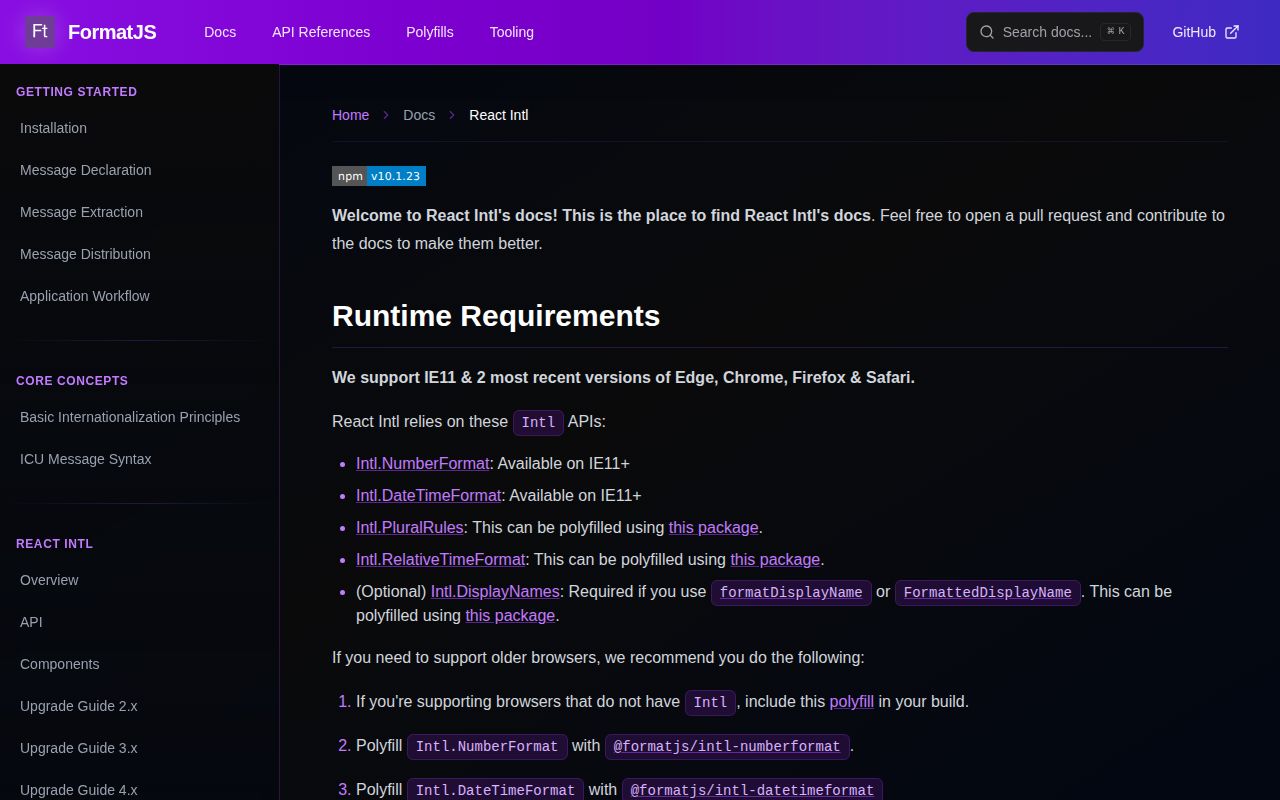
A production workflow usually adds FormatJS extraction or compiler tooling, sends source catalogs for translation, validates returned ICU, and compiles messages. Installing react-intl does none of that. Test apostrophe quoting, plural offsets, exact-number branches, rich-text tags, and missing translations. Runtime support depends on Intl.NumberFormat, Intl.DateTimeFormat, and Intl.PluralRules, plus RelativeTimeFormat or DisplayNames when used. Older browsers and some React Native targets need polyfills loaded in the documented order with locale data.
FormatJS packages are ESM and may need transpilation in older build setups. Deduplicate react-intl because version 10 removed its former global workaround for multiple copies. In React Server Components, import createIntl from react-intl/server so the client-marked main entry stays out. Review onError; an empty handler hides parse and formatting failures along with missing messages. Version 10.1.23 lists no package-specific runtime change, so its value is alignment with the current FormatJS release rather than a new React API.
Patterns
Supply one locale and its messages to the tree provide-catalog
import {IntlProvider} from 'react-intl';
import fr from './lang/fr.json';

root.render(
  <IntlProvider locale="fr" defaultLocale="en" messages={fr}>
    <App />
  </IntlProvider>
);
`defaultLocale` must match the language used in `defaultMessage`. Locale detection and catalog loading remain application responsibilities.
Render one extractable message with a value render-message
import {FormattedMessage} from 'react-intl';

<FormattedMessage
  id="account.greeting"
  defaultMessage="Hello, {name}"
  description="Greeting above the account page"
  values={{name: user.displayName}}
/>
Keeping source text and description beside the call gives extraction tools context that a bare ID cannot provide to translators.
Let the active locale choose a plural branch render-plural
<FormattedMessage
  id="cart.items"
  defaultMessage="{count, plural, =0 {Your cart is empty} one {# item} other {# items}}"
  values={{count: items.length}}
/>
Exact branches such as `=0` are checked before locale categories. Keep the full sentence in ICU rather than joining translated fragments in JSX.
Turn an ICU tag into a React link render-rich-text
<FormattedMessage
  id="terms.notice"
  defaultMessage="Read our <terms>terms</terms> before continuing."
  values={{
    terms: (chunks) => <a href="/terms">{chunks}</a>,
  }}
/>
The translator may reposition the tagged phrase. Supply a React-producing function instead of inserting catalog text through raw HTML.
Create translated text for an aria label format-attribute
import {useIntl} from 'react-intl';

function DeleteButton({name}) {
  const intl = useIntl();
  const label = intl.formatMessage(
    {id: 'user.delete', defaultMessage: 'Delete {name}'},
    {name}
  );
  return <button aria-label={label}>×</button>;
}
The imperative API is needed when a string goes into `aria-label`, `title`, `placeholder`, or a non-React API. It still reads provider context.
Render a monetary value without converting it format-currency
import {FormattedNumber} from 'react-intl';

<FormattedNumber
  value={invoice.total}
  style="currency"
  currency={invoice.currency}
  currencyDisplay="symbol"
/>
The input is in major currency units. Formatting adds locale rules and a symbol but performs no exchange-rate or minor-unit conversion.
Fix the time zone for server and browser output format-zoned-date
import {FormattedDate} from 'react-intl';

<FormattedDate
  value={new Date(event.startsAt)}
  dateStyle="long"
  timeZone="America/New_York"
/>
Without `timeZone`, each runtime uses its local zone. Server and client can then render different dates and trigger hydration mismatches.
Render a relative minute value that refreshes format-relative-time
import {FormattedRelativeTime} from 'react-intl';

<FormattedRelativeTime
  value={-5}
  unit="minute"
  numeric="auto"
  updateIntervalInSeconds={60}
/>
The value is already relative to now in the chosen unit. The runtime must provide `Intl.RelativeTimeFormat` or load its polyfill and locale data.
Join names with locale-specific punctuation format-list
import {FormattedList} from 'react-intl';

<FormattedList
  value={['Ada', 'Grace', 'Linus']}
  type="conjunction"
  style="long"
/>
`Intl.ListFormat` decides separators and the final conjunction. A manual comma join cannot adapt that grammar by locale.
Use the server entry inside a Server Component format-on-server
import {createIntl, createIntlCache} from 'react-intl/server';

const cache = createIntlCache();
const intl = createIntl({locale: 'en', messages: {}}, cache);

export function Price({value}) {
  return intl.formatNumber(value, {
    style: 'currency',
    currency: 'USD',
  });
}
Version 10's `/server` entry avoids importing the main client-marked module. Build a new formatter when locale or messages change.
Handle missing translations without hiding parse errors report-missing-message
<IntlProvider
  locale={locale}
  defaultLocale="en"
  messages={messages}
  onError={(error) => {
    if (error.code === 'MISSING_TRANSLATION') {
      reportMissingMessage(error.message);
      return;
    }
    console.error(error);
  }}
>
  <App />
</IntlProvider>
An empty `onError` also swallows malformed ICU and formatter failures. Filter the known missing-message case and preserve visibility for the rest.
Extract source descriptors into a catalog extract-catalog
npm install --save-dev @formatjs/cli

# package.json
# "scripts": {
#   "i18n:extract": "formatjs extract 'src/**/*.{ts,tsx}' --out-file lang/en.json --id-interpolation-pattern '[sha512:contenthash:base64:6]'"
# }

npm run i18n:extract
react-intl does not extract messages on its own. Pin the CLI and keep the ID strategy stable so source edits do not churn unrelated identifiers.
Alternatives
| Package | Registry | Pick it when |
|---|---|---|
| react-i18next | npm | Choose it when language detection, resource backends, namespaces, and the i18next plugin system matter most. |
| @lingui/react | npm | Choose it for a compile-time catalog workflow with React bindings and a smaller runtime-centered design. |
| next-intl | npm | Choose it in a Next.js App Router project that wants locale routing, request configuration, navigation, and server conventions together. |
More web frontend guides
postcss · react · react-dom · tailwindcss · clsx · htmlparser2 · the whole shelf →
How this guide is made: grounded in the library's documentation, release notes, changelog, and issue history, on a fixed rubric — not a hands-on install of every release. The 50 most-downloaded entries are additionally install-verified in clean containers. Corrections: contact the desk.