use-debounce review
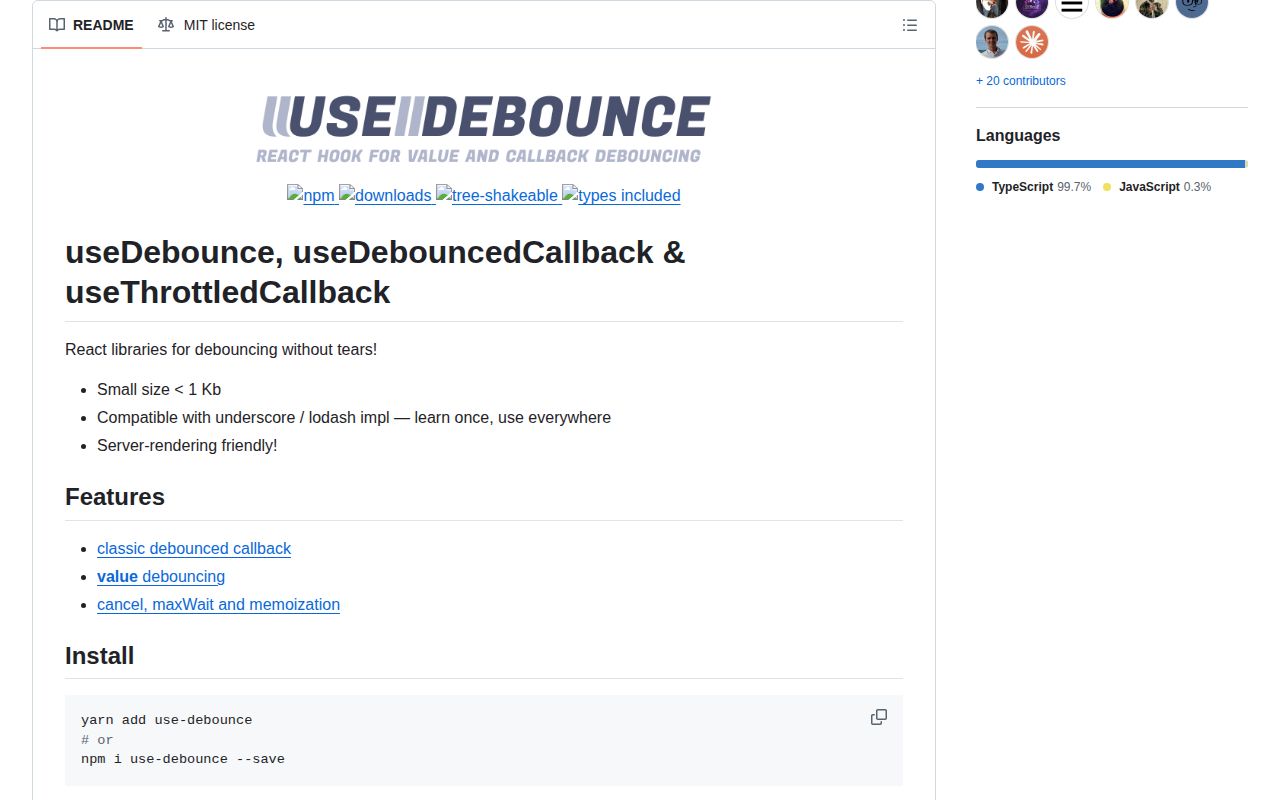
use-debounce 10.1.1 provides three React hooks. useDebounce delays a changing value, useDebouncedCallback delays a function call, and useThrottledCallback limits call frequency during continuous activity. The returned function or controls can cancel, flush, and report a waiting timer, while options cover leading execution, trailing execution, maximum wait, and value equality. Our full browser import measured 11.1 KB minified and 4.2 KB gzipped. The hooks schedule callbacks; they do not abort requests or prevent an older response from overwriting newer state.
Our use-debounce 10.1.1 install took 0.7 seconds, used 1 MB across 2 packages, and produced a 4.2 KB gzipped browser import with no audit findings. It is a good React timer layer, but request cancellation, stale-result protection, and teardown policy remain application work.
We installed it
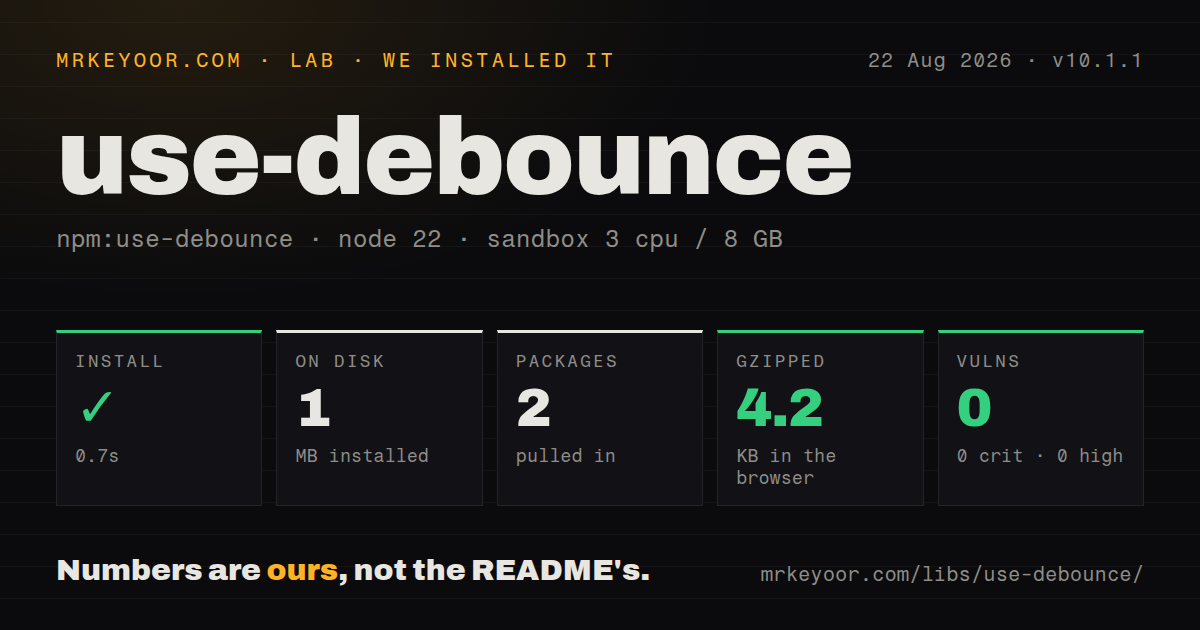
| Install | ✓ · 0.7s | 2 packages on disk · 1 MB |
| Import | ✓ | ESM import works · require() works · CommonJS package with exports map |
| Browser | 4.2 KB | gzipped (11.1 KB minified), bundled with esbuild |
| Types | — | no TypeScript types found |
| Known vulns | 0 | 0 critical · 0 high · 0 moderate · 0 low (npm audit) |
Answers from our run
Does use-debounce install cleanly?
Yes. In a fresh container with an empty cache, npm install use-debounce finished in 0.7s, leaving 2 packages and 1 MB on disk. npm audit reported no known vulnerabilities.
How much does use-debounce add to a browser bundle?
4.2 KB gzipped (11.1 KB minified) when the whole package is bundled for the browser with esbuild. Importing only part of it is usually smaller.
Does use-debounce work with both ESM and CommonJS?
Yes. Both import 'use-debounce' and require('use-debounce') worked in Node 22 in our run. The package is published as CommonJS with an exports map.
Does use-debounce include TypeScript types?
No type declarations were found in our install, so TypeScript users need their own declarations.
use-debounce or lodash: which should you use?
lodash: Use its debounce when Lodash is already in the bundle and React cleanup is handled locally. Our use-debounce 10.1.1 install took 0.7 seconds, used 1 MB across 2 packages, and produced a 4.2 KB gzipped browser import with no audit findings.
When should you not use use-debounce?
The project is not built on React; its peer dependency and hook lifecycle add no value to plain JavaScript scheduling
Use it if
- Search, autosave, validation, resize, scroll, or analytics work should settle after a burst of React updates
- The component needs cancel, flush, pending state, or maxWait behavior beyond a disposable setTimeout
- One small React package should cover delayed values, debounced callbacks, and throttled callbacks
- Server-rendered React is required and all browser globals can remain inside client callbacks or effects
- The project is not built on React; its peer dependency and hook lifecycle add no value to plain JavaScript scheduling
- Lodash debounce is already shipped and the team has correct memoization, unmount cleanup, and cancellation around it
- A new object reaches useDebounce on every render without equalityFn; reference inequality restarts the waiting period
- You expect debouncing to order network responses; an older slow request can still win without AbortController or a sequence guard
- Pending work must survive navigation, tab closure, or process exit; browser timers and cleanup flushes are not durable delivery
Setup reality
We installed use-debounce 10.1.1 in a fresh Node 22 Bookworm sandbox in 0.7 seconds. npm left 2 packages using 1 MB on disk and found zero known vulnerabilities. The package has zero direct dependencies, one React peer dependency, and 164 KB unpacked. It requires Node 16 or newer. The distribution is CommonJS with an exports map, and both require() and ESM import worked. We found no TypeScript declarations. Our browser build measured 11.1 KB minified and 4.2 KB gzipped.
No provider or configuration file is required. Choose a delayed value when rendering should follow settled state, a debounced callback when side effects should wait, or a throttled callback when work should recur during activity. useDebounce compares values with strict reference equality by default. Recreated arrays and objects therefore restart the timer; memoize them, supply equalityFn, or pass primitive arguments into a debounced callback. Event handlers should pass event.target.value rather than retain the React event object.
Unmount behavior is part of the feature contract. cancel() throws away a waiting callback, while flush() invokes it immediately. Cancelling an autosave can lose the final edit; flushing can start a request while the component is leaving. isPending() reports the internal timer, not completion of a promise returned by the eventual function. With both leading and trailing enabled, a burst may run once immediately and again after the quiet period. maxWait forces a call during continuous input.
Network ordering still needs AbortController or a monotonically increasing request ID. Debouncing reduces starts but cannot control which response finishes first. A native listener must be removed with the same debounced function reference, followed by cancel() when its trailing work is unwanted. Timer tests should use fake timers and advance them inside React act(). Server rendering support does not make window available during render, so browser reads belong inside effects or invoked callbacks.
Patterns
Keep typed and settled search text separate delay-search-value
const [query, setQuery] = useState('');
const [settledQuery] = useDebounce(query, 400);
Bind the field to query and use the 400 ms settled value only for expensive work.
Delay autosave with a maximum wait debounce-autosave
const saveDraft = useDebouncedCallback(
  (text) => api.saveDraft(text),
  750,
  { maxWait: 5000 },
);
The 5,000 ms maxWait prevents uninterrupted typing from postponing every save indefinitely.
Cancel disposable work at unmount cancel-disposable-work
useEffect(() => () => saveDraft.cancel(), [saveDraft]);Cancellation fits suggestions or analytics that have no value after this component disappears.
Flush required work during cleanup flush-required-save
useEffect(() => () => {
  if (saveDraft.isPending()) saveDraft.flush();
}, [saveDraft]);
A flushed callback may start after teardown begins, so its request and state handling must tolerate that lifecycle.
Accept only the first rapid click run-leading-only
const submitOnce = useDebouncedCallback(submitForm, 1000, {
  leading: true,
  trailing: false,
});
This suppresses repeats within 1,000 ms in the browser, while server-side idempotency still protects retries and other tabs.
Compare meaningful object fields compare-object-value
const [filters] = useDebounce(rawFilters, 300, {
  equalityFn: (a, b) => a.query === b.query && a.sort === b.sort,
});
Without equalityFn, an equivalent newly allocated object restarts the 300 ms timer.
Throttle updates during scrolling throttle-scroll
const onScroll = useThrottledCallback(() => {
  setScrollY(window.scrollY);
}, 100);
A 100 ms throttle reports progress during the scroll; debounce would wait for scrolling to stop.
Abort the previous search request abort-old-search
const controller = useRef();
const search = useDebouncedCallback(async (query) => {
  controller.current?.abort();
  controller.current = new AbortController();
  const res = await fetch(`/api/search?q=${encodeURIComponent(query)}`, { signal: controller.current.signal });
  setResults(await res.json());
}, 300);
The AbortController prevents a slower earlier response from replacing results for the latest query.
Detach a native listener and its timer remove-native-listener
useEffect(() => {
  window.addEventListener('resize', onResize);
  return () => {
    window.removeEventListener('resize', onResize);
    onResize.cancel();
  };
}, [onResize]);
removeEventListener needs the identical function reference, and cancel() removes its queued trailing call.
Show that a callback is waiting report-pending-state
const save = useDebouncedCallback(saveDraft, 600);
const waiting = save.isPending();
isPending() describes the 600 ms timer only; it does not track a promise returned after saveDraft starts.
Flush before a deliberate submit flush-on-explicit-submit
function submitNow() {
  saveDraft.flush();
  submitForm();
}
flush() invokes the waiting callback synchronously; coordinate promise handling if submitForm depends on the completed save.
Advance debounce time in a React test test-with-fake-timers
vi.useFakeTimers();
fireEvent.change(input, { target: { value: 'ink' } });
await act(async () => { vi.advanceTimersByTime(400); });
expect(search).toHaveBeenCalledWith('ink');
Advancing 400 ms inside act lets React process the callback-driven update before the assertion.
Alternatives
| Package | Registry | Pick it when |
|---|---|---|
| lodash | npm | Use its debounce when Lodash is already in the bundle and React cleanup is handled locally |
| react-use | npm | Use it when the application wants debouncing as part of a broad React hook collection |
| ahooks | npm | Use it when a larger hook toolkit and request-oriented debounce helpers are already desired |
More web frontend guides
postcss · react · react-dom · tailwindcss · clsx · htmlparser2 · the whole shelf →
How this guide is made: grounded in the library's documentation, release notes, changelog, and issue history, on a fixed rubric — not a hands-on install of every release. The 50 most-downloaded entries are additionally install-verified in clean containers. Corrections: contact the desk.