@uiw/react-codemirror review
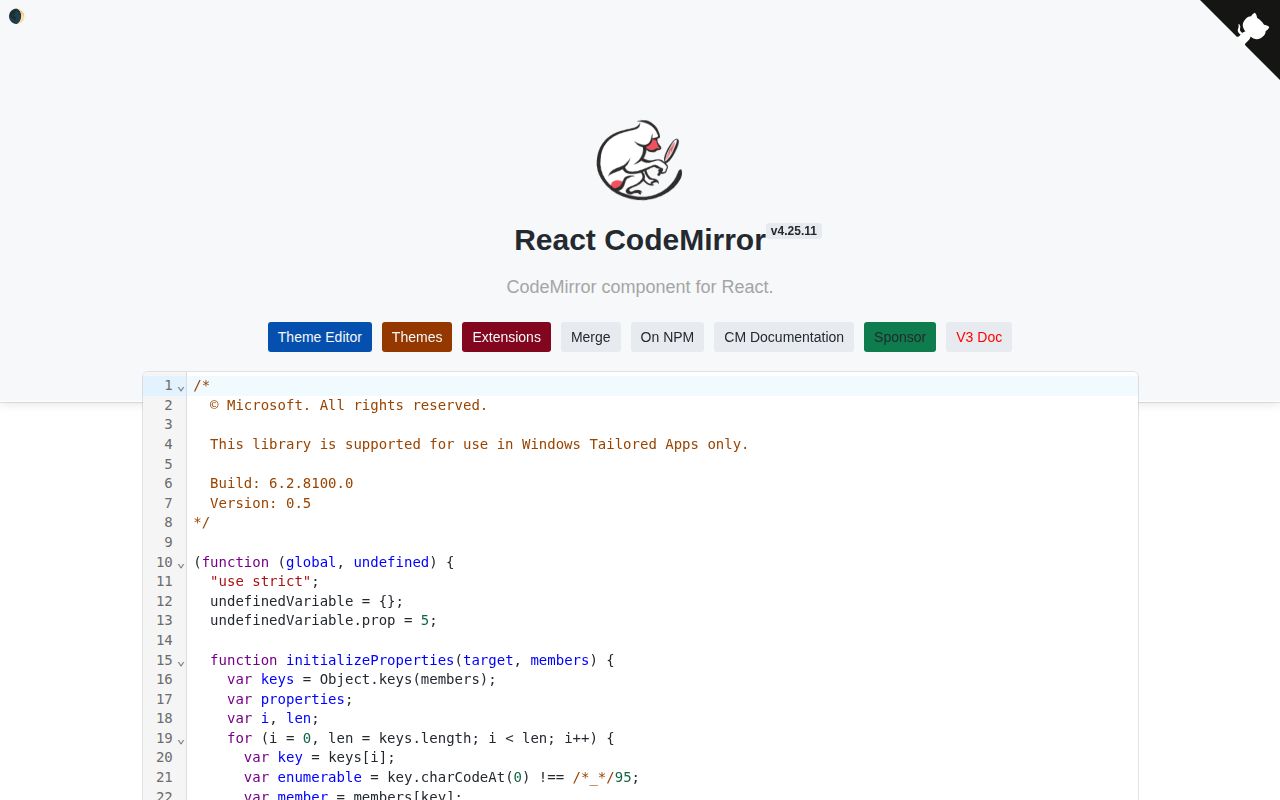
@uiw/react-codemirror 4.25.11 wraps CodeMirror 6's `EditorView` in a React component and hook. It synchronizes a controlled value, reports CodeMirror transactions through callbacks, disposes the view on unmount, exposes state and view through a ref, and accepts the upstream extension graph for languages, linting, completion, themes, and keymaps. Version 4.25.11 fixed a memory leak caused by recreating the default theme. It remains an editor shell, not a browser IDE: language servers, projects, file models, collaboration, execution, and persistence are separate work.
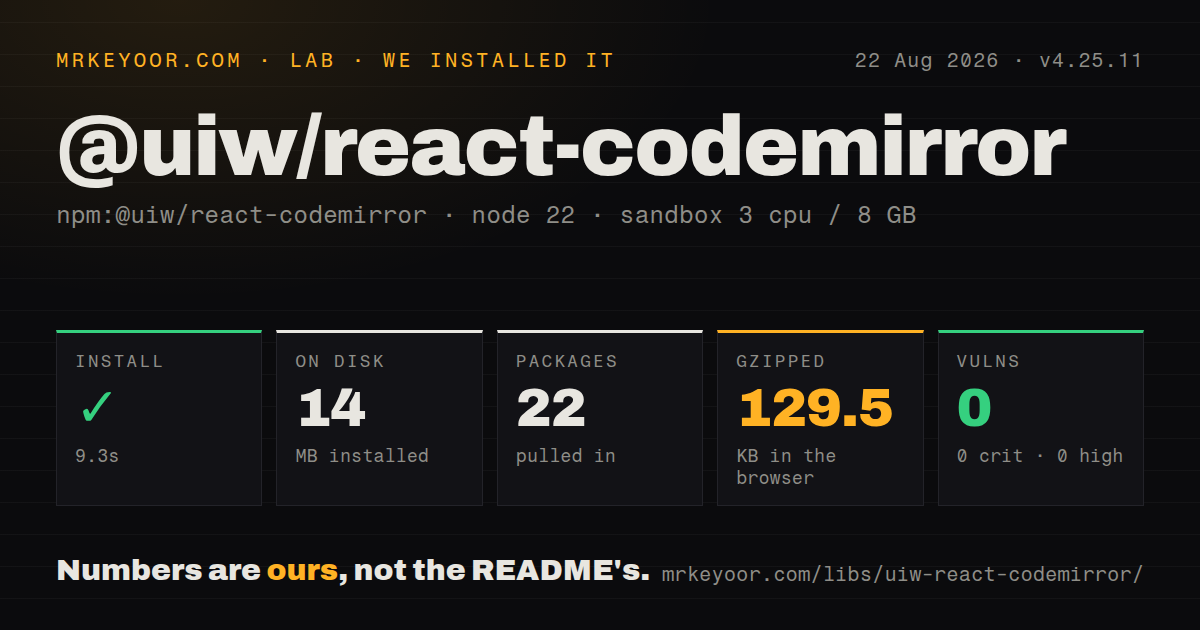
@uiw/react-codemirror 4.25.11 installed in 9.3 seconds and its full browser import measured 398.8 KB minified, so it belongs on screens that need CodeMirror 6 rather than basic highlighted text. It is a good React lifecycle wrapper once the team accepts separate language packages, client-only mounting, and the upstream extension model.
We installed it
| Install | ✓ · 9.3s | 22 packages on disk · 14 MB |
| Import | ✓ | ESM import works · require() works · CommonJS package with exports map |
| Browser | 129.5 KB | gzipped (398.8 KB minified), bundled with esbuild |
| Types | — | no TypeScript types found |
| Known vulns | 0 | 0 critical · 0 high · 0 moderate · 0 low (npm audit) |
Answers from our run
Does @uiw/react-codemirror install cleanly?
Yes. In a fresh container with an empty cache, npm install @uiw/react-codemirror finished in 9 seconds, leaving 22 packages and 14 MB on disk. npm audit reported no known vulnerabilities.
How much does @uiw/react-codemirror add to a browser bundle?
129.5 KB gzipped (398.8 KB minified) when the whole package is bundled for the browser with esbuild. Importing only part of it is usually smaller.
Does @uiw/react-codemirror work with both ESM and CommonJS?
Yes. Both import '@uiw/react-codemirror' and require('@uiw/react-codemirror') worked in Node 22 in our run. The package is published as CommonJS with an exports map.
Does @uiw/react-codemirror include TypeScript types?
No type declarations were found in our install, so TypeScript users need their own declarations.
@uiw/react-codemirror or @monaco-editor/react: which should you use?
@monaco-editor/react: Use it for a VS Code-like editor with models, workers, and richer built-in language services at a larger runtime cost. @uiw/react-codemirror 4.25.11 installed in 9.3 seconds and its full browser import measured 398.8 KB minified, so it belongs on screens that need CodeMirror 6 rather than basic highlighted text.
When should you not use @uiw/react-codemirror?
The browser budget cannot absorb our measured 398.8 KB minified, 129.5 KB gzipped full import. A textarea-based editor is much cheaper for light editing.
Use it if
- A React 17 or newer screen needs a real code or configuration editor and CodeMirror 6 is the chosen editing engine.
- You want React lifecycle handling while keeping access to CodeMirror extensions, transactions, state, and the underlying view.
- Language parsers, themes, completion, and lint packages can be selected and versioned per screen.
- Mobile editing and CodeMirror's browser-native accessibility model matter more than reproducing desktop VS Code.
- The browser budget cannot absorb our measured 398.8 KB minified, 129.5 KB gzipped full import. A textarea-based editor is much cheaper for light editing.
- You expect VS Code language services, workers, file models, or project navigation from one component. This wrapper supplies none of them; compare Monaco.
- The team will not learn CodeMirror 6 extensions, facets, state effects, transactions, and separate language packages. Most nontrivial features use that upstream API.
- Server-rendered editor HTML is required. `EditorView` needs the DOM, so Next and similar frameworks must place it behind a client boundary or disable SSR for the component.
- One dependency must include every language and theme. The README installs language data, parsers, themes, merge editing, and other features as separate packages.
- Bundled TypeScript declarations are mandatory in the audited package. Our 4.25.11 install found none, despite the project being authored with typed APIs.
Setup reality
We installed @uiw/react-codemirror 4.25.11 in 9.3 seconds in a fresh Node 22 Bookworm sandbox. It left 22 packages and 14 MB on disk. npm audit reported 0 known vulnerabilities. The package is 952 KB unpacked, declares 6 direct dependencies and 7 peers, and our inspection found no bundled TypeScript declarations. Both CommonJS require() and ESM import worked through its exports map.
The full browser probe measured 398.8 KB minified and 129.5 KB gzipped. A production editor should import only the languages, themes, and extensions the screen uses, then inspect its real route chunk. React 17+, React DOM, CodeMirror, state, view, one-dark theme, and Babel runtime appear in the peer contract. Strict package managers expose misalignment, and duplicate CodeMirror state packages can produce extension-type errors that look unrelated to versions.
basicSetup is enabled by default and brings history, search, matching, completion, folding, and keymaps. Disable pieces or set it to false before supplying replacements. Keep extension arrays at module scope or in useMemo; the README warns that new references trigger costly reconfiguration. A string prop does not install a language parser. Add packages such as @codemirror/lang-javascript, and add @codemirror/language-data when Markdown fences need automatic language selection.
CodeMirror creates a DOM-backed EditorView, so use a client component in server frameworks. Controlled updates on every keystroke can cause parent render churn or selection surprises if the parent transforms the value. For a true viewer, set both editable={false} and readOnly={true} because browser editability and transaction permission are separate controls. Shadow DOM needs the actual root. There are no credentials, native compilers, or config files; the setup cost is the extension graph and route weight.
Patterns
Create a controlled JavaScript editor controlled-editor
import { useCallback, useState } from 'react';
import CodeMirror from '@uiw/react-codemirror';
import { javascript } from '@codemirror/lang-javascript';

const extensions = [javascript({ jsx: true, typescript: true })];

export function Editor() {
  const [value, setValue] = useState('const answer: number = 42;');
  const onChange = useCallback((next) => setValue(next), []);
  return <CodeMirror value={value} height="240px" extensions={extensions} onChange={onChange} />;
}
Install `@codemirror/lang-javascript` separately. Keep this extension array stable or React renders can reconfigure the editor.
Add JSON parsing and highlighting json-editor
import CodeMirror from '@uiw/react-codemirror';
import { json } from '@codemirror/lang-json';

const jsonExtensions = [json()];

export function JsonEditor({ value, onChange }) {
  return <CodeMirror value={value} extensions={jsonExtensions} onChange={onChange} />;
}
The JSON parser adds syntax parsing and highlighting. Schema validation and formatting need separate extensions or application code.
Render a read-only code viewer read-only-viewer
<CodeMirror
  value={source}
  editable={false}
  readOnly={true}
  basicSetup={{ foldGutter: false, highlightActiveLine: false }}
/>
Set both flags: `readOnly` blocks document changes, while `editable` controls whether the content DOM accepts browser edits.
Disable expensive default features selectively trim-basic-setup
<CodeMirror
  value={value}
  basicSetup={{
    autocompletion: false,
    foldGutter: false,
    highlightSelectionMatches: false,
    searchKeymap: false,
  }}
/>
`basicSetup` starts enabled. Disable a built-in feature before adding a replacement so two extension instances do not compete.
Provide an autocomplete source custom-completions
import { autocompletion } from '@codemirror/autocomplete';

const words = (context) => {
  const word = context.matchBefore(/\w*/);
  if (!word || (word.from === word.to && !context.explicit)) return null;
  return {
    from: word.from,
    options: [
      { label: 'customerId', type: 'property' },
      { label: 'createdAt', type: 'property' },
    ],
  };
};

const extensions = [autocompletion({ override: [words] })];
<CodeMirror extensions={extensions} />;
Install `@codemirror/autocomplete`. Using `override` replaces completion sources that a language extension would normally supply.
Attach a synchronous linter lint-document
import { linter, lintGutter } from '@codemirror/lint';

const noTabs = linter((view) => {
  const diagnostics = [];
  const text = view.state.doc.toString();
  for (const match of text.matchAll(/\t/g)) {
    diagnostics.push({ from: match.index, to: match.index + 1, severity: 'warning', message: 'Use spaces' });
  }
  return diagnostics;
});

const extensions = [lintGutter(), noTabs];
<CodeMirror extensions={extensions} />;
Install `@codemirror/lint`. Expensive validation should be debounced or asynchronous so it does not block every transaction.
Apply a packaged theme use-dark-theme
import CodeMirror from '@uiw/react-codemirror';
import { githubDark } from '@uiw/codemirror-theme-github';

<CodeMirror value={value} theme={githubDark} />;
UIW publishes themes as individual npm packages. Import the chosen theme directly so the editor route does not acquire a catalog.
Use a ref for an imperative edit access-editor-view
import { useRef } from 'react';
import CodeMirror from '@uiw/react-codemirror';

export function InsertButtonEditor() {
  const ref = useRef(null);
  const insert = () => {
    const view = ref.current?.view;
    if (!view) return;
    const pos = view.state.selection.main.head;
    view.dispatch({ changes: { from: pos, insert: 'console.log();' }, selection: { anchor: pos + 12 } });
    view.focus();
  };
  return <><button onClick={insert}>Insert log</button><CodeMirror ref={ref} /></>;
}
Dispatch through the exposed `EditorView`; direct DOM or state mutation bypasses CodeMirror's transaction and extension model.
Mount CodeMirror into your own container mount-with-hook
import { useEffect, useMemo, useRef } from 'react';
import { useCodeMirror } from '@uiw/react-codemirror';
import { markdown } from '@codemirror/lang-markdown';

export function HookEditor() {
  const host = useRef(null);
  const extensions = useMemo(() => [markdown()], []);
  const { setContainer } = useCodeMirror({ value: '# Notes', extensions });
  useEffect(() => { setContainer(host.current); }, [setContainer]);
  return <div ref={host} />;
}
The container ref is null during initial render. Attach it in an effect and memoize extensions used by the hook.
Persist value and undo history persist-undo-history
import CodeMirror from '@uiw/react-codemirror';
import { historyField } from '@codemirror/commands';

const fields = { history: historyField };
const savedState = localStorage.getItem('editor-state');

<CodeMirror
  value={localStorage.getItem('editor-value') ?? ''}
  initialState={savedState ? { json: JSON.parse(savedState), fields } : undefined}
  onChange={(value, update) => {
    localStorage.setItem('editor-value', value);
    localStorage.setItem('editor-state', JSON.stringify(update.state.toJSON(fields)));
  }}
/>;
Serialized editor state is versioned application data. Extension or state-field changes can make older saved JSON unsuitable.
Add an application key binding custom-keymap
import { keymap } from '@codemirror/view';

const saveKeymap = keymap.of([{
  key: 'Mod-s',
  preventDefault: true,
  run(view) {
    saveDocument(view.state.doc.toString());
    return true;
  },
}]);

<CodeMirror extensions={[saveKeymap]} />;
Return `true` after handling the shortcut. `preventDefault` stops the browser's own save action from also firing.
Mount correctly inside a shadow root shadow-dom-root
export function ShadowEditor({ shadowRoot, value }) {
  return (
    <CodeMirror
      value={value}
      root={shadowRoot}
      placeholder="Enter a query..."
      minHeight="160px"
    />
  );
}
Pass the actual `ShadowRoot` or alternate `Document`; otherwise CodeMirror uses the global document for styles and events.
Alternatives
| Package | Registry | Pick it when |
|---|---|---|
| @monaco-editor/react | npm | Use it for a VS Code-like editor with models, workers, and richer built-in language services at a larger runtime cost. |
| react-ace | npm | Use it when an existing application already depends on Ace modes and commands. |
| react-simple-code-editor | npm | Use it when a textarea with syntax highlighting is enough and route weight matters. |
| codemirror | npm | Use CodeMirror directly outside React or when your code should own `EditorView` construction and disposal. |
More web frontend guides
postcss · react · react-dom · tailwindcss · clsx · htmlparser2 · the whole shelf →
How this guide is made: grounded in the library's documentation, release notes, changelog, and issue history, on a fixed rubric — not a hands-on install of every release. The 50 most-downloaded entries are additionally install-verified in clean containers. Corrections: contact the desk.