@monaco-editor/react review
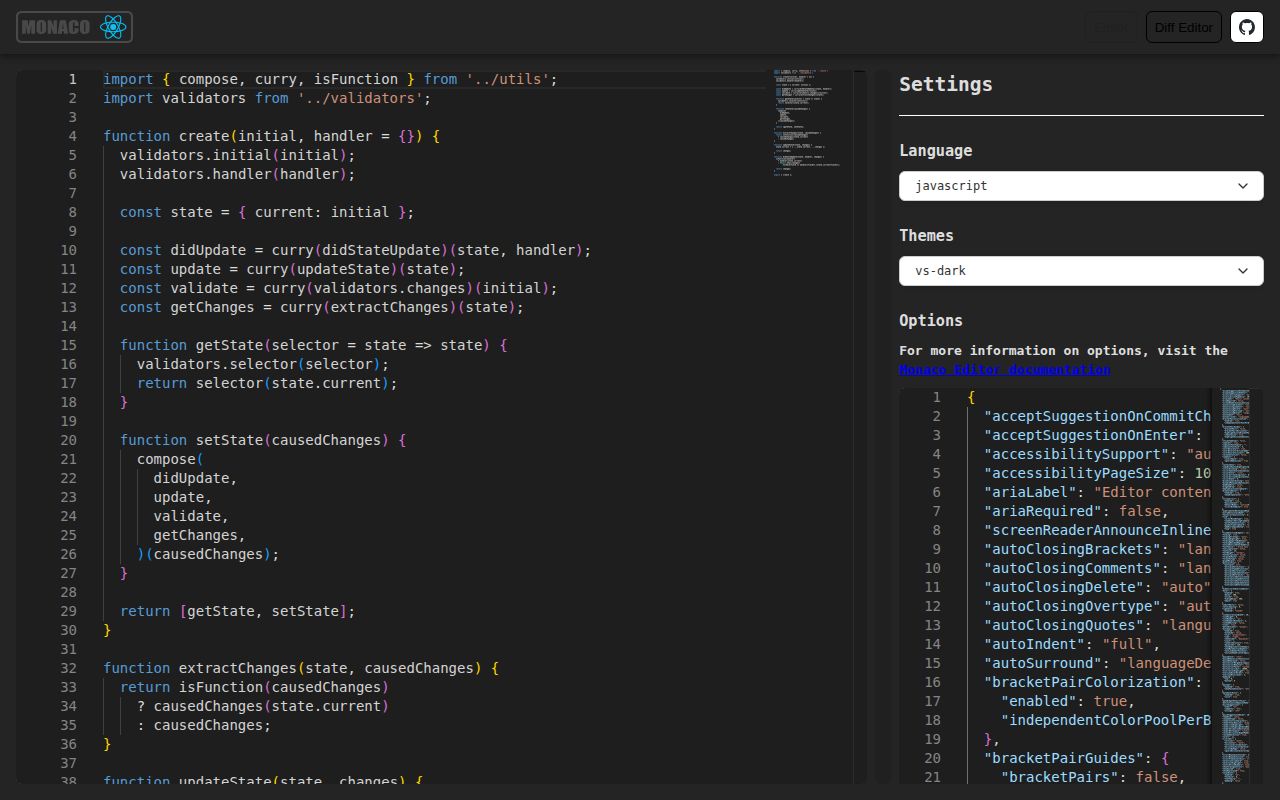
`@monaco-editor/react` mounts Microsoft's Monaco code editor inside React. It provides editor and diff components, callbacks for the underlying instances, an asynchronous loader, a hook for the Monaco namespace, validation markers, and path-based models that retain per-file undo and view state. Version 4.7.0 expands the stable peer range through React 19. The wrapper removes most setup for the default CDN route, but Monaco still brings workers, language services, browser-only APIs, and model disposal concerns that do not belong in an ordinary text field.
@monaco-editor/react 4.7.0 installed in 4.3 seconds but left 111 MB and 2 audit findings in our sandbox; the wrapper bundle itself measured 8 KB gzipped. Pick it for a browser IDE, diff view, or persistent multi-file models, and use CodeMirror or a textarea when those Monaco capabilities are unnecessary.
We installed it
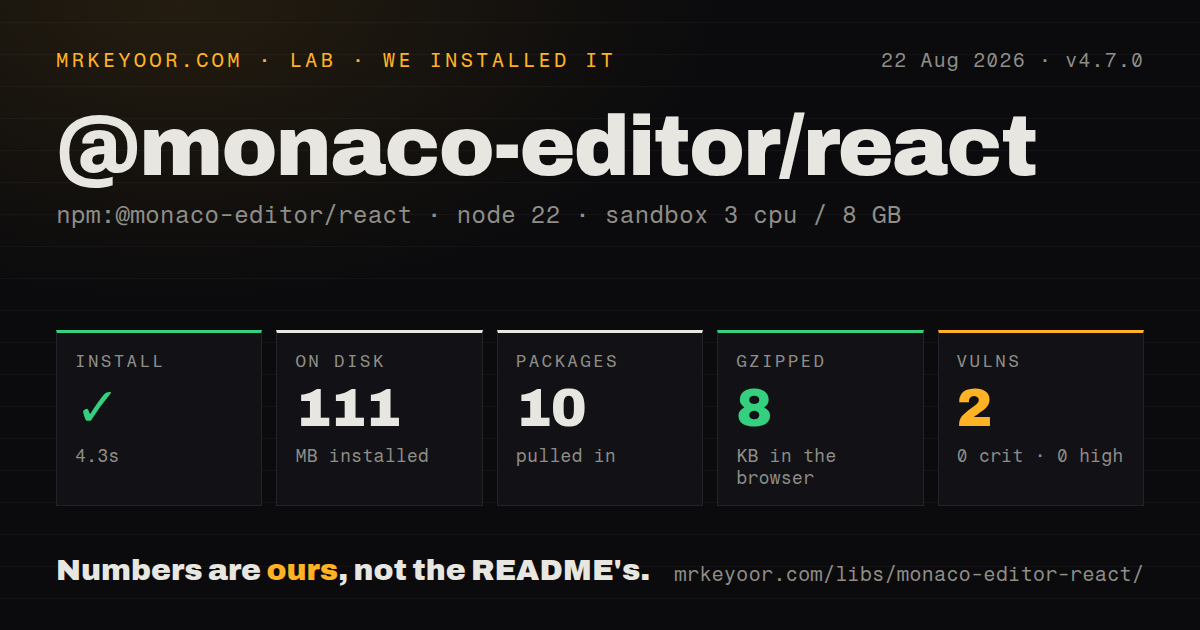
| Install | ✓ · 4.3s | 10 packages on disk · 111 MB |
| Import | ✓ | ESM import works · require() works · CommonJS package |
| Browser | 8 KB | gzipped (22.9 KB minified), bundled with esbuild |
| Types | ✓ | TypeScript types bundled |
| Known vulns | 2 | 0 critical · 0 high · 1 moderate · 1 low (npm audit) |
Answers from our run
Does @monaco-editor/react install cleanly?
Yes. In a fresh container with an empty cache, npm install @monaco-editor/react finished in 4 seconds, leaving 10 packages and 111 MB on disk. npm audit reported 2 known vulnerabilities.
How much does @monaco-editor/react add to a browser bundle?
8 KB gzipped (22.9 KB minified) when the whole package is bundled for the browser with esbuild. Importing only part of it is usually smaller.
Does @monaco-editor/react work with both ESM and CommonJS?
Yes. Both import '@monaco-editor/react' and require('@monaco-editor/react') worked in Node 22 in our run. The package is published as CommonJS.
Does @monaco-editor/react include TypeScript types?
Yes, type declarations ship inside the package, so no @types install is needed.
@monaco-editor/react or @uiw/react-codemirror: which should you use?
@uiw/react-codemirror: Choose it for a React-friendly CodeMirror 6 editor with a more modular feature and language footprint. @monaco-editor/react 4.7.0 installed in 4.3 seconds but left 111 MB and 2 audit findings in our sandbox; the wrapper bundle itself measured 8 KB gzipped.
When should you not use @monaco-editor/react?
The field only needs monospace text or syntax color. Our wrapper bundle was 8 KB gzipped, while the separately loaded Monaco runtime and workers account for the much larger 111 MB install footprint.
Use it if
- A React product needs Monaco's code completion, markers, commands, or VS Code-style editing behavior.
- Users compare source files in a real diff editor rather than reading a formatted textual diff.
- A browser IDE needs models keyed by path so each tab retains edits, cursor position, scroll state, and undo history.
- The application needs direct access to Monaco languages, themes, workers, editor actions, and model APIs.
- The field only needs monospace text or syntax color. Our wrapper bundle was 8 KB gzipped, while the separately loaded Monaco runtime and workers account for the much larger 111 MB install footprint.
- External CDN assets are forbidden and the team cannot own worker packaging. The default loader fetches Monaco remotely; self-hosted Vite setups need separate editor, JSON, CSS, HTML, and TypeScript workers.
- Server rendering must execute the editor module path. The README notes that Monaco instance access reaches for `document`, so render it only after a browser boundary.
- You expect diagnostics for every syntax Monaco colors. The documented rich validation group covers TypeScript, JavaScript, CSS variants, JSON, and HTML; Python and many others receive colorization without `onValidate` diagnostics.
- The component should behave like a plain controlled input with no retained resources. Loader initialization is asynchronous, and models can remain allocated when `keepCurrentModel` is enabled.
Setup reality
We installed @monaco-editor/react 4.7.0 in a fresh Node 22 Bookworm sandbox. npm needed 4.3 seconds, created 10 packages, and occupied 111 MB. The wrapper has 1 direct dependency and 3 peers; its own tarball is 212 KB unpacked. npm audit found 2 known vulnerabilities, 1 moderate and 1 low. TypeScript declarations are bundled. Our all-exports browser build was 22.9 KB minified and 8 KB gzipped.
React, React DOM, and monaco-editor >=0.25 <1 are peers. Version 4.7.0 accepts React 16.8 through 19. The CommonJS package has no exports map, though require and ESM import both worked in our Node 22 checks. Runtime loading is a separate matter: by default the loader downloads Monaco's AMD files from a CDN, so offline, CSP-restricted, Electron, and private deployments must configure a local source before the singleton initializes.
Self-hosting changes the deployment job. With Vite, assign self.MonacoEnvironment.getWorker and import the editor plus language workers you use. webpack may need its Monaco plugin. Next.js should place the editor behind a client-only boundary because Monaco instance code touches document. useMonaco() returns null until asynchronous initialization completes, and the first editor needs a useful loading state.
Model identity comes from path. A known path reopens the existing model with its edits and undo history; defaultValue and defaultLanguage only apply when that model is first created. keepCurrentModel prevents unmount disposal, which is useful for tabs and expensive for abandoned documents. Dispose closed models and any custom providers. Treat onValidate as Monaco language-service output, not proof that every displayed language has been linted.
Patterns
Mount a TypeScript editor render-code-editor
import Editor from '@monaco-editor/react';

export function SourceEditor() {
  return (
    <Editor
      height="60vh"
      defaultLanguage="typescript"
      defaultValue="const answer: number = 42;"
    />
  );
}
defaultLanguage and defaultValue initialize a new model. Later external changes require the controlled props.
Keep text in React state control-document-value
const [source, setSource] = useState('');

<Editor
  language="json"
  value={source}
  onChange={(next) => setSource(next ?? '')}
/>;
The onChange value may be undefined, so normalize it before storing a required string.
Run an editor action later capture-editor-instance
const editorRef = useRef(null);

<Editor onMount={(editor) => { editorRef.current = editor; }} />;

async function format() {
  await editorRef.current
    ?.getAction('editor.action.formatDocument')
    ?.run();
}
Keep the mutable editor object in a ref; putting it in state causes renders without making the object immutable.
Set TypeScript defaults before mount configure-typescript-service
<Editor
  defaultLanguage="typescript"
  beforeMount={(monaco) => {
    monaco.languages.typescript.typescriptDefaults.setCompilerOptions({
      strict: true,
      target: monaco.languages.typescript.ScriptTarget.ES2022,
    });
  }}
/>;
beforeMount runs soon enough for defaults to affect the first TypeScript model.
Define a theme after loader initialization define-theme-with-hook
const monaco = useMonaco();

useEffect(() => {
  if (!monaco) return;
  monaco.editor.defineTheme('product-dark', {
    base: 'vs-dark',
    inherit: true,
    rules: [],
    colors: {},
  });
}, [monaco]);
useMonaco returns null on its first render while the shared asynchronous loader is still running.
Load Monaco from the npm package self-host-editor
import * as monaco from 'monaco-editor';
import {loader} from '@monaco-editor/react';

loader.config({monaco});
Call loader.config before any Editor or useMonaco invocation, then package the required web workers for the chosen bundler.
Route a Vite TypeScript worker route-vite-workers
import EditorWorker from 'monaco-editor/esm/vs/editor/editor.worker?worker';
import TsWorker from 'monaco-editor/esm/vs/language/typescript/ts.worker?worker';

self.MonacoEnvironment = {
  getWorker(_moduleId, label) {
    if (label === 'typescript' || label === 'javascript') return new TsWorker();
    return new EditorWorker();
  },
};
Add separate worker cases for JSON, CSS, and HTML when those language services are enabled.
Show a read-only side-by-side diff render-source-diff
import {DiffEditor} from '@monaco-editor/react';

<DiffEditor
  height="70vh"
  language="json"
  original={beforeText}
  modified={afterText}
  options={{readOnly: true, renderSideBySide: true}}
/>;
Use stable originalModelPath and modifiedModelPath values when each side must retain model identity.
Keep one model per open file switch-file-models
<Editor
  path={`file:///${activeFile.name}`}
  defaultLanguage={activeFile.language}
  defaultValue={activeFile.contents}
  saveViewState
/>;
An existing path restores its model, selection, scroll state, and undo history; default props do not overwrite that model.
Read current diagnostics collect-validation-markers
<Editor
  defaultLanguage="json"
  onValidate={(markers) => {
    setProblems(markers.map((marker) => ({
      message: marker.message,
      line: marker.startLineNumber,
    })));
  }}
/>;
onValidate only reports markers from languages with rich validation support; syntax colorization alone does not produce them.
Install a scoped completion provider register-completions
useEffect(() => {
  if (!monaco) return;
  const registration = monaco.languages.registerCompletionItemProvider('yaml', {
    provideCompletionItems: () => ({suggestions}),
  });
  return () => registration.dispose();
}, [monaco, suggestions]);
The registration is global to that Monaco instance. Dispose it when the owning component or feature goes away.
Release a closed file model dispose-closed-model
const uri = monaco.Uri.parse(`file:///${closedName}`);
const model = monaco.editor.getModel(uri);
model?.dispose();
Models retained for tab switching remain in browser memory until disposed, even after an Editor component unmounts.
Alternatives
| Package | Registry | Pick it when |
|---|---|---|
| @uiw/react-codemirror | npm | Choose it for a React-friendly CodeMirror 6 editor with a more modular feature and language footprint. |
| react-ace | npm | Choose it when an existing product already depends on Ace modes, themes, and commands. |
| react-monaco-editor | npm | Choose it only when its wrapper API or existing webpack integration already matches the codebase better. |
More web frontend guides
postcss · react · react-dom · tailwindcss · clsx · htmlparser2 · the whole shelf →
How this guide is made: grounded in the library's documentation, release notes, changelog, and issue history, on a fixed rubric — not a hands-on install of every release. The 50 most-downloaded entries are additionally install-verified in clean containers. Corrections: contact the desk.