tunnel-rat review
tunnel-rat 0.1.2 relays React elements from an `In` component to a matching `Out` component through a private Zustand store. Its main use is crossing renderer boundaries: HTML can be declared beside a mesh under `@react-three/fiber` and finally rendered under React DOM, or a mesh can travel the other direction into Canvas. The current release switched to Zustand's named `create` export, added an isomorphic layout effect for server safety, and repaired the published build. It transfers React element descriptions rather than existing DOM nodes, so mounting, context, order, and cleanup follow the outlet tree.
tunnel-rat 0.1.2 installed in 1.2 seconds and produced a 4.7 KB gzipped browser bundle in our test, but its release line has been quiet since 2023 and React is missing from peer dependencies. Install it for a real cross-renderer React outlet, especially around `@react-three/fiber`; ordinary DOM placement belongs to `createPortal()`.
We installed it
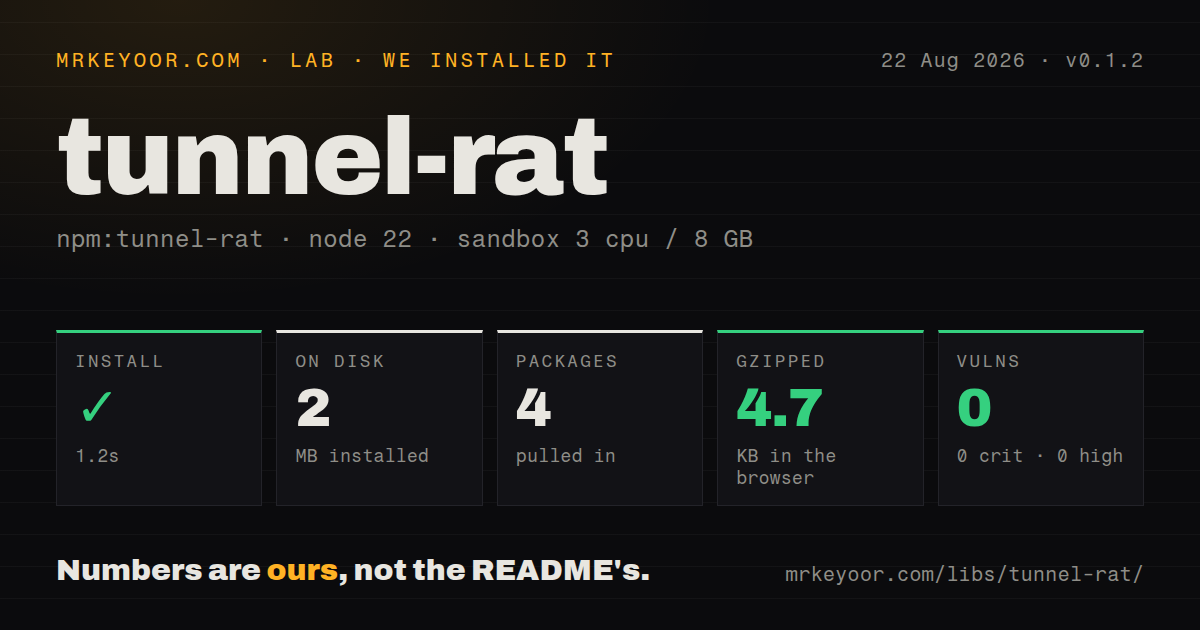
| Install | ✓ · 1.2s | 4 packages on disk · 2 MB |
| Import | ✓ | ESM import works · require() works · CommonJS package |
| Browser | 4.7 KB | gzipped (12.7 KB minified), bundled with esbuild |
| Types | ✓ | TypeScript types bundled |
| Known vulns | 0 | 0 critical · 0 high · 0 moderate · 0 low (npm audit) |
Answers from our run
Does tunnel-rat install cleanly?
Yes. In a fresh container with an empty cache, npm install tunnel-rat finished in 1 seconds, leaving 4 packages and 2 MB on disk. npm audit reported no known vulnerabilities.
How much does tunnel-rat add to a browser bundle?
4.7 KB gzipped (12.7 KB minified) when the whole package is bundled for the browser with esbuild. Importing only part of it is usually smaller.
Does tunnel-rat work with both ESM and CommonJS?
Yes. Both import 'tunnel-rat' and require('tunnel-rat') worked in Node 22 in our run. The package is published as CommonJS.
Does tunnel-rat include TypeScript types?
Yes, type declarations ship inside the package, so no @types install is needed.
tunnel-rat or react-dom: which should you use?
react-dom: Use createPortal() for DOM-to-DOM placement within one renderer and its normal React context tree. tunnel-rat 0.1.2 installed in 1.2 seconds and produced a 4.7 KB gzipped browser bundle in our test, but its release line has been quiet since 2023 and React is missing from peer dependencies.
When should you not use tunnel-rat?
Placement stays inside one React DOM renderer. createPortal() from react-dom handles that case without a Zustand dependency.
Use it if
- React elements declared under `@react-three/fiber` need to appear in an HTML HUD outside Canvas.
- A leaf route should contribute toolbar or inspector content without passing render props through every ancestor.
- Several producers can feed one outlet and every root contribution can carry a stable key.
- The team accepts a small Zustand-backed relay whose public surface is only `tunnel()`, `In`, and `Out`.
- Placement stays inside one React DOM renderer. `createPortal()` from react-dom handles that case without a Zustand dependency.
- A mounted subtree must move between locations without being recreated. tunnel-rat stores element values and removes them when `In` cleans up.
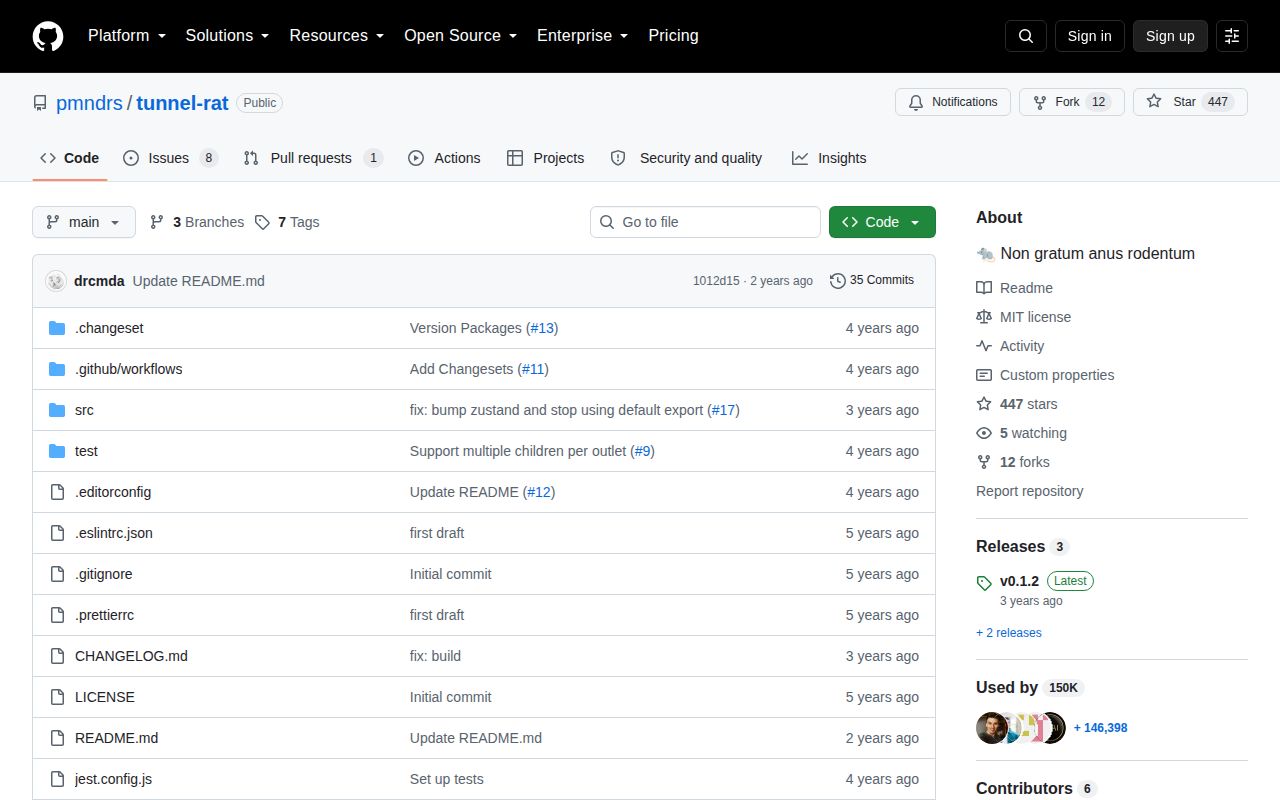
- Current release activity is required. npm 0.1.2 dates to April 2023, and the last repository commit in January 2024 only edits the README.
- React must be declared correctly as a peer. The package imports React but lists 0 peer dependencies, leaving the consuming app to provide a compatible version without package-manager enforcement.
- Multiple same-type contributions cannot be keyed. The README warns that React may reorder or mismatch objects when several `In` roots lack stable keys.
- Server HTML must include the tunneled content. Registration happens in an isomorphic layout effect, so producers do not populate the store during server rendering.
Setup reality
We installed tunnel-rat 0.1.2 in a fresh Node 22 Bookworm sandbox in 1.2 seconds. It left 4 packages and 2 MB on disk, while tunnel-rat itself was 116 KB unpacked. npm audit reported 0 known vulnerabilities. The package has one direct dependency, Zustand 4, and 0 peer dependencies. It uses the MIT license and bundles TypeScript declarations. The CommonJS package has no exports map; both require() and ESM import worked in our checks.
No credentials, native build, or config file is involved. Create each tunnel once at module scope and export that object to producers and the outlet. Calling tunnel() inside a component creates a fresh Zustand store on every render and separates existing In and Out instances. React is imported by the package but is absent from dependencies and peers, so the application must already install a compatible React runtime. Zustand is the sole declared dependency.
Each mounted In adds its children reference in an isomorphic layout effect and removes that exact reference during cleanup. A children identity change removes and re-adds the contribution after commit. Multiple producers also increment a version counter so each one reruns and reconstructs order. The README still requires stable keys on root elements because same-type contributions can otherwise be mismatched. Exit animation libraries may not see the lifecycle they expect when an In disappears.
Host elements must emerge under the correct renderer: HTML under React DOM and meshes inside Canvas. A context provider above In in another root does not travel with the element; provide needed context at Out or pass values as props. The server renders an empty outlet because registration waits for an effect. Our browser import measured 12.7 KB minified and 4.7 KB gzipped. There is no built-in filtering, priority, transition policy, or named channel, so create separate tunnel instances for separate destinations.
Patterns
Create one module-scoped tunnel create-tunnel
// ui-tunnel.ts
import tunnel from 'tunnel-rat'

export const ui = tunnel()
Create the Zustand store once. Calling `tunnel()` during a component render makes a new channel and disconnects existing producers from outlets.
Contribute content to an outlet send-to-outlet
import { ui } from './ui-tunnel'

function Producer() {
  return <ui.In><button key="save">Save</button></ui.In>
}

function Toolbar() {
  return <nav><ui.Out /></nav>
}
`In` renders nothing where it is declared. The button mounts under the tree containing the matching `Out`.
Key every repeated contribution key-producers
function PageActions() {
  return (
    <>
      <ui.In><button key="publish">Publish</button></ui.In>
      <ui.In><button key="preview">Preview</button></ui.In>
    </>
  )
}
The README treats multiple `In` roots as a list. Stable keys reduce order loss and same-type element mismatches.
Declare an HTML hint inside Canvas send-r3f-html
import { Canvas } from '@react-three/fiber'
import { ui } from './ui-tunnel'

export function ScenePage() {
  return (
    <>
      <aside><ui.Out /></aside>
      <Canvas>
        <ui.In><p key="hint">Drag to rotate</p></ui.In>
        <mesh><boxGeometry /><meshStandardMaterial /></mesh>
      </Canvas>
    </>
  )
}
The paragraph is reconciled under React DOM at `Out`; it is not passed to the Canvas host renderer as an HTML tag.
Declare a mesh outside Canvas send-dom-mesh
import { Canvas } from '@react-three/fiber'
import tunnel from 'tunnel-rat'

const scene = tunnel()

export function Product() {
  return (
    <>
      <scene.In><mesh key="item"><boxGeometry /></mesh></scene.In>
      <Canvas><scene.Out /></Canvas>
    </>
  )
}
The mesh finally mounts inside Canvas. tunnel-rat does not translate host elements from one renderer to another.
Remove output by unmounting its producer toggle-contribution
function InspectorContribution({ selected }) {
  if (!selected) return null
  return (
    <ui.In>
      <section key={selected.id}>Editing {selected.name}</section>
    </ui.In>
  )
}
The cleanup effect removes the exact children reference from the store. Exit-presence libraries may need a different lifecycle arrangement.
Carry values as element props pass-root-data
function SceneLabel({ item }) {
  return (
    <ui.In>
      <button key={item.id} onClick={() => selectItem(item.id)}>
        {item.label}
      </button>
    </ui.In>
  )
}
Context is read where the element finally renders. Pass values directly or install the required provider above `Out` in that renderer root.
Use separate tunnels for separate slots create-channels
import tunnel from 'tunnel-rat'

export const toolbar = tunnel()
export const statusbar = tunnel()

export function Shell() {
  return (
    <>
      <header><toolbar.Out /></header>
      <footer><statusbar.Out /></footer>
    </>
  )
}
One tunnel has one unfiltered destination. Separate instances keep unrelated ordering domains apart.
Group several elements into one contribution send-fragment
<ui.In>
  <React.Fragment key="account-actions">
    <button>Profile</button>
    <button>Sign out</button>
  </React.Fragment>
</ui.In>
Key the fragment itself. The store records the complete children value as one producer entry.
Memoize an expensive tunneled element stabilize-child
function MetricsContribution({ rows }) {
  const panel = React.useMemo(
    () => <MetricsPanel key="metrics" rows={rows} />,
    [rows]
  )
  return <ui.In>{panel}</ui.In>
}
A new children reference triggers cleanup and re-addition. Memoization is useful only when that churn causes measurable work.
Keep the outlet in the application shell mount-stable-outlet
function AppShell({ children }) {
  return (
    <div className="shell">
      <div className="shell__actions"><ui.Out /></div>
      <main>{children}</main>
    </div>
  )
}
A long-lived outlet avoids tearing down all tunneled children when route content changes. Producer unmounts still remove their own entries.
Reserve an empty server-rendered slot render-ssr-placeholder
function ToolbarSlot() {
  return (
    <div aria-live="polite" suppressHydrationWarning>
      <ui.Out />
    </div>
  )
}
Producer registration runs in an effect, so server HTML has no tunneled children. Do not use this for content required in the initial response.
Alternatives
| Package | Registry | Pick it when |
|---|---|---|
| react-dom | npm | Use `createPortal()` for DOM-to-DOM placement within one renderer and its normal React context tree. |
| react-reverse-portal | npm | Use it when one mounted subtree must appear in different places without being recreated. |
| @react-three/drei | npm | Use its `Html` helper for HTML anchored to a 3D object rather than a general cross-tree outlet. |
More web frontend guides
postcss · react · react-dom · tailwindcss · clsx · htmlparser2 · the whole shelf →
How this guide is made: grounded in the library's documentation, release notes, changelog, and issue history, on a fixed rubric — not a hands-on install of every release. The 50 most-downloaded entries are additionally install-verified in clean containers. Corrections: contact the desk.