trino review
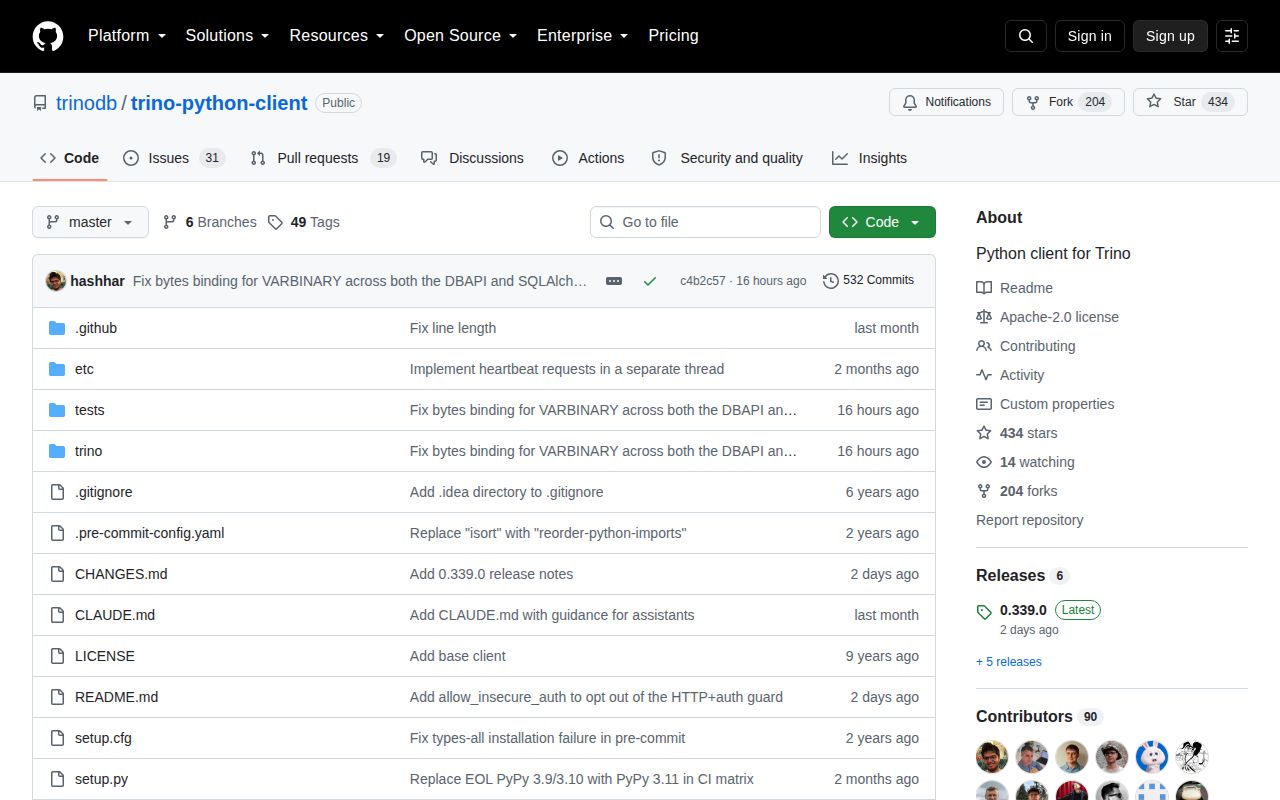
trino 0.339.0 is the official Python DB API 2.0 and SQLAlchemy client for a remote Trino coordinator. It sends queries over Trino's HTTP protocol and exposes catalogs, schemas, session properties, roles, tags, transactions, authentication, compressed spooled results, and query statistics. This release makes result iteration recoverable after errors, refuses credentials over plain HTTP, forwards custom headers during spooling, adds a cursor stats callback, and fixes several SQLAlchemy URL and reflection behaviors.
trino 0.339.0 installed in 0.5 seconds, used 35 MB across 13 packages, and imported in 0.48 seconds in our sandbox with 0 audit findings. It is the right Python client for an existing Trino deployment, provided you configure TLS, identity, result batching, timezone, and connector capabilities explicitly.
We installed it
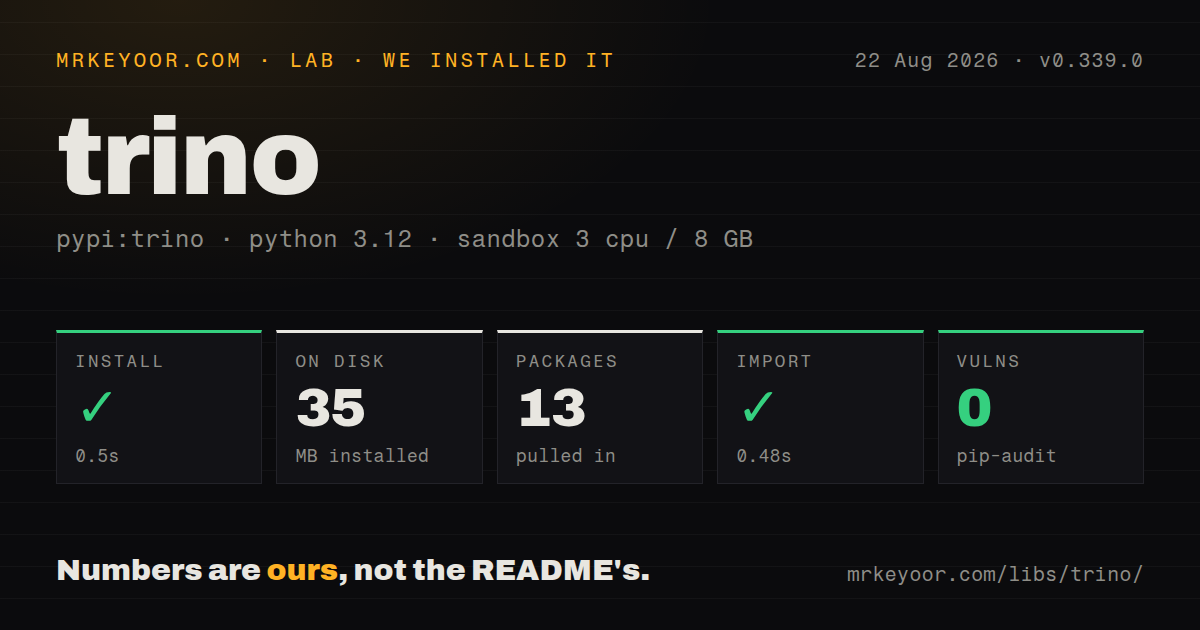
| Install | ✓ · 0.5s | 13 packages on disk · 35 MB |
| Import | ✓ | import trino in 0.48s · pure Python · py.typed · requires Python >=3.9 |
| Known vulns | 0 | (pip-audit) |
Answers from our run
Does trino install cleanly?
Yes. In a fresh container with an empty cache, pip install trino finished in 0.5s, leaving 13 packages and 35 MB on disk. pip-audit reported no known vulnerabilities.
What does trino need to run?
Python >=3.9, and nothing compiled: it is pure Python. In our run import trino succeeded in 0.48s, and the package ships py.typed for type checkers.
trino or PyHive: which should you use?
PyHive: Use it when one DB API layer must cover Hive and Presto-style systems as well as SQLAlchemy. trino 0.339.0 installed in 0.5 seconds, used 35 MB across 13 packages, and imported in 0.48 seconds in our sandbox with 0 audit findings.
When should you not use trino?
You do not have a Trino coordinator. This package starts no engine and cannot query local files without a deployed server and catalog.
Use it if
- Python code queries an existing Trino cluster and should use the client released by the Trino organization.
- DB API cursors or a SQLAlchemy dialect are preferable to implementing the coordinator's paginated HTTP protocol.
- The cluster requires Basic, JWT, OAuth2, certificate, Kerberos, or GSSAPI authentication with explicit TLS handling.
- Connections need catalog roles, session properties, client tags, query progress callbacks, or compressed spooled-result negotiation.
- You do not have a Trino coordinator. This package starts no engine and cannot query local files without a deployed server and catalog.
- One Python driver must cover Hive and legacy Presto estates too. PyHive or a vendor-supported client may fit that mixed environment better.
- Every catalog must support writes and transactions. Those capabilities depend on the Trino server and selected connector, regardless of the client method.
- Your server is older than 351 but the application needs SQLAlchemy. The README sets Trino 351 as the minimum for its dialect.
- Production policy permits `verify=False` to fix TLS. Use a valid public chain or private CA bundle instead of exposing credentials and query traffic.
Setup reality
We installed trino 0.339.0 in 0.5 seconds in a fresh Python 3.12 Bookworm container. The environment contained 13 packages using 35 MB afterward. The distribution declares 25 direct dependencies across its metadata conditions, requires Python 3.9+, is pure Python, ships py.typed, and produced 0 pip-audit findings. import trino succeeded in 0.48 seconds. The package uses Apache 2.0 licensing.
A connection needs the coordinator URL, a stable user identity, and usually a catalog and schema. Version 0.339.0 rejects attempts to send credentials over HTTP, so configure HTTPS and a verified certificate chain. Basic auth repeats the username in the connection and credential object. JWTs, passwords, and extra credentials should come from secret storage. For private CAs, pass the CA bundle path. Certificate auth also needs readable certificate and private-key files.
OAuth2 opens a browser and prints a redirect URL through its default handlers, which does not suit unattended jobs. Without the keyring extra, tokens live on the authentication instance. With trino[external-authentication-token-cache], persistence depends on an available OS keyring. The README warns that omitting user shares the cache by host, so always set it. Kerberos and GSSAPI extras may require system libraries, realm setup, a ticket, and network access to the KDC.
fetchmany() returns 1 row by default until cursor.arraysize changes. The client uses autocommit and the client machine's timezone unless configured, so set timezone='UTC' for repeatable timestamp behavior. Transactions begin with the first statement and work only for capable connectors. For large results, negotiate json+zstd or json+lz4 spooling and process batches. Version 0.339.0 adds recoverable iteration and a stats_callback, but exceptions raised by that callback propagate into query execution.
Patterns
Query a coordinator with DB API run-dbapi-query
from trino.dbapi import connect

conn = connect(host="trino.example.com", port=8443, http_scheme="https", user="analyst@example.com", catalog="lakehouse", schema="analytics")
cur = conn.cursor()
cur.execute("SELECT current_date")
print(cur.fetchone())
The client needs a running coordinator and catalog. It does not embed or launch Trino locally.
Receive query statistics while polling monitor-query-progress
def log_progress(stats):
    print(stats["queryId"], stats.get("state"))

cur = conn.cursor(stats_callback=log_progress)
cur.execute("SELECT * FROM system.runtime.nodes")
rows = cur.fetchall()
Version 0.339.0 calls the callback on submission and after coordinator polls. An exception from the callback propagates through execute or fetch.
Consume rows in batches fetch-result-batches
cur.arraysize = 1000
cur.execute("SELECT * FROM lakehouse.analytics.events")
while rows := cur.fetchmany():
    process(rows)
The default arraysize is 1 row. Set a batch size and avoid `fetchall()` when the result can be large.
Use a username and password use-basic-authentication
from trino.auth import BasicAuthentication

conn = connect(host="trino.example.com", port=8443, http_scheme="https", user=username, auth=BasicAuthentication(username, password), catalog="system")
Version 0.339.0 rejects credentials sent over HTTP. Password-file, LDAP, and Salesforce server authentication use this same client class.
Authenticate with a JWT use-jwt-authentication
from trino.auth import JWTAuthentication

conn = connect(host="trino.example.com", port=8443, http_scheme="https", user=subject, auth=JWTAuthentication(token), catalog="lakehouse")
Keep the token out of URLs and logs. Its subject must satisfy the coordinator's configured user-mapping rules.
Start the OAuth2 flow use-oauth-authentication
from trino.auth import OAuth2Authentication

auth = OAuth2Authentication()
conn = connect(host="trino.example.com", port=8443, http_scheme="https", user="analyst@example.com", auth=auth)
Default handlers may launch a browser and print a URL. A stable `user` prevents the token cache from being shared solely by host.
Verify TLS against a private CA trust-private-ca
conn = connect(host="trino.internal", port=8443, http_scheme="https", user="service-account", verify="/etc/ssl/certs/company-ca.pem")A CA bundle keeps certificate verification active. Production code should not replace it with `verify=False`.
Set roles, tags, limits, and UTC set-session-controls
conn = connect(
    host="trino.example.com", user="analyst", catalog="hive", schema="sales",
    session_properties={"query_max_run_time": "10m"},
    client_tags=["finance", "scheduled"], roles={"hive": "analyst_role"}, timezone="UTC",
)
The cluster defines valid properties and roles. Explicit UTC avoids inheriting the client machine's local timezone.
Negotiate compressed spooled output enable-spooled-results
conn = connect(
    host="trino.example.com", user="analyst", catalog="hive",
    encoding=["json+zstd", "json+lz4", "json"],
)
The coordinator must support spooling and one offered encoding. Version 0.339.0 forwards custom HTTP headers on spooled-result requests.
Commit a connector-supported transaction run-transaction
from trino.transaction import IsolationLevel

conn = connect(host="trino.example.com", user="writer", catalog="iceberg", isolation_level=IsolationLevel.REPEATABLE_READ)
cur = conn.cursor()
try:
    cur.execute("INSERT INTO audit_log VALUES (current_timestamp, 'start')")
    conn.commit()
except Exception:
    conn.rollback()
    raise
The first statement begins the transaction. Commit and rollback work only when the selected catalog connector supports them.
Create a SQLAlchemy engine create-sqlalchemy-engine
from sqlalchemy import create_engine, text
from trino.sqlalchemy import URL

engine = create_engine(URL(host="trino.example.com", port=8443, catalog="system", schema="runtime"))
with engine.connect() as connection:
    rows = connection.execute(text("SELECT * FROM nodes")).all()
Install `trino[sqlalchemy]`. The project README requires Trino server 351 or newer for this dialect.
Alternatives
| Package | Registry | Pick it when |
|---|---|---|
| PyHive | PyPI | Use it when one DB API layer must cover Hive and Presto-style systems as well as SQLAlchemy. |
| sqlalchemy-trino | PyPI | Keep it only for an older application still coupled to the former standalone Trino dialect package. |
| duckdb | PyPI | Use it when analytics can run locally or embedded without a remote federated Trino cluster. |
More data guides
numpy · pandas · fsspec · lxml · pyarrow · sqlalchemy · the whole shelf →
How this guide is made: grounded in the library's documentation, release notes, changelog, and issue history, on a fixed rubric — not a hands-on install of every release. The 50 most-downloaded entries are additionally install-verified in clean containers. Corrections: contact the desk.