strip-outer review
strip-outer 2.0.0 is one seven-line string helper. It removes one exact substring from the start, then checks the shortened value and removes one exact copy from its end. A match on only one side is still removed; a complete miss returns the original string. Comparison is literal and case-sensitive, with no regular expressions, character sets, Unicode normalization, repeated peeling, or requirement that both sides match. Version 2 moved the package to ESM and an exports map. On our current Node 22.23.2 runtime, both ESM import and `require()` succeeded despite that package format.
strip-outer 2.0.0 installed in 0.5 seconds, added 1 MB, and bundled to 0.2 KB gzipped, but `stripOuter('keep', '')` returns `''` and the package has no types. Keep it for compatibility in existing code; for new work, write the seven-line typed helper and define the empty-wrapper behavior yourself.
We installed it
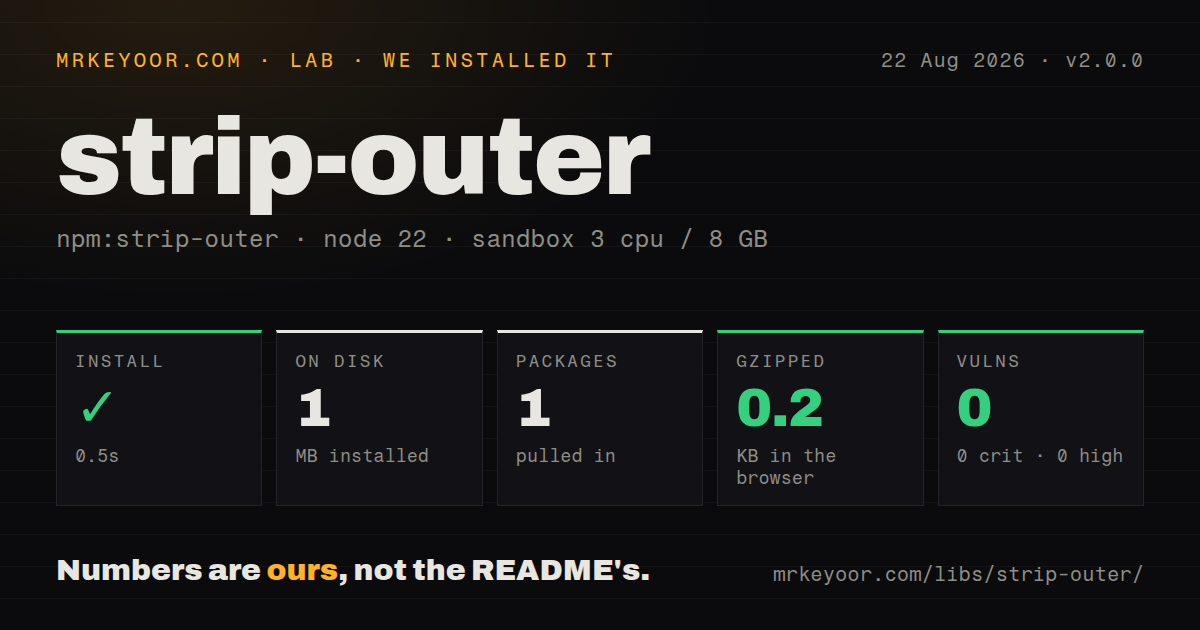
| Install | ✓ · 0.5s | 1 package on disk · 1 MB |
| Import | ✓ | ESM import works · require() works · ESM package with exports map |
| Browser | 0.2 KB | gzipped (0.3 KB minified), bundled with esbuild |
| Types | — | no TypeScript types found |
| Known vulns | 0 | 0 critical · 0 high · 0 moderate · 0 low (npm audit) |
Answers from our run
Does strip-outer install cleanly?
Yes. In a fresh container with an empty cache, npm install strip-outer finished in 0.5s, leaving 1 package and 1 MB on disk. npm audit reported no known vulnerabilities.
How much does strip-outer add to a browser bundle?
0.2 KB gzipped (0.3 KB minified) when the whole package is bundled for the browser with esbuild. Importing only part of it is usually smaller.
Does strip-outer work with both ESM and CommonJS?
Yes. Both import 'strip-outer' and require('strip-outer') worked in Node 22 in our run. The package is published as ESM with an exports map.
Does strip-outer include TypeScript types?
No type declarations were found in our install, so TypeScript users need their own declarations.
strip-outer or lodash: which should you use?
lodash: Use it when Lodash is already installed and trimming a set of characters is the intended rule. strip-outer 2.0.0 installed in 0.5 seconds, added 1 MB, and bundled to 0.2 KB gzipped, but stripOuter('keep', '') returns '' and the package has no types.
When should you not use strip-outer?
This would be a new direct dependency for 1 or 2 call sites. Two startsWith, endsWith, and slice checks make the behavior visible locally.
Use it if
- Existing code already depends on the exact prefix-first, suffix-second behavior and changing it would risk output differences.
- One known multi-character token must be removed at most once from each side of a string.
- The project runs on a tested Node version and does not need TypeScript declarations from the package.
- Keeping a transitive use is cheaper than replacing and regression-testing every current call site.
- This would be a new direct dependency for 1 or 2 call sites. Two `startsWith`, `endsWith`, and `slice` checks make the behavior visible locally.
- The wrapper may be empty. Version 2.0.0 returns an empty string for non-empty input when the second argument is `''`.
- Every repeated wrapper must disappear. strip-outer removes no more than 1 prefix and 1 suffix per call.
- Whitespace or a set of characters must be trimmed. Native `trim` and Lodash `trim` implement different, better-fitting contracts.
- Bundled TypeScript declarations or current release activity are required. The package has no types, and 2.0.0 dates to August 2021.
Setup reality
We installed strip-outer 2.0.0 in a fresh Node 22 Bookworm sandbox in 0.5 seconds. It left 1 package and 1 MB on disk. npm audit found 0 known vulnerabilities. The package has no direct or peer dependencies, is 20 KB unpacked, carries an MIT license, and includes no TypeScript declarations. It declares ESM with an exports map; both require() and ESM import worked on Node 22.23.2. Our browser build measured 0.3 KB minified and 0.2 KB gzipped.
There are no credentials, native builds, services, config files, or runtime caches. The package declares Node ^12.20.0 || ^14.13.1 || >=16.0.0, but module interop depends on the exact runtime and toolchain. Node 22 can synchronously require some ESM packages, which explains our successful check; do not infer the same result for an older CommonJS deployment from that measurement. TypeScript users need a local declaration or a typed replacement helper.
Input validation accepts only primitive strings and throws TypeError('Expected a string') for either wrong argument. Matching calls startsWith first, slices that prefix, then runs endsWith on the result. This order is observable when the wrapper overlaps or nearly fills the input. It removes a lone opening or closing token, so it is not a balanced-delimiter parser. Repeated tokens survive after 1 layer, and case differences are misses.
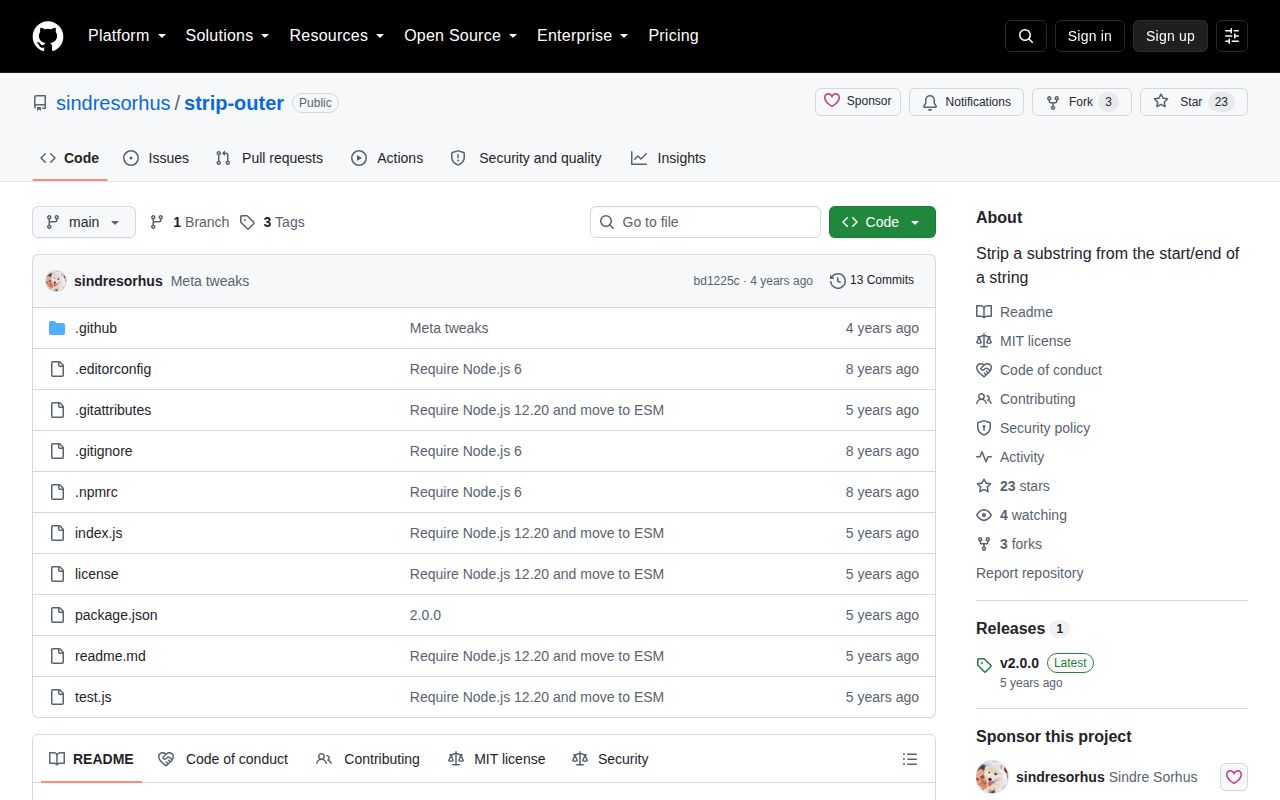
The empty-wrapper case is the reason to avoid blind use. Every string starts and ends with ''; the prefix slice changes nothing, then slice(0, -substring.length) receives negative zero and produces ''. Guard substring.length === 0 or implement the 7 lines locally with the desired rule. The repository was last pushed in July 2022, has 0 open issues and pull requests, and has not released a fix after 2.0.0.
Patterns
Remove one wrapper on each side strip-both-sides
import stripOuter from 'strip-outer';

const value = stripOuter('foobarfoo', 'foo');
// 'bar'
Version 2.0.0 removes exactly 1 matching `foo` prefix and 1 matching `foo` suffix.
Remove a prefix by itself strip-prefix
const value = stripOuter('unicorncake', 'unicorn');
// 'cake'
Both sides do not need to match. The result is still checked for a trailing `unicorn` after the prefix is removed.
Remove a suffix by itself strip-suffix
const value = stripOuter('unicorncake', 'cake');
// 'unicorn'
The second argument is 1 literal substring, not the individual characters `c`, `a`, `k`, and `e`.
Remove one quote from each end unwrap-quote
const quote = String.fromCharCode(34);
const text = stripOuter(`${quote}draft${quote}`, quote);
// 'draft'
This removes 1 literal quote on each side. It does not parse escapes or require balanced delimiters.
Remove one outer slash strip-separators
const segment = stripOuter('/api/users/', '/');
// 'api/users'
Repeated slashes remain after 1 layer. Do not use this helper as URL or filesystem path normalization.
Preserve input for an empty wrapper guard-empty-wrapper
function safeStripOuter(value, wrapper) {
  if (wrapper.length === 0) return value;
  return stripOuter(value, wrapper);
}

safeStripOuter('keep me', '');
// 'keep me'
Without this check, strip-outer 2.0.0 changes the 7-character input to an empty string.
Peel every repeated wrapper remove-repeated-layers
function stripAll(value, wrapper) {
  if (wrapper.length === 0) return value;
  let next = stripOuter(value, wrapper);
  while (next !== value) {
    value = next;
    next = stripOuter(value, wrapper);
  }
  return value;
}
The package removes 1 layer per call. The empty-wrapper guard also ensures this loop can terminate.
Keep a case-mismatched string preserve-case-mismatch
const input = 'Hello';
const output = stripOuter(input, 'hello');
console.log(output === input);
// true
Comparison is case-sensitive and performs no locale folding or Unicode normalization.
Catch invalid argument types reject-non-string
try {
  stripOuter(42, '4');
} catch (error) {
  console.log(error instanceof TypeError);
  // true
}
Either non-string argument produces the same `Expected a string` TypeError, so the message does not identify which input failed.
Replace the package locally inline-typed-helper
export function stripOuter(value: string, wrapper: string): string {
  if (wrapper === '') return value;
  if (value.startsWith(wrapper)) value = value.slice(wrapper.length);
  if (value.endsWith(wrapper)) value = value.slice(0, -wrapper.length);
  return value;
}
This 7-line TypeScript version preserves one-layer behavior and defines the empty-wrapper case that 2.0.0 mishandles.
Alternatives
| Package | Registry | Pick it when |
|---|---|---|
| lodash | npm | Use it when Lodash is already installed and trimming a set of characters is the intended rule. |
| trim | npm | Use it only for whitespace trimming in older JavaScript environments lacking native trim. |
| escape-string-regexp | npm | Use it to construct a safe anchored expression for repeated or conditional literal removal. |
More utils guides
lru-cache · type-fest · ajv · zod · p-limit · find-up · the whole shelf →
How this guide is made: grounded in the library's documentation, release notes, changelog, and issue history, on a fixed rubric — not a hands-on install of every release. The 50 most-downloaded entries are additionally install-verified in clean containers. Corrections: contact the desk.