store2 review
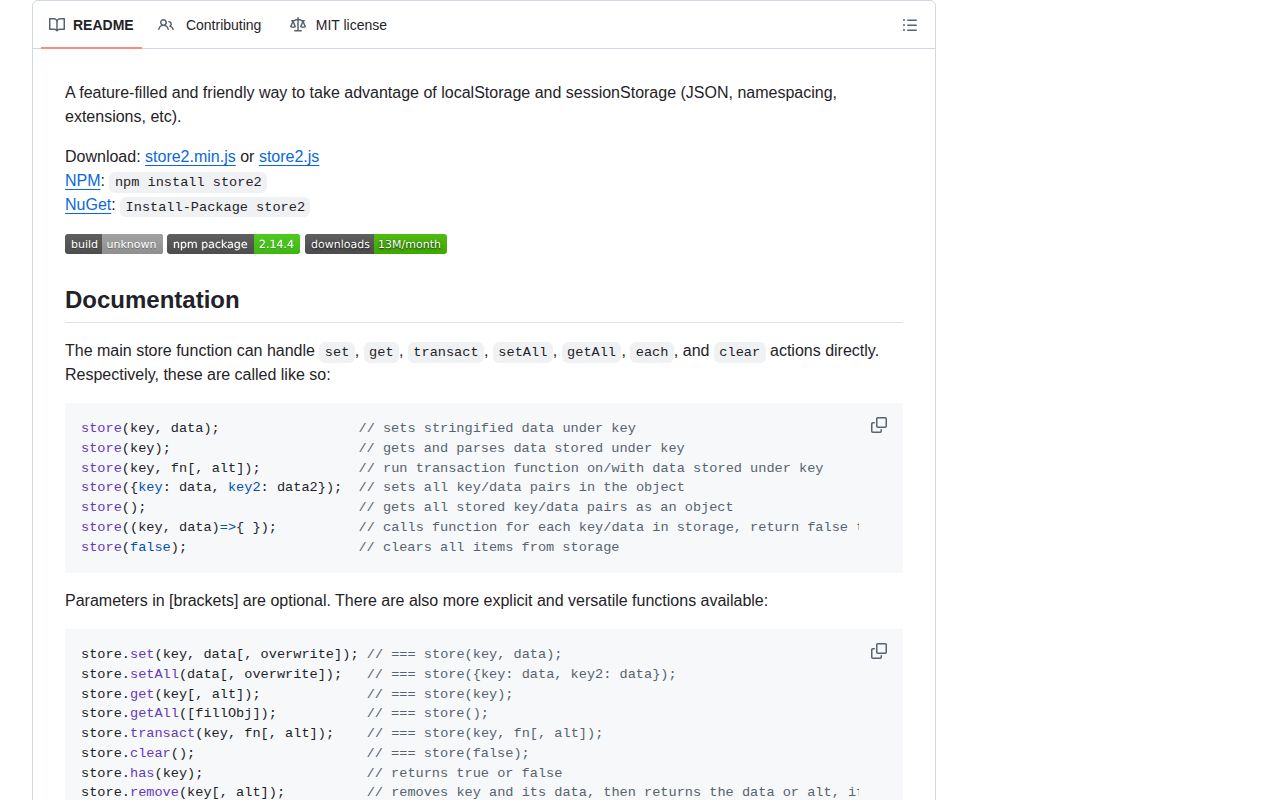
store2 2.14.4 wraps browser localStorage and sessionStorage with JSON parsing, explicit get/set/remove calls, namespaces, iteration, merge helpers, and synchronous read-modify-write transactions. It also supplies page-memory storage and silently falls back to that fake storage when Web Storage cannot be opened. The current 2.14.4 release removes `eval` from the optional deep-storage extension; the core API remains the long-running version 2 contract. Our install had no dependencies, bundled TypeScript declarations, and working CommonJS and ESM loading. The browser import measured 1.9 KB gzipped.
Our store2 2.14.4 install took 0.7 seconds and bundled to 1.9 KB gzipped with no dependencies, making it reasonable for small browser preferences. Do not use its silent memory fallback, synchronous transactions, or JSON wrapper as evidence of durability, atomicity, secrecy, or high-capacity storage.
We installed it
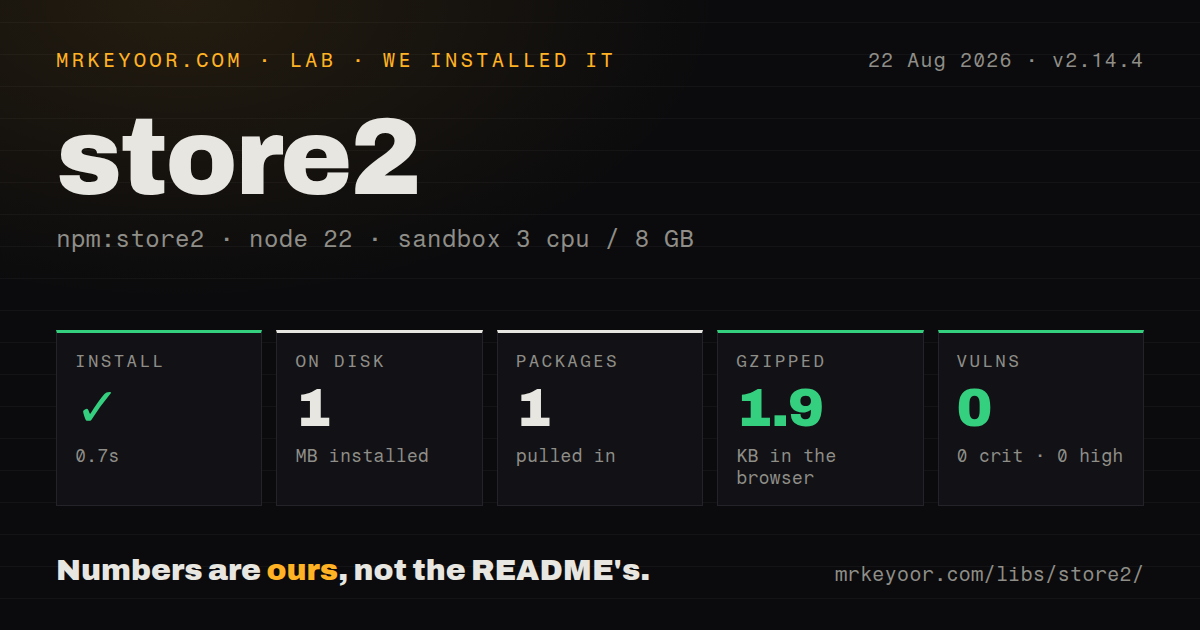
| Install | ✓ · 0.7s | 1 package on disk · 1 MB |
| Import | ✓ | ESM import works · require() works · CommonJS package |
| Browser | 1.9 KB | gzipped (4.9 KB minified), bundled with esbuild |
| Types | ✓ | TypeScript types bundled |
| Known vulns | 0 | 0 critical · 0 high · 0 moderate · 0 low (npm audit) |
Answers from our run
Does store2 install cleanly?
Yes. In a fresh container with an empty cache, npm install store2 finished in 0.7s, leaving 1 package and 1 MB on disk. npm audit reported no known vulnerabilities.
How much does store2 add to a browser bundle?
1.9 KB gzipped (4.9 KB minified) when the whole package is bundled for the browser with esbuild. Importing only part of it is usually smaller.
Does store2 work with both ESM and CommonJS?
Yes. Both import 'store2' and require('store2') worked in Node 22 in our run. The package is published as CommonJS.
Does store2 include TypeScript types?
Yes, type declarations ship inside the package, so no @types install is needed.
store2 or idb-keyval: which should you use?
idb-keyval: Use it for a tiny Promise-based IndexedDB API that avoids synchronous localStorage work and handles larger values. Our store2 2.14.4 install took 0.7 seconds and bundled to 1.9 KB gzipped with no dependencies, making it reasonable for small browser preferences.
When should you not use store2?
Writes are large or frequent; localStorage and JSON serialization block the main thread, while IndexedDB wrappers are asynchronous
Use it if
- Small non-sensitive browser preferences need JSON serialization around localStorage or sessionStorage
- Existing code already uses store2 namespaces, callable shorthand, `transact`, or `add`
- One synchronous API should cover local, per-tab session, and current-page memory areas
- The application will explicitly detect fake storage whenever persistence is required
- Writes are large or frequent; localStorage and JSON serialization block the main thread, while IndexedDB wrappers are asynchronous
- The product must know when persistence failed; store2 can replace unavailable browser storage with memory and let writes appear successful until reload
- Updates must be atomic across tabs or workers; `transact` performs a separate read and write with no cross-context lock
- You need core TTLs, encryption, cross-tab subscriptions, quota recovery, or cookie storage; those are optional extension files with mixed beta and alpha labels
- The data includes tokens, secrets, or sensitive records; store2 adds convenience and no protection from same-origin script access
- Server rendering may call the singleton; absent Web Storage can become process memory and hide a server/client boundary mistake
Setup reality
Our install of store2 2.14.4 completed in 0.7 seconds. It left 1 package and 1 MB on disk; the package was 148 KB unpacked with 0 direct dependencies and 0 peer dependencies. npm audit found 0 known vulnerabilities. It is CommonJS without an exports map, and both require() and ESM import worked in our Node 22 sandbox. TypeScript declarations were bundled. Our browser build measured 4.9 KB minified and 1.9 KB gzipped.
The default singleton targets localStorage, store.session targets sessionStorage, and store.page keeps data only until reload. If opening localStorage or sessionStorage throws, initialization substitutes in-memory storage. Calls can then succeed while persistence has vanished. Check store.isFake() before saving drafts or other data whose loss matters, and give the user an explicit error path.
Values pass through JSON. Dates become strings unless a reviver restores them; Map and Set need a replacer; BigInt and circular structures throw; class prototypes disappear. Browser quotas vary, and the core setter does not promise a durable fallback for every quota failure. Namespaces only prefix keys. Root store.clear() calls the underlying area's clear operation and can remove keys belonging to unrelated code on the same origin.
transact is a synchronous get-callback-set sequence, not a transaction across tabs. Two contexts can read the same value and overwrite each other's changes. Import or call store2 only in client code during SSR. Version 2.14.4 changed the optional deep extension by removing eval; caching, storage events, overflow behavior, cookies, and deep access remain separate source extensions with their own maturity labels.
Patterns
Save and read a small preference object store-json
import store from 'store2';

store.set('preferences', { theme: 'dark', pageSize: 25 });
const preferences = store.get('preferences');
store.remove('preferences');
JSON serialization drops prototypes and undefined object properties. Version 2.14.4 does not turn rich JavaScript objects into durable typed records.
Return a value when the key is absent default-value
const preferences = store.get('preferences', {
  theme: 'system',
  pageSize: 20,
});
The alternate handles a missing key. A malformed non-JSON storage value can come back as its raw string.
Keep data for one tab session session-area
store.session.set('checkout-step', 2);
const step = store.session.get('checkout-step', 1);
store.session.remove('checkout-step');
Session storage survives reloads in that tab but is separate from another tab's browsing context.
Keep state only until reload page-memory
store.page.set('expanded-panels', ['filters', 'summary']);
const expanded = store.page.get('expanded-panels', []);
`store.page` uses the package's memory Storage implementation and never persists across a reload.
Clear one feature's prefixed keys namespace-keys
const cart = store.namespace('cart');
cart.set('items', [{ sku: 'A1', quantity: 2 }]);
cart.set('currency', 'USD');
cart.clear();
A namespace prefixes physical keys such as `cart.items`. Root `store.clear()` can erase every localStorage key on the origin.
Run a local read-modify-write update-value
store.transact('profile', (profile = { visits: 0 }) => ({
  ...profile,
  visits: profile.visits + 1,
}));
`transact` is not atomic across tabs or workers. Concurrent callers can both read the same count and lose one increment.
Restore a known date field revive-date
store.set('job', { finishedAt: new Date().toISOString() });

const job = store.get('job', (key, value) => {
  return key === 'finishedAt' ? new Date(value) : value;
});
The function in the second argument is passed to JSON.parse as a reviver, including for nested keys.
Reject fake storage for durable data detect-fallback
if (store.isFake()) {
  throw new Error('Persistent browser storage is unavailable');
}
store.set('draft', draft);
Without this check, store2 can write to memory successfully and lose the value when the page closes.
Alternatives
| Package | Registry | Pick it when |
|---|---|---|
| idb-keyval | npm | Use it for a tiny Promise-based IndexedDB API that avoids synchronous localStorage work and handles larger values. |
| localforage | npm | Use it for an asynchronous IndexedDB-first storage API with driver fallbacks. |
| localstorage-slim | npm | Use it when built-in TTL and optional obfuscation matter more than namespaces and callable shorthand. |
| unstorage | npm | Use it for an async storage abstraction spanning browser, server, memory, filesystem, and remote drivers. |
More utils guides
lru-cache · type-fest · ajv · zod · p-limit · find-up · the whole shelf →
How this guide is made: grounded in the library's documentation, release notes, changelog, and issue history, on a fixed rubric — not a hands-on install of every release. The 50 most-downloaded entries are additionally install-verified in clean containers. Corrections: contact the desk.