@stoplight/yaml review
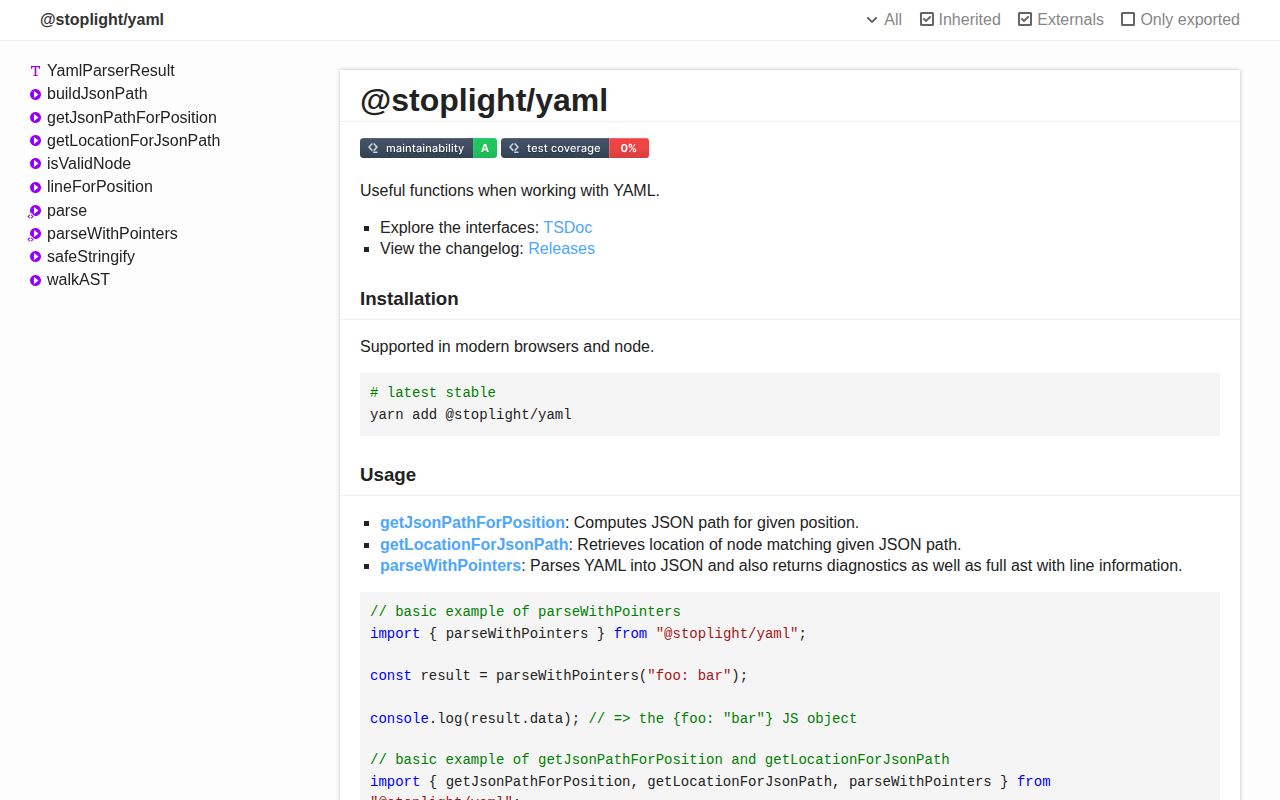
@stoplight/yaml 4.3.0 parses YAML while retaining the evidence an editor or linter needs: an AST, diagnostics, line offsets, comments, and mappings between JSON paths and zero-based source positions. It also serializes data, resolves anchors, optionally applies merge keys, preserves key order through metadata, and can keep large integers as bigint. Our browser bundle attempt failed in esbuild, so the tested full-package import is a poor fit for client code despite the README's browser claim. Version 4.3.0 added parsing and stringifying of comments; it remains a CommonJS package aimed mainly at Stoplight-style document tooling.
@stoplight/yaml 4.3.0 installed in 2.8 seconds with 8 packages and 0 audit findings in our sandbox, but its browser bundle failed in esbuild. Keep it on the Node side for editors and linters that need AST-backed JSON paths, ranges, and diagnostics; use `yaml` or `js-yaml` for ordinary configuration loading.
We installed it
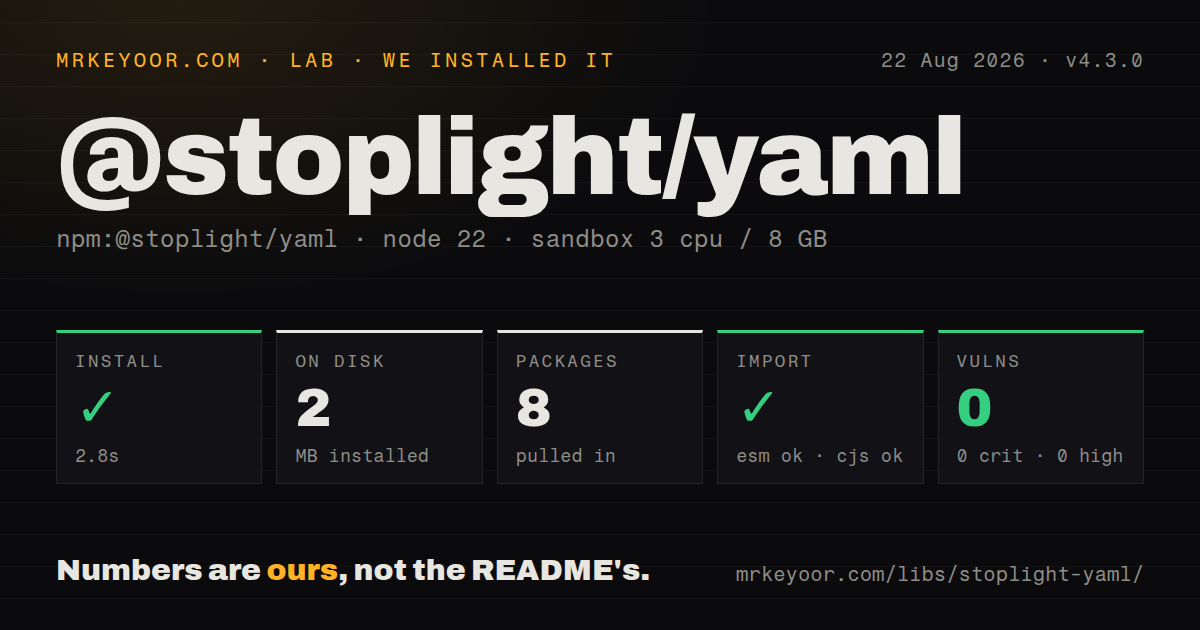
| Install | ✓ · 2.8s | 8 packages on disk · 2 MB |
| Import | ✓ | ESM import works · require() works · CommonJS package |
| Browser | n/a | could not be bundled for the browser (Node-only code, most likely) |
| Types | ✓ | TypeScript types bundled |
| Known vulns | 0 | 0 critical · 0 high · 0 moderate · 0 low (npm audit) |
Answers from our run
Does @stoplight/yaml install cleanly?
Yes. In a fresh container with an empty cache, npm install @stoplight/yaml finished in 3 seconds, leaving 8 packages and 2 MB on disk. npm audit reported no known vulnerabilities.
Can @stoplight/yaml run in a browser?
Not directly: esbuild could not bundle it for the browser in our run, which normally means it depends on Node built-ins. Use it on the server, or find a browser-targeted alternative.
Does @stoplight/yaml work with both ESM and CommonJS?
Yes. Both import '@stoplight/yaml' and require('@stoplight/yaml') worked in Node 22 in our run. The package is published as CommonJS.
Does @stoplight/yaml include TypeScript types?
Yes, type declarations ship inside the package, so no @types install is needed.
@stoplight/yaml or yaml: which should you use?
yaml: Use it for YAML 1.2 documents, CST editing, aliases, and modern module packaging. @stoplight/yaml 4.3.0 installed in 2.8 seconds with 8 packages and 0 audit findings in our sandbox, but its browser bundle failed in esbuild.
When should you not use @stoplight/yaml?
You only read trusted config files. yaml or js-yaml gives a simpler parse and stringify surface without Stoplight's location model.
Use it if
- A YAML editor or linter must translate cursor positions into JSON paths and back into source ranges.
- Syntax problems need structured diagnostics with severities and zero-based positions.
- One parse must retain ordinary data, the AST, comments, and the line map.
- The project already uses Stoplight diagnostics and `@stoplight/types` locations.
- You only read trusted config files. `yaml` or `js-yaml` gives a simpler parse and stringify surface without Stoplight's location model.
- The browser build must be proven. Our esbuild browser attempt failed for 4.3.0, while the package is CommonJS without an exports map.
- A small dependency graph is required. Our install found 4 direct dependencies and 8 packages on disk.
- YAML merge keys should resolve automatically. `parseWithPointers` leaves `<<` as a normal key unless `mergeKeys: true` is supplied.
- Fresh standalone release activity matters. Version 4.3.0 dates to March 2024, the last push was April 2025, and GitHub reports 20 issues and pull requests.
Setup reality
We installed @stoplight/yaml 4.3.0 in 2.8 seconds in a fresh Node 22 Bookworm sandbox. It left 8 packages and 2 MB on disk. The package has 4 direct dependencies, 0 peer dependencies, 220 KB unpacked, an Apache-2.0 license, and a Node 10.8 floor. npm audit found 0 known vulnerabilities. No native compilation, credential, or config file was required.
The distribution is CommonJS without an exports map. Both require() and ESM import worked on our box, and TypeScript declarations are bundled. esbuild could not create a browser bundle from the package in our test. Treat that failure as a platform warning and prove the exact client entry in your own build before shipping it.
parse() returns only the data from parseWithPointers; its generic is a TypeScript assertion, not schema validation. Editor code should retain the complete result because the AST and line map power path-location conversion. Lines and characters are zero-based. mergeKeys, bigInt, attached comments, and preserved key order are opt-in. Without bigInt: true, large integer nodes can become imprecise Numbers.
Version 4.3.0 can parse and stringify comments, but comments must be attached explicitly during parsing. Ordered keys use symbol-backed metadata, and trapAccess() alters reflective key access. safeStringify() returns a string input unchanged instead of quoting it as one YAML scalar. Add input-size limits and runtime schema checks around untrusted documents.
Patterns
Read a small YAML config parse-yaml-data
import { parse } from '@stoplight/yaml';

const config = parse<{ port: number; debug: boolean }>(`
port: 8080
debug: false
`);
console.log(config.port);
The type argument changes TypeScript's view of the value only; it does not validate `port` or `debug` at runtime.
Inspect a broken document parse-with-diagnostics
import { parseWithPointers } from '@stoplight/yaml';

const result = parseWithPointers('server:
  port: [8080');
for (const diagnostic of result.diagnostics) {
  console.error(diagnostic.message, diagnostic.range.start);
}
console.log(result.data, result.ast, result.lineMap);
Syntax failures commonly appear in `diagnostics`; callers should still catch exceptions around duplicate-key and parser edge cases.
Map a cursor to a JSON path map-position-to-path
const source = 'server:
  port: 8080
';
const result = parseWithPointers(source);
const path = getJsonPathForPosition(result, { line: 1, character: 8 });
console.log(path); // ['server', 'port']
Line 1 here means the second source line because both position fields are zero-based.
Locate a JSON path in source map-path-to-location
const location = getLocationForJsonPath(result, ['server', 'port']);
if (location) {
  console.log(location.range.start, location.range.end);
}
The returned range comes from this result's AST and line map, so do not reuse it after editing the source string.
Preserve an integer beyond Number range preserve-big-integers
const result = parseWithPointers<{ id: bigint }>(
  'id: 9007199254740993',
  { bigInt: true },
);
console.log(result.data?.id === 9007199254740993n);
`bigInt` is off by default; the value 9007199254740993 cannot be represented exactly as a JavaScript Number.
Resolve an anchored defaults mapping resolve-merge-keys
const source = `
defaults: &defaults
  retries: 3
service:
  <<: *defaults
  name: api
`;
const result = parseWithPointers<{ service: { retries: number } }>(
  source,
  { mergeKeys: true },
);
console.log(result.data?.service.retries);
Without `mergeKeys: true`, the parser keeps `<<` as a property rather than copying `retries` into `service`.
Attach comments during parsing attach-comments
const result = parseWithPointers(
  '# service settings
name: api # public name
',
  { attachComments: true },
);
console.log(result.comments);
The comment map is separate from `data` and records placement around the pointed YAML node.
Reflect keys in document order preserve-key-order
import { parseWithPointers, trapAccess } from '@stoplight/yaml';

const result = parseWithPointers<Record<string, number>>(
  'third: 3
first: 1
second: 2',
  { preserveKeyOrder: true },
);
if (result.data) {
  const ordered = trapAccess(result.data);
  console.log(Reflect.ownKeys(ordered));
}
Order lives in symbol metadata. `trapAccess()` affects reflection for this object and does not recursively wrap nested mappings.
Flag a non-string mapping key enforce-json-compatible-yaml
const result = parseWithPointers('1: one
name: api', {
  json: true,
  ignoreDuplicateKeys: false,
});
console.log(result.diagnostics.map(item => item.message));
JSON mode expects string scalar keys. Pass `ignoreDuplicateKeys` explicitly when duplicate behavior matters.
Dump an object without aliases stringify-object
import { safeStringify } from '@stoplight/yaml';

const output = safeStringify(
  { server: { port: 8080 }, features: ['search', 'billing'] },
  { indent: 2, noRefs: true },
);
console.log(output);
`noRefs: true` tells the underlying dumper not to emit aliases for repeated object references.
Pass through YAML text unchanged stringify-string-input
const source = 'name: api
';
const output = safeStringify(source);
console.log(output === source); // true
For a string input, `safeStringify` returns the same bytes instead of emitting a quoted scalar.
Derive a path from one AST node build-node-path
import { buildJsonPath, Kind, parseWithPointers } from '@stoplight/yaml';

const result = parseWithPointers('items:
  - name: first');
if (result.ast?.kind === Kind.MAP) {
  const value = result.ast.mappings[0].value;
  if (value) console.log(buildJsonPath(value));
}
Check the node's `Kind` before reading mapping-only fields such as `mappings` and `value`.
Alternatives
| Package | Registry | Pick it when |
|---|---|---|
| yaml | npm | Use it for YAML 1.2 documents, CST editing, aliases, and modern module packaging. |
| js-yaml | npm | Use it for ordinary load and dump work that does not need source-to-path mapping. |
| @stoplight/yaml-ast-parser | npm | Use it when direct AST access is enough and you can build diagnostics and path mapping yourself. |
More utils guides
lru-cache · ajv · type-fest · p-limit · find-up · js-yaml · the whole shelf →
How this guide is made: grounded in the library's documentation, release notes, changelog, and issue history, on a fixed rubric — not a hands-on install of every release. The 50 most-downloaded entries are additionally install-verified in clean containers. Corrections: contact the desk.