sqlparse review
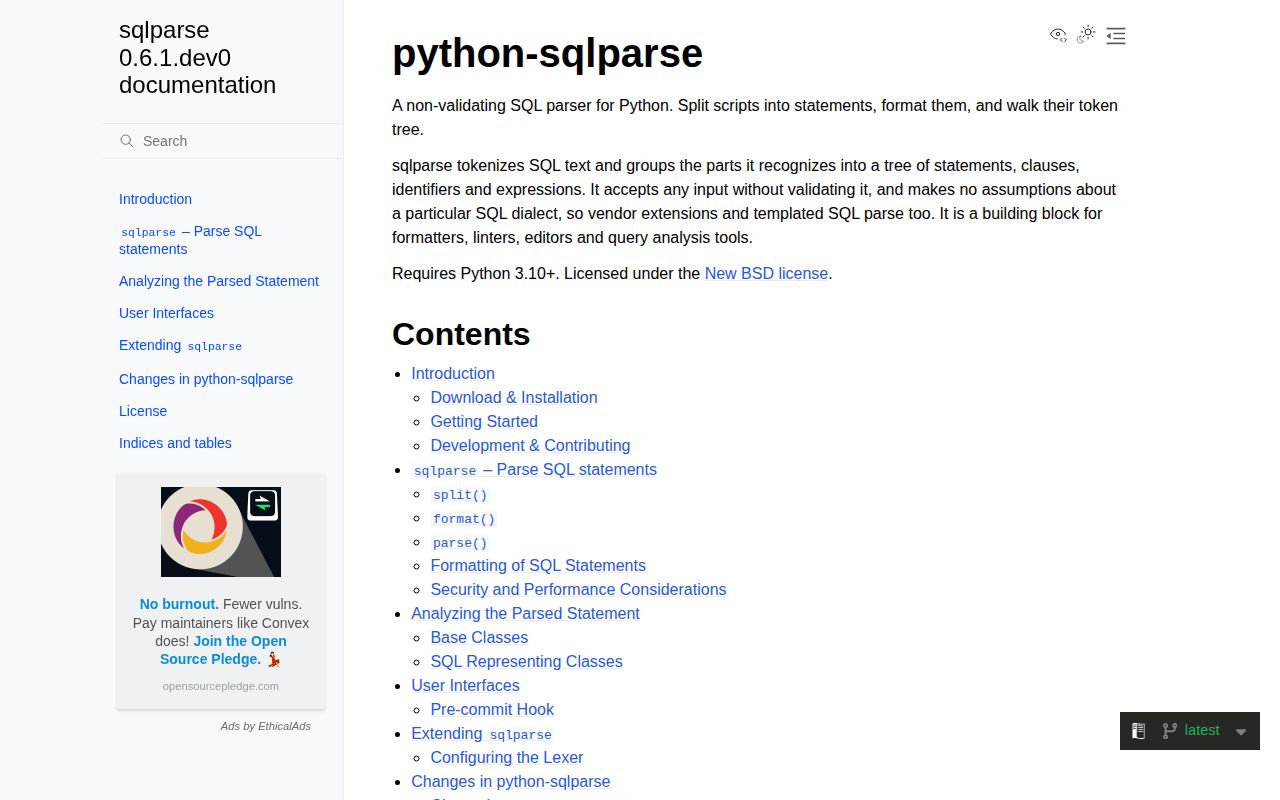
sqlparse is a non-validating Python SQL tokenizer, grouper, formatter, and statement splitter. split() handles script boundaries, format() rewrites layout and keyword case, and parse() returns a nested token tree for shallow inspection. It accepts vendor syntax and malformed text because it has no dialect grammar or validation stage. Version 0.6.0 moves to Python 3.10, rewrites splitting around a stack for nested BEGIN blocks, and fixes several denial-of-service paths plus escaping in Python and PHP output formats.
sqlparse is the right-sized dependency for splitting, formatting, and shallow token walks. Upgrade to 0.6.0 for its parser and formatter security fixes, but choose a grammar-based parser when correctness depends on SQL meaning.
We installed it
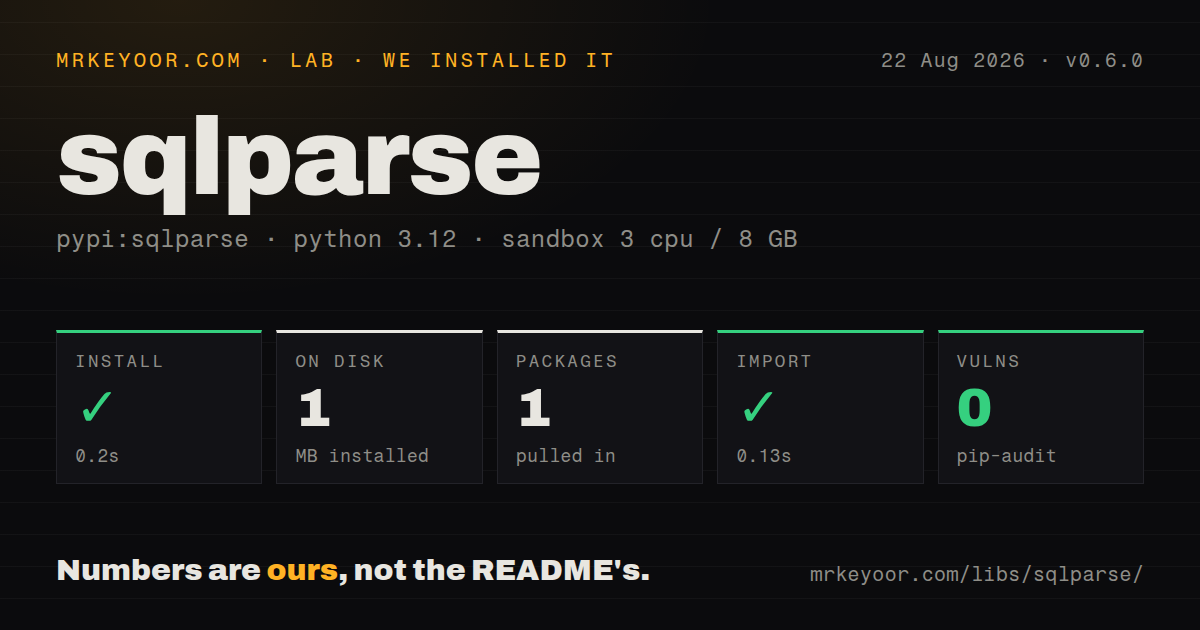
| Install | ✓ · 0.2s | 1 package on disk · 1 MB |
| Import | ✓ | import sqlparse in 0.13s · pure Python · py.typed · requires Python >=3.10 |
| Known vulns | 0 | (pip-audit) |
Answers from our run
Does sqlparse install cleanly?
Yes. In a fresh container with an empty cache, pip install sqlparse finished in 0.2s, leaving 1 package and 1 MB on disk. pip-audit reported no known vulnerabilities.
What does sqlparse need to run?
Python >=3.10, and nothing compiled: it is pure Python. In our run import sqlparse succeeded in 0.13s, and the package ships py.typed for type checkers.
sqlparse or sqlglot: which should you use?
sqlglot: Choose it for dialect-aware ASTs, query rewrites, optimization, and transpilation. sqlparse is the right-sized dependency for splitting, formatting, and shallow token walks.
When should you not use sqlparse?
You need syntax validation: malformed text still produces tokens and get_type can only offer a weak UNKNOWN signal
Use it if
- You need to split a SQL script without breaking on semicolons inside strings, comments, or nested BEGIN blocks
- An admin page, log viewer, or developer tool needs readable SQL formatting
- You need light token inspection across several dialects and can tolerate unknown or malformed constructs
- A pure-Python command and pre-commit hook should format SQL files without a database connection
- You need syntax validation: malformed text still produces tokens and get_type can only offer a weak UNKNOWN signal
- You need a dialect-aware AST for safe rewrites, lineage, scope, or transpilation; sqlglot fits that job better
- You are enforcing a SQL style guide with rule diagnostics and autofix reports; sqlfluff is built for that workflow
- Untrusted input cannot be size-limited or timed: 0.6.0 fixes several CPU denial-of-service paths, and parser work still scales with input complexity
- You expect parsing to prevent SQL injection: only parameterized database calls provide that boundary
Setup reality
Our clean Python 3.12 install of 0.6.0 completed in 0.2 seconds. It left 1 package using 1 MB on disk. The measured package has 3 direct dependencies, requires Python 3.10 or newer, and is pure Python. pip-audit found 0 known vulnerabilities. import sqlparse worked in 0.13 seconds. The distribution ships py.typed and declares the BSD License.
There is no service, native extension, or configuration file. Installing also adds the sqlformat command. Version 0.6.0 drops Python 3.8 and 3.9, so older applications must upgrade Python or remain on an older sqlparse release with a different security posture. Django and other frameworks may already constrain sqlparse in the environment; inspect the resolver before pinning it independently.
parse() returns a tuple because one input can contain several statements. Statement and grouped token objects contain children, while leaf tokens carry a ttype. Whitespace and comments are tokens too. Code that assumes parse(sql)[0] exists fails on empty input, and code that looks only at the top level misses names inside parentheses, subqueries, CTEs, functions, and CASE expressions.
Version 0.6.0 fixes quadratic CPU use in dollar-quoted text, multiline comments, wide or deeply grouped statements, long tuple formatting, and comment-only input. It also escapes backslashes in Python and PHP output modes. Those fixes are reasons to upgrade, not permission to parse unlimited public payloads. Keep an input-size cap, treat SQLParseError as a resource-limit failure, and run expensive analysis outside a latency-sensitive request.
Patterns
Split a SQL script safely split-script
import sqlparse

statements = sqlparse.split(
    "SELECT ';' AS value; SELECT 2;",
    strip_semicolon=True,
)
split recognizes quoted semicolons and comments. Version 0.6.0 also fixes nested BEGIN and END block handling.
Reindent and uppercase keywords format-query
formatted = sqlparse.format(
    query,
    reindent=True,
    keyword_case='upper',
    indent_width=2,
)
Formatting changes presentation without checking syntax. Invalid SQL can still produce polished output.
Remove comments and normalize whitespace strip-comments
normalized = sqlparse.format(
    query,
    strip_comments=True,
    strip_whitespace=True,
)
This is useful for display or grouping logs. It is not a safe redaction step because literals remain.
Handle empty and multi-statement input parse-first-statement
statements = sqlparse.parse(sql_text)
if not statements:
    raise ValueError('no SQL statement')
for statement in statements:
    print(statement.get_type())
parse returns a tuple. Indexing at zero without checking fails on empty text and ignores later statements.
Iterate over every leaf token walk-leaf-tokens
from sqlparse.tokens import Whitespace

for token in statement.flatten():
    if token.ttype is Whitespace:
        continue
    print(token.ttype, token.value)
flatten removes group structure. Use it for classification or replacement, not scope-aware name extraction.
Read names and aliases from identifiers inspect-identifiers
from sqlparse.sql import Identifier, IdentifierList

for token in statement.tokens:
    values = token.get_identifiers() if isinstance(token, IdentifierList) else [token]
    for value in values:
        if isinstance(value, Identifier):
            print(value.get_real_name(), value.get_alias(), value.get_parent_name())
A single item is an Identifier while several comma-separated items form IdentifierList. Nested queries require recursion.
Locate a grouped WHERE clause find-where-clause
from sqlparse.sql import Where

where = next(
    (token for token in statement.tokens if isinstance(token, Where)),
    None,
)
Conditions inside subqueries have their own Where groups. A top-level search does not provide full query semantics.
Check the leading DML or DDL type classify-statement
statement = sqlparse.parse(query)[0]
kind = statement.get_type()
if kind not in {'SELECT', 'INSERT', 'UPDATE', 'DELETE'}:
    raise ValueError(f'unsupported statement type: {kind}')
get_type is a coarse classification, not validation. Broken SQL may still report SELECT, and valid vendor syntax may report UNKNOWN.
Shorten long strings for display truncate-string-literals
preview = sqlparse.format(
    query,
    truncate_strings=24,
    truncate_char='[...]',
)
This shortens strings but does not redact secrets and does not alter numeric literals.
Limit untrusted input before parsing bound-parser-input
from sqlparse.exceptions import SQLParseError

def parse_bounded(text: str):
    if len(text.encode('utf-8')) > 64 * 1024:
        raise ValueError('SQL input too large')
    try:
        return sqlparse.parse(text)
    except SQLParseError as error:
        raise ValueError('SQL grouping limit reached') from error
Version 0.6.0 fixes known CPU denial-of-service cases, but a size limit still protects service latency and memory.
Format a file with sqlformat format-from-shell
sqlformat --reindent --keywords upper query.sql
sqlformat --in-place --reindent --keywords upper migrations/*.sql
Use --in-place when the command should modify files. Without it, formatted SQL goes to standard output.
Run sqlformat before commits configure-precommit
repos:
  - repo: https://github.com/andialbrecht/sqlparse
    rev: 0.6.0
    hooks:
      - id: sqlformat
        args: [--in-place, --reindent, --keywords, upper]
Pin the hook revision. Keep --in-place when overriding args or files remain unchanged.
Alternatives
| Package | Registry | Pick it when |
|---|---|---|
| sqlglot | PyPI | Choose it for dialect-aware ASTs, query rewrites, optimization, and transpilation. |
| sqlfluff | PyPI | Choose it for configurable lint rules, dialects, CI diagnostics, and autofixes. |
| sql-metadata | PyPI | Choose it when tables, columns, aliases, and metadata are the desired output. |
| moz-sql-parser | PyPI | Compare it for JSON-shaped parse output in an existing project that already matches its supported SQL subset. |
More data guides
numpy · pandas · fsspec · pyarrow · lxml · sqlalchemy · the whole shelf →
How this guide is made: grounded in the library's documentation, release notes, changelog, and issue history, on a fixed rubric — not a hands-on install of every release. The 50 most-downloaded entries are additionally install-verified in clean containers. Corrections: contact the desk.