sql-highlight review
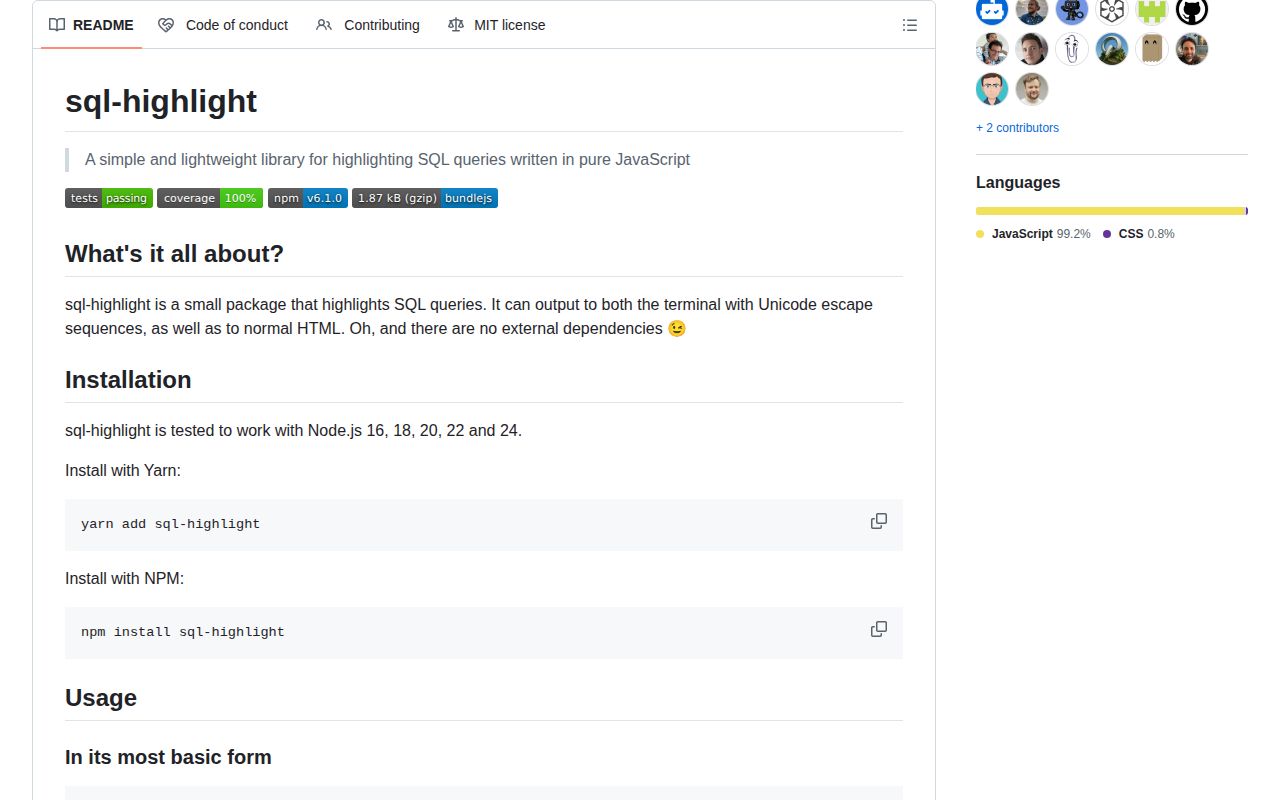
sql-highlight 6.1.0 scans SQL text into lexical segments and colors them as ANSI terminal output or escaped HTML spans. getSegments() exposes the same flat tokens for a custom renderer. It recognizes keywords, identifiers, strings, numbers, functions, brackets, comments, whitespace, and malformed leftovers, but it does not parse a dialect or validate a query. Version 6.1.0 adds DECLARE to the keyword list for procedural PL/SQL. Our browser build measured 3.3 KB minified and 1.7 KB gzipped.
sql-highlight 6.1.0 installed as 1 package in 0.5 seconds, produced a 1.7 KB gzipped browser bundle, and had 0 audit findings in our sandbox. Install it for lightweight SQL display; walk away when you need formatting, dialect rules, validation, or an AST.
We installed it
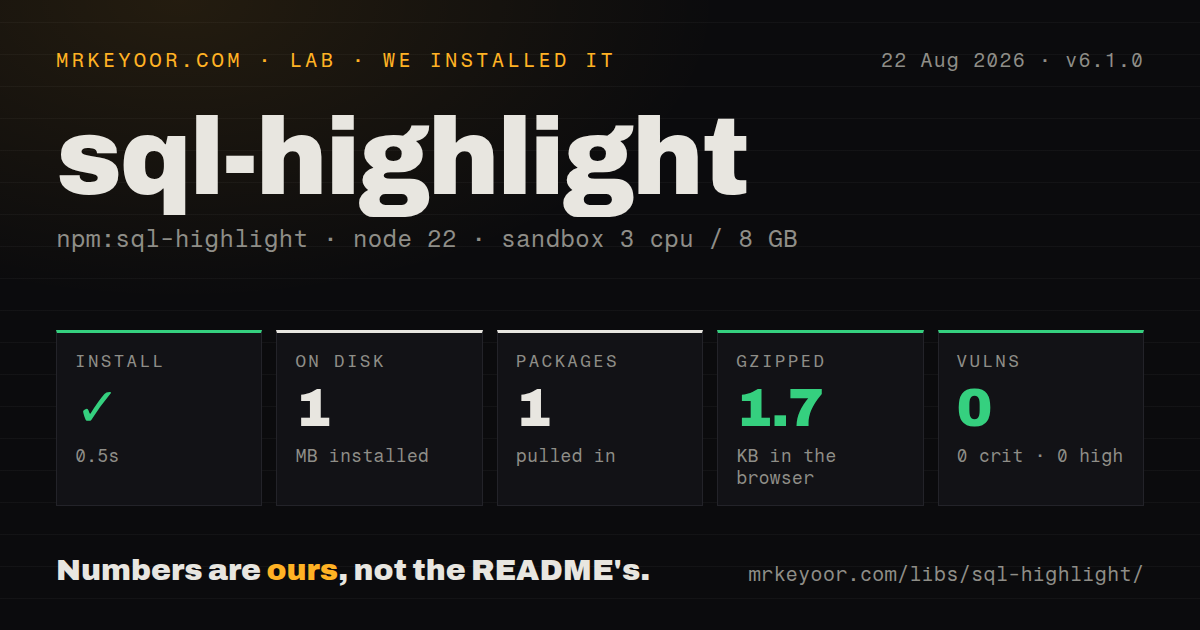
| Install | ✓ · 0.5s | 1 package on disk · 1 MB |
| Import | ✓ | ESM import works · require() works · CommonJS package |
| Browser | 1.7 KB | gzipped (3.3 KB minified), bundled with esbuild |
| Types | ✓ | TypeScript types bundled |
| Known vulns | 0 | 0 critical · 0 high · 0 moderate · 0 low (npm audit) |
Answers from our run
Does sql-highlight install cleanly?
Yes. In a fresh container with an empty cache, npm install sql-highlight finished in 0.5s, leaving 1 package and 1 MB on disk. npm audit reported no known vulnerabilities.
How much does sql-highlight add to a browser bundle?
1.7 KB gzipped (3.3 KB minified) when the whole package is bundled for the browser with esbuild. Importing only part of it is usually smaller.
Does sql-highlight work with both ESM and CommonJS?
Yes. Both import 'sql-highlight' and require('sql-highlight') worked in Node 22 in our run. The package is published as CommonJS.
Does sql-highlight include TypeScript types?
Yes, type declarations ship inside the package, so no @types install is needed.
sql-highlight or shiki: which should you use?
shiki: Use it for grammar-based highlighting and shared editor themes across many languages. sql-highlight 6.1.0 installed as 1 package in 0.5 seconds, produced a 1.7 KB gzipped browser bundle, and had 0 audit findings in our sandbox.
When should you not use sql-highlight?
The output must be formatted or indented. highlight() retains spacing and adds presentation markup only.
Use it if
- A Node log viewer needs readable SQL with ANSI colors and no runtime dependencies.
- A web page needs small HTML spans with predictable sql-hl-* classes and a custom stylesheet.
- A React component can render getSegments() directly and let React escape each token.
- You need visual tokenization while preserving the query's original whitespace and line breaks.
- The output must be formatted or indented. highlight() retains spacing and adds presentation markup only.
- Validation, table extraction, query rewriting, or a syntax tree is required. getSegments() returns flat name and content pairs.
- Dialect accuracy matters for PostgreSQL, MySQL, SQLite, Oracle, or T-SQL. Version 6.1.0 has one shared keyword and regex set with no dialect option.
- Your documentation system already themes SQL through Shiki, Prism, or highlight.js; a second class and color scheme creates duplicate work.
- Node 14 compatibility is nonnegotiable. The README lists tested versions from Node 16 upward, despite the published engines field still saying >=14.
Setup reality
We installed sql-highlight 6.1.0 in a fresh Node 22 Bookworm sandbox in 0.5 seconds. It left 1 package and 1 MB on disk, and npm audit found 0 known vulnerabilities. The package has 0 direct dependencies, 0 peer dependencies, 40 KB unpacked, an MIT license, and bundled TypeScript declarations. It is CommonJS without an exports map; require() and ESM import both worked under Node 22.23.2.
No credentials, native modules, or configuration files are involved. ANSI output is the default, so sending it to JSON logs or plain files stores escape sequences. Set html: true for spans, add your own CSS, and keep classPrefix aligned with the selectors. The built-in HTML escaper protects token text; a custom htmlEscaper becomes part of your XSS boundary.
Tokenization is synchronous and lexical. It preserves whitespace, labels unclosed strings as unknown, treats backticks as identifiers, and recognizes function-shaped words by nearby parentheses. It cannot tell a table from a column or prove a statement is valid. Version 6 split identifier, whitespace, and unknown into distinct segments, which matters for custom renderers written against older output.
Options are shallowly merged. When changing one ANSI color, spread DEFAULT_OPTIONS.colors first or unspecified token colors disappear. Our browser measurement was 3.3 KB minified and 1.7 KB gzipped. Version 6.1.0's only release change is recognition of DECLARE for procedural PL/SQL; it does not introduce an Oracle parser or broader dialect mode.
Patterns
Color a query for the terminal highlight-terminal
const {highlight} = require('sql-highlight');

console.log(highlight(
  'SELECT id, email FROM users WHERE active = 1'
));
ANSI codes are the default in version 6.1.0; keep this output out of plain files and structured logs unless the consumer strips them.
Create escaped HTML spans highlight-html
const {highlight} = require('sql-highlight');
const html = highlight(sql, {html: true});
codeElement.innerHTML = html;
Token text uses the built-in escaper, but version 6.1.0 ships no CSS, so sql-hl-* classes need an application stylesheet.
Add a small SQL theme style-token-classes
.sql-hl-keyword { color: #c678dd; }
.sql-hl-function { color: #61afef; }
.sql-hl-string, .sql-hl-number { color: #98c379; }
.sql-hl-comment { color: #7f848e; font-style: italic; }
.sql-hl-identifier { color: #e5c07b; }
Version 6 emits identifier, whitespace, and unknown as separate segment names; older themes may not style the new identifier class.
Namespace generated classes change-class-prefix
const html = highlight(sql, {
  html: true,
  classPrefix: 'query-token-',
});
A query-token- prefix produces query-token-keyword and related names, so change the CSS selectors in the same release.
Supply a browser escaper escape-with-dom
const html = highlight(sql, {
  html: true,
  htmlEscaper(value) {
    const node = document.createElement('div');
    node.textContent = value;
    return node.innerHTML;
  },
});
Returning raw input from htmlEscaper makes later innerHTML assignment unsafe, even though the package's default escaper is defensive.
Override one terminal color change-ansi-color
const {highlight, DEFAULT_OPTIONS} = require('sql-highlight');
const output = highlight(sql, {
  colors: {...DEFAULT_OPTIONS.colors, keyword: '\x1b[36m'},
});
The options merge is shallow, so spreading the complete colors object preserves the other token colors.
Inspect lexical SQL segments get-segments
const {getSegments} = require('sql-highlight');

for (const {name, content} of getSegments(sql)) {
  console.log(name, JSON.stringify(content));
}
Each result has only name and content; there is no AST parent, source position, table identity, or validation status.
Render tokens through React render-react
function SqlCode({sql}) {
  return <code>{getSegments(sql).map((token, i) => (
    <span className={`sql-hl-${token.name}`} key={i}>
      {token.content}
    </span>
  ))}</code>;
}
React escapes token.content as text, so this path avoids constructing an HTML string and assigning innerHTML.
Keep existing SQL layout preserve-multiline-query
const output = highlight(`
SELECT u.id, COUNT(o.id)
FROM users u
LEFT JOIN orders o ON o.user_id = u.id
GROUP BY u.id
`);
All line breaks and spaces remain as supplied; sql-highlight 6.1.0 does not indent the query.
Color line and block comments highlight-comments
console.log(highlight(`
-- only active users
SELECT * FROM users WHERE active = 1;
/* reviewed query */
`));
Comment recognition is lexical and uses one rule set; no dialect option changes which comment forms are valid.
Find unknown segments detect-malformed-tail
const unknown = getSegments("SELECT 'unfinished")
  .filter((segment) => segment.name === 'unknown');
if (unknown.length) reportMalformedDisplay(unknown);
An unknown segment can flag display trouble, but it is not a substitute for parsing or validating the SQL.
Highlight the new DECLARE keyword recognize-plsql-declare
const output = highlight(`
DECLARE
  total NUMBER := 0;
BEGIN
  SELECT COUNT(*) INTO total FROM orders;
END;
`);
Version 6.1.0 adds DECLARE to the shared keyword list; it still does not parse procedural PL/SQL blocks.
Alternatives
| Package | Registry | Pick it when |
|---|---|---|
| shiki | npm | Use it for grammar-based highlighting and shared editor themes across many languages. |
| highlight.js | npm | Use it when automatic language detection and one multi-language browser highlighter are already in the stack. |
| prismjs | npm | Use it when an existing Prism theme and plugin setup already renders code blocks. |
| sql-formatter | npm | Use it when readable indentation and dialect-specific formatting matter more than color spans. |
More web frontend guides
postcss · react · react-dom · tailwindcss · clsx · htmlparser2 · the whole shelf →
How this guide is made: grounded in the library's documentation, release notes, changelog, and issue history, on a fixed rubric — not a hands-on install of every release. The 50 most-downloaded entries are additionally install-verified in clean containers. Corrections: contact the desk.