sql-formatter review
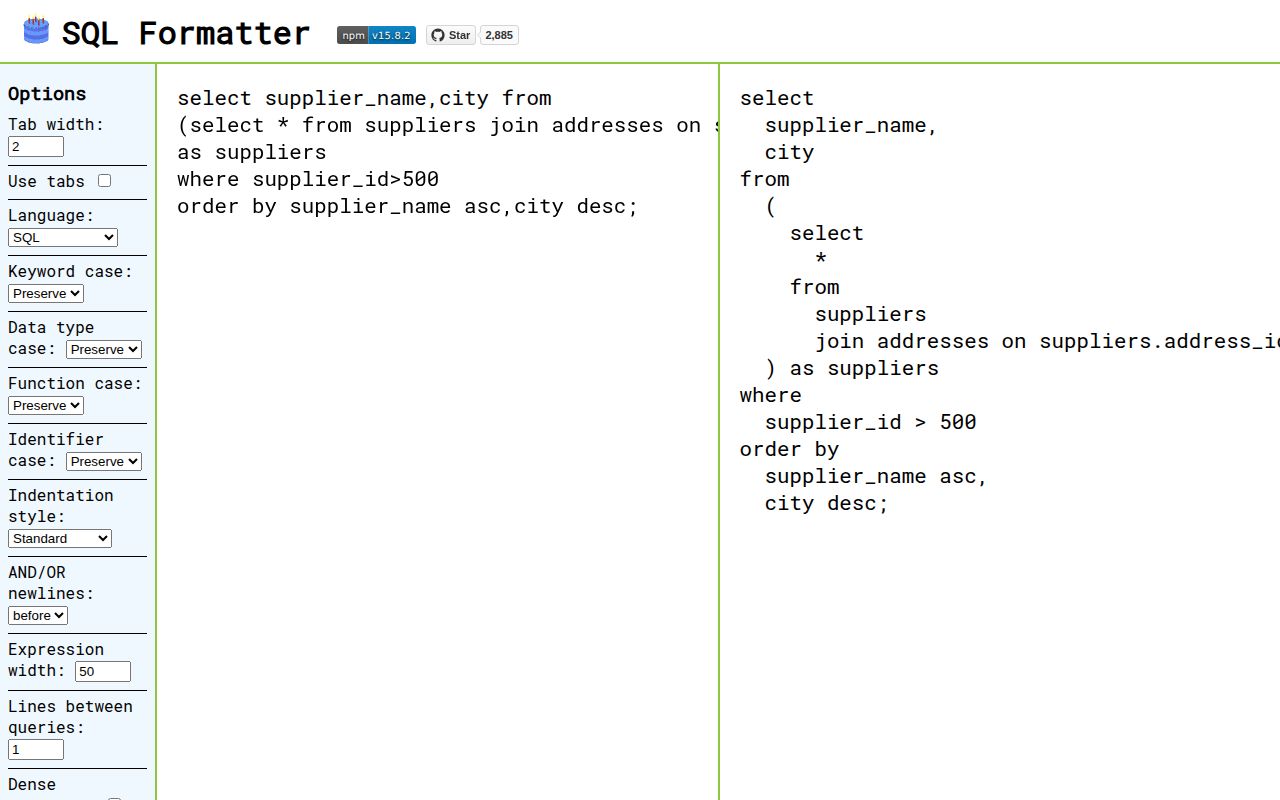
Our sql-formatter 15.8.2 browser build weighed 287.2 KB minified and 73.7 KB gzipped. The package is a SQL pretty-printer with a JavaScript API and CLI: choose a dialect, then control indentation, keyword and data-type case, boolean-operator breaks, expression width, and spacing between statements. Its dialect list includes PostgreSQL, MySQL, SQLite, BigQuery, Snowflake, DuckDB, Spark, PL/SQL, Transact-SQL, and Trino. Version 15.8.2 corrects spacing around BigQuery's minus operator; nearby releases fixed block-comment idempotency and added PostgreSQL CREATE CONSTRAINT TRIGGER keywords.
sql-formatter 15.8.2 installed in 1.9 seconds with no audit findings, but our browser import reached 73.7 KB gzipped and the package supplied no TypeScript declarations. Keep it for existing multi-dialect CLI or editor workflows; new formatting standards should compare prettier-plugin-sql-cst before accepting maintenance mode.
We installed it
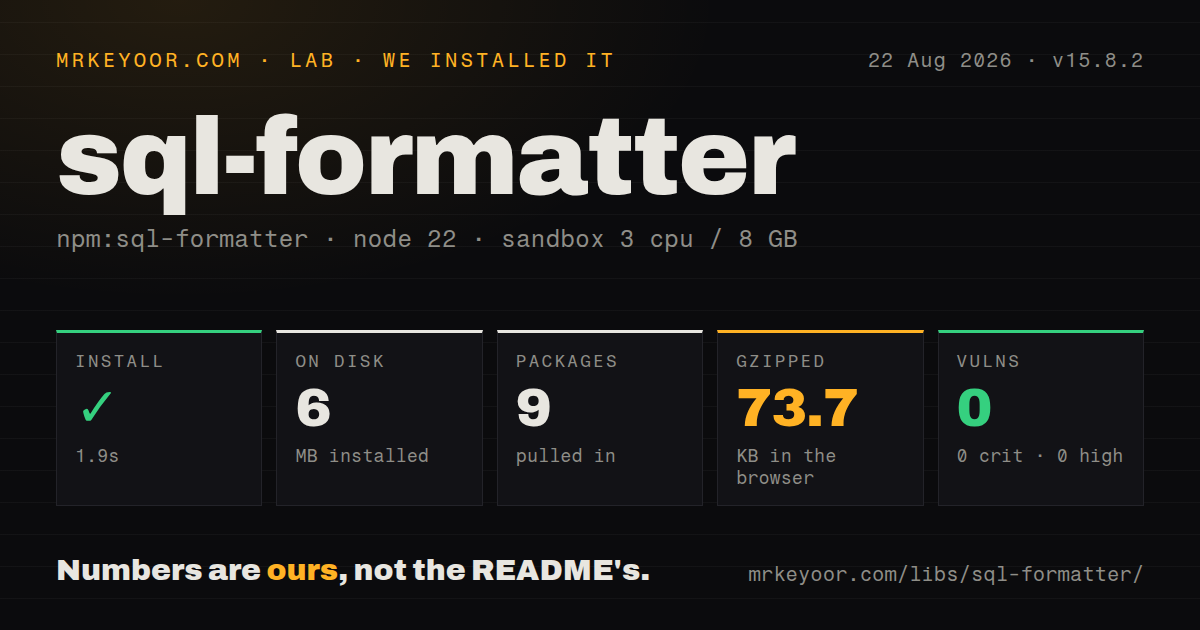
| Install | ✓ · 1.9s | 9 packages on disk · 6 MB |
| Import | ✓ | ESM import works · require() works · ESM package with exports map |
| Browser | 73.7 KB | gzipped (287.2 KB minified), bundled with esbuild |
| Types | — | no TypeScript types found |
| Known vulns | 0 | 0 critical · 0 high · 0 moderate · 0 low (npm audit) |
Answers from our run
Does sql-formatter install cleanly?
Yes. In a fresh container with an empty cache, npm install sql-formatter finished in 2 seconds, leaving 9 packages and 6 MB on disk. npm audit reported no known vulnerabilities.
How much does sql-formatter add to a browser bundle?
73.7 KB gzipped (287.2 KB minified) when the whole package is bundled for the browser with esbuild. Importing only part of it is usually smaller.
Does sql-formatter work with both ESM and CommonJS?
Yes. Both import 'sql-formatter' and require('sql-formatter') worked in Node 22 in our run. The package is published as ESM with an exports map.
Does sql-formatter include TypeScript types?
No type declarations were found in our install, so TypeScript users need their own declarations.
sql-formatter or prettier-plugin-sql-cst: which should you use?
prettier-plugin-sql-cst: Choose it for a new, opinionated formatter built on Prettier's layout engine and the maintainer's newer SQL parser design. sql-formatter 15.8.2 installed in 1.9 seconds with no audit findings, but our browser import reached 73.7 KB gzipped and the package supplied no TypeScript declarations.
When should you not use sql-formatter?
You are selecting the long-term formatter for a new codebase and expect new language features. The maintainer calls this project maintenance mode and points new architecture work to prettier-plugin-sql-cst.
Use it if
- One JavaScript tool must format stored or generated SQL for several explicitly selected database dialects.
- Developers need a CLI for stdin, files, in-place fixes, and a shared .sql-formatter.json policy.
- The team wants configurable casing and line layout instead of Prettier's more opinionated SQL output.
- An editor or internal developer tool needs formatter-disable regions and custom placeholder recognition for simple templates.
- You are selecting the long-term formatter for a new codebase and expect new language features. The maintainer calls this project maintenance mode and points new architecture work to prettier-plugin-sql-cst.
- Stored procedures or scripts change delimiters. The README explicitly says stored procedures and delimiters other than semicolon are unsupported.
- You need schema validation, lint rules, lineage, or query rewriting. Formatting does not prove that a table, column, type, or function exists.
- A 73.7 KB gzipped browser cost is excessive for an editor that supports one dialect. Our namespace import pulled a 287.2 KB minified bundle, so use formatDialect() with a static dialect and measure that exact build.
- You expect params to bind untrusted values safely. Placeholder replacement inserts SQL text, and the documentation makes the caller responsible for quoting and escaping.
Setup reality
We installed sql-formatter 15.8.2 in a clean Node 22 Bookworm container. npm took 1.9 seconds, left 9 packages, and consumed 6 MB on disk. The package was 4688 KB unpacked, with 2 direct dependencies and 0 peers. npm audit reported 0 known vulnerabilities. It is ESM with an exports map, and both require() and ESM import worked in our test. No TypeScript declarations were found. A namespace browser import built to 287.2 KB minified and 73.7 KB gzipped.
Pick the dialect on the first call. language: 'sql' means a limited generic grammar, not automatic detection, and the FAQ identifies the wrong dialect as a common source of parse errors. TypeScript projects need their own declaration shim or another typing strategy because our package inspection found no bundled types. Older Webpack or Babel configurations may also reject the class-property syntax used by the distributed code.
The CLI reads stdin when no file is supplied and can overwrite a named file with --fix. It searches the working directory and parent directories for .sql-formatter.json, which can make a local parent file silently affect CI or a nested repository. Pass --config when the source of formatting rules must be explicit. Formatter-disable comments skip parsing inside the marked region; they can preserve templates, but they can also conceal broken SQL from the formatter.
Formatting is syntactic and dialect-specific. Stored procedures and delimiter changes beyond semicolon remain unsupported. params performs textual replacement and never becomes database-driver binding, so do not feed it unescaped user input. Calling format() with a runtime language choice may keep all dialect implementations in a browser build. formatDialect() accepts a statically imported dialect and gives bundlers a chance to discard the rest, but measure the actual entry points before shipping an editor.
Patterns
Format with an explicit PostgreSQL grammar format-postgresql
import { format } from 'sql-formatter';

const output = format('select id,name from users where active=true', {
  language: 'postgresql',
});
console.log(output);
The default sql grammar does not detect PostgreSQL. Always name the dialect that produced the query.
Choose casing and line rules set-formatting-policy
const output = format(sql, {
  language: 'mysql',
  tabWidth: 4,
  keywordCase: 'upper',
  dataTypeCase: 'upper',
  functionCase: 'lower',
  logicalOperatorNewline: 'before',
  expressionWidth: 60,
});
identifierCase is experimental and indentStyle is deprecated, so avoid making either mandatory in a new shared policy.
Format with one imported dialect import-static-dialect
import { formatDialect, postgresql } from 'sql-formatter';

const output = formatDialect(sql, {
  dialect: postgresql,
  keywordCase: 'upper',
});
A static formatDialect() import lets bundlers remove unused dialects; verify the resulting bundle because our namespace build was 73.7 KB gzipped.
Pipe SQL through the CLI format-stdin
echo 'select * from users where id = 3' | npx sql-formatter -l postgresqlWithout -l or a config file, the command uses generic sql rather than guessing the source dialect.
Apply formatting in place rewrite-sql-file
npx sql-formatter --fix -l snowflake queries/report.sql--fix overwrites the source file. Keep it under version control or run a check first so unwanted output is recoverable.
Share a BigQuery formatting config define-cli-config
{
  "language": "bigquery",
  "tabWidth": 2,
  "keywordCase": "upper",
  "linesBetweenQueries": 2
}
Save this as .sql-formatter.json. The CLI searches parent directories, so pass --config in CI when discovery could find another file.
Substitute positional display values display-positional-values
const output = format(
  'SELECT * FROM users WHERE email = ? AND age >= ?',
  {
    language: 'mysql',
    params: ["'ada@example.com'", '21'],
  },
);
params inserts raw SQL text and performs no escaping. Database drivers must bind untrusted values instead.
Substitute named Transact-SQL values display-named-values
const output = format(
  'SELECT * FROM users WHERE name = @name AND age = @age',
  {
    language: 'transactsql',
    params: { name: "'Ada'", age: '37' },
  },
);
Placeholder syntax is dialect-dependent; @name is recognized for Transact-SQL and is not a universal named form.
Substitute PostgreSQL numbered values display-numbered-values
const output = format(
  'SELECT * FROM events WHERE owner_id = $1 AND created_at >= $2',
  {
    language: 'postgresql',
    params: { 1: '42', 2: "'2026-01-01'" },
  },
);
Numeric object keys match $1 and $2 labels. Each replacement still needs valid and safe SQL quoting.
Treat braces as placeholders recognize-template-token
const output = format(
  'SELECT {columns} FROM {table} WHERE id = {id}',
  {
    language: 'sql',
    paramTypes: {
      custom: [{ regex: String.raw`\{[a-zA-Z0-9_]+\}` }],
    },
  },
);
Custom paramTypes can cover simple tokens; loops, conditionals, and other template control flow can still make the SQL unparsable.
Leave one SQL region untouched skip-template-region
const sql = `
/* sql-formatter-disable */
SELECT {{ dynamic_columns }} FROM {{ dynamic_table }};
/* sql-formatter-enable */
SELECT id, name FROM users;
`;

const output = format(sql, { language: 'sql' });
The parser ignores disabled text completely, so the same escape hatch can hide syntax errors from formatting checks.
Separate semicolon-delimited queries space-multiple-statements
const output = format(
  'SELECT 1; SELECT 2; SELECT 3;',
  {
    language: 'sql',
    linesBetweenQueries: 2,
    newlineBeforeSemicolon: false,
  },
);
Statement splitting assumes semicolons. Scripts that switch to another delimiter are outside the supported grammar.
Alternatives
| Package | Registry | Pick it when |
|---|---|---|
| prettier-plugin-sql-cst | npm | Choose it for a new, opinionated formatter built on Prettier's layout engine and the maintainer's newer SQL parser design. |
| node-sql-parser | npm | Choose it when the job requires an AST, table and column extraction, or query rewriting rather than visual formatting. |
| @sqltools/formatter | npm | Choose it inside the SQLTools ecosystem when its smaller dialect and option surface already covers the project. |
More data guides
numpy · pandas · fsspec · lxml · pyarrow · sqlalchemy · the whole shelf →
How this guide is made: grounded in the library's documentation, release notes, changelog, and issue history, on a fixed rubric — not a hands-on install of every release. The 50 most-downloaded entries are additionally install-verified in clean containers. Corrections: contact the desk.