snowflake-connector-python review
snowflake-connector-python 4.7.2 is Snowflake's Python DB API 2.0 driver. It creates authenticated sessions, binds SQL parameters, returns tuple or dictionary rows, submits asynchronous statements, transfers staged files, and connects optional pandas or Arrow paths. It needs neither JDBC nor ODBC. Version 4.7.2 closes thread pools after PUT and GET, changes Azure multipart sizing for very large files, fixes SQL splitting around // comments, and repairs several cached OAuth, SAML timeout, and uppercase account authentication cases.
snowflake-connector-python 4.7.2 installed in 0.9 seconds but occupied 66 MB across 25 packages in our sandbox before pandas extras. Install it for direct vendor-supported Snowflake sessions and staging; choose a higher-level or portable layer when those Snowflake-specific controls are unnecessary.
We installed it
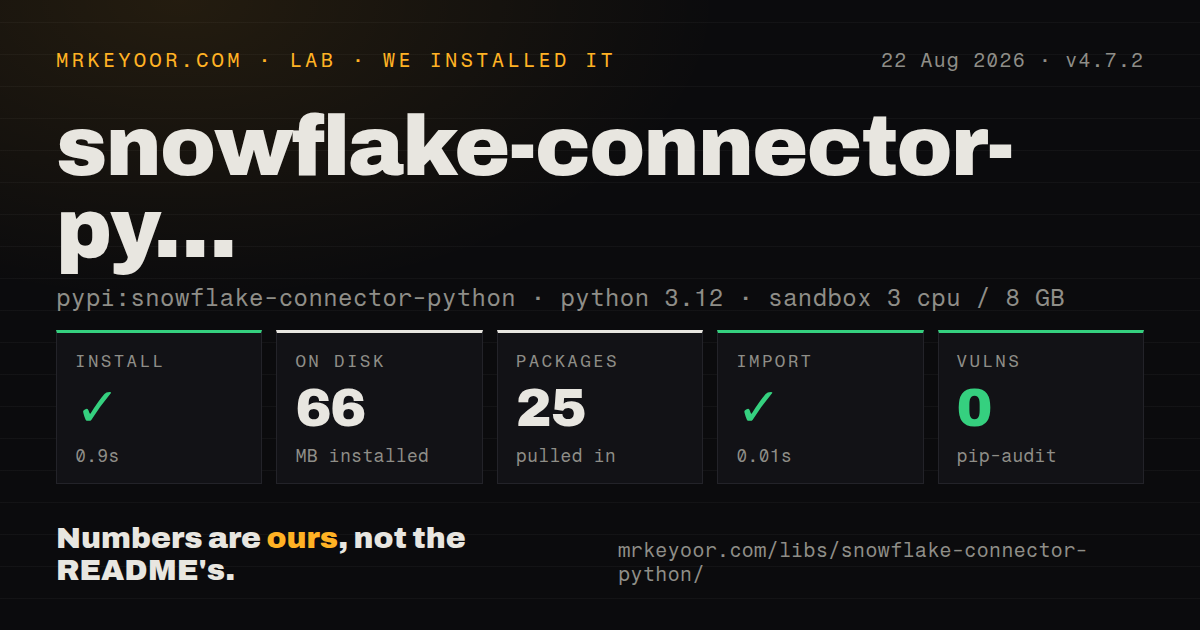
| Install | ✓ · 0.9s | 25 packages on disk · 66 MB |
| Import | ✓ | import snowflake in 0.01s · compiled extensions · py.typed · requires Python >=3.10 |
| Known vulns | 0 | (pip-audit) |
Answers from our run
Does snowflake-connector-python install cleanly?
Yes. In a fresh container with an empty cache, pip install snowflake-connector-python finished in 0.9s, leaving 25 packages and 66 MB on disk. pip-audit reported no known vulnerabilities.
What does snowflake-connector-python need to run?
Python >=3.10, and a platform wheel with compiled extensions. In our run import snowflake succeeded in 0.01s, and the package ships py.typed for type checkers.
snowflake-connector-python or snowflake-sqlalchemy: which should you use?
snowflake-sqlalchemy: Use it when code depends on SQLAlchemy engines, metadata, and expressions. snowflake-connector-python 4.7.2 installed in 0.9 seconds but occupied 66 MB across 25 packages in our sandbox before pandas extras.
When should you not use snowflake-connector-python?
Application code is organized around SQLAlchemy engines and expressions; snowflake-sqlalchemy supplies that layer on top
Use it if
- A Python job or service needs direct SQL access through connection and cursor objects
- Snowflake-specific staging, query IDs, key-pair login, OAuth, browser SSO, or workload identity is required
- A pipeline needs optional pandas or Arrow results or the write_pandas loader
- The team wants Snowflake's supported driver without a JVM or ODBC driver manager
- Application code is organized around SQLAlchemy engines and expressions; snowflake-sqlalchemy supplies that layer on top
- The workload needs Snowpark DataFrames, stored procedures, or model APIs; use snowflake-snowpark-python
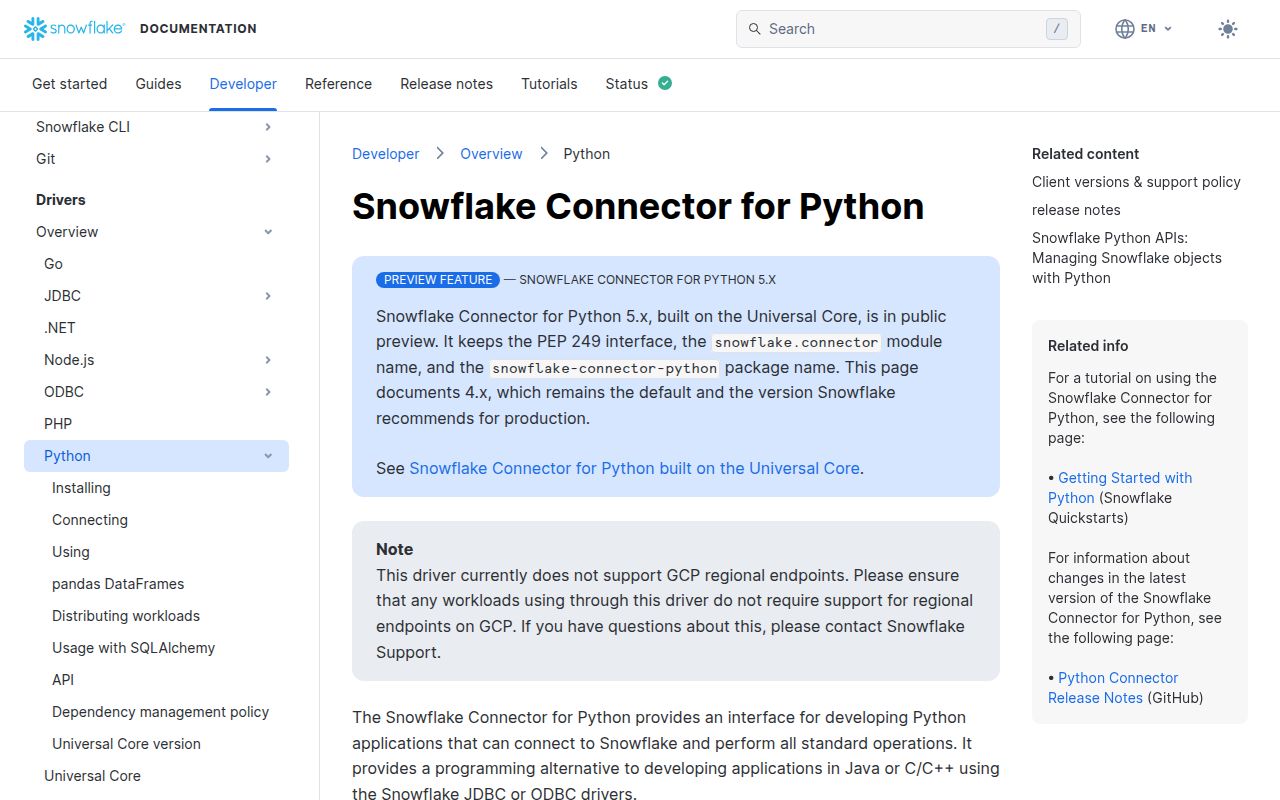
- GCP regional endpoints are mandatory; the repository says this connector does not currently support them
- A constrained function image cannot absorb our measured 66 MB installation and its 25 packages before pandas extras
- The same data layer must switch among warehouses; authentication, stages, async IDs, and session options are Snowflake-specific
Setup reality
We installed snowflake-connector-python 4.7.2 in a clean Python 3.12 sandbox in 0.9 seconds. It left 25 packages using 66 MB on disk, and pip-audit reported 0 known vulnerabilities. Package metadata contains 41 direct dependency entries across required, conditional, and optional groups. Python 3.10 or newer is required. import snowflake completed in 0.01 seconds.
The wheel includes compiled .so extensions and py.typed under Apache-2.0. Deployment therefore needs a wheel matching its platform, while type checkers can consume the included annotations. pandas and Arrow calls require the pandas extra and its version constraints. Build and import the exact deployment artifact in CI because a working laptop wheel says little about another architecture or stripped container image.
Connections need an account identifier and an authentication method. Put passwords, private-key passphrases, OAuth secrets, and tokens in a secret store or protected environment. Browser authentication expects user interaction; key-pair or workload identity suits unattended jobs. Shared connection-definition files need restrictive permissions. Client telemetry is enabled by default and can be disabled with CLIENT_TELEMETRY_ENABLED or connection.telemetry_enabled when policy requires it.
Each connection owns role, warehouse, database, schema, transaction, and query context state. Separate concurrent workers when those settings can differ, and close cursors and connections with context managers. Version 4.7.2 now shuts down file-transfer thread pools after PUT and GET and adjusts Azure chunks for huge uploads. Stage privileges, local file access, retry behavior, and cloud limits still make transfers more operationally sensitive than an ordinary SELECT.
Patterns
Open and close a password session connect-with-password
import os, snowflake.connector
connection = snowflake.connector.connect(account=os.environ['SNOWFLAKE_ACCOUNT'], user=os.environ['SNOWFLAKE_USER'], password=os.environ['SNOWFLAKE_PASSWORD'])
try:
    with connection.cursor() as cursor: cursor.execute('select current_version()')
finally:
    connection.close()
Keep secrets outside source and close the connection even when execute or fetch raises.
Bind values separately from SQL bind-values
with connection.cursor() as cursor:
    cursor.execute('select id from users where status = %s and created_at >= %s', ('active', cutoff))
    rows = cursor.fetchall()
The default pyformat style uses %s for values; identifiers still require an allowlist.
Read rows by column name fetch-dictionaries
from snowflake.connector import DictCursor
with connection.cursor(DictCursor) as cursor:
    cursor.execute('select id, email from users limit 10')
    for row in cursor: print(row['ID'], row['EMAIL'])
Unquoted Snowflake column names appear in uppercase dictionary keys.
Poll an asynchronous query ID submit-async-query
with connection.cursor() as cursor:
    cursor.execute_async('select count(*) from large_table')
    query_id = cursor.sfqid
while connection.is_still_running(connection.get_query_status_throw_if_error(query_id)):
    time.sleep(1)
Persist the Snowflake query ID and avoid tight polling loops that create unnecessary requests.
Fetch a pandas DataFrame fetch-pandas
with connection.cursor() as cursor:
    cursor.execute('select day, revenue from daily_revenue')
    frame = cursor.fetch_pandas_all()
Install the pandas extra, and use batches when the complete result will not fit process memory.
Load a DataFrame through staging write-pandas
from snowflake.connector.pandas_tools import write_pandas
success, chunks, rows, output = write_pandas(connection, frame, table_name='DAILY_REVENUE')
if not success: raise RuntimeError(output)
write_pandas uses stages and COPY, so the role needs matching table and stage privileges.
Authenticate an unattended job with a key use-private-key
connection = snowflake.connector.connect(account=os.environ['SNOWFLAKE_ACCOUNT'], user=os.environ['SNOWFLAKE_USER'], private_key_file=os.environ['SNOWFLAKE_PRIVATE_KEY_FILE'])Restrict file permissions and register the corresponding public key on the Snowflake user.
Commit or roll back one session manage-transaction
connection.autocommit(False)
try:
    with connection.cursor() as cursor: cursor.execute('update jobs set done = true where id = %s', (job_id,))
    connection.commit()
except Exception:
    connection.rollback(); raise
Do not share a transaction-bearing connection between independent workers because rollback affects the whole session.
Alternatives
| Package | Registry | Pick it when |
|---|---|---|
| snowflake-sqlalchemy | PyPI | Use it when code depends on SQLAlchemy engines, metadata, and expressions |
| snowflake-snowpark-python | PyPI | Use it for Snowpark DataFrames and server-side Python transformations |
| adbc-driver-snowflake | PyPI | Use it for Arrow-native database access through ADBC |
| pyodbc | PyPI | Use it when the organization already operates Snowflake through managed ODBC drivers |
More data guides
numpy · pandas · fsspec · pyarrow · lxml · sqlalchemy · the whole shelf →
How this guide is made: grounded in the library's documentation, release notes, changelog, and issue history, on a fixed rubric — not a hands-on install of every release. The 50 most-downloaded entries are additionally install-verified in clean containers. Corrections: contact the desk.