remark review
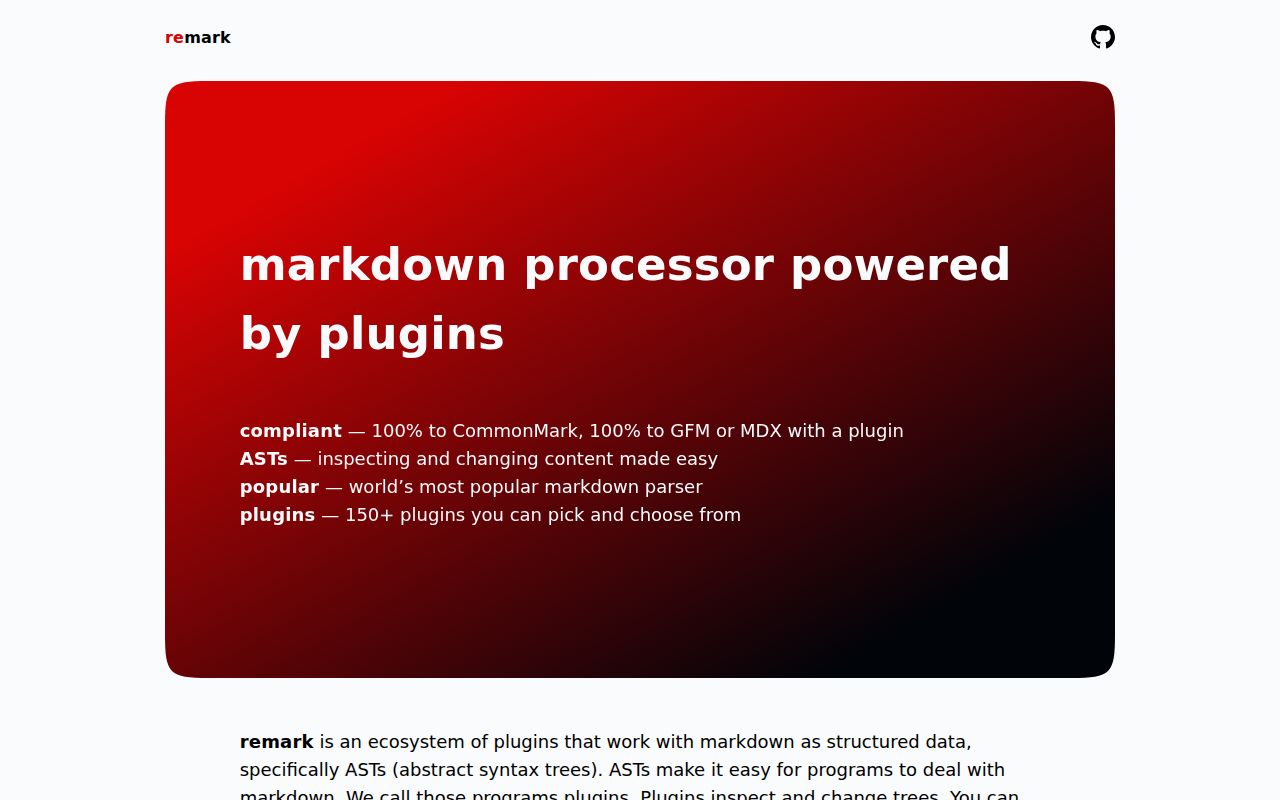
remark 15.0.1 is a preconfigured unified processor for Markdown input and Markdown output. It parses CommonMark into mdast, runs plugins that inspect or alter that tree, and serializes mdast back to text. GFM, frontmatter, lint rules, HTML conversion, and table-of-contents generation come from separate plugins. Version 15 moved to unified 11, added an exports entry and typed settings, set fenced code and one-space list indentation as serializer defaults, and requires Node 16; 15.0.1 itself only fixes a typo. Our browser build was 26.1 KB gzipped, so plugin-driven tree processing has a visible client cost.
remark 15.0.1 installed in 4.1 seconds and 5 MB in our sandbox, passed npm audit with 0 findings, and produced a 26.1 KB gzipped browser bundle. Install it when Markdown is structured data that plugins must inspect or change; use micromark or a direct renderer for plain HTML output.
We installed it
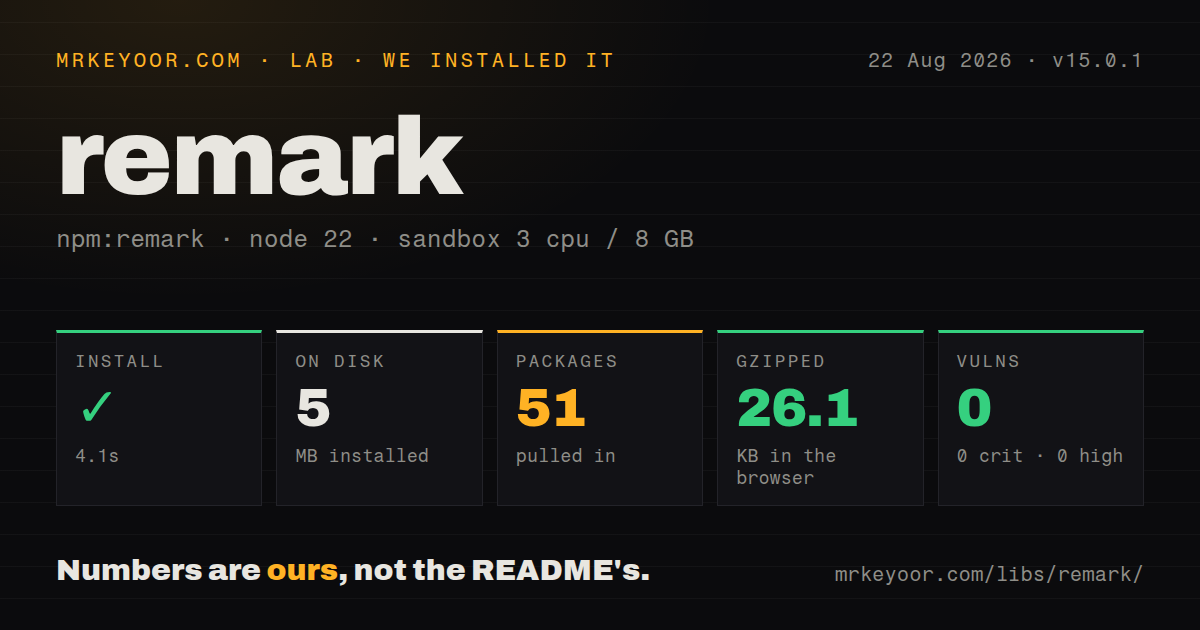
| Install | ✓ · 4.1s | 51 packages on disk · 5 MB |
| Import | ✓ | ESM import works · require() works · ESM package with exports map |
| Browser | 26.1 KB | gzipped (89.4 KB minified), bundled with esbuild |
| Types | ✓ | TypeScript types bundled |
| Known vulns | 0 | 0 critical · 0 high · 0 moderate · 0 low (npm audit) |
Answers from our run
Does remark install cleanly?
Yes. In a fresh container with an empty cache, npm install remark finished in 4 seconds, leaving 51 packages and 5 MB on disk. npm audit reported no known vulnerabilities.
How much does remark add to a browser bundle?
26.1 KB gzipped (89.4 KB minified) when the whole package is bundled for the browser with esbuild. Importing only part of it is usually smaller.
Does remark work with both ESM and CommonJS?
Yes. Both import 'remark' and require('remark') worked in Node 22 in our run. The package is published as ESM with an exports map.
Does remark include TypeScript types?
Yes, type declarations ship inside the package, so no @types install is needed.
remark or micromark: which should you use?
micromark: Use it for standards-focused Markdown parsing or HTML output without an mdast plugin workflow. remark 15.0.1 installed in 4.1 seconds and 5 MB in our sandbox, passed npm audit with 0 findings, and produced a 26.1 KB gzipped browser bundle.
When should you not use remark?
The only job is Markdown-to-HTML rendering; the remark README recommends micromark for that narrower path
Use it if
- Markdown must be inspected, linted, or rewritten as an mdast tree rather than handled with regular expressions
- Input and output are both Markdown and a unified plugin pipeline is useful
- A project needs explicit syntax extensions such as GFM or frontmatter and can install each one separately
- Custom synchronous or asynchronous transforms need positional syntax-tree data and vfile messages
- The only job is Markdown-to-HTML rendering; the remark README recommends micromark for that narrower path
- You expect GFM tables, task lists, strikethrough, autolinks, or YAML data from the base package; each needs another parser plugin, and frontmatter still needs a YAML parser
- A 26.1 KB gzipped browser dependency is too expensive for client-side formatting; our full import also reached 89.4 KB minified
- Untrusted documents cannot be size-limited or isolated; the security guide warns that deeply repeated constructs can consume enough work to slow or crash processing
- You plan to manipulate mdast manually without plugins; mdast-util-from-markdown and mdast-util-to-markdown remove the processor layer
Setup reality
We installed remark 15.0.1 in a fresh unprivileged Node 22 Bookworm container. npm completed in 4.1 seconds and left 51 packages using 5 MB on disk. The package itself was 36 KB unpacked, declared 4 direct dependencies and no peers, and included TypeScript declarations under MIT. npm audit reported 0 known vulnerabilities.
Version 15 is an ESM package with an exports map. ESM import worked, and the lab's direct require() check also worked under Node 22 despite the ESM package declaration. The documented and portable authoring path is import { remark } from 'remark'. An esbuild browser import measured 89.4 KB minified and 26.1 KB gzipped before application plugins, so keep server-side content work off the client when possible.
The base processor includes remark-parse and remark-stringify. It does not include the remark CLI, GFM, frontmatter, HTML output, sanitization, lint presets, or tree traversal. Each of those is a separate package. HTML output needs a bridge to hast plus an HTML compiler; user-controlled markup needs rehype-sanitize between those stages. Plugin order determines which syntax exists during parsing and which tree later transforms receive.
process() parses, runs transforms, and serializes asynchronously. parse() only creates mdast; stringify() only compiles a tree; use run() or runSync() when you split the stages and still need transforms. Version 15 changed serializer defaults: fenced code is on, listItemIndent defaults to one, and bulletOrderedOther was removed. Formatting can therefore rewrite many lines at once. Test output snapshots before running it across a documentation repository.
Patterns
Parse, transform, and serialize Markdown format-markdown
import { remark } from 'remark';

const file = await remark().process('# Hello, *Mars*!');
console.log(String(file));
process() runs the complete pipeline and returns a promise. It can normalize formatting even when no custom transform is registered.
Build an mdast tree parse-mdast
const processor = remark();
const tree = processor.parse('## Hello *Pluto*!');
console.log(tree.children[0]);
parse() is synchronous and skips transformer plugins. Call processor.run(tree) when registered transforms must also execute.
Write a tree back to Markdown serialize-mdast
const tree = {
  type: 'root',
  children: [{
    type: 'heading',
    depth: 2,
    children: [{ type: 'text', value: 'Status' }],
  }],
};

console.log(remark().stringify(tree));
stringify() expects valid mdast shapes and does not run transforms. Import Root and child node types from mdast in TypeScript code.
Set Markdown output choices configure-format
const file = await remark()
  .use({ bullet: '-', emphasis: '_', fences: true })
  .process('* one\n* two');
Settings reach the parser and compiler. Version 15 already defaults fences to true and listItemIndent to one.
Parse GitHub Flavored Markdown enable-gfm
import remarkGfm from 'remark-gfm';

const file = await remark()
  .use(remarkGfm)
  .process('| A | B |\n| - | - |\n| 1 | 2 |');
remark-gfm is a separate install. The base package parses CommonMark without GFM tables, task lists, autolinks, or strikethrough.
Create frontmatter nodes recognize-frontmatter
import remarkFrontmatter from 'remark-frontmatter';

const processor = remark().use(remarkFrontmatter, ['yaml']);
const tree = processor.parse('---\ntitle: Mars\n---\n\n# Page');
remark-frontmatter recognizes the block and creates a yaml node. It does not turn the node value into a JavaScript object.
Render user Markdown through sanitization safe-html
import remarkRehype from 'remark-rehype';
import rehypeSanitize from 'rehype-sanitize';
import rehypeStringify from 'rehype-stringify';

const file = await remark()
  .use(remarkRehype)
  .use(rehypeSanitize)
  .use(rehypeStringify)
  .process(userMarkdown);
All three plugins are separate packages. Sanitization belongs after mdast becomes hast and before HTML is serialized.
Shift heading depths with a plugin transform-headings
import { visit } from 'unist-util-visit';

function shiftHeadings() {
  return tree => {
    visit(tree, 'heading', node => {
      node.depth = Math.min(6, node.depth + 1);
    });
  };
}

const file = await remark().use(shiftHeadings).process(markdown);
Pass the plugin function to use() without calling it. unist-util-visit is another dependency.
Collect inline link nodes collect-links
import { visit } from 'unist-util-visit';

const tree = remark().parse(markdown);
const urls = [];
visit(tree, 'link', node => urls.push(node.url));
link visits do not include definition or image nodes. Visit those node types separately when the report needs them.
Run lint presets and report messages lint-markdown
import consistent from 'remark-preset-lint-consistent';
import recommended from 'remark-preset-lint-recommended';
import { reporter } from 'vfile-reporter';

const file = await remark().use(consistent).use(recommended).process(markdown);
console.error(reporter(file));
Presets and vfile-reporter are separate installs. Warnings are stored on file.messages and do not automatically reject process().
Await an asynchronous transform async-plugin
function attachTitle() {
  return async (tree, file) => {
    const title = await lookupTitle(file.path);
    tree.children.unshift({
      type: 'heading', depth: 1,
      children: [{ type: 'text', value: title }],
    });
  };
}

await remark().use(attachTitle).process({ path: 'post.md', value: body });
process() and run() support promise-returning transforms. runSync() throws when any plugin performs asynchronous work.
Format Markdown through remark-cli cli-format
npm install --save-dev remark-cli remark-toc
npx remark . --output --use remark-toc
The remark package does not contain the executable. --output rewrites matching files, so inspect the diff or run on a clean worktree.
Alternatives
| Package | Registry | Pick it when |
|---|---|---|
| micromark | npm | Use it for standards-focused Markdown parsing or HTML output without an mdast plugin workflow |
| markdown-it | npm | Use it for direct HTML rendering with renderer rules and a broad plugin catalogue |
| marked | npm | Use it when a straightforward Markdown parser and renderer is enough |
| unified | npm | Use it when you need to choose every parser, transformer, and compiler across mixed content formats |
More utils guides
lru-cache · type-fest · ajv · zod · p-limit · find-up · the whole shelf →
How this guide is made: grounded in the library's documentation, release notes, changelog, and issue history, on a fixed rubric — not a hands-on install of every release. The 50 most-downloaded entries are additionally install-verified in clean containers. Corrections: contact the desk.