marked review
Marked 18.0.11 converts Markdown to HTML and exposes its lexer, parser, renderers, tokenizers, hooks, and token walker for custom syntax. The current patch prevents one link from being rendered inside another, rebuilds reference-link masking for every inline-token call, and retains emphasis text from rejected references. Marked deliberately leaves output unsanitized, including raw source HTML. Our measured 18.0.10 full import was 41.8 KB minified and 12.5 KB gzipped; we did not install 18.0.11 in that lab run.
Marked 18.0.10 installed in 0.6 seconds as one 1 MB package and bundled to 12.5 KB gzipped in our sandbox; current 18.0.11 was not remeasured. Use Marked for direct Markdown-to-HTML rendering, add a sanitizer for untrusted input, and choose an AST tool when Markdown is only an intermediate form.
We installed it
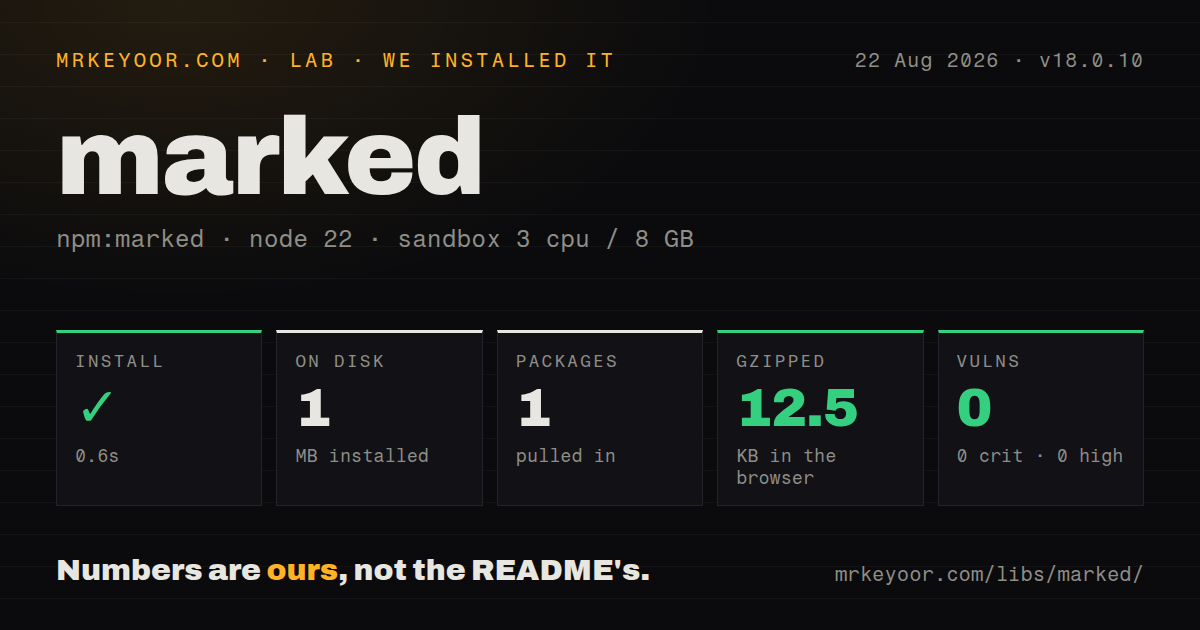
| Install | ✓ · 0.6s | 1 package on disk · 1 MB |
| Import | ✓ | ESM import works · require() works · ESM package with exports map |
| Browser | 12.5 KB | gzipped (41.8 KB minified), bundled with esbuild |
| Types | ✓ | TypeScript types bundled |
| Known vulns | 0 | 0 critical · 0 high · 0 moderate · 0 low (npm audit) |
Answers from our run
Does marked install cleanly?
Yes. In a fresh container with an empty cache, npm install marked finished in 0.6s, leaving 1 package and 1 MB on disk. npm audit reported no known vulnerabilities.
How much does marked add to a browser bundle?
12.5 KB gzipped (41.8 KB minified) when the whole package is bundled for the browser with esbuild. Importing only part of it is usually smaller.
Does marked work with both ESM and CommonJS?
Yes. Both import 'marked' and require('marked') worked in Node 22 in our run. The package is published as ESM with an exports map.
Does marked include TypeScript types?
Yes, type declarations ship inside the package, so no @types install is needed.
marked or markdown-it: which should you use?
markdown-it: Choose it when an established rule system and its broad plugin catalog already match the project. Marked 18.0.10 installed in 0.6 seconds as one 1 MB package and bundled to 12.5 KB gzipped in our sandbox; current 18.0.11 was not remeasured.
When should you not use marked?
Untrusted Markdown will go straight into innerHTML; Marked preserves source HTML and provides no sanitizer
Use it if
- Trusted documentation or staff-authored CMS copy needs a direct Markdown-to-HTML call
- A browser can spend 12.5 KB gzipped on our measured all-exports 18.0.10 bundle
- One renderer or tokenizer extension is enough and a portable syntax-tree pipeline would be excess machinery
- One parser must support Node, browser ESM, a classic browser script, and a packaged CLI
- Untrusted Markdown will go straight into `innerHTML`; Marked preserves source HTML and provides no sanitizer
- Linting and several transformation passes need a shared documented AST; remark and mdast are designed around that representation
- Extension code cannot be retested at each major; renderer arguments, token fields, package format, and supported Node releases have changed
- The runtime is Node 18 or earlier; Marked 18 declares Node 20 as its minimum
- Hostile input must finish synchronously under a hard request deadline; isolate parsing in a worker that can be terminated
Setup reality
We installed Marked 18.0.10, the version in the supplied lab run, in 0.6 seconds on Node 22. One installed package occupied 1 MB, and npm audit reported zero known vulnerabilities. That package is 492 KB unpacked, has zero direct and peer dependencies, bundles TypeScript declarations, and requires Node 20 or later. It is ESM with an exports map; require() and ESM import both worked. Our complete browser import measured 41.8 KB minified and 12.5 KB gzipped. We did not rerun these measurements for current 18.0.11.
marked.parse() can return tags and event attributes supplied by the source because parsing does not sanitize HTML. Pass the completed string through DOMPurify or another maintained HTML sanitizer before assigning untrusted content to innerHTML. Core no longer accepts old sanitize, highlight, headerIds, or mangle options. Those jobs now belong in extensions or post-processing. Invisible zero-width characters at the start of a document can also interfere with parsing; the docs recommend stripping them.
Calls to marked.use() accumulate on the exported singleton. Registering an extension inside a request handler means the second request installs another copy. Create a Marked instance when a feature needs isolated options, and attach extensions once during module initialization. If an async hook is registered or async: true is set, parse() returns a promise rather than a string. Every path that consumes the output must await it.
Version 18 renderer callbacks receive token objects, and nested content should be rendered through the parser on the callback context. Token layouts are an integration surface that may move across majors, so keep fixtures for every field an extension reads. Ordinary parsing is synchronous and can occupy the event loop. For large or adversarial input, run it in a Worker with a 2-second termination policy or another explicit deadline, then sanitize the returned HTML.
Patterns
Turn a Markdown string into HTML render-markdown
import { marked } from 'marked';

const html = marked.parse('# Release notes\n\nFixed **three** parser bugs.');
console.log(html);
The normal result is a string. Enabling asynchronous parsing on the instance changes it to a promise.
Sanitize rendered user Markdown sanitize-user-content
import { marked } from 'marked';
import DOMPurify from 'dompurify';

const rendered = marked.parse(commentBody);
const safeHtml = DOMPurify.sanitize(rendered);
contentElement.innerHTML = safeHtml;
Clean the HTML after parsing. Current Marked has no built-in sanitize option and preserves source HTML.
Give one feature its own parser settings create-isolated-parser
import { Marked } from 'marked';

const docsParser = new Marked({ gfm: true, breaks: false });
export function renderDocs(source) {
  return docsParser.parse(source);
}
A separate instance prevents marked.use() calls in another module from changing this output.
Render formatting without a paragraph element render-inline-markdown
import { marked } from 'marked';

const label = marked.parseInline('Open **settings**');
// Open <strong>settings</strong>
parseInline is suitable for labels and table cells; it does not interpret block headings or lists.
Render headings with generated IDs override-heading-html
import { Marked } from 'marked';

const parser = new Marked({
  renderer: {
    heading({ tokens, depth }) {
      const text = this.parser.parseInline(tokens);
      const id = text.toLowerCase().replace(/<[^>]+>/g, '').replace(/[^a-z0-9]+/g, '-');
      return `<h${depth} id="${id}">${text}</h${depth}>`;
    },
  },
});
Current renderers receive a token object. Parse its inline children instead of relying on an older callback signature.
Rewrite relative links before rendering walk-link-tokens
const parser = new Marked({
  walkTokens(token) {
    if (token.type === 'link' && token.href.startsWith('/')) {
      token.href = `https://docs.example.com${token.href}`;
    }
  },
});
const html = parser.parse(markdown);
walkTokens visits nested tokens and may mutate them. Keep the rewrite deterministic for repeated parsing.
Register a note block extension add-block-syntax
const callout = {
  name: 'callout', level: 'block',
  start(src) { return src.indexOf(':::note'); },
  tokenizer(src) {
    const match = /^:::note\n([\s\S]*?)\n:::(?:\n|$)/.exec(src);
    if (match) return { type: 'callout', raw: match[0], tokens: this.lexer.blockTokens(match[1]) };
  },
  renderer(token) {
    return `<aside class="note">${this.parser.parse(token.tokens)}</aside>`;
  },
};
parser.use({ extensions: [callout] });
Register once at startup. The start hint lets the block lexer stop paragraph scanning near the marker.
Await asynchronous token processing run-async-token-work
const parser = new Marked({
  async: true,
  async walkTokens(token) {
    if (token.type === 'code' && token.lang === 'diagram') {
      token.text = await renderDiagram(token.text);
      token.lang = 'html';
    }
  },
});
const html = await parser.parse(source);
Every caller must await parse after async is enabled. Otherwise a promise may be inserted or stringified by mistake.
Examine tokens before producing HTML inspect-lexer-output
import { marked } from 'marked';

const tokens = marked.lexer('# Title\n\n- first\n- second');
const heading = tokens.find((token) => token.type === 'heading');
console.log(heading?.text);
const html = marked.parser(tokens);
Token layouts are less stable than parse(). Add upgrade tests for every token property used by application code.
Attach a fenced-code highlighter highlight-code-blocks
import { Marked } from 'marked';
import { markedHighlight } from 'marked-highlight';
import hljs from 'highlight.js';

const parser = new Marked(markedHighlight({
  langPrefix: 'hljs language-',
  highlight(code, language) {
    const lang = hljs.getLanguage(language) ? language : 'plaintext';
    return hljs.highlight(code, { language: lang }).value;
  },
}));
Highlighting moved out of core. If you sanitize afterward, allow the class values required by the highlighter CSS.
Convert a file with the packaged CLI render-from-command-line
marked README.md -o README.html
printf '# From stdin\n' | marked
CLI output is also unsanitized HTML. Apply the same trust rule used for programmatic parsing.
Put hostile input behind a worker deadline bound-parser-time
// worker.mjs
import { parentPort } from 'node:worker_threads';
import { marked } from 'marked';
parentPort.on('message', (source) => parentPort.postMessage(marked.parse(source)));

// caller.mjs
const worker = new Worker(new URL('./worker.mjs', import.meta.url));
const timer = setTimeout(() => worker.terminate(), 2000);
worker.once('message', (html) => { clearTimeout(timer); worker.terminate(); useHtml(html); });
worker.postMessage(source);
A worker keeps synchronous parsing away from the request event loop. Sanitize its returned HTML separately.
Alternatives
| Package | Registry | Pick it when |
|---|---|---|
| markdown-it | npm | Choose it when an established rule system and its broad plugin catalog already match the project. |
| micromark | npm | Choose it as a lower-level CommonMark parser when you plan to assemble the surrounding processing stack. |
| showdown | npm | Choose it for an older application already built around Showdown extensions and bidirectional conversion. |
More utils guides
lru-cache · type-fest · ajv · zod · p-limit · find-up · the whole shelf →
How this guide is made: grounded in the library's documentation, release notes, changelog, and issue history, on a fixed rubric — not a hands-on install of every release. The 50 most-downloaded entries are additionally install-verified in clean containers. Corrections: contact the desk.