redis review
The `redis` package is the official Node.js client for Redis. It exposes Promise-based command methods, transactions, optimistic locking, auto-pipelining, scan iterators, pub/sub, pools, Sentinel, Cluster, RESP3 client-side caching, and typed commands for JSON, Search, Bloom, and Time Series. This all-in-one package depends on five `@redis/*` modules; applications needing only core commands can install `@redis/client`. Version 6.2.1 caps Sentinel rediscovery retries, adds a cluster redirection error, fixes slot routing and atomic MULTI redirects during migration, corrects RESP3 double decoding, and cleans up listeners plus credential subscriptions on close paths.
Use node-redis as the default for new Node services that speak Redis over TCP, especially when module commands or current server features matter. Choose a smaller core package or an HTTP client when the all-in-one modules or Node socket model do not fit.
We installed it
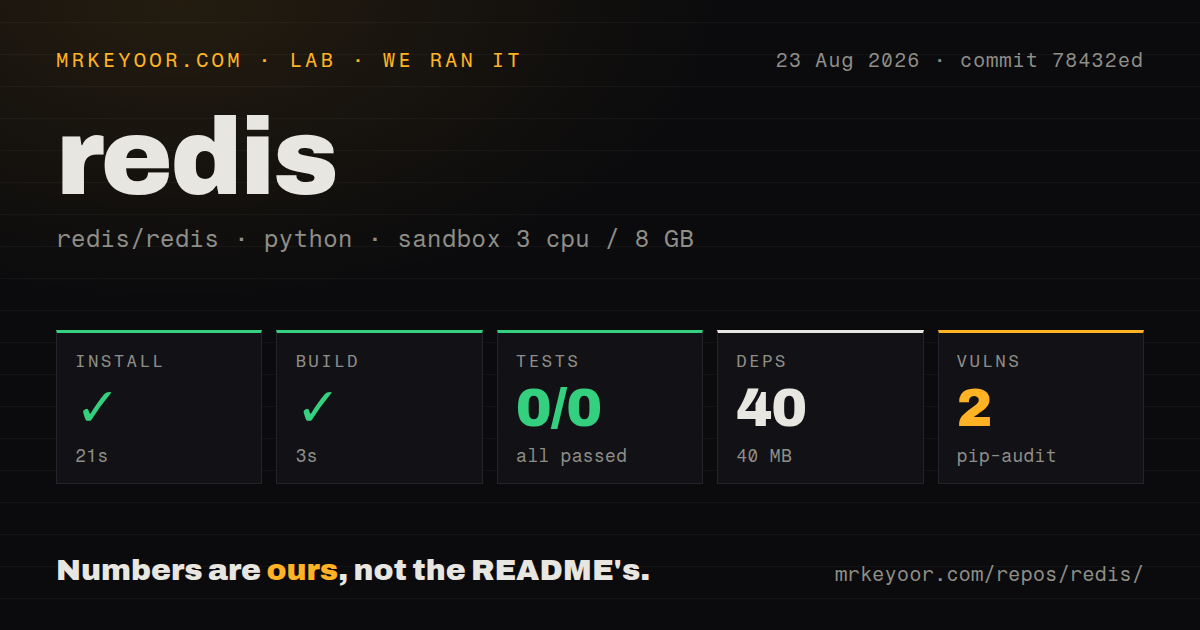

| Install | ✓ · 3.7s | 7 packages on disk · 16 MB |
| Import | ✓ | ESM import works · require() works · CommonJS package |
| Browser | n/a | could not be bundled for the browser (Node-only code, most likely) |
| Types | ✓ | TypeScript types bundled |
| Known vulns | 0 | 0 critical · 0 high · 0 moderate · 0 low (npm audit) |
Answers from our run
Does redis install cleanly?
Yes. In a fresh container with an empty cache, npm install redis finished in 4 seconds, leaving 7 packages and 16 MB on disk. npm audit reported no known vulnerabilities.
Can redis run in a browser?
Not directly: esbuild could not bundle it for the browser in our run, which normally means it depends on Node built-ins. Use it on the server, or find a browser-targeted alternative.
Does redis work with both ESM and CommonJS?
Yes. Both import 'redis' and require('redis') worked in Node 22 in our run. The package is published as CommonJS.
Does redis include TypeScript types?
Yes, type declarations ship inside the package, so no @types install is needed.
redis or ioredis: which should you use?
ioredis: Use it when an existing codebase already depends on its mature Cluster, Sentinel, scripting, and event APIs. Use node-redis as the default for new Node services that speak Redis over TCP, especially when module commands or current server features matter.
When should you not use redis?
The runtime has Fetch but no TCP sockets, as with many edge workers. node-redis is Node-only in practice; our browser build failed, so an HTTP-based Redis service client fits better.
Use it if
- A Node 20 or newer service needs the vendor-maintained client for standalone Redis, Sentinel, or Redis Cluster.
- The application uses Redis JSON, Search, Bloom, or Time Series commands and wants their typed module APIs in one package.
- RESP3 client-side caching, scan iterators, connection pools, or automatic same-tick pipelining fit the workload.
- New Redis server features should arrive through the client maintained in the Redis organization.
- The runtime has Fetch but no TCP sockets, as with many edge workers. node-redis is Node-only in practice; our browser build failed, so an HTTP-based Redis service client fits better.
- You only need core Redis commands and want the smaller dependency surface. Install `@redis/client` instead of the all-in-one package and its JSON, Bloom, Search, and Time Series modules.
- An established ioredis codebase already handles Cluster, Sentinel, scripts, and monitoring. The method names, options, pooling, and lifecycle differ enough that migration needs application tests.
- The service cannot attach and monitor an `error` listener. The README warns that an unhandled client error is thrown and can terminate the Node process.
- The deployment still runs Node 18 or older. Version 6.2.1 declares Node 20 or newer, so the package is outside that runtime contract.
Setup reality
We installed redis 6.2.1 in a fresh Node 22 Bookworm container. npm finished in 3.7 seconds, left 7 packages using 16 MB, and found no known vulnerabilities at any severity. The package declares 5 direct dependencies, no peer dependencies, 308 KB unpacked, an MIT license, and Node 20 or newer. It is CommonJS without an exports map; both require() and ESM import worked, and TypeScript declarations are bundled.
Create the client, register an error listener, then await connect() before sending commands. The default URL points to localhost on port 6379; production normally supplies a redis:// or rediss:// URL with credentials through secret configuration. Use close() to stop accepting work and finish pending replies, or destroy() for immediate socket teardown. Older examples using quit() or disconnect() describe pre-v5 lifecycle names.
One connection should not mix ordinary commands with subscribed pub/sub mode or long blocking calls. Duplicate the client for subscriptions and use a pool for blocking operations. Commands issued in the same event-loop tick are auto-pipelined, so collect their promises with Promise.all. MULTI is atomic at Redis, while WATCH-based updates can abort and must retry the complete read-and-write decision.
Our browser bundle attempt failed, matching a Node TCP client. Client-side caching requires RESP3 and a clear local memory limit. Cluster and Sentinel deployments need topology tests during failover, not just a localhost ping. Version 6.2.1 specifically repairs Cluster redirects during slot migration and caps Sentinel rediscovery retries, so these paths are the reason to take this patch rather than staying on 6.2.0.
Patterns
Connect with mandatory error handling connect-client
import { createClient } from 'redis';

const client = createClient({ url: process.env.REDIS_URL });
client.on('error', (error) => {
  console.error('Redis client error', error);
});
await client.connect();

await client.set('health:last', new Date().toISOString());
Register the error listener before `connect()`. Without one, an emitted client error is thrown and may terminate the process.
Create a key with a TTL and condition set-with-expiry
const result = await client.set('session:abc', token, {
  EX: 3600,
  NX: true,
});
if (result === null) {
  throw new Error('session already exists');
}
Command modifiers use an options object. NX returns `null` when the key already exists instead of throwing.
Write and read a Redis hash store-hash
await client.hSet('user:42', {
  name: 'Ada',
  role: 'admin',
});
const user = await client.hGetAll('user:42');
A missing hash produces an empty object. Check its keys if the application must distinguish absence from fields with empty values.
Queue commands under MULTI and EXEC run-transaction
const [setReply, count] = await client
  .multi()
  .set('job:42:status', 'running')
  .incr('jobs:started')
  .exec();
MULTI makes server execution atomic after EXEC. It does not roll back earlier commands because a later command returns an error.
Retry a WATCH-based update optimistic-update
await client.watch('inventory:sku-7');
const current = Number(await client.get('inventory:sku-7'));
if (current < 1) {
  await client.unwatch();
  throw new Error('out of stock');
}
const reply = await client.multi()
  .set('inventory:sku-7', String(current - 1))
  .exec();
if (reply === null) throw new Error('retry transaction');
A concurrent change aborts the watched transaction. Refresh the value and repeat the complete decision rather than resending the old MULTI.
Iterate matching keys in batches scan-keyspace
for await (const keys of client.scanIterator({
  MATCH: 'user:*',
  COUNT: 100,
})) {
  if (keys.length) {
    const values = await client.mGet(keys);
    consume(keys, values);
  }
}
The iterator yields arrays, and COUNT is a server hint rather than an exact batch size. Avoid KEYS on a production database.
Reserve a connection for subscriptions publish-subscribe
const subscriber = client.duplicate();
subscriber.on('error', console.error);
await subscriber.connect();

await subscriber.subscribe('jobs:events', (message) => {
  consume(JSON.parse(message));
});
await client.publish('jobs:events', JSON.stringify({ id: 42 }));
A subscribed connection has a restricted command mode. Use the original client for publishing and ordinary reads or writes.
Run blocking work through a pool use-connection-pool
import { createClientPool } from 'redis';

const pool = createClientPool({ url: process.env.REDIS_URL });
pool.on('error', console.error);
await pool.connect();

const item = await pool.blPop('jobs:ready', 30);
Pooling prevents one blocking command from holding the only connection used by unrelated requests. Version 5 replaced the older isolation-pool option with this class.
Let same-tick commands share a pipeline auto-pipeline
const [setResult, members, count] = await Promise.all([
  client.set('batch:state', 'ready'),
  client.sAdd('batch:tags', ['nightly', 'billing']),
  client.incr('batch:runs'),
]);
Commands created in one event-loop tick can be auto-pipelined. Collect every promise so one rejection does not become unhandled.
Configure RESP3 client-side caching enable-client-cache
const cached = createClient({
  url: process.env.REDIS_URL,
  RESP: 3,
  clientSideCache: {
    ttl: 30_000,
    maxEntries: 10_000,
    evictPolicy: 'LRU',
  },
});
cached.on('error', console.error);
await cached.connect();
Redis invalidations keep tracked entries current, but the local cache still needs TTL and entry limits appropriate for each process.
Map RESP blob strings to Buffer preserve-binary-values
import { RESP_TYPES } from 'redis';

const binary = client.withTypeMapping({
  [RESP_TYPES.BLOB_STRING]: Buffer,
});
const payload = await binary.get('blob:42');
Use Buffer mapping for arbitrary bytes. Default string decoding can corrupt serialized or compressed values that are not UTF-8 text.
Choose graceful or immediate shutdown close-client
// finish pending commands, then close the socket
await client.close();

// on forced teardown only
client.destroy();
Current names replace older `quit()` and `disconnect()` examples. Stop accepting application work before awaiting a graceful close.
Alternatives
| Package | Registry | Pick it when |
|---|---|---|
| ioredis | npm | Use it when an existing codebase already depends on its mature Cluster, Sentinel, scripting, and event APIs. |
| @upstash/redis | npm | Use it for serverless or edge code that reaches a managed Redis-compatible service over HTTP. |
| iovalkey | npm | Use it when Valkey compatibility and a client maintained for that fork are the primary requirements. |
| @redis/client | npm | Use it when core Redis commands are enough and the JSON, Search, Bloom, and Time Series modules are unnecessary. |
More data guides
numpy · pandas · fsspec · pyarrow · lxml · sqlalchemy · the whole shelf →
How this guide is made: grounded in the library's documentation, release notes, changelog, and issue history, on a fixed rubric — not a hands-on install of every release. The 50 most-downloaded entries are additionally install-verified in clean containers. Corrections: contact the desk.