react-virtualized-auto-sizer review
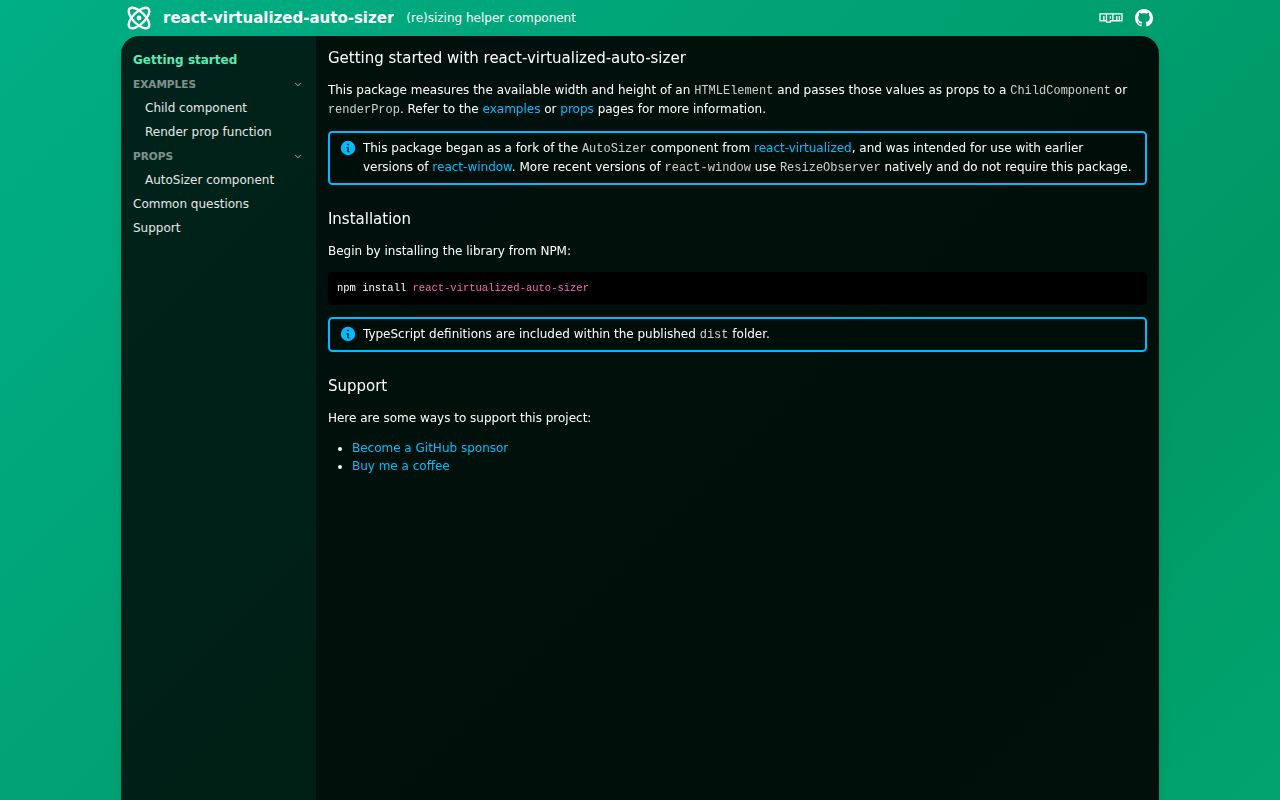
react-virtualized-auto-sizer observes the space inside a parent HTMLElement and gives numeric width and height values to a React child. That solves one specific integration problem for react-virtualized lists, canvases, grids, charts, and other widgets that cannot size themselves with CSS percentages. It measures layout and triggers updates; it does not virtualize records. Version 2 supports React 18 and 19, ResizeObserver box choices, a named AutoSizer export, and typed ChildComponent or renderProp APIs. The current 2.0.3 release changes only the README logo so it displays correctly in Firefox. Our package check found bundled types and successful require() and ESM imports.
react-virtualized-auto-sizer 2.0.3 installed with 0 audit findings and measured 5.3 KB gzipped in our browser build, a reasonable cost when a pixel-sized child cannot observe its own parent. Skip it for current react-window or a layout that CSS already expresses.
We installed it
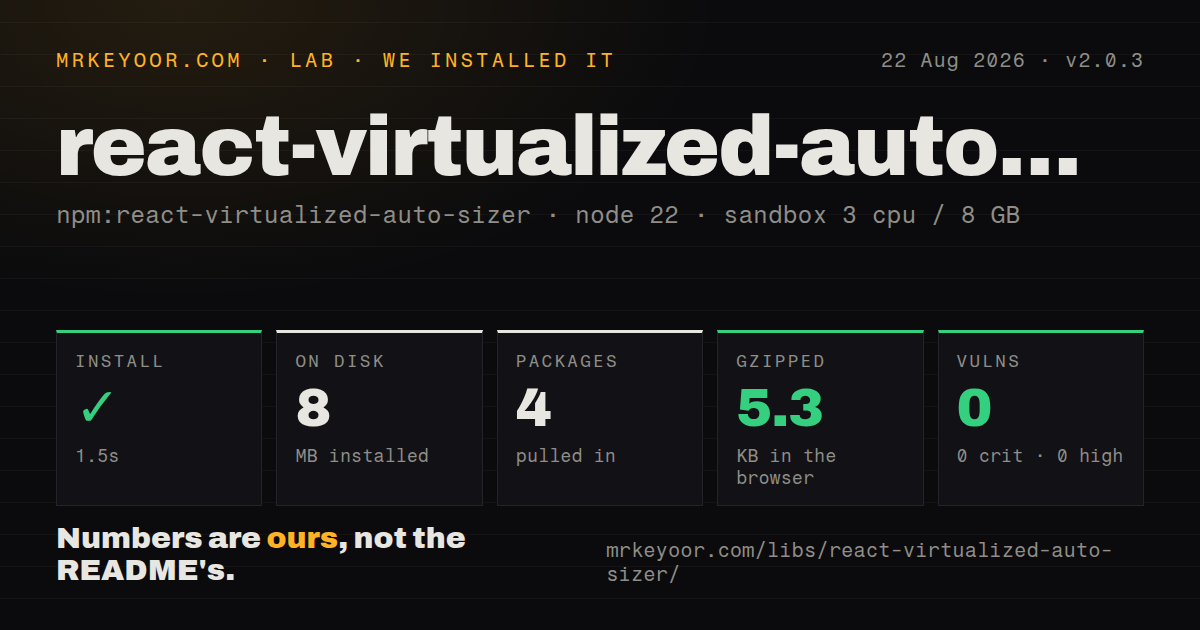
| Install | ✓ · 1.5s | 4 packages on disk · 8 MB |
| Import | ✓ | ESM import works · require() works · ESM package |
| Browser | 5.3 KB | gzipped (14.1 KB minified), bundled with esbuild |
| Types | ✓ | TypeScript types bundled |
| Known vulns | 0 | 0 critical · 0 high · 0 moderate · 0 low (npm audit) |
Answers from our run
Does react-virtualized-auto-sizer install cleanly?
Yes. In a fresh container with an empty cache, npm install react-virtualized-auto-sizer finished in 2 seconds, leaving 4 packages and 8 MB on disk. npm audit reported no known vulnerabilities.
How much does react-virtualized-auto-sizer add to a browser bundle?
5.3 KB gzipped (14.1 KB minified) when the whole package is bundled for the browser with esbuild. Importing only part of it is usually smaller.
Does react-virtualized-auto-sizer work with both ESM and CommonJS?
Yes. Both import 'react-virtualized-auto-sizer' and require('react-virtualized-auto-sizer') worked in Node 22 in our run. The package is published as ESM.
Does react-virtualized-auto-sizer include TypeScript types?
Yes, type declarations ship inside the package, so no @types install is needed.
react-virtualized-auto-sizer or react-window: which should you use?
react-window: Use its current built-in sizing when the real task is a new virtualized list or grid. react-virtualized-auto-sizer 2.0.3 installed with 0 audit findings and measured 5.3 KB gzipped in our browser build, a reasonable cost when a pixel-sized child cannot observe its own parent.
When should you not use react-virtualized-auto-sizer?
You use a recent react-window version; this package's README says react-window now observes its own size
Use it if
- react-virtualized or another widget requires numeric pixel width and height props
- A canvas, grid, chart, or WebGL surface must follow its container instead of the viewport
- ResizeObserver box selection and a fallback for old browsers belong behind one component
- The project is on React 18 or 19 and wants declarations bundled with the sizing component
- You use a recent react-window version; this package's README says react-window now observes its own size
- CSS flex, grid, percentages, aspect-ratio, or container queries can size the child without passing pixel numbers through React
- A hook should measure an existing arbitrary element; AutoSizer inserts its own element and is shaped around a child component
- The application still runs React 17; version 2.0.3 declares React and React DOM 18 or 19 as peers
- Server output needs real dimensions on the first render; width and height begin undefined, and version 2 removed defaultWidth and defaultHeight
- Animation completion must trigger an exact final sample; the migration notes say ResizeObserver emits no transition-complete event
Setup reality
Our fresh install of react-virtualized-auto-sizer 2.0.3 finished in 1.5 seconds on Node 22. It left 4 packages consuming 8 MB, and npm audit reported 0 known vulnerabilities. The package itself is 108 KB unpacked with 0 direct dependencies and 2 peers, React and React DOM 18 or 19. It is marked ESM without an exports map; require() and ESM import both worked, and types are bundled. Our browser import measured 14.1 KB minified and 5.3 KB gzipped.
No credential or config file is involved. CSS causes most failures: AutoSizer measures its parent but does not give that parent a size. Set a real block height or a bounded flex or grid track. In flex layouts, a dedicated flex: 1 1 auto child plus min-width: 0 or min-height: 0 often supplies the measurable box. ChildComponent gets better memoization when it is defined outside the parent; renderProp is intended for code that must close over local state.
Both dimensions are undefined during the initial render, including SSR. The v2 API drops defaultWidth and defaultHeight; put estimates in the child function's default parameters or show a placeholder until both values exist. disableWidth and disableHeight are gone as well. React.memo with a comparator that watches only width or height is the replacement. content-box is the default observation mode; border-box includes padding and borders, while device-pixel-content-box depends on browser support and is useful mainly for high-density drawing surfaces.
ResizeObserver callbacks are scheduled through a 0-delay timer to avoid loop-limit errors. Browsers without ResizeObserver use a legacy element-resize path that injects styles, so strict Content Security Policy setups may need the nonce prop. jsdom has no layout engine; tests must stub ResizeObserver and parent rectangles instead of expecting a measured size. CSS transforms and transitions can produce intermediate readings, with no completion event. Version 2.0.3 has no runtime behavior change; its sole release note is the Firefox README-logo fix.
Patterns
Measure a parent with fixed height measure-parent
import { AutoSizer, type SizeProps } from 'react-virtualized-auto-sizer'

function CanvasSurface({ width, height }: SizeProps) {
  if (width === undefined || height === undefined) return null
  return <canvas width={width} height={height} />
}

export function Panel() {
  return (
    <div style={{ width: '100%', height: 400 }}>
      <AutoSizer ChildComponent={CanvasSurface} />
    </div>
  )
}
The parent has an explicit 400-pixel height. AutoSizer cannot infer dimensions from an unbounded or zero-height container.
Close over chart state with renderProp use-render-prop
function ChartPanel({ points }) {
  const [highlight, setHighlight] = useState(null)
  return (
    <AutoSizer
      renderProp={({ width, height }) =>
        width === undefined || height === undefined ? null : (
          <Chart width={width} height={height} points={points}
            highlight={highlight} onHighlight={setHighlight} />
        )
      }
    />
  )
}
renderProp can read local state. A module-level ChildComponent is easier for AutoSizer to memoize when closure state is unnecessary.
Feed dimensions into react-virtualized size-virtualized-list
function SizedList({ width, height }: SizeProps) {
  if (width === undefined || height === undefined) return null
  return <List width={width} height={height} rowCount={rows.length}
    rowHeight={36} rowRenderer={rowRenderer} />
}

<div style={{ height: 500 }}>
  <AutoSizer ChildComponent={SizedList} />
</div>
This pattern targets react-virtualized and other explicit-size widgets. Recent react-window versions do not require AutoSizer.
Default the first server dimensions provide-ssr-estimate
function ResultsGrid({
  width = 800,
  height = 600,
}: SizeProps) {
  return <Grid width={width} height={height} />
}

<AutoSizer ChildComponent={ResultsGrid} />
The v2 component no longer accepts defaultWidth or defaultHeight. Pick the 800 by 600 estimate to limit hydration movement for the actual layout.
Wait for the first measurement show-placeholder
function MeasuredChart({ width, height }: SizeProps) {
  if (width === undefined || height === undefined) {
    return <ChartSkeleton />
  }
  return <Chart width={width} height={height} />
}
Initial client and server values are undefined. Check that specifically because 0 is a valid measured dimension.
Bound a flex measurement area measure-flex-child
<div style={{ display: 'flex', width: '100%', height: '100%' }}>
  <Sidebar />
  <div style={{ flex: '1 1 auto', minWidth: 0, minHeight: 0 }}>
    <AutoSizer ChildComponent={ResultsGrid} />
  </div>
</div>
The dedicated flex child grows to the remaining area. Both 0 minimums prevent intrinsic content from forcing overflow.
Update only for height changes ignore-width
const HeightOnly = memo(
  function HeightOnly({ height }: SizeProps) {
    return <Timeline height={height ?? 0} />
  },
  (previous, next) => previous.height === next.height,
)

<AutoSizer ChildComponent={HeightOnly} />
The old disableWidth and disableHeight props are absent from v2. React.memo suppresses the child render, though AutoSizer still observes both dimensions.
Include padding and borders measure-border-box
<AutoSizer
  box="border-box"
  ChildComponent={CanvasSurface}
/>
content-box is the default. border-box gives the child the parent's outer box dimensions including padding and borders.
Request physical canvas pixels measure-device-pixels
<AutoSizer
  box="device-pixel-content-box"
  ChildComponent={HiDpiCanvas}
/>
device-pixel-content-box support differs among browsers. Test the supported set and keep a content-box fallback.
Record parent-size changes observe-resize
<AutoSizer
  ChildComponent={ResultsGrid}
  onResize={({ width, height }) => {
    metrics.record('results-grid-size', { width, height })
  }}
/>
A transition can produce many callbacks and has no final-completion event. Rate-limit analytics or persistence outside AutoSizer.
Permit fallback styles under CSP set-csp-nonce
<AutoSizer
  nonce={cspNonce}
  ChildComponent={ResultsGrid}
/>
The nonce applies to the injected legacy resize stylesheet. A browser using ResizeObserver does not need that fallback style.
Replace the v1 children function migrate-v1
// Version 1:
// <AutoSizer>{({ width, height }) => <Grid width={width} height={height} />}</AutoSizer>

// Version 2:
<AutoSizer
  renderProp={({ width = 800, height = 600 }) => (
    <Grid width={width} height={height} />
  )}
/>
Version 2 moves the render callback to renderProp and initial estimates to the callback's default parameters.
Alternatives
| Package | Registry | Pick it when |
|---|---|---|
| react-window | npm | Use its current built-in sizing when the real task is a new virtualized list or grid |
| react-use-measure | npm | Use it when a hook and ref should observe any existing element |
| react-resize-detector | npm | Use it when hook and component forms with debounce or throttle options are useful |
| @react-hook/resize-observer | npm | Use it for a narrow hook around observing an element ref |
More web frontend guides
postcss · react · react-dom · tailwindcss · clsx · htmlparser2 · the whole shelf →
How this guide is made: grounded in the library's documentation, release notes, changelog, and issue history, on a fixed rubric — not a hands-on install of every release. The 50 most-downloaded entries are additionally install-verified in clean containers. Corrections: contact the desk.