react-textarea-autosize review
react-textarea-autosize renders a real React `<textarea>` whose height follows its content. Standard textarea props and the DOM ref pass through, while `minRows`, `maxRows`, `onHeightChange`, and `cacheMeasurements` control sizing. The component measures computed font, padding, borders, and width through a hidden textarea, then writes the required height. Version 8.5.9 extends the peer range through React 19 and publishes condition-specific entries for browsers, workers, and edge runtimes. Our build produced 12 KB minified and 4.7 KB gzipped. The package remains CommonJS at its base and worked through both `require()` and ESM import in our test.
react-textarea-autosize still solves the native-textarea case with a narrow API and a modest 4.7 KB gzip cost in our build. Prefer CSS `field-sizing` when browser support allows it, and avoid cached measurements in layouts whose fonts or width can change.
We installed it
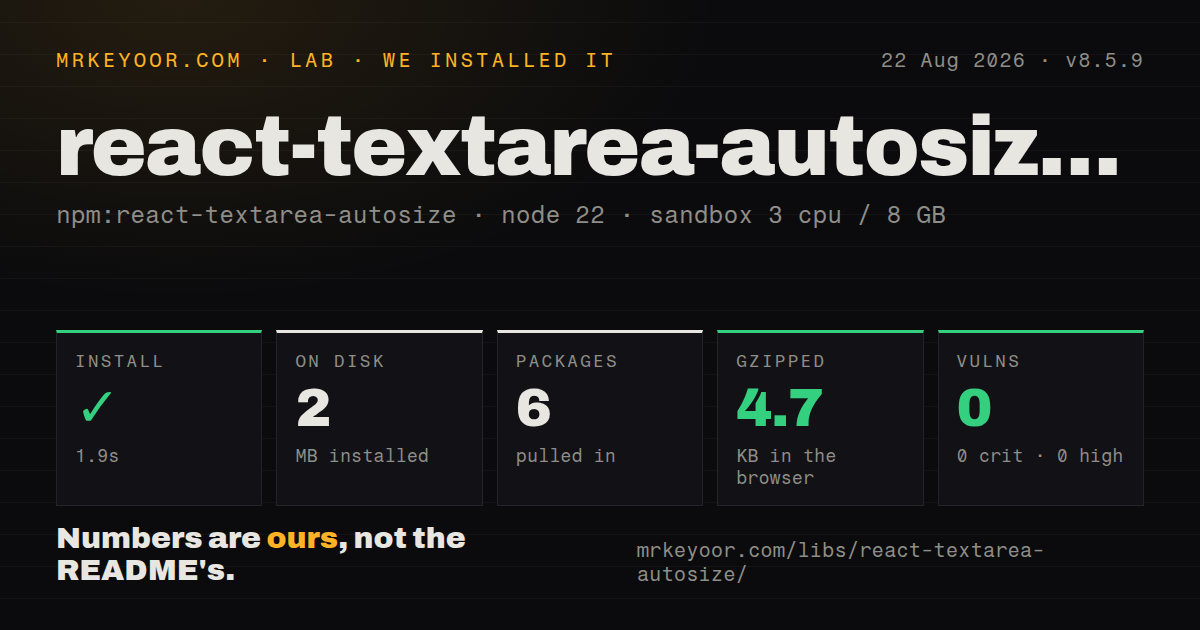
| Install | ✓ · 1.9s | 6 packages on disk · 2 MB |
| Import | ✓ | ESM import works · require() works · CommonJS package with exports map |
| Browser | 4.7 KB | gzipped (12 KB minified), bundled with esbuild |
| Types | — | no TypeScript types found |
| Known vulns | 0 | 0 critical · 0 high · 0 moderate · 0 low (npm audit) |
Answers from our run
Does react-textarea-autosize install cleanly?
Yes. In a fresh container with an empty cache, npm install react-textarea-autosize finished in 2 seconds, leaving 6 packages and 2 MB on disk. npm audit reported no known vulnerabilities.
How much does react-textarea-autosize add to a browser bundle?
4.7 KB gzipped (12 KB minified) when the whole package is bundled for the browser with esbuild. Importing only part of it is usually smaller.
Does react-textarea-autosize work with both ESM and CommonJS?
Yes. Both import 'react-textarea-autosize' and require('react-textarea-autosize') worked in Node 22 in our run. The package is published as CommonJS with an exports map.
Does react-textarea-autosize include TypeScript types?
No type declarations were found in our install, so TypeScript users need their own declarations.
react-textarea-autosize or autosize: which should you use?
autosize: Use it outside React or when behavior must attach imperatively to existing textareas. react-textarea-autosize still solves the native-textarea case with a narrow API and a modest 4.7 KB gzip cost in our build.
When should you not use react-textarea-autosize?
Your browser matrix supports field-sizing: content. CSS can provide the same core behavior without React measurement code
Use it if
- A chat composer, comment box, or prompt field should grow with text while remaining a native textarea
- Existing form code needs normal `value`, `onChange`, `name`, validation, focus, and selection behavior
- The parent layout must react to exact pixel-height changes through `onHeightChange`
- Your supported browsers do not all implement CSS `field-sizing: content`
- Your browser matrix supports `field-sizing: content`. CSS can provide the same core behavior without React measurement code
- The project already ships MUI. Its `TextareaAutosize` component avoids adding another implementation and aligns with the design system
- Strong packaged TypeScript declarations are mandatory. Our installed-package check found no TypeScript types despite type-related export metadata
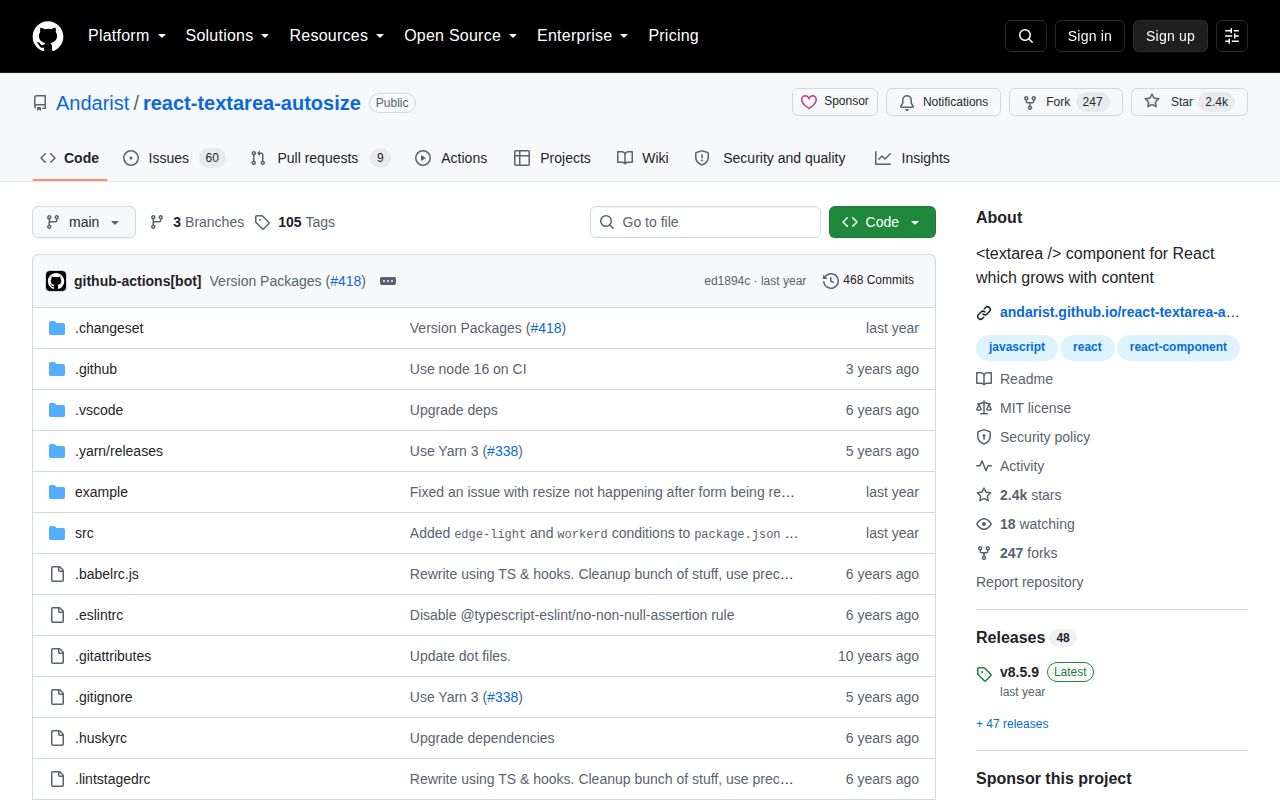
- You need active issue work. The repository has not been pushed since March 2025 and GitHub reports 69 open issues and pull requests
- The textarea changes fonts, padding, or width after mount and you cannot trigger a remeasurement. Cached or stale measurements will produce the wrong height
Setup reality
We installed react-textarea-autosize 8.5.9 in a fresh Node 22 Bookworm container. npm finished in 1.9 seconds, leaving 6 packages and 2 MB on disk. The package declares 3 direct dependencies, one React peer dependency, 204 KB unpacked, an MIT license, and Node 10 or newer. npm audit found no known vulnerabilities at any severity. It is a CommonJS package with an exports map; both require() and ESM import worked. Our package inspection found no TypeScript types.
The browser build measured 12 KB minified and 4.7 KB gzipped with esbuild. No provider, stylesheet, credentials, or config file is required. The component copies computed textarea styles for measurement, so box-sizing, padding, borders, font metrics, and width all affect the result. Set resize: none if users should not fight the calculated height with the native drag handle. Past maxRows, choose an overflow style that keeps additional text reachable.
Web fonts and lazy CSS can arrive after the first measurement. A width change can also alter line wrapping without changing the value. Keep cacheMeasurements off when those inputs vary; when it is enabled, stale row height and sizing values are reused. There is no documented imperative recalculation method, so a controlled remount or state change is often required after fonts settle or a hidden panel becomes visible. Test the exact responsive containers used in production.
Server rendering produces textarea markup before a browser can measure it. The corrected height appears after hydration and may cause a small layout shift. Refs target the underlying DOM textarea, which helps focus and form libraries. For react-test-renderer, the README supplies createNodeMock because the renderer otherwise calls refs with null. The README's main render example uses an obsolete React API, so copy the prop table and component usage, not that mounting code.
Patterns
Build a controlled expanding field controlled-textarea
import TextareaAutosize from 'react-textarea-autosize'

function Composer({ value, setValue }) {
  return <TextareaAutosize value={value} onChange={e => setValue(e.target.value)} />
}
Standard textarea props pass through to the DOM element.
Set minimum and maximum rows bound-rows
<TextareaAutosize
  minRows={3}
  maxRows={10}
  value={message}
  onChange={event => setMessage(event.target.value)}
/>
Row pixels come from measured font metrics, so late font changes alter the real height represented by each row.
Keep browser resize controls out of the way style-resizing
<TextareaAutosize
  maxRows={8}
  style={{ boxSizing: 'border-box', resize: 'none', width: '100%', overflow: 'auto' }}
/>
Overflow keeps text reachable after `maxRows`; `resize: none` prevents conflicting manual inline height.
Keep a chat scroller pinned observe-height
<TextareaAutosize
  onHeightChange={(height, { rowHeight }) => {
    composerMetrics.current = { height, rowHeight }
    scroller.current?.scrollTo({ top: scroller.current.scrollHeight })
  }}
/>
The callback runs after the textarea height changes and provides the measured row height.
Cache measurements in a fixed layout cache-fixed-styles
<TextareaAutosize
  cacheMeasurements
  minRows={2}
  value={value}
  onChange={onChange}
/>
Leave caching disabled when width, fonts, padding, or borders can change after mount.
Focus the underlying textarea focus-ref
const inputRef = useRef(null)

<TextareaAutosize ref={inputRef} />
<button onClick={() => inputRef.current?.focus()}>Reply</button>
The forwarded ref is the actual DOM node, so selection and scroll methods work too.
Send on Enter and keep Shift+Enter submit-enter
<TextareaAutosize
  value={message}
  onChange={event => setMessage(event.target.value)}
  onKeyDown={event => {
    if (event.key === 'Enter' && !event.shiftKey) {
      event.preventDefault()
      send(message)
      setMessage('')
    }
  }}
/>
Clearing a controlled value returns the field to `minRows` on the next render.
Register it as a native form field react-hook-form
const { ref, ...field } = register('bio')

<TextareaAutosize {...field} ref={ref} minRows={4} />
Forwarded name, handlers, and ref let native-oriented form libraries use the component directly.
Remount after a web font loads remeasure-font
const [fontRevision, setFontRevision] = useState(0)
useEffect(() => {
  document.fonts?.ready.then(() => setFontRevision(value => value + 1))
}, [])

<TextareaAutosize key={fontRevision} value={value} onChange={onChange} />
The package has no documented recalculation method. Remounting discards measurements made with the fallback font.
Load the CommonJS entry commonjs-import
const TextareaAutosize = require('react-textarea-autosize').defaultOur `require()` check worked, and CommonJS consumers receive the component on the default export.
Supply a textarea node in renderer tests renderer-test
const tree = renderer.create(<TextareaAutosize />, {
  createNodeMock: () => document.createElement('textarea'),
}).toJSON()
Without the node mock, `react-test-renderer` supplies a null ref and the component has no element to measure.
Replace JavaScript sizing where supported css-replacement
textarea {
  field-sizing: content;
  min-height: 3lh;
  max-height: 10lh;
  resize: none;
}
Verify `field-sizing` against the application's browser support policy before removing the component.
Alternatives
| Package | Registry | Pick it when |
|---|---|---|
| autosize | npm | Use it outside React or when behavior must attach imperatively to existing textareas. |
| @mui/material | npm | Use MUI's included TextareaAutosize when the application already depends on that component system. |
| react-expanding-textarea | npm | Use it when its hook and component API better matches a smaller React form implementation. |
More web frontend guides
postcss · react · react-dom · tailwindcss · clsx · htmlparser2 · the whole shelf →
How this guide is made: grounded in the library's documentation, release notes, changelog, and issue history, on a fixed rubric — not a hands-on install of every release. The 50 most-downloaded entries are additionally install-verified in clean containers. Corrections: contact the desk.