react-quill review
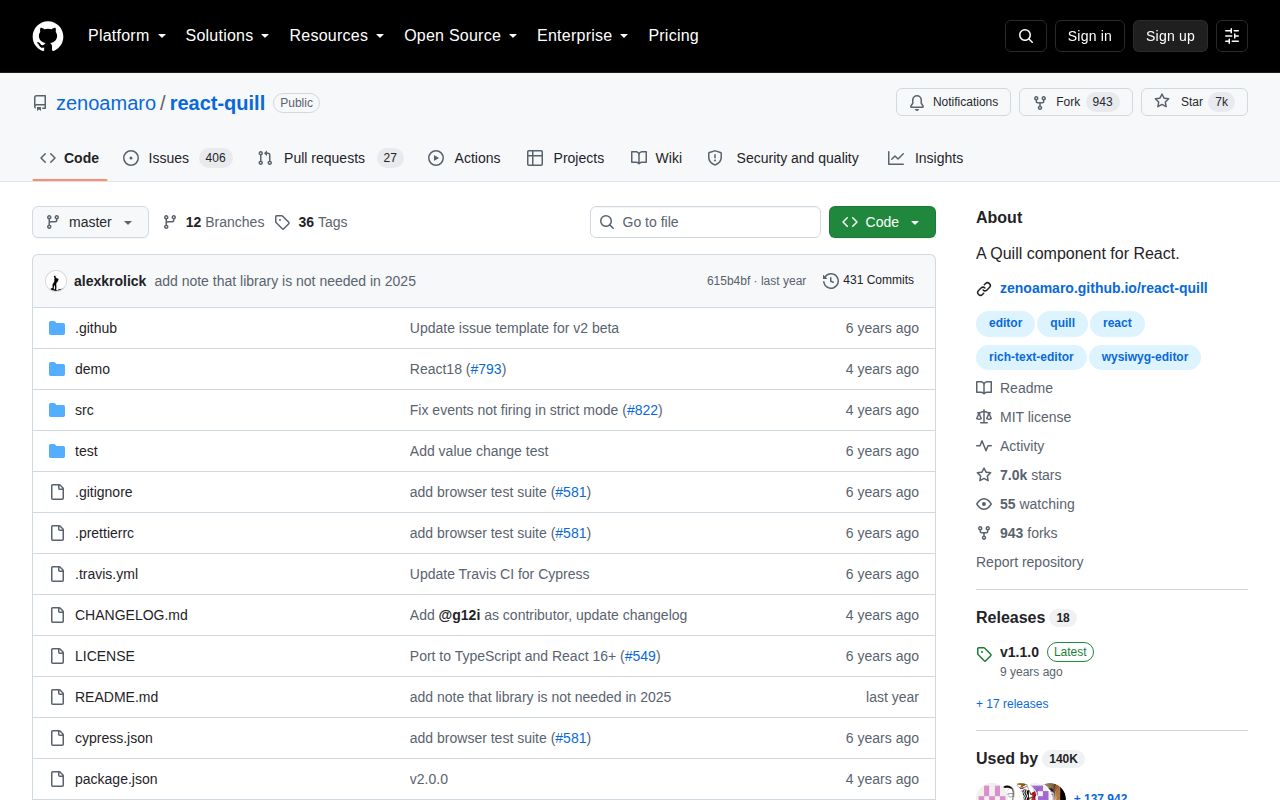
react-quill 2.0.0 wraps Quill 1.3.7 in a React component for rich-text editing. It accepts HTML strings or Quill Delta documents, wires toolbar and format options through props, reports content and selection changes, and exposes the underlying editor through a ref. Its controlled mode is intentionally hybrid because Quill changes the DOM before React can compare `value`. The current README added a 2025 warning that React users probably do not need this wrapper and points new integrations to Quill's own React example.
react-quill 2.0.0 added 16 MB in our install, produced a 107 KB gzipped browser bundle, failed both Node 22 import paths, and carried 2 moderate audit findings. Keep it for tested React 16 through 18 and Quill 1 applications; new work should follow the README's advice and compare direct Quill or a current editor framework.
We installed it
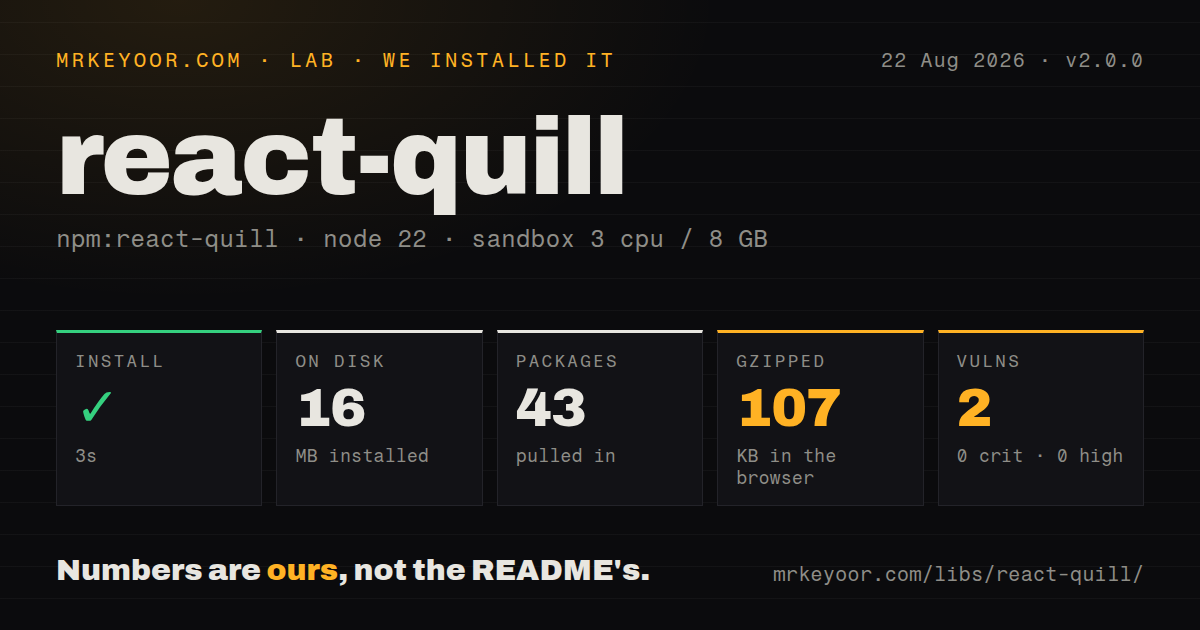
| Install | ✓ · 3s | 43 packages on disk · 16 MB |
| Import | ✗ | ESM import fails · require() fails · CommonJS package |
| Browser | 107 KB | gzipped (375.7 KB minified), bundled with esbuild |
| Types | ✓ | TypeScript types bundled |
| Known vulns | 2 | 0 critical · 0 high · 2 moderate · 0 low (npm audit) |
Answers from our run
Does react-quill install cleanly?
Yes. In a fresh container with an empty cache, npm install react-quill finished in 3 seconds, leaving 43 packages and 16 MB on disk. npm audit reported 2 known vulnerabilities.
How much does react-quill add to a browser bundle?
107 KB gzipped (375.7 KB minified) when the whole package is bundled for the browser with esbuild. Importing only part of it is usually smaller.
Does react-quill work with both ESM and CommonJS?
Neither plain import nor require succeeded in our sandbox, so it needs a bundler or extra setup.
Does react-quill include TypeScript types?
Yes, type declarations ship inside the package, so no @types install is needed.
react-quill or quill: which should you use?
quill: Use current Quill directly with React when its official integration example covers the required lifecycle. react-quill 2.0.0 added 16 MB in our install, produced a 107 KB gzipped browser bundle, failed both Node 22 import paths, and carried 2 moderate audit findings.
When should you not use react-quill?
You are starting a new React editor. The project's own 2025 README tells readers they probably do not need ReactQuill and links to direct Quill integration.
Use it if
- An existing React 16, 17, or 18 application already stores Quill 1 Deltas and has tests around ReactQuill's callback behavior.
- A maintenance patch needs the component ref, prop names, and toolbar setup already used by version 2.0.0.
- Migration cost is higher than keeping a browser-only editor pinned behind a client boundary.
- You are starting a new React editor. The project's own 2025 README tells readers they probably do not need ReactQuill and links to direct Quill integration.
- Your application uses React 19 or Quill 2. Version 2.0.0 declares React and React DOM peers only through 18 and depends on Quill 1.3.7.
- Server rendering must evaluate every import. Both CommonJS require and ESM import failed in our Node 22.23.2 check, so the module needs a browser-only boundary.
- Bundle cost is tight. Importing the whole package produced 375.7 KB minified and 107 KB gzipped in our esbuild measurement.
- You need a normal controlled input contract. Quill edits its own DOM first, and ReactQuill can only overwrite it later when `value` differs.
Setup reality
Our fresh Node 22 Bookworm install of react-quill 2.0.0 finished in 3 seconds. It left 43 packages and 16 MB on disk; the package is 436 KB unpacked, with 3 direct dependencies and 2 peer dependencies. npm audit reported 2 moderate vulnerabilities and no critical, high, or low findings. Inspect the resolved audit paths before shipping because the measured graph is tied to Quill 1 and lodash-era dependencies.
Install matching React and React DOM peers, then load a theme stylesheet such as react-quill/dist/quill.snow.css. Without theme CSS, toolbar controls and tooltips are present but visually incomplete. The package bundles TypeScript declarations and uses CommonJS without an exports map. On Node.js v22.23.2, both require('react-quill') and ESM import failed in our sandbox, so SSR frameworks should load it only in the browser.
The browser cost was 375.7 KB minified and 107 KB gzipped when esbuild imported the whole package. Keep editor code on routes that need it. Version 2.0.0 pulls Quill 1.3.7 and declares React peers through version 18; neither Quill 2 nor React 19 is part of its published support range. The npm release dates to August 2022 even though the README gained a direct-Quill recommendation in 2025.
Pick HTML or Delta as the stored representation and keep that choice consistent. The second onChange argument is only the latest change, so passing it back as value can repeat edits; call editor.getContents() for the complete Delta. Quill-authored HTML still crosses a trust boundary when displayed elsewhere and needs an application sanitization policy. Memoize modules and formats, and use defaultValue when you want Quill to own subsequent editor state.
Patterns
Keep an HTML value in React state controlled-html-editor
import { useState } from 'react'
import ReactQuill from 'react-quill'
import 'react-quill/dist/quill.snow.css'

export function Editor() {
  const [html, setHtml] = useState('')
  return <ReactQuill theme="snow" value={html} onChange={setHtml} />
}
Quill changes its DOM before ReactQuill compares `value`, so version 2.0.0 behaves as a hybrid controlled component.
Let Quill retain editor state uncontrolled-editor
<ReactQuill
  theme="snow"
  defaultValue="<p>Draft text</p>"
  onChange={html => saveDraft(html)}
/>
`defaultValue` initializes the document once. A later change to that prop does not replace the editor contents.
Save the complete Delta store-full-delta
const [document, setDocument] = useState({ ops: [] })

<ReactQuill
  value={document}
  onChange={(_html, _change, _source, editor) => {
    setDocument(editor.getContents())
  }}
/>
The second callback argument contains only the latest operation. Feeding it back as `value` can create a repeated-update loop.
Allow only selected toolbar formats limit-formats
const modules = {
  toolbar: [
    [{ header: [1, 2, false] }],
    ['bold', 'italic', 'underline'],
    [{ list: 'ordered' }, { list: 'bullet' }],
    ['link', 'clean'],
  ],
}
const formats = ['header', 'bold', 'italic', 'underline', 'list', 'bullet', 'link']

<ReactQuill modules={modules} formats={formats} />
A toolbar button does not authorize a format omitted from `formats`; pasted and programmatic content follow the same allowlist.
Focus through the component ref access-quill-instance
import { useRef } from 'react'

const quillRef = useRef(null)
function focusEditor() {
  quillRef.current?.getEditor().focus()
}

<ReactQuill ref={quillRef} defaultValue="" />
`getEditor()` returns Quill's mutable instance. Reserve it for operations that the component props and callback proxy cannot express.
Handle selection and blur read-selection
<ReactQuill
  onChangeSelection={(range, source, editor) => {
    if (range) {
      console.log(range.index, range.length, source)
      console.log(editor.getText(range.index, range.length))
    }
  }}
/>
Version 2.0.0 passes `null` for the range after focus leaves the editor, so check it before reading positions.
Disable editing and hide the toolbar toggle-read-only
<ReactQuill
  theme="snow"
  value={html}
  readOnly={!canEdit}
  modules={{ toolbar: canEdit }}
/>
`readOnly` changes browser interaction only. The save endpoint still needs its own authorization check.
Register a toolbar handler with Quill context add-toolbar-handler
function insertDivider() {
  const range = this.quill.getSelection(true)
  this.quill.insertText(range.index, '\n---\n', 'user')
}

const modules = {
  toolbar: {
    container: [['bold', 'italic'], ['divider']],
    handlers: { divider: insertDivider },
  },
}
Use a normal function when the handler reads `this.quill`; an arrow function does not receive the toolbar module context.
Exclude the editor from Next.js SSR load-without-ssr
import dynamic from 'next/dynamic'

const ReactQuill = dynamic(() => import('react-quill'), { ssr: false })

export function ClientEditor(props) {
  return <ReactQuill theme="snow" {...props} />
}
Both Node 22 import styles failed in our sandbox. A client-only dynamic import avoids evaluating the DOM-dependent package on the server.
Store searchable text beside editor HTML get-plain-text
<ReactQuill
  onChange={(html, _delta, _source, editor) => {
    save({ html, text: editor.getText() })
  }}
/>
Quill plain text usually ends with a newline. Normalize it only when your indexing or character-count rules call for that change.
Alternatives
| Package | Registry | Pick it when |
|---|---|---|
| quill | npm | Use current Quill directly with React when its official integration example covers the required lifecycle. |
| lexical | npm | Use it for a React-oriented editor framework with explicit state and plugin composition. |
| @tiptap/react | npm | Use it when schema control, extensions, and headless rendering justify a larger editor framework. |
More web frontend guides
postcss · react · react-dom · tailwindcss · clsx · htmlparser2 · the whole shelf →
How this guide is made: grounded in the library's documentation, release notes, changelog, and issue history, on a fixed rubric — not a hands-on install of every release. The 50 most-downloaded entries are additionally install-verified in clean containers. Corrections: contact the desk.