react-property review
react-property 2.0.2 is a copy of React DOM property metadata, not a React component. It maps HTML and SVG attribute spellings to React prop names and describes known properties as boolean, numeric, reserved, namespaced, URL-bearing, or DOM-assigned. Version 2 moved its data baseline from React DOM 15 to 17. Our package inspection found no TypeScript declarations. It neither renders elements nor sanitizes an attribute, and it does not follow current React releases automatically.
react-property 2.0.2 installed one 1 MB package in 0.5 seconds on our box, with 0 audit findings and a 4.3 KB gzipped browser import, but no bundled types were found. Install it only for a tested React 17-era compatibility table, not in an ordinary current React app.
We installed it
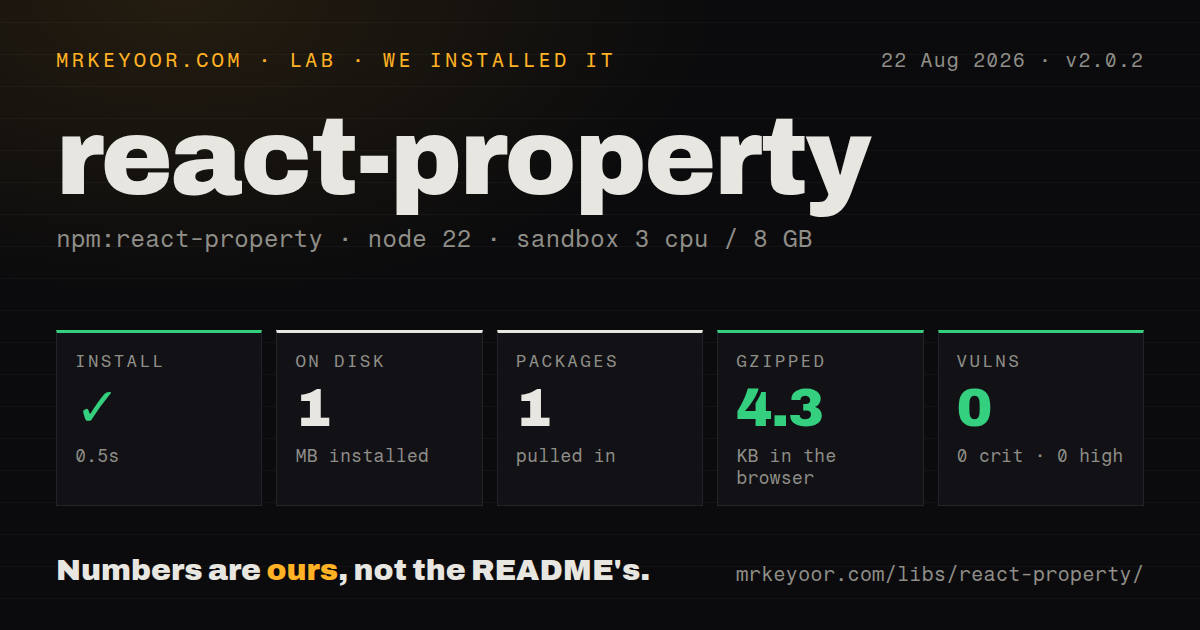
| Install | ✓ · 0.5s | 1 package on disk · 1 MB |
| Import | ✓ | ESM import works · require() works · CommonJS package |
| Browser | 4.3 KB | gzipped (11.8 KB minified), bundled with esbuild |
| Types | — | no TypeScript types found |
| Known vulns | 0 | 0 critical · 0 high · 0 moderate · 0 low (npm audit) |
Answers from our run
Does react-property install cleanly?
Yes. In a fresh container with an empty cache, npm install react-property finished in 0.5s, leaving 1 package and 1 MB on disk. npm audit reported no known vulnerabilities.
How much does react-property add to a browser bundle?
4.3 KB gzipped (11.8 KB minified) when the whole package is bundled for the browser with esbuild. Importing only part of it is usually smaller.
Does react-property work with both ESM and CommonJS?
Yes. Both import 'react-property' and require('react-property') worked in Node 22 in our run. The package is published as CommonJS.
Does react-property include TypeScript types?
No type declarations were found in our install, so TypeScript users need their own declarations.
react-property or property-information: which should you use?
property-information: Use it for maintained HTML and SVG metadata in unified or hast transforms. react-property 2.0.2 installed one 1 MB package in 0.5 seconds on our box, with 0 audit findings and a 4.3 KB gzipped browser import, but no bundled types were found.
When should you not use react-property?
The target is React 19 behavior; version 2.0.2 copies React DOM 17-era property data and was published in 2023
Use it if
- An HTML-to-React converter needs the React 17-era attribute spelling table
- A compatibility tool must inspect property type, attribute name, namespace, or mustUseProperty metadata
- Your target is intentionally React DOM 17 behavior and tests can pin that snapshot
- A dependency-free CommonJS data table is preferable to copying React internal source into your repository
- The target is React 19 behavior; version 2.0.2 copies React DOM 17-era property data and was published in 2023
- You are building a normal React application; React DOM already applies its own current property rules
- You need URL or HTML sanitization; sanitizeURL and removeEmptyString are flags in metadata, not cleaning functions
- A standards-oriented AST transform is the job; property-information follows HTML and SVG data outside React internals
- Strict TypeScript consumers require declarations from the tarball; our measured 2.0.2 install found none
Setup reality
Our Node 22 sandbox installed react-property 2.0.2 in 0.5 seconds. It left one package and 1 MB on disk; the package is 88 KB unpacked and declares 0 direct dependencies with 0 peers. npm audit found 0 known vulnerabilities. The package is CommonJS without an exports map, and require() plus ESM import both worked. We found no TypeScript types in the installed package. A complete browser import measured 11.8 KB minified and 4.3 KB gzipped.
No credentials, native build, or configuration are involved. Import the root object, then normalize raw spellings through possibleStandardNames before calling getPropertyInfo(). That lookup expects a React property such as className, while the map accepts forms such as class, acceptcharset, and accept-charset. A null result does not establish that an attribute is invalid; it may be a data attribute, an ARIA attribute, a newer platform field, or a typo.
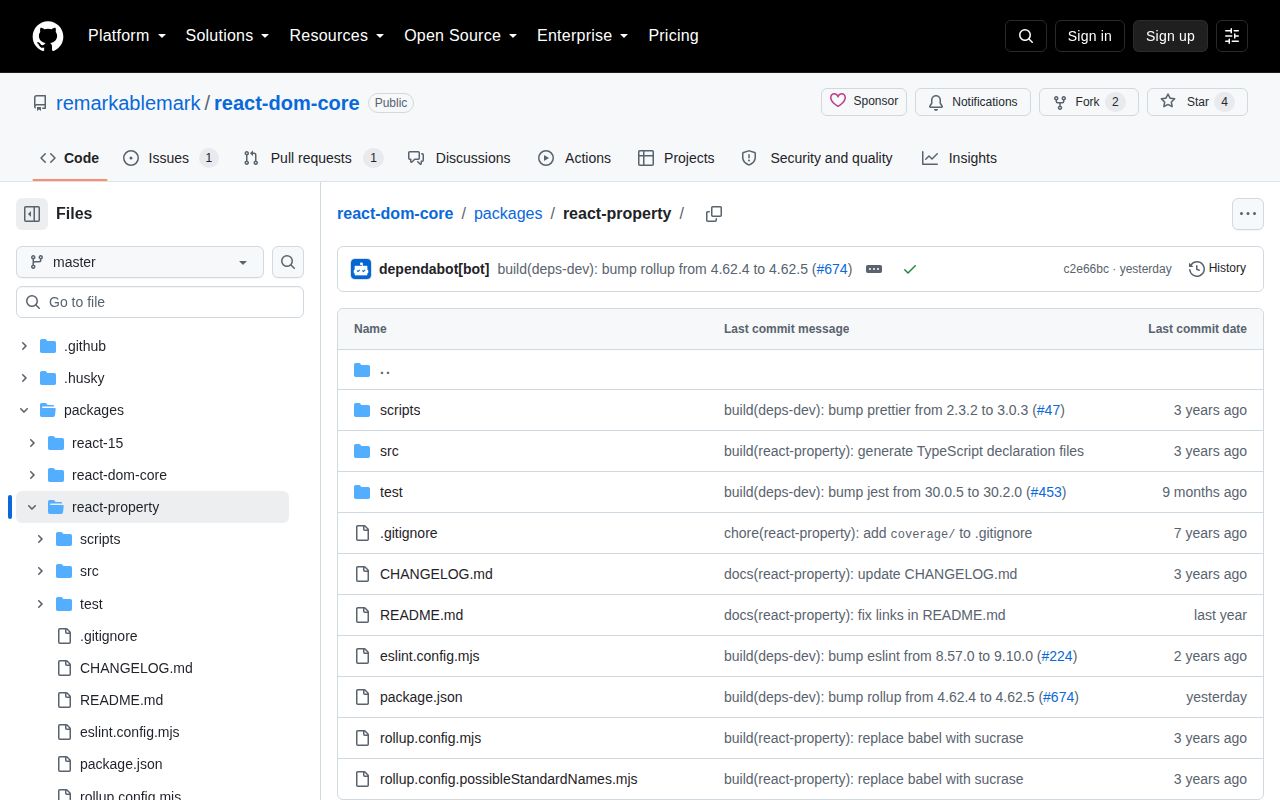
Freshness is the practical risk. The 2.0 changelog says its breaking data update moved from React DOM 15 to React DOM 17, and 2.0.2 was published in 2023 even though the monorepo was pushed in 2026. Test the npm archive rather than assuming master matches the release. isCustomAttribute() only recognizes the data- and aria- name pattern. Metadata flags about URLs do not validate a URL, so untrusted attribute bags still require an allowlist and value-level sanitization.
Patterns
Map class to className load-package
import reactProperty from 'react-property';

const {
  getPropertyInfo,
  isCustomAttribute,
  possibleStandardNames
} = reactProperty;
possibleStandardNames maps the lowercase HTML spelling class to React's className prop.
Normalize a hyphenated property normalize-attribute-name
function toReactProp(attributeName) {
  return reactProperty.possibleStandardNames[attributeName.toLowerCase()]
    ?? attributeName;
}

toReactProp('class');          // 'className'
toReactProp('accept-charset'); // 'acceptCharset'
toReactProp('tabindex');       // 'tabIndex'
The mapping includes alternative lowercase and hyphenated spellings such as accept-charset.
Read property metadata inspect-property
const propName = toReactProp('accept-charset');
const info = reactProperty.getPropertyInfo(propName);

console.log(info);
// {propertyName: 'acceptCharset', attributeName: 'accept-charset', ...}
getPropertyInfo() expects a React property name and returns null when this snapshot has no record.
Check a boolean property type classify-boolean
const {BOOLEAN, BOOLEANISH_STRING, getPropertyInfo} = reactProperty;

getPropertyInfo('disabled').type === BOOLEAN;            // true
getPropertyInfo('contentEditable').type === BOOLEANISH_STRING; // true
The BOOLEAN constant describes metadata type; it does not coerce or validate an application value.
Check an overloaded boolean handle-overloaded-boolean
const {OVERLOADED_BOOLEAN, getPropertyInfo} = reactProperty;
const download = getPropertyInfo('download');

if (download?.type === OVERLOADED_BOOLEAN) {
  // true means present without a value; a string supplies a filename.
}
OVERLOADED_BOOLEAN covers properties that accept either presence or a string value in the copied table.
Recognize a numeric property validate-numeric-kind
const {NUMERIC, POSITIVE_NUMERIC, getPropertyInfo} = reactProperty;

getPropertyInfo('rowSpan').type === NUMERIC;       // true
getPropertyInfo('cols').type === POSITIVE_NUMERIC; // true
NUMERIC and POSITIVE_NUMERIC classify React DOM handling, not business-level validation.
Detect data attributes detect-property-assignment
const checked = reactProperty.getPropertyInfo('checked');

if (checked?.mustUseProperty) {
  input[checked.propertyName] = true;
} else {
  input.setAttribute(checked.attributeName, '');
}
isCustomAttribute() recognizes the data- naming pattern but does not validate the value.
Detect ARIA attributes filter-reserved-props
const {RESERVED, getPropertyInfo} = reactProperty;

function isReserved(name) {
  return getPropertyInfo(name)?.type === RESERVED;
}

isReserved('children');                // true
isReserved('dangerouslySetInnerHTML'); // true
isReserved('style');                   // true
The aria- regex identifies custom accessibility attributes without checking whether a specific ARIA name is valid.
Handle an unknown property check-custom-attribute
reactProperty.isCustomAttribute('data-user-id'); // true
reactProperty.isCustomAttribute('aria-live');    // true
reactProperty.isCustomAttribute('onclick');      // false
A missing 2.0.2 record can mean a typo or a platform property added after the React 17 baseline.
Keep URL checks separate normalize-svg-name
const name = toReactProp('xlink:href');
const info = reactProperty.getPropertyInfo(name);

console.log(name);                    // 'xlinkHref'
console.log(info.attributeName);      // 'xlink:href'
console.log(info.attributeNamespace); // 'http://www.w3.org/1999/xlink'
sanitizeURL is metadata only; application code must still reject unsafe URL schemes.
Inspect a namespaced SVG field flag-url-properties
for (const propName of ['src', 'href', 'xlinkHref']) {
  const info = reactProperty.getPropertyInfo(propName);
  if (info?.sanitizeURL) {
    console.log(`${propName} requires URL review`);
  }
}
Namespaced SVG metadata includes the attribute namespace and spelling needed by conversion tools.
Wrap the React 17 snapshot audit-attribute-bag
function classifyAttribute(rawName) {
  const propName = toReactProp(rawName);
  const info = reactProperty.getPropertyInfo(propName);
  if (info) return {kind: 'known', propName, info};
  if (reactProperty.isCustomAttribute(rawName)) {
    return {kind: 'custom', propName: rawName};
  }
  return {kind: 'unknown', propName};
}
A local adapter can document the React 17 target and isolate replacement when this copied table becomes stale.
Alternatives
| Package | Registry | Pick it when |
|---|---|---|
| property-information | npm | Use it for maintained HTML and SVG metadata in unified or hast transforms. |
| react | npm | Use React itself when the task is creating elements rather than inspecting copied metadata. |
| react-dom | npm | Use the current renderer when application DOM behavior is the requirement. |
| html-react-parser | npm | Use it when the actual input is an HTML string that must become React elements. |
More web frontend guides
postcss · react · react-dom · tailwindcss · clsx · htmlparser2 · the whole shelf →
How this guide is made: grounded in the library's documentation, release notes, changelog, and issue history, on a fixed rubric — not a hands-on install of every release. The 50 most-downloaded entries are additionally install-verified in clean containers. Corrections: contact the desk.