react-intersection-observer review
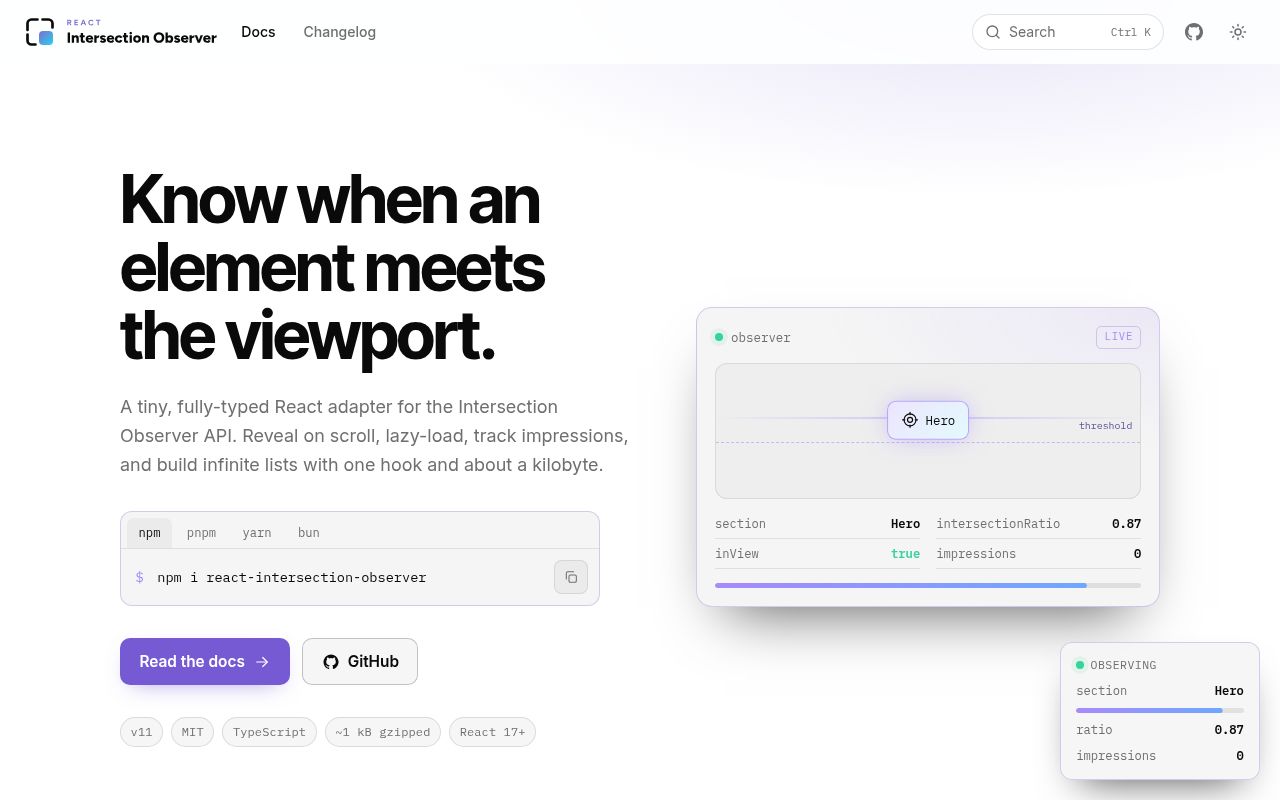
react-intersection-observer 11.0.0 connects React components to the browser's Intersection Observer API through `useInView`, callback-only `useOnInView`, `<InView>`, and a low-level `observe()` function. It shares native observer instances when options match and ships Jest/Vitest test utilities. Version 11 rewrites callback-ref observation and cleanup across React 17 through 19, makes cleanup idempotent, and waits for the configured threshold before `triggerOnce` disconnects.
react-intersection-observer 11.0.0 installed in 1 second and bundled to 5.1 KB gzipped in our sandbox, with 0 direct dependencies and working test helpers. Use it when React must react to threshold crossings; skip it when native lazy loading or CSS already covers the behavior.
We installed it
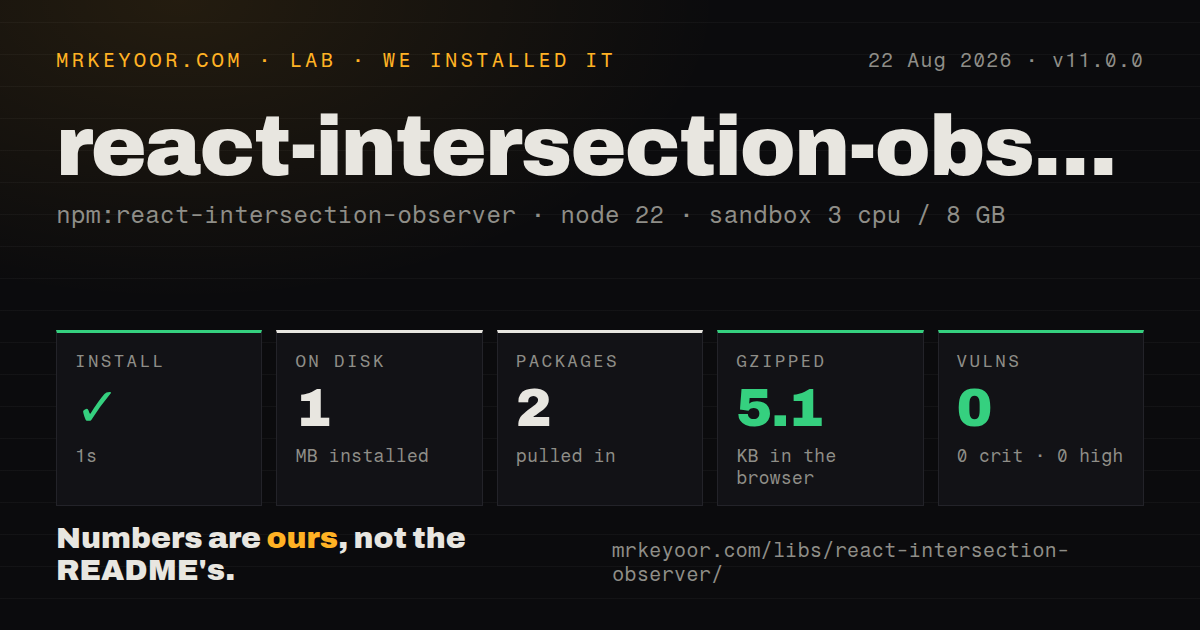
| Install | ✓ · 1s | 2 packages on disk · 1 MB |
| Import | ✓ | ESM import works · require() works · CommonJS package with exports map |
| Browser | 5.1 KB | gzipped (13.6 KB minified), bundled with esbuild |
| Types | ✓ | TypeScript types bundled |
| Known vulns | 0 | 0 critical · 0 high · 0 moderate · 0 low (npm audit) |
Answers from our run
Does react-intersection-observer install cleanly?
Yes. In a fresh container with an empty cache, npm install react-intersection-observer finished in 1 seconds, leaving 2 packages and 1 MB on disk. npm audit reported no known vulnerabilities.
How much does react-intersection-observer add to a browser bundle?
5.1 KB gzipped (13.6 KB minified) when the whole package is bundled for the browser with esbuild. Importing only part of it is usually smaller.
Does react-intersection-observer work with both ESM and CommonJS?
Yes. Both import 'react-intersection-observer' and require('react-intersection-observer') worked in Node 22 in our run. The package is published as CommonJS with an exports map.
Does react-intersection-observer include TypeScript types?
Yes, type declarations ship inside the package, so no @types install is needed.
react-intersection-observer or react-use: which should you use?
react-use: Use its intersection hook when a project already carries the broader react-use collection. react-intersection-observer 11.0.0 installed in 1 second and bundled to 5.1 KB gzipped in our sandbox, with 0 direct dependencies and working test helpers.
When should you not use react-intersection-observer?
Native loading=lazy, CSS content-visibility, or scroll-driven CSS already solves the feature without a React visibility state update.
Use it if
- A React view needs lazy rendering, an infinite-scroll sentinel, an animation trigger, or impression tracking at a defined visibility threshold.
- You want state through `useInView` or callback delivery through `useOnInView` without maintaining observer attachment and teardown yourself.
- Many targets share observer options and should reuse native `IntersectionObserver` instances instead of allocating one per element.
- Jest or Vitest tests need supported observer mocks that can drive boolean or numeric intersection thresholds.
- Native `loading=lazy`, CSS `content-visibility`, or scroll-driven CSS already solves the feature without a React visibility state update.
- You need exact overlap pixels or synchronous layout data. Intersection Observer reports asynchronous threshold crossings rather than geometry on demand.
- A target browser lacks `IntersectionObserver` and neither a polyfill nor an explicit fallback is acceptable. The package throws by default when the API is absent.
- Occlusion detection must be trustworthy across every supported browser. `trackVisibility` is experimental, requires at least a 100 ms delay, and unsupported browsers report visibility as true.
- `<InView>` must wrap a plain child while forwarding its generated wrapper ref. The README says plain-child mode does not forward that ref; use a hook or render prop.
Setup reality
We installed react-intersection-observer 11.0.0 in 1 second in a fresh Node 22 container. npm left 2 packages and 1 MB on disk. The package is 208 KB unpacked with 0 direct dependencies and 2 peers, React and React DOM, each accepting versions 17, 18, or 19. It bundles TypeScript types and produced 0 audit findings. Both module styles loaded; our browser build measured 13.6 KB minified and 5.1 KB gzipped.
Browser support is the first product decision. When IntersectionObserver is missing, the default is a thrown error. Load a polyfill before mounting, or choose fallbackInView locally or through defaultFallbackInView(). A true fallback can mount and count every lazy target, while false can withhold content. Server rendering starts from initialInView, false unless changed. Keep essential content independent of that guess because the client may replace it after hydration.
The native observer suppresses its first false notification in this wrapper, so callbacks begin with a real visibility transition. rootMargin modifies the chosen root, which may be a scrolling element or iframe context rather than the top-level viewport. scrollMargin changes nested clipping rectangles. Version 11 waits until the requested threshold is met before triggerOnce removes observation, fixing premature cleanup from the prior lifecycle. Memoize merged callback refs to avoid detach and attach churn.
jsdom has no layout engine, so scrolling it does not generate real intersections. Import react-intersection-observer/test-utils and call mockIsIntersecting or mockAllIsIntersecting; non-global Vitest setups must install and reset the mock explicitly. Vitest Browser Mode can exercise the native implementation. With Intersection Observer v2, trackVisibility requires a delay of 100 ms or more, and the README says unsupported browsers set isVisible to true, which is unsuitable as the only clickjacking or ad-viewability signal.
Patterns
Render from intersection state track-visibility-state
import { useInView } from 'react-intersection-observer';

export function Section() {
  const { ref, inView, entry } = useInView({ threshold: 0.25 });
  return <section ref={ref}>Visible: {String(inView)} at {entry?.intersectionRatio ?? 0}</section>;
}
The wrapper skips the initial false observer event. Later entries and exits update `inView` after the 0.25 threshold is crossed.
Record one impression without state track-without-render
import { useOnInView } from 'react-intersection-observer';

function Ad({ id }: { id: string }) {
  const ref = useOnInView((inView, entry) => {
    if (inView) recordImpression(id, entry.time);
  }, { threshold: 0.5, triggerOnce: true });
  return <aside ref={ref}>Sponsored</aside>;
}
`useOnInView` does not update React state. It also excludes `onChange`, `initialInView`, and `fallbackInView` from its options.
Prefetch before first viewport entry trigger-once
function LazyChart() {
  const { ref, inView } = useInView({ rootMargin: '200px 0px', triggerOnce: true });
  return <div ref={ref}>{inView ? <Chart /> : <ChartSkeleton />}</div>;
}
A positive 200 px root margin can start work before the target is visible. `triggerOnce` disconnects after the configured threshold is met.
Observe inside a scrolling element observe-scroll-container
function ResultsPane() {
  const rootRef = useRef<HTMLDivElement>(null);
  const { ref, inView } = useInView({ root: rootRef.current, threshold: [0, 0.5, 1] });
  return <div ref={rootRef} style={{ overflow: 'auto', height: 320 }}><div style={{ height: 800 }} /><div ref={ref}>{String(inView)}</div></div>;
}
The root is null during the first render. Delay the observed target when necessary so it is not initially attached against the document viewport.
Combine a local and observer ref merge-react-refs
const localRef = useRef<HTMLDivElement | null>(null);
const { ref: inViewRef, inView } = useInView();
const setRefs = useCallback((node: HTMLDivElement | null) => {
  localRef.current = node;
  inViewRef(node);
}, [inViewRef]);
return <div ref={setRefs}>{String(inView)}</div>;
Memoizing the callback keeps React from detaching and reattaching 2 refs on every render.
Control the observed render-prop element render-prop-component
import { InView } from 'react-intersection-observer';

<InView threshold={0.5}>
  {({ ref, inView, entry }) => (
    <article ref={ref} data-ratio={entry?.intersectionRatio}>{inView ? 'Reading' : 'Outside'}</article>
  )}
</InView>
Use the function-child form when the observed DOM element and its ref must remain under your control.
Create a semantic wrapper with InView render-plain-child
<InView as='section' className='feature' onChange={(inView, entry) => logVisibility(inView, entry.time)}>
  <FeatureCard />
</InView>
The plain child always renders, and `<InView>` creates the section. This mode does not forward a ref to that wrapper.
Set a global unsupported-browser result set-unsupported-fallback
import { defaultFallbackInView } from 'react-intersection-observer';

defaultFallbackInView(false);
Without a fallback, missing `IntersectionObserver` throws. The chosen false value applies to every observer that lacks a local override.
Pause observation while retaining state pause-observation
const { ref, inView } = useInView({ skip: modalOpen, threshold: 0.5 });
return <div ref={ref}>Last state: {String(inView)}</div>;
Setting `skip` stops observation but preserves the last `inView` value instead of resetting it.
Request observer v2 visibility track-actual-visibility
const { ref, entry } = useInView({ trackVisibility: true, delay: 100 });
return <div ref={ref}>Visible: {String(entry?.isVisible)}</div>;
`delay` must be at least 100 ms. Browsers without v2 support report `isVisible` as true, so this is not a universal occlusion check.
Drive a threshold in a DOM test mock-intersection-test
import { render, screen } from '@testing-library/react';
import { mockIsIntersecting } from 'react-intersection-observer/test-utils';

render(<Section />);
const target = screen.getByTestId('observed');
mockIsIntersecting(target, 0.5);
expect(screen.getByText('Visible')).toBeInTheDocument();
jsdom produces no real layout. The helper accepts a boolean or numeric threshold and invokes the mocked observer.
Use and release the low-level observer observe-without-react
import { observe } from 'react-intersection-observer';

const unobserve = observe(element, (inView, entry) => {
  console.log(inView, entry.intersectionRatio);
}, { threshold: 0.5 });

unobserve();
Call the returned cleanup when the element leaves your ownership. The React hooks perform that release during their own teardown.
Alternatives
| Package | Registry | Pick it when |
|---|---|---|
| react-use | npm | Use its intersection hook when a project already carries the broader react-use collection. |
| usehooks-ts | npm | Use it when TypeScript React code needs intersection tracking alongside a larger set of small browser hooks. |
| react-waypoint | npm | Use it only when an established codebase is built around waypoint enter and leave callbacks. |
More web frontend guides
postcss · react · react-dom · tailwindcss · clsx · htmlparser2 · the whole shelf →
How this guide is made: grounded in the library's documentation, release notes, changelog, and issue history, on a fixed rubric — not a hands-on install of every release. The 50 most-downloaded entries are additionally install-verified in clean containers. Corrections: contact the desk.