react-helmet review
react-helmet lets React components declare title, meta, link, script, style, noscript, html, and body changes. Mounted Helmet components are reduced together, so a nested route can replace a layout title or description while duplicates inside one Helmet survive. Legacy server rendering extracts the collected state with Helmet.renderStatic(). Version 6.1.0, released in 2020, restored the default export removed in 6.0 and updated react-fast-compare for Preact support. The design predates concurrent SSR, streaming, Server Components, and framework metadata APIs. Our package check found working CommonJS and ESM imports but no bundled TypeScript declarations.
react-helmet 6.1.0 put 9 packages and 1 MB on disk in our sandbox, but it has had no npm release since 2020 and its transitive peer range stops at React 18. Keep it in a working legacy SPA; choose request-scoped or framework-native metadata for new React and SSR code.
We installed it
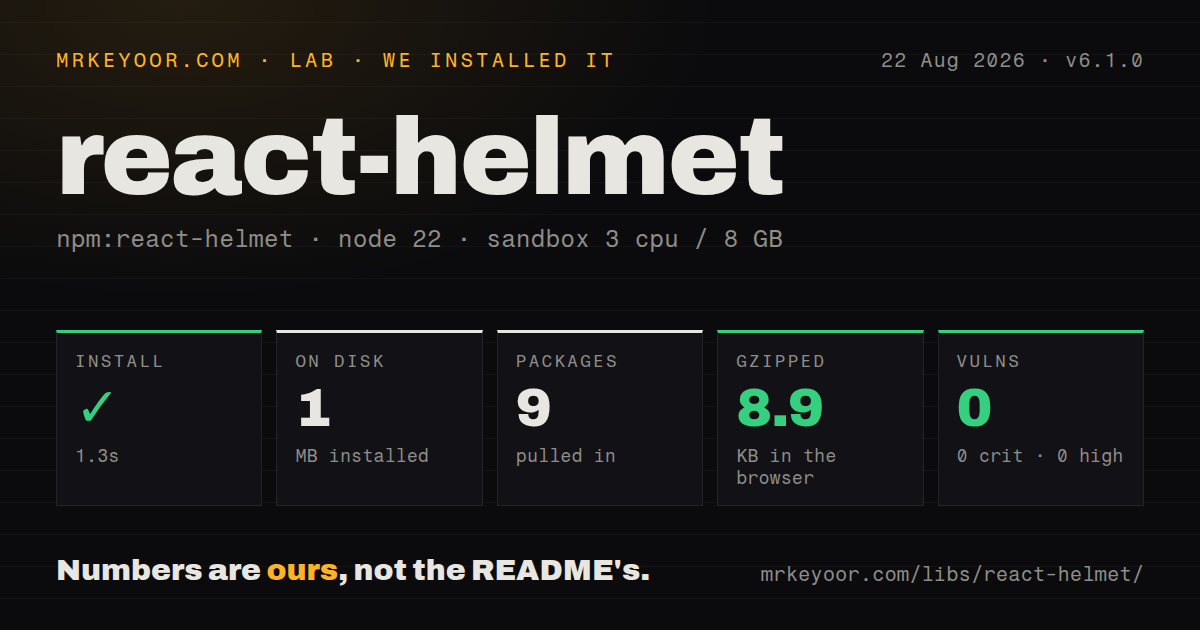
| Install | ✓ · 1.3s | 9 packages on disk · 1 MB |
| Import | ✓ | ESM import works · require() works · CommonJS package |
| Browser | 8.9 KB | gzipped (24.6 KB minified), bundled with esbuild |
| Types | — | no TypeScript types found |
| Known vulns | 0 | 0 critical · 0 high · 0 moderate · 0 low (npm audit) |
Answers from our run
Does react-helmet install cleanly?
Yes. In a fresh container with an empty cache, npm install react-helmet finished in 1 seconds, leaving 9 packages and 1 MB on disk. npm audit reported no known vulnerabilities.
How much does react-helmet add to a browser bundle?
8.9 KB gzipped (24.6 KB minified) when the whole package is bundled for the browser with esbuild. Importing only part of it is usually smaller.
Does react-helmet work with both ESM and CommonJS?
Yes. Both import 'react-helmet' and require('react-helmet') worked in Node 22 in our run. The package is published as CommonJS.
Does react-helmet include TypeScript types?
No type declarations were found in our install, so TypeScript users need their own declarations.
react-helmet or react-helmet-async: which should you use?
react-helmet-async: Use it for a close JSX API with request-scoped server state and current React peers. react-helmet 6.1.0 put 9 packages and 1 MB on disk in our sandbox, but it has had no npm release since 2020 and its transitive peer range stops at React 18.
When should you not use react-helmet?
You are starting a React 19 project; react-side-effect 2.1.2 only declares React 16 through 18 and causes a documented peer conflict
Use it if
- An existing React 16 to 18 single-page app already uses Helmet and only needs maintenance
- Nested routes must override a parent title, description, canonical URL, or social tags
- A legacy synchronous server renderer can call renderStatic immediately after each request render
- One familiar component should own head tags plus html and body attributes in an older stack
- You are starting a React 19 project; react-side-effect 2.1.2 only declares React 16 through 18 and causes a documented peer conflict
- Server renders overlap or stream; react-helmet stores mounted instances globally, so one request does not have isolated head state
- The framework already has a metadata API; Next.js and similar systems can integrate metadata with routing, streaming, and server rendering
- First-party TypeScript declarations are required; version 6.1.0 has no types field and depends on @types/react-helmet for editor support
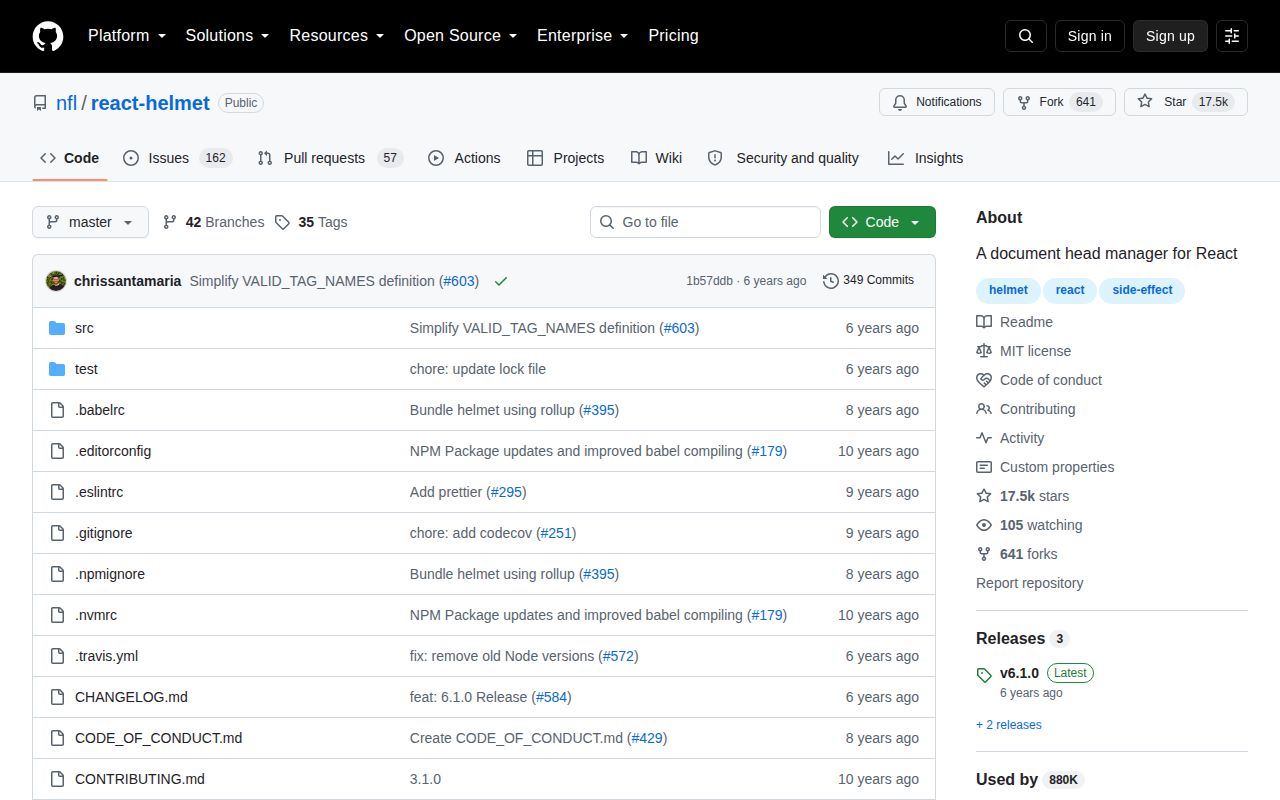
- Active compatibility fixes are a release requirement; npm has received no new react-helmet version since June 2020 and GitHub has not been pushed since July 2023
- You cannot guarantee one bundled module instance on the server; the README warns that duplicate react-helmet copies split the global collection
Setup reality
Our Node 22 installation of react-helmet 6.1.0 completed in 1.3 seconds. It left 9 packages and 1 MB on disk, and npm audit found 0 known vulnerabilities. The package itself is 120 KB unpacked with 4 direct dependencies and 1 peer dependency. It is CommonJS without an exports map, though require() and ESM import both worked. No TypeScript types ship. Our all-exports browser build measured 24.6 KB minified and 8.9 KB gzipped.
Client rendering needs no provider. A later or deeper Helmet replaces matching title and meta records, while duplicate links declared together can remain. DOM writes are deferred through requestAnimationFrame unless defer={false}; immediate mode can help tests or background tabs but makes the mutation synchronous. TypeScript users normally install @types/react-helmet separately. React 19 is a packaging trap: react-helmet declares React >=16.3, yet its react-side-effect dependency accepts only React 16, 17, or 18 and can make npm reject the tree.
Server rendering requires renderToString or renderToStaticMarkup first, followed by Helmet.renderStatic(). Place each returned title, meta, link, script, style, noscript, htmlAttributes, and bodyAttributes fragment into the document. The README warns that skipping renderStatic leaks accumulated mounted instances. The collection is process-global and renderStatic clears it, which means concurrent requests can mix or erase each other's head state. A server bundle must also resolve one react-helmet copy; the project recommends externalizing it so app and document code share the same instance.
Version 6.1.0 restored both default and named imports and updated its equality dependency for Preact. It did not add request-scoped state, React 19 peers, streaming support, or Server Components. Keep JSON-LD serialization safe by escaping less-than characters in user-derived values, and apply Content Security Policy rules to inline scripts separately. Social crawlers usually inspect initial HTML, so client-only tags are unreliable for previews. For new SSR work, react-helmet-async or the framework's own metadata pipeline avoids the global extraction contract.
Patterns
Set the route title set-title
import { Helmet } from 'react-helmet'

export function ProductPage({ product }) {
  return (
    <>
      <Helmet><title>{product.name}</title></Helmet>
      <h1>{product.name}</h1>
    </>
  )
}
A later or deeper Helmet can replace the title. Keep untrusted values as React text rather than inserting HTML.
Write description and robots tags set-description
<Helmet>
  <meta name="description" content={summary} />
  <meta name="robots" content={isPublic ? 'index,follow' : 'noindex,nofollow'} />
</Helmet>
Nested matching meta tags are replaced. Check the initial server HTML because some crawlers never wait for a client update.
Apply a layout title suffix use-title-template
// Layout.jsx
<Helmet defaultTitle="Acme" titleTemplate="%s | Acme" />

// Route.jsx
<Helmet><title>Pricing</title></Helmet>
The %s slot receives the nested title. defaultTitle is used when no child supplies one.
Declare one canonical URL set-canonical
<Helmet>
  <link rel="canonical" href={`https://example.com${canonicalPath}`} />
</Helmet>
Helmet adds the element but does not normalize the path, remove query tracking, or protect the destination host.
Render share-preview metadata set-social-tags
<Helmet>
  <meta property="og:title" content={title} />
  <meta property="og:description" content={description} />
  <meta property="og:image" content={absoluteImageUrl} />
  <meta name="twitter:card" content="summary_large_image" />
</Helmet>
Use an absolute image URL and render all 4 tags into the initial document for social crawlers.
Change html and body attributes set-document-attributes
<Helmet>
  <html lang={locale} dir={isRtl ? 'rtl' : 'ltr'} />
  <body className="checkout-page" />
</Helmet>
Server output exposes htmlAttributes and bodyAttributes separately. Multiple client owners of body.className can overwrite each other.
Serialize JSON-LD without a script break-out add-json-ld
const data = {
  '@context': 'https://schema.org',
  '@type': 'Product',
  name: product.name,
}

<Helmet>
  <script type="application/ld+json">
    {JSON.stringify(data).replace(/</g, '\u003c')}
  </script>
</Helmet>
Escaping less-than prevents a user value from closing the script element. Content Security Policy still needs to permit this inline block.
Keep several locale alternatives add-alternate-links
<Helmet>
  {locales.map(({ code, url }) => (
    <link key={code} rel="alternate" hrefLang={code} href={url} />
  ))}
</Helmet>
Links in the same Helmet are preserved together. Each React element still needs a stable key.
Drain Helmet after a legacy server render extract-server-head
import { renderToString } from 'react-dom/server'
import { Helmet } from 'react-helmet'

const appHtml = renderToString(<App url={request.url} />)
const head = Helmet.renderStatic()
const html = `<html ${head.htmlAttributes.toString()}>
<head>${head.title.toString()}${head.meta.toString()}${head.link.toString()}</head>
<body ${head.bodyAttributes.toString()}><div id="root">${appHtml}</div></body></html>`
Call renderStatic after every render. It clears global state, so this pattern is unsafe when 2 server requests render concurrently.
Use extracted values as React elements render-head-components
const head = Helmet.renderStatic()

function Document() {
  return (
    <html {...head.htmlAttributes.toComponent()}>
      <head>
        {head.title.toComponent()}
        {head.meta.toComponent()}
        {head.link.toComponent()}
      </head>
      <body {...head.bodyAttributes.toComponent()} />
    </html>
  )
}
Reuse one extracted object for the document. toComponent() here belongs to a custom legacy renderer, not React Server Components.
Apply a client title synchronously disable-defer
<Helmet defer={false}>
  <title>Upload complete</title>
</Helmet>
The default schedules DOM changes with requestAnimationFrame. defer false can help background tabs and tests but performs work immediately.
Inspect a completed DOM update observe-client-change
<Helmet
  onChangeClientState={(state, addedTags, removedTags) => {
    console.log(state.title, addedTags, removedTags)
  }}
>
  <title>{title}</title>
</Helmet>
This callback follows client head mutation. Setting state from it can create a render loop, so keep the observer side-effect bounded.
Alternatives
| Package | Registry | Pick it when |
|---|---|---|
| react-helmet-async | npm | Use it for a close JSX API with request-scoped server state and current React peers |
| @unhead/react | npm | Use it for typed modern head management across client and server rendering |
| next | npm | Use Next.js metadata when the application already relies on its routing and server rendering |
More web frontend guides
postcss · react · react-dom · tailwindcss · clsx · htmlparser2 · the whole shelf →
How this guide is made: grounded in the library's documentation, release notes, changelog, and issue history, on a fixed rubric — not a hands-on install of every release. The 50 most-downloaded entries are additionally install-verified in clean containers. Corrections: contact the desk.