qrcode.react review
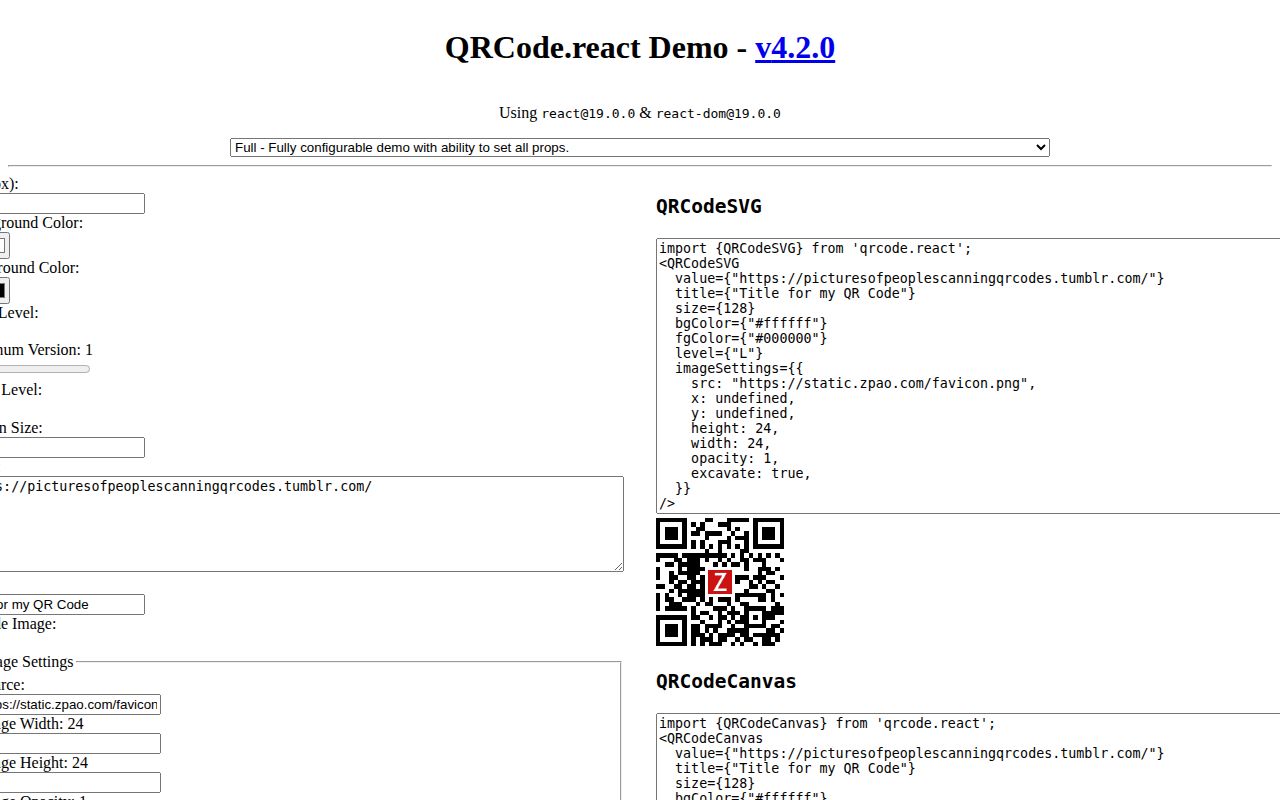
qrcode.react 4.2.0 provides two React components that encode text into either SVG or Canvas. Props control pixel size, colors, correction level, quiet-zone modules, minimum QR version, level boosting, a title, and one embedded image. This release adds React 19 to the peer range; segmented string arrays and `boostLevel` arrived in 4.1. Our full package import measured 24.7 KB minified and 9.1 KB gzipped. There is no decoder, camera scanner, redirect backend, payload validation, or scan tracking.
qrcode.react 4.2.0 installed three packages and 1 MB in 0.9 seconds on our box, passed npm audit, and added 9.1 KB gzipped for a full browser import. Use its SVG component for ordinary React display; choose another tool for scanning, framework-neutral output, binary segments, or heavily styled marketing codes.
We installed it
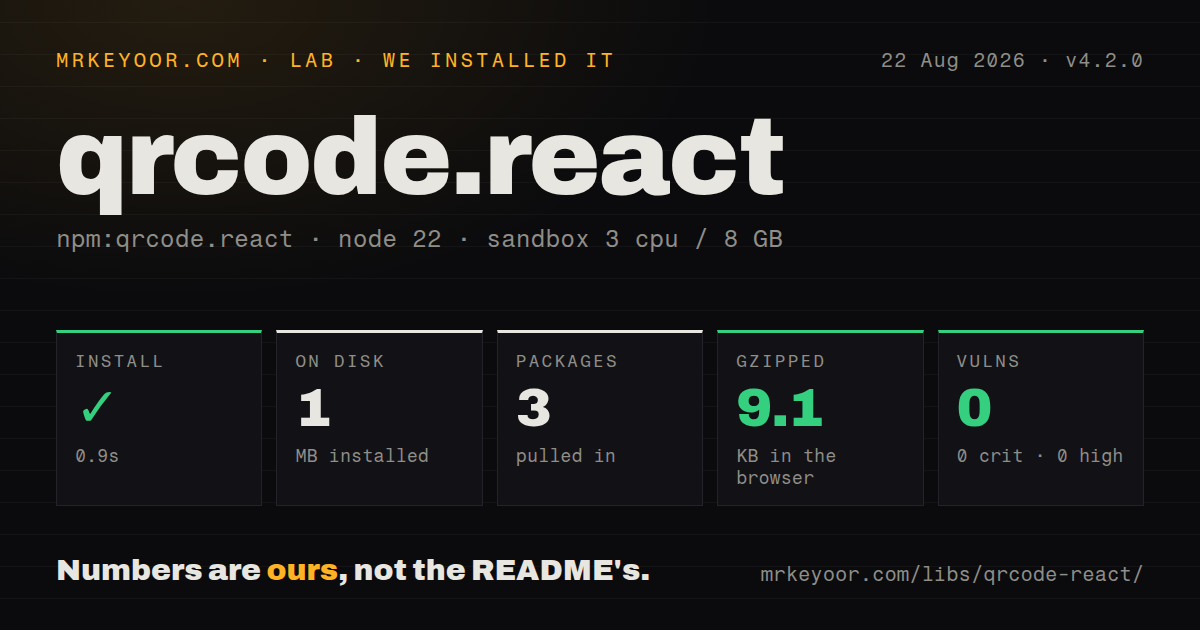
| Install | ✓ · 0.9s | 3 packages on disk · 1 MB |
| Import | ✓ | ESM import works · require() works · CommonJS package with exports map |
| Browser | 9.1 KB | gzipped (24.7 KB minified), bundled with esbuild |
| Types | ✓ | TypeScript types bundled |
| Known vulns | 0 | 0 critical · 0 high · 0 moderate · 0 low (npm audit) |
Answers from our run
Does qrcode.react install cleanly?
Yes. In a fresh container with an empty cache, npm install qrcode.react finished in 0.9s, leaving 3 packages and 1 MB on disk. npm audit reported no known vulnerabilities.
How much does qrcode.react add to a browser bundle?
9.1 KB gzipped (24.7 KB minified) when the whole package is bundled for the browser with esbuild. Importing only part of it is usually smaller.
Does qrcode.react work with both ESM and CommonJS?
Yes. Both import 'qrcode.react' and require('qrcode.react') worked in Node 22 in our run. The package is published as CommonJS with an exports map.
Does qrcode.react include TypeScript types?
Yes, type declarations ship inside the package, so no @types install is needed.
qrcode.react or qrcode: which should you use?
qrcode: Choose it for a framework-neutral encoder that can write buffers, files, data URLs, Canvas, or terminal output. qrcode.react 4.2.0 installed three packages and 1 MB in 0.9 seconds on our box, passed npm audit, and added 9.1 KB gzipped for a full browser import.
When should you not use qrcode.react?
The UI is not React; its only exports are React components and React is the sole peer dependency
Use it if
- A React view needs an SVG code that accepts standard DOM styling, refs, labels, and test attributes
- The browser must draw Canvas for a local PNG export and any remote logo server has correct CORS headers
- A centered brand image needs fixed dimensions, excavated modules, and a tested correction level
- Text can be split into numeric, alphanumeric, and byte-oriented segments to reduce symbol complexity
- The UI is not React; its only exports are React components and React is the sole peer dependency
- The product must scan a camera feed or decode an uploaded image; qrcode.react only generates symbols
- The payload needs binary segments or optimized Kanji mode; the encoder accepts text and does not implement optimized Kanji encoding
- The layout cannot keep four clear modules around the symbol; `marginSize` defaults to 0 and must be supplied
- Canvas will be enlarged beyond its `size` prop with CSS; the README says this produces a blurry symbol
Setup reality
Our qrcode.react 4.2.0 install succeeded in 0.9 seconds on Node 22. npm left three packages totaling 1 MB and found zero known vulnerabilities. qrcode.react itself is 148 KB unpacked with zero direct dependencies and one React peer dependency. It includes TypeScript declarations under the ISC license. The package is CommonJS with an exports map, and both require() and ESM import worked. A complete browser import produced 24.7 KB minified and 9.1 KB gzipped.
React must already be installed; version 4.2 expands the peer range through React 19. Import QRCodeSVG or QRCodeCanvas by name. No API key or service is involved because encoding happens locally. The old includeMargin prop is deprecated and slated for removal. Use marginSize, whose unit is QR modules rather than CSS pixels. Version 4.1 added segmented string arrays and boostLevel; 4.2 changes peer compatibility only.
marginSize starts at 0 although the README says the specification calls for four modules. Set marginSize={4} unless independently tested layout whitespace supplies the quiet zone. SVG scales cleanly and is the documented general choice. Canvas allocates backing pixels for high-density screens, then applies display dimensions. Stretching that element beyond the size value makes it soft, so responsive Canvas needs an observed container size passed back into the component.
An image overlay requires explicit width, height, and an excavate decision. A remote image can taint Canvas and make toDataURL() throw; crossOrigin must agree with the image server's CORS response. Level H creates more recovery capacity but does not prove a logo is scannable. Test the final payload, four-module margin, contrast, print dimensions, and logo on physical scanners. Also expose the destination as a normal link for users who cannot scan.
Patterns
Render a QR code as SVG render-svg-code
import { QRCodeSVG } from 'qrcode.react'

export function PaymentCode({ url }) {
  return (
    <QRCodeSVG value={url} marginSize={4} title="Payment link" />
  )
}
SVG is the README's general recommendation. Set the quiet zone because marginSize defaults to zero.
Render a fixed-size Canvas render-canvas-code
import { QRCodeCanvas } from 'qrcode.react'

<QRCodeCanvas
  value="https://example.com/check-in"
  size={256}
  marginSize={4}
/>
Increase the size prop when displaying a larger Canvas. CSS enlargement alone can blur the result.
Reserve recovery capacity raise-error-correction
<QRCodeSVG
  value={ticketUrl}
  level="H"
  size={192}
  marginSize={4}
/>
H adds more recovery data and can increase complexity. Supported levels are L, M, Q, and H.
Excavate modules under a logo embed-center-image
<QRCodeSVG
  value={profileUrl}
  level="H"
  marginSize={4}
  imageSettings={{
    src: '/brand-mark.svg',
    width: 32,
    height: 32,
    excavate: true,
  }}
/>
The library cannot decide whether a logo is too large. Test the rendered code with real scanners.
Fit SVG within its container make-svg-responsive
<QRCodeSVG
  value={url}
  size={256}
  marginSize={4}
  style={{ width: '100%', height: 'auto', maxWidth: 256 }}
  aria-label="QR code for this page"
/>
Keep the output square and make sure surrounding layout does not cover the quiet zone.
Use tested foreground colors set-qr-colors
<QRCodeSVG
  value={url}
  fgColor="#172554"
  bgColor="#ffffff"
  marginSize={4}
/>
Any CSS color is accepted, but the component does not check contrast or printer output.
Split payload into text segments encode-text-segments
<QRCodeSVG
  value={['ORDER-', String(orderNumber), '-EU']}
  marginSize={4}
/>
An array creates segments inside one QR code. It does not render multiple codes or accept arbitrary bytes.
Control version and level boosting set-minimum-version
<QRCodeSVG
  value={payload}
  minVersion={5}
  level="M"
  boostLevel={false}
  marginSize={4}
/>
minVersion is a lower bound from 1 to 40. boostLevel false prevents a higher correction level that would fit the same version.
Load a remote Canvas logo configure-logo-cors
<QRCodeCanvas
  value={url}
  size={384}
  marginSize={4}
  imageSettings={{
    src: 'https://cdn.example.com/logo.png',
    width: 48,
    height: 48,
    excavate: true,
    crossOrigin: 'anonymous',
  }}
/>
The image server must return a matching Access-Control-Allow-Origin header; the prop cannot override server policy.
Export Canvas to a PNG download-canvas-png
const canvas = wrapper.current.querySelector('canvas')
const link = document.createElement('a')
link.download = 'qr-code.png'
link.href = canvas.toDataURL('image/png')
link.click()
toDataURL can throw when a remote embedded image has tainted the Canvas.
Attach a class and test id forward-dom-props
<QRCodeSVG
  value={url}
  marginSize={4}
  className="checkout-qr"
  data-testid="checkout-qr"
/>
Unknown component props pass to the underlying SVG or Canvas element.
Provide an accessible title label-with-title
<QRCodeSVG
  value={inviteUrl}
  title="Scan to join the project"
  marginSize={4}
/>
A title describes the purpose, but keep the encoded destination available as a normal link for users who cannot scan.
Alternatives
| Package | Registry | Pick it when |
|---|---|---|
| qrcode | npm | Choose it for a framework-neutral encoder that can write buffers, files, data URLs, Canvas, or terminal output. |
| react-qr-code | npm | Choose it for a narrower React SVG component with fewer image and rendering controls. |
| qr-code-styling | npm | Choose it for marketing codes with custom dots, corners, gradients, and browser downloads. |
More web frontend guides
postcss · react · react-dom · tailwindcss · clsx · htmlparser2 · the whole shelf →
How this guide is made: grounded in the library's documentation, release notes, changelog, and issue history, on a fixed rubric — not a hands-on install of every release. The 50 most-downloaded entries are additionally install-verified in clean containers. Corrections: contact the desk.