pymupdf4llm review
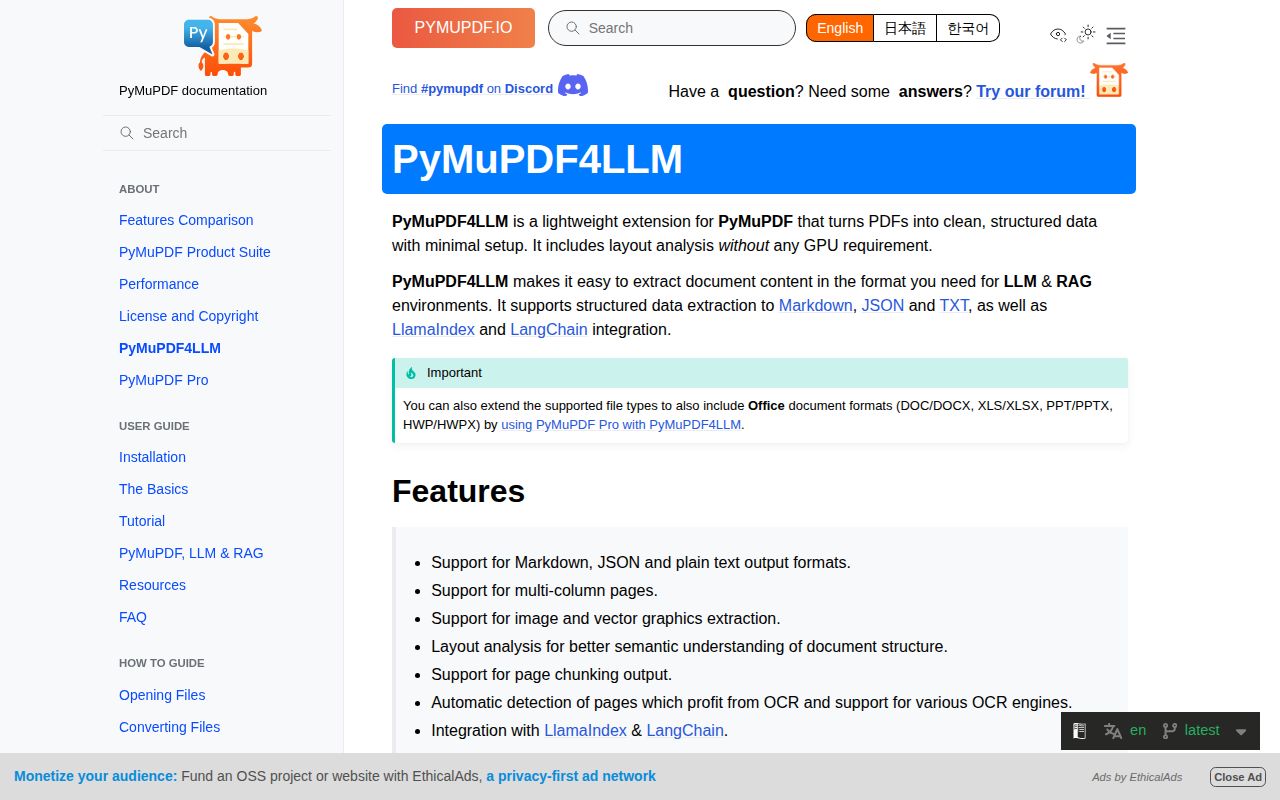
pymupdf4llm 1.28.2 converts PDFs and other MuPDF-readable files into Markdown, plain text, or layout JSON for retrieval and document-processing systems. Its default Layout path reconstructs reading order, headings, tables, page regions, and pictures, then invokes an available OCR engine when page analysis calls for it. The current package pins PyMuPDF and pymupdf-layout to 1.28.2; the matching PyMuPDF release fixes a layout table case where a zero-cell table raised `ValueError`. It can return physical page chunks with metadata, but it does not decide semantic chunk boundaries for an embedding model.
pymupdf4llm 1.28.2 installed in 1.7 seconds with 0 audit findings, yet its 12-package environment occupied 243 MB and imported in 1.84 seconds on our box. Install it when its page layout and selective OCR beat simpler extraction on your own corpus, after clearing the AGPL or commercial license and exact-version constraints.
We installed it
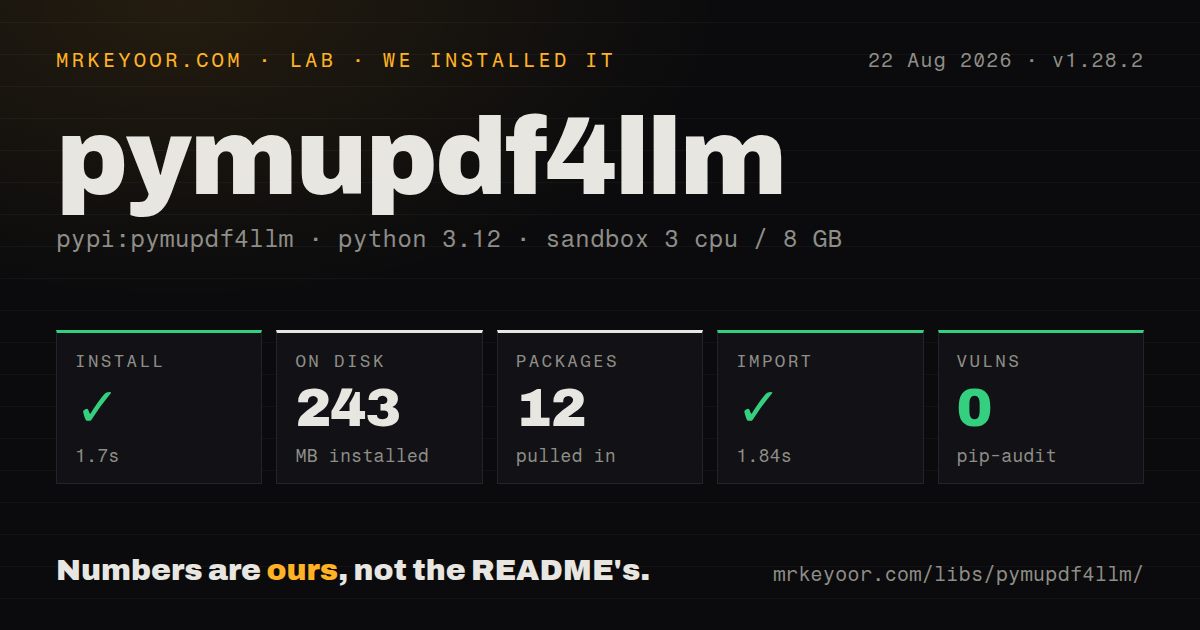
| Install | ✓ · 1.7s | 12 packages on disk · 243 MB |
| Import | ✓ | import pymupdf4llm in 1.84s · pure Python · requires Python >=3.10 |
| Known vulns | 0 | (pip-audit) |
Answers from our run
Does pymupdf4llm install cleanly?
Yes. In a fresh container with an empty cache, pip install pymupdf4llm finished in 2 seconds, leaving 12 packages and 243 MB on disk. pip-audit reported no known vulnerabilities.
What does pymupdf4llm need to run?
Python >=3.10, and nothing compiled: it is pure Python. In our run import pymupdf4llm succeeded in 1.84s.
pymupdf4llm or pypdf: which should you use?
pypdf: Use it for PDF text, metadata, forms, merging, and page manipulation when layout inference and OCR orchestration are unnecessary. pymupdf4llm 1.28.2 installed in 1.7 seconds with 0 audit findings, yet its 12-package environment occupied 243 MB and imported in 1.84 seconds on our box.
When should you not use pymupdf4llm?
Your proprietary service has no approved AGPL compliance plan or Artifex commercial license. PyPI labels pymupdf4llm, PyMuPDF, and pymupdf-layout with the dual AGPL 3.0 or commercial terms.
Use it if
- Your PDF pipeline needs reading-order reconstruction, headings, tables, images, and optional OCR in local Python code.
- Downstream indexing needs one record per source page with document metadata and character ranges for layout boxes.
- You need bounding boxes and layout classes through JSON rather than only a flattened text string.
- Your organization can meet the GNU AGPL 3.0 terms or has arranged an Artifex commercial license for the deployed stack.
- Your proprietary service has no approved AGPL compliance plan or Artifex commercial license. PyPI labels pymupdf4llm, PyMuPDF, and pymupdf-layout with the dual AGPL 3.0 or commercial terms.
- A 243 MB environment for document extraction is too large. That is what our clean 1.28.2 install occupied before adding Tesseract data, RapidOCR, LlamaIndex, or Office support.
- You need stable type-checker coverage from the package. The wheel is pure Python but does not ship `py.typed`, so strict consumers cannot treat all of its annotations as a typed package contract.
- You want topic-aware or token-budgeted chunks ready for embedding. `page_chunks=True` splits by physical page and returns layout metadata; a separate splitter must form semantic chunks.
- Your application already pins another PyMuPDF release. Import code checks for an exact 1.28.2 match and raises `ImportError` when the installed version differs.
- You cannot test extraction against your own PDFs. The changelog records fixes for empty output, duplicated content, missing page text, table errors, image handling, and reading order across document-specific failures.
Setup reality
We installed pymupdf4llm 1.28.2 in a fresh Python 3.12 Bookworm container. The install succeeded in 1.7 seconds, left 12 packages, and used 243 MB. It declares 4 direct dependencies and requires Python 3.10 or newer. import pymupdf4llm worked in 1.84 seconds, and pip-audit found 0 known vulnerabilities. The package is pure Python and has no py.typed marker. Its license is GNU AGPL 3.0 or an Artifex commercial license.
Version pairing is strict. PyPI requires exact 1.28.2 releases of both PyMuPDF and pymupdf-layout, and the import checks the PyMuPDF version before exposing the API. Importing also activates Layout for the process. Calling pymupdf4llm.use_layout(False) switches that global state to the legacy extractor, where custom IdentifyHeaders becomes available. Layout-only JSON and plain-text behavior should not be assumed after that switch.
OCR needs software beyond the 4 direct dependencies. The package can select Tesseract language data or RapidOCR when available. With no usable engine, automatic OCR is disabled with a warning; forcing OCR raises an exception. Set ocr_language for the installed language packs and pass ocr_dpi explicitly when output cost matters. Image-only pages can return empty text with use_ocr=False, which is useful when a caller would rather reject a scan than accept recognition errors.
Page numbers in pages are zero-based, and to_json() returns a JSON string that callers must decode. Writing images needs a writable directory; write_images=True and embed_images=True are mutually exclusive. The batch CLI can start multiple worker processes, so choose --workers after measuring the 243 MB baseline against representative documents. Word, Excel, PowerPoint, and HWP/HWPX handling requires the separate PyMuPDF Pro package, and full Office support requires a commercial key.
Patterns
Convert a document to Markdown convert-to-markdown
from pathlib import Path
import pymupdf4llm

markdown = pymupdf4llm.to_markdown("report.pdf")
Path("report.md").write_text(markdown, encoding="utf-8")
Version 1.28.2 activates Layout during import. Treat extracted Markdown as untrusted document data before rendering it as HTML.
Read a selected set of pages extract-selected-pages
import pymupdf4llm

markdown = pymupdf4llm.to_markdown(
    "report.pdf",
    pages=[0, 1, 5],
)
The `pages` list uses zero-based indexes. Keep the source page index with downstream chunks when citations must point back to the PDF.
Return one record for each page create-page-chunks
import pymupdf4llm

chunks = pymupdf4llm.to_markdown(
    "report.pdf",
    page_chunks=True,
)

for chunk in chunks:
    page_number = chunk["metadata"]["page_number"]
    index_page(page_number, chunk["text"], chunk["page_boxes"])
Page chunks follow physical pages rather than topics or token limits. Each `page_boxes` record maps a layout class and character slice back into that page's text.
Decode layout JSON extract-layout-json
import json
import pymupdf4llm

raw = pymupdf4llm.to_json("report.pdf", pages=[0, 1])
data = json.loads(raw)
`to_json()` returns a string in Layout mode. Decode it before indexing fields, and do not expect this output method after globally disabling Layout.
Format tables in plain-text output extract-plain-text
import pymupdf4llm

text = pymupdf4llm.to_text(
    "report.pdf",
    table_format="grid",
    table_max_width=100,
    table_min_col_width=10,
)
`to_text()` is part of the Layout path, and table formatting follows tabulate formats. Visual alignment still depends on the inferred table cells.
Write extracted pictures beside the text save-images
from pathlib import Path
import pymupdf4llm

image_dir = Path("report-images")
image_dir.mkdir(parents=True, exist_ok=True)
markdown = pymupdf4llm.to_markdown(
    "report.pdf",
    write_images=True,
    image_path=str(image_dir),
    image_format="png",
    dpi=150,
)
The destination must be writable, and generated files need their own retention policy. `write_images=True` cannot be combined with `embed_images=True`.
Place image data inside Markdown embed-images
import pymupdf4llm

markdown = pymupdf4llm.to_markdown(
    "report.pdf",
    embed_images=True,
    dpi=120,
)
Embedded pictures avoid sidecar files but enlarge the returned Markdown with base64 data. The Layout wrapper rejects simultaneous image writing and embedding.
Set language and resolution for selective OCR configure-selective-ocr
import pymupdf4llm

markdown = pymupdf4llm.to_markdown(
    "mixed-scan.pdf",
    use_ocr=True,
    force_ocr=False,
    ocr_language="eng+fra",
    ocr_dpi=200,
)
Tesseract language data or a supported RapidOCR installation must already exist. Passing `ocr_dpi` avoids relying on the README and Layout source defaults, which disagree.
Reject OCR work for digital-only input disable-ocr
import pymupdf4llm

markdown = pymupdf4llm.to_markdown(
    "digital.pdf",
    use_ocr=False,
)
Image-only pages can yield empty text with OCR disabled. Use this setting when recognition latency or uncertain text is worse than rejecting a scan.
Emit reconstructed tables as HTML render-html-tables
import pymupdf4llm

markdown = pymupdf4llm.to_markdown(
    "tables.pdf",
    table_output="html",
    edge_threshold=0.75,
)
Only table regions change to HTML; Layout still controls surrounding reading order and OCR. Sanitize generated HTML before placing it in a web page.
Read names and values from a PDF form extract-form-values
import pymupdf4llm

fields = pymupdf4llm.get_key_values("application.pdf", xrefs=True)
for name, value in fields.items():
    print(name, value)
A PDF without form fields returns an empty dictionary. With `xrefs=True`, values include PDF object references that PyMuPDF can use to load widgets.
Convert a directory with bounded workers batch-convert-directory
pymupdf4llm documents/ --out extracted/ --backend md --pattern '*.pdf' --workers 2 --ocr-lang engThe CLI starts worker processes and writes outputs under the requested directory. Pick the worker count from measured memory use on your documents rather than CPU count alone.
Alternatives
| Package | Registry | Pick it when |
|---|---|---|
| pypdf | PyPI | Use it for PDF text, metadata, forms, merging, and page manipulation when layout inference and OCR orchestration are unnecessary. |
| docling | PyPI | Use it when several document formats and a structured document model matter more than a compact PDF-first API. |
| unstructured | PyPI | Use it for file-type partitioning into normalized elements and integrations across a wider ingestion system. |
| marker-pdf | PyPI | Compare it on equation-heavy or layout-heavy PDFs when a larger model-based conversion stack is acceptable. |
More data guides
numpy · pandas · fsspec · lxml · pyarrow · sqlalchemy · the whole shelf →
How this guide is made: grounded in the library's documentation, release notes, changelog, and issue history, on a fixed rubric — not a hands-on install of every release. The 50 most-downloaded entries are additionally install-verified in clean containers. Corrections: contact the desk.