pymssql review
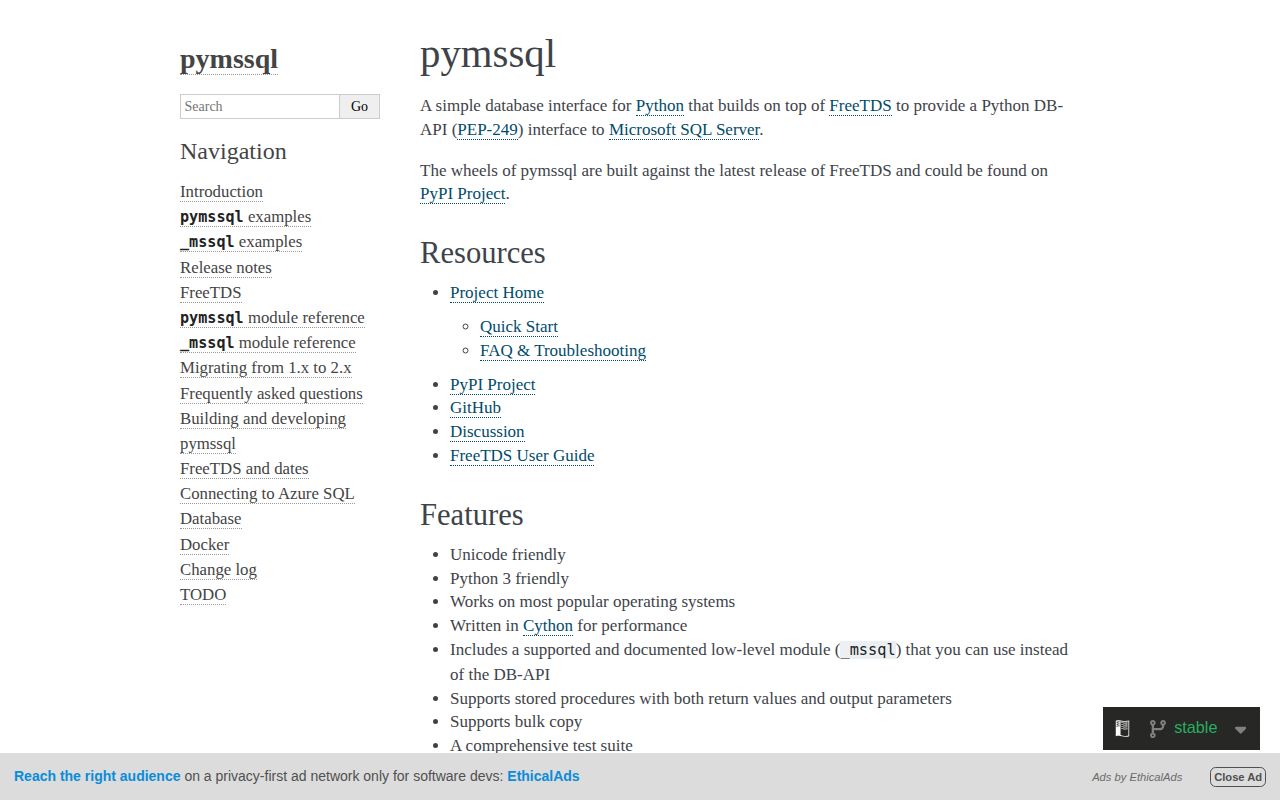
pymssql 2.3.13 is a compiled Python DB-API 2.0 driver for Microsoft SQL Server. Its Cython extension calls FreeTDS and exposes connections, tuple or dictionary cursors, parameterized statements, explicit transactions, stored procedures, multiple result sets, batched `executemany()`, and bulk copy. Official wheels carry a static FreeTDS build with SSL, which can remove the need to install unixODBC or Microsoft's ODBC driver on a supported platform. The SQLAlchemy dialect is `mssql+pymssql`. Version 2.3.13 changes typing rather than query execution: its changelog says generics, overloads, and incorrect return types were repaired in the bundled stubs.
pymssql 2.3.13 installed in 0.3 seconds as 1 compiled package using 9 MB, imported in 0.18 seconds, and produced 0 audit findings in our sandbox. It is a direct route to SQL Server through bundled FreeTDS; choose ODBC when authentication or multiple-active-result features require it.
We installed it
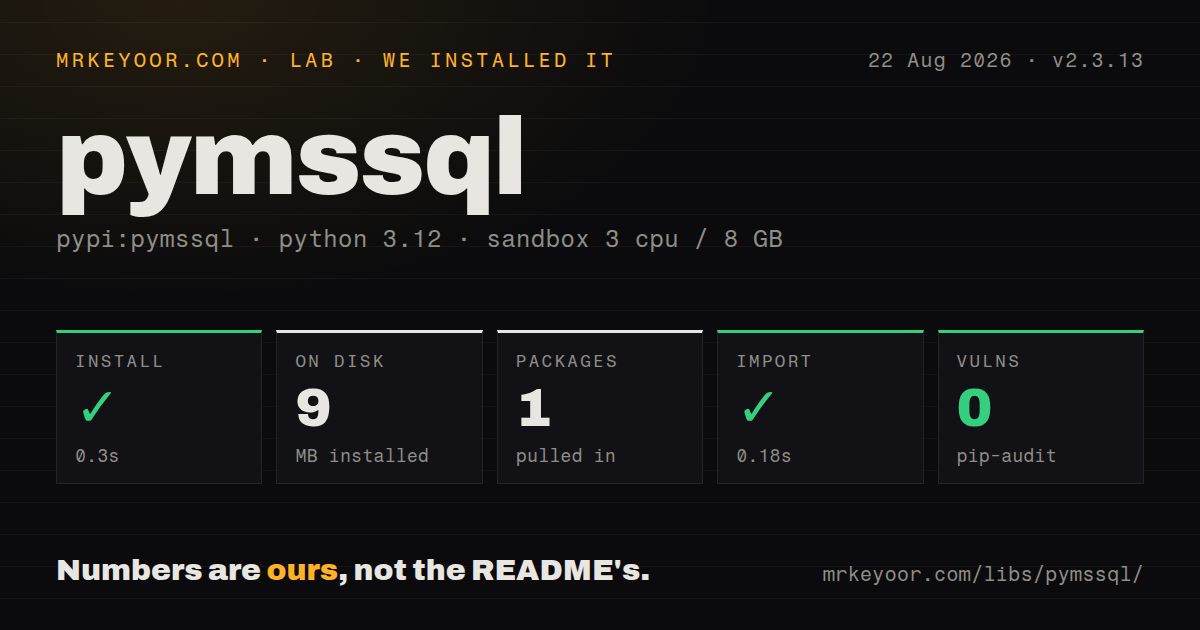
| Install | ✓ · 0.3s | 1 package on disk · 9 MB |
| Import | ✓ | import pymssql in 0.18s · compiled extensions · py.typed · requires Python >=3.9 |
| Known vulns | 0 | (pip-audit) |
Answers from our run
Does pymssql install cleanly?
Yes. In a fresh container with an empty cache, pip install pymssql finished in 0.3s, leaving 1 package and 9 MB on disk. pip-audit reported no known vulnerabilities.
What does pymssql need to run?
Python >=3.9, and a platform wheel with compiled extensions. In our run import pymssql succeeded in 0.18s, and the package ships py.typed for type checkers.
pymssql or pyodbc: which should you use?
pyodbc: Choose it with Microsoft's ODBC driver for ODBC authentication, MARS, and vendor-centered deployment guidance. pymssql 2.3.13 installed in 0.3 seconds as 1 compiled package using 9 MB, imported in 0.18 seconds, and produced 0 audit findings in our sandbox.
When should you not use pymssql?
Native asyncio database calls are required. pymssql is synchronous; its wait callback exists for cooperative event systems rather than asyncio DB-API methods.
Use it if
- A CPython service needs ordinary SQL Server DB-API access and a matching wheel is available for its operating system and architecture.
- Shipping a wheel that already contains FreeTDS is simpler than provisioning an ODBC driver manager and vendor driver.
- The workload uses SQL logins, explicit transactions, dictionary rows, stored procedures, or FreeTDS bulk copy.
- An existing SQLAlchemy application already supports the `mssql+pymssql` dialect and does not need ODBC-only connection features.
- Native asyncio database calls are required. pymssql is synchronous; its wait callback exists for cooperative event systems rather than `asyncio` DB-API methods.
- Two result sets must remain live on one connection. The docs allow only 1 active query per connection and show a second cursor replacing unread results from the first.
- The deployment needs ODBC-specific authentication, connection attributes, or Multiple Active Result Sets. `pyodbc` with Microsoft's driver is a closer fit.
- No wheel matches the target and the build environment cannot provide a compiler, Cython, FreeTDS headers, and SSL headers. The source package builds extensions.
- Your distribution review cannot accept LGPL-2.1 terms or a wheel containing a static FreeTDS copy. Resolve those artifact obligations before choosing the driver.
Setup reality
We installed pymssql 2.3.13 in a fresh Python 3.12 Bookworm sandbox in 0.3 seconds. It left 1 package and 9 MB on disk, and pip-audit reported 0 known vulnerabilities. The distribution declares 0 direct dependencies, requires Python 3.9 or newer, contains compiled .so extensions, and ships py.typed. import pymssql succeeded in 0.18 seconds. Its included license text is LGPL version 2.1.
A published wheel bundles FreeTDS and SSL support; a source build needs the native compiler and library toolchain. Connection setup still needs a SQL Server host, port, database, user, password, charset, and an appropriate TDS version. Keep credentials in a secret provider or process environment. Set encryption='require' when the server policy requires encrypted connections, and test the exact FreeTDS and server certificate configuration used in production.
Autocommit defaults to false. Call commit() after successful writes and rollback() after a failed transaction before returning the connection to a pool. DB-API threadsafety is 1, which permits sharing the module and forbids sharing connections between threads. Give each concurrent unit of work its own pooled connection. FreeTDS exposes query and login timeout behavior with process-wide effects, so changing those values per request can affect unrelated connections in the same process.
Only 1 cursor may own an active query on a connection. Fetch or discard its remaining rows before another cursor executes, or use another connection. Version 2.3.13's dictionary cursor raises ColumnsWithoutNamesError for unnamed expressions, so alias aggregates. executemany() may reduce a requested batch to stay under its internal SQL-size limit. bulk_copy() skips Python-to-column type checking, which makes preflight validation your responsibility.
Patterns
Open a bounded SQL Server connection connect-and-select
import os
import pymssql

conn = pymssql.connect(
    server=os.environ['MSSQL_HOST'],
    port=1433,
    user=os.environ['MSSQL_USER'],
    password=os.environ['MSSQL_PASSWORD'],
    database='sales',
    tds_version='7.4',
    login_timeout=15,
)
with conn.cursor() as cursor:
    cursor.execute('SELECT TOP 10 id, total FROM orders ORDER BY id DESC')
    rows = cursor.fetchall()
conn.close()
Use keyword arguments for the long 2.3.13 connection signature and keep the password outside source control.
Address result columns by name fetch-dictionary-rows
with conn.cursor(as_dict=True) as cursor:
    cursor.execute(
        'SELECT customer_id, SUM(total) AS order_total '
        'FROM orders GROUP BY customer_id'
    )
    rows = cursor.fetchall()
print(rows[0]['order_total'])
Every computed expression needs an alias; dictionary mode raises `ColumnsWithoutNamesError` when a selected column has no name.
Parameterize user values bind-query-values
with conn.cursor() as cursor:
    cursor.execute(
        'SELECT id FROM orders WHERE customer_id=%s AND total >= %s',
        (customer_id, minimum_total),
    )
    order_ids = [row[0] for row in cursor]
Pass values separately through pyformat placeholders. Do not interpolate user input into the SQL text.
Close a transaction deliberately commit-or-rollback
try:
    with conn.cursor() as cursor:
        cursor.execute(
            'UPDATE accounts SET balance=balance-%s WHERE id=%s',
            (amount, account_id),
        )
    conn.commit()
except pymssql.DatabaseError:
    conn.rollback()
    raise
Autocommit is false by default in pymssql 2.3.13; successful writes need `commit()` and failed work should be rolled back.
Batch repeated inserts insert-batched-rows
records = [(1, 'Ada'), (2, 'Grace'), (3, 'Linus')]
with conn.cursor() as cursor:
    cursor.executemany(
        'INSERT INTO people (id, name) VALUES (%s, %s)',
        records,
        batch_size=500,
    )
conn.commit()
When batch_size exceeds 1, rowcount may be -1. The driver can also shrink a batch when the generated SQL reaches its size ceiling.
Send rows through FreeTDS bulk copy load-with-bulk-copy
rows = ((item.id, item.sku, item.quantity) for item in items)
conn.bulk_copy(
    'dbo.inventory_stage',
    rows,
    column_ids=[1, 2, 3],
    batch_size=10_000,
    tablock=True,
    check_constraints=True,
)
conn.commit()
bulk_copy does not compare each Python value with the destination SQL type before loading, so validate row shape and types first.
Read an output procedure argument call-stored-procedure
with conn.cursor() as cursor:
    output = cursor.callproc(
        'dbo.create_order',
        (customer_id, total, pymssql.output(int)),
    )
    order_id = output[2]
    procedure_code = cursor.returnvalue
conn.commit()
The returned tuple carries output parameters. `returnvalue` is the procedure return code and is separate from any selected row sets.
Finish one cursor before another drain-active-query
with conn.cursor() as customer_cursor:
    customer_cursor.execute('SELECT id FROM customers')
    customer_ids = [row[0] for row in customer_cursor.fetchall()]

with conn.cursor() as order_cursor:
    order_cursor.execute(
        'SELECT id FROM orders WHERE customer_id=%s',
        (customer_ids[0],),
    )
    orders = order_cursor.fetchall()
The docs permit 1 active query per connection; a second execute can replace unread rows from the first cursor.
Consume every procedure result iterate-result-sets
cursor.execute('EXEC dbo.monthly_report %s', (month,))
results = []
while True:
    if cursor.description is not None:
        results.append(cursor.fetchall())
    if not cursor.nextset():
        break
`nextset()` advances after the current set. Fetch required rows before moving because unread rows are discarded.
Separate constraint and connection failures classify-database-error
try:
    cursor.execute(sql, params)
    conn.commit()
except pymssql.IntegrityError as error:
    conn.rollback()
    raise DuplicateRecord() from error
except pymssql.OperationalError:
    conn.rollback()
    raise
A pooled connection should be rolled back after a failed transaction before another request receives it.
Require an encrypted FreeTDS connection require-wire-encryption
conn = pymssql.connect(
    server='server.database.windows.net',
    port=1433,
    user=os.environ['MSSQL_USER'],
    password=os.environ['MSSQL_PASSWORD'],
    database='appdb',
    tds_version='7.4',
    encryption='require',
)
Official wheels include SSL support. Test `encryption='require'` against the production server and its FreeTDS certificate settings before rollout.
Pool connections through SQLAlchemy create-sqlalchemy-engine
from sqlalchemy import create_engine, text
from sqlalchemy.engine import URL

url = URL.create(
    'mssql+pymssql',
    username=user,
    password=password,
    host=host,
    port=1433,
    database=database,
)
engine = create_engine(url, pool_pre_ping=True)
with engine.connect() as connection:
    version = connection.execute(text('SELECT @@VERSION')).scalar_one()
`URL.create()` quotes credentials without hand-building a URI, and `pool_pre_ping` checks a pooled connection before use.
Alternatives
| Package | Registry | Pick it when |
|---|---|---|
| pyodbc | PyPI | Choose it with Microsoft's ODBC driver for ODBC authentication, MARS, and vendor-centered deployment guidance. |
| python-tds | PyPI | Choose it when a pure-Python TDS implementation is preferable to a Cython and FreeTDS extension. |
| adodbapi | PyPI | Choose it on Windows when the application deliberately connects through an ADO provider. |
More data guides
numpy · pandas · fsspec · pyarrow · lxml · sqlalchemy · the whole shelf →
How this guide is made: grounded in the library's documentation, release notes, changelog, and issue history, on a fixed rubric — not a hands-on install of every release. The 50 most-downloaded entries are additionally install-verified in clean containers. Corrections: contact the desk.