pyiceberg review
PyIceberg 0.11.1 is the Python implementation of Apache Iceberg metadata and table operations. It talks to REST, Glue, SQL, Hive, DynamoDB, and other catalogs; plans files from manifests and statistics; reads into Arrow-oriented tools; and commits appends, overwrites, deletes, upserts, schema changes, partition evolution, branches, tags, and snapshot expiry without a JVM. Patch 0.11.1 repairs REST response methods, partition-statistics aliases, ADLS hostname parsing, and SSL-disable handling. It does not supply distributed SQL or automatic compaction.
PyIceberg 0.11.1 installed in 0.5 seconds and used 57 MB across 26 packages in our sandbox, with no audit findings, but the smoke command tested `fb303` rather than the top-level module. Install it for Python-native Iceberg metadata and scans, then pair it with compute and maintenance systems.
We installed it
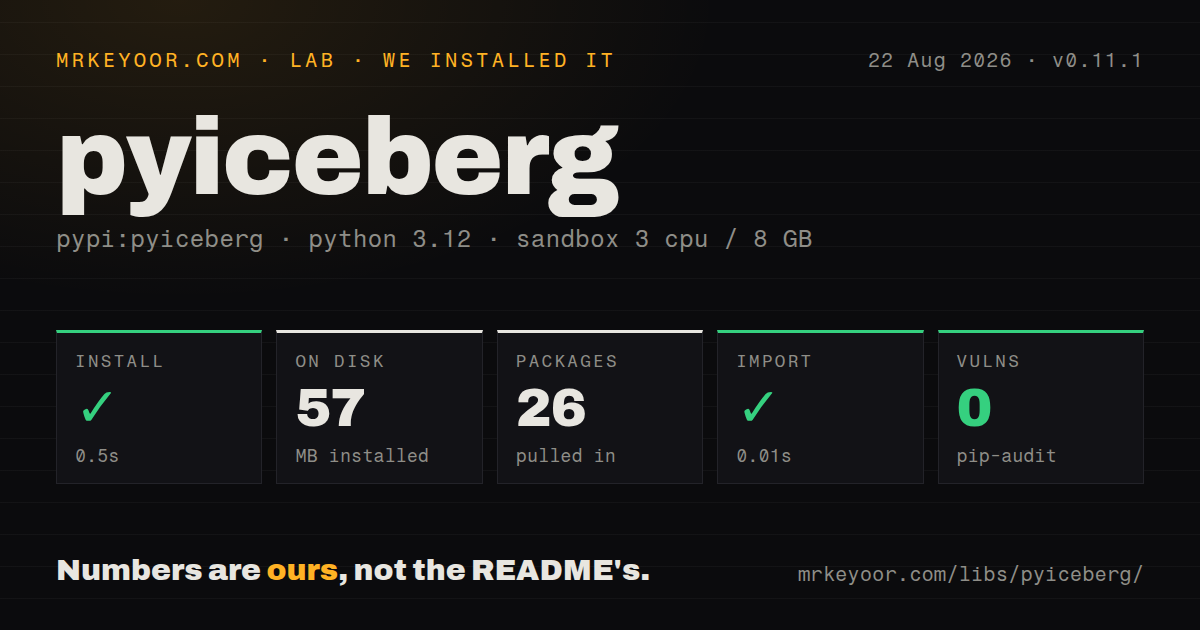
| Install | ✓ · 0.5s | 26 packages on disk · 57 MB |
| Import | ✓ | import fb303 in 0.01s · compiled extensions · py.typed · requires Python <4.0.0,>=3.10.0 |
| Known vulns | 0 | (pip-audit) |
Answers from our run
Does pyiceberg install cleanly?
Yes. In a fresh container with an empty cache, pip install pyiceberg finished in 0.5s, leaving 26 packages and 57 MB on disk. pip-audit reported no known vulnerabilities.
What does pyiceberg need to run?
Python <4.0.0,>=3.10.0, and a platform wheel with compiled extensions. In our run import fb303 succeeded in 0.01s, and the package ships py.typed for type checkers.
pyiceberg or deltalake: which should you use?
deltalake: Use it for Delta Lake tables that need native Python reads and writes. PyIceberg 0.11.1 installed in 0.5 seconds and used 57 MB across 26 packages in our sandbox, with no audit findings, but the smoke command tested fb303 rather than the top-level module.
When should you not use pyiceberg?
The workload requires joins, grouping, or distributed shuffle; PyIceberg plans table scans and delegates computation.
Use it if
- Python code must access Iceberg tables shared with Spark, Flink, Trino, or other spec-compatible engines.
- Manifest and column statistics should remove irrelevant files before Arrow, pandas, Polars, or DuckDB reads them.
- Catalog creation, table evolution, branches, tags, or snapshot retention need a Python automation API.
- Writes are moderate and an external engine already handles file rewrite, compaction, and lake maintenance.
- The workload requires joins, grouping, or distributed shuffle; PyIceberg plans table scans and delegates computation.
- Frequent tiny appends must compact themselves; every commit can add data and metadata files without an automatic rewrite service.
- The source is Delta Lake, Hudi, or bare Parquet; PyIceberg expects Iceberg metadata and catalog semantics.
- Competing writers cannot retry after optimistic commit conflicts; the full logical change may need fresh table metadata.
- Nanosecond timestamp precision must survive; Iceberg timestamps use microseconds and downcasting loses information.
Setup reality
We installed PyIceberg 0.11.1 in a fresh Python 3.12 Bookworm sandbox in 0.5 seconds. The environment contained 26 packages using 57 MB afterward. Metadata reported 44 direct dependencies, Python 3.10 through the 3.x line, compiled .so extensions, and a py.typed marker; its installed license field was unknown. pip-audit found 0 known vulnerabilities. The recorded smoke test imported fb303 in 0.01 seconds, so it does not prove that import pyiceberg succeeded.
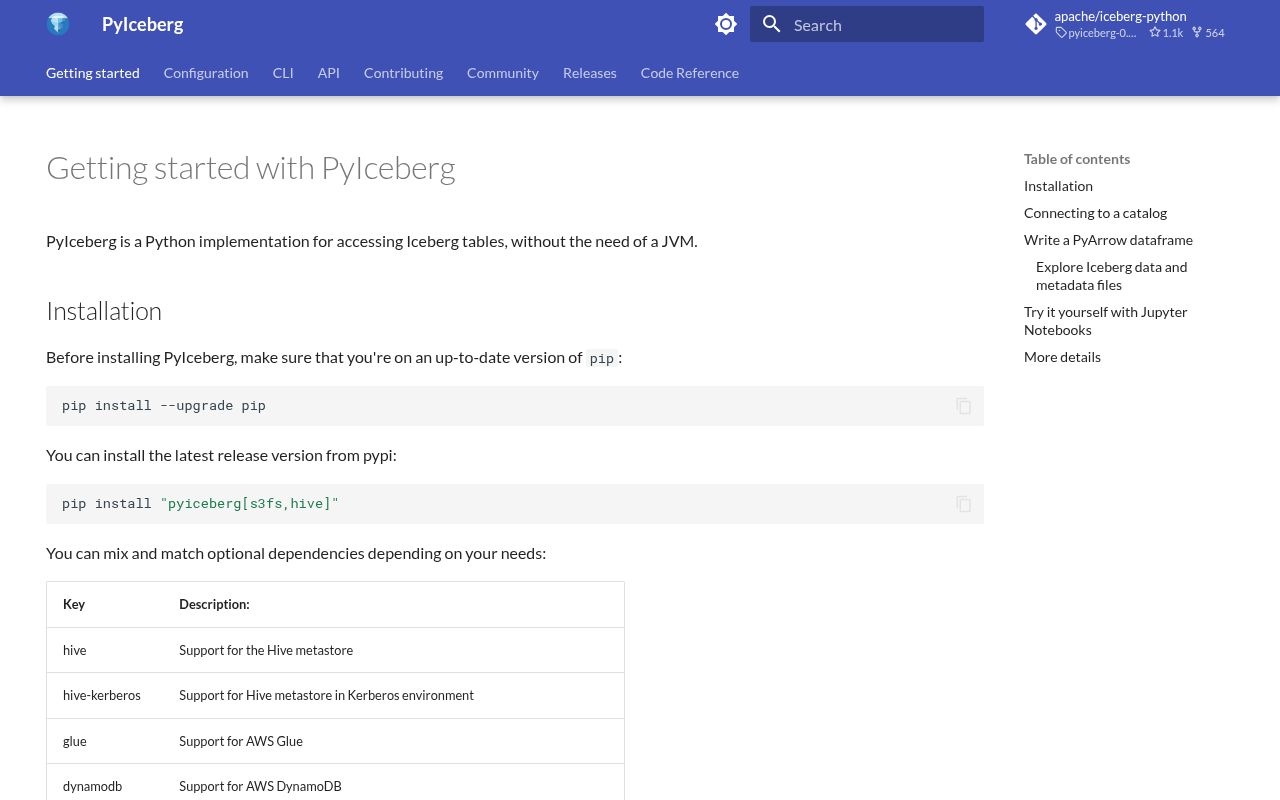
Installation extras define what actually works. Select the catalog driver, filesystem or cloud client, and result backend used by the application. The base package can manipulate metadata yet fail later when a scan reaches an absent Arrow or storage extra. Keep PyIceberg, PyArrow, cloud filesystem libraries, and the catalog client in one lock. Patch 0.11.1 specifically changes REST, ADLS, and SSL configuration behavior, so exercise the real endpoint during an upgrade.
load_catalog accepts explicit properties, while .pyiceberg.yaml and nested environment variables provide named catalogs. Configuration discovery may examine PYICEBERG_HOME, a user directory, and the current directory. Set one intentional location inside a container. Access keys, OAuth secrets, and warehouse credentials belong in secret injection rather than committed YAML. Catalog authentication and object-store authentication are separate even when both use the same cloud provider.
Filters first prune through Iceberg metadata, then remaining rows are decoded from selected files. to_arrow, to_pandas, and to_polars can materialize the result in one process; use an Arrow batch reader for larger scans. Writes use optimistic snapshot commits, so retry the complete read-change-commit transaction after a conflict. Send small-file rewrite, orphan cleanup, and large maintenance operations to an engine that explicitly implements them.
Patterns
Load a table through a REST catalog open-rest-catalog
from pyiceberg.catalog import load_catalog
catalog = load_catalog('prod', type='rest', uri='https://catalog.example.com/', warehouse='s3://analytics-warehouse/')
table = catalog.load_table('analytics.events')
Catalog credentials and object-store credentials are separate settings; inject both rather than placing secrets in source.
Create an Iceberg table from Arrow fields create-table
import pyarrow as pa
schema = pa.schema([pa.field('event_id', pa.string(), nullable=False), pa.field('event_ts', pa.timestamp('us'), nullable=False)])
catalog.create_namespace_if_not_exists('analytics')
table = catalog.create_table('analytics.events', schema=schema)
Arrow nullability becomes Iceberg required or optional state, and timestamps should use the format's microsecond precision.
Project columns while pruning files filter-scan
scan = table.scan(row_filter="event_ts >= '2026-08-01T00:00:00'", selected_fields=('event_id', 'event_ts'), limit=1000)
result = scan.to_arrow()
The 1,000-row limit controls returned records, not guaranteed bytes read; partition and statistics filters reduce file work.
Inspect files selected by metadata planning inspect-files
for task in table.scan(row_filter="event_date = '2026-08-24'").plan_files():
    print(task.file.file_path, task.file.record_count)
Planning verifies partition and manifest pruning before materialization; it does not perform SQL aggregation.
Read Arrow batches instead of one dataframe stream-batches
reader = table.scan(selected_fields=('event_id', 'amount')).to_arrow_batch_reader()
for batch in reader:
    consume(batch)
Batch iteration reduces result materialization, though planning and decoder buffers still consume memory.
Commit rows from an Arrow table append-arrow
incoming = pa.Table.from_pylist(records, schema=table.schema().as_arrow())
table.append(incoming)
Using the table schema catches incompatible input before commit; every append creates a snapshot and can create small files.
Merge records by identifier column upsert-keys
result = table.upsert(incoming, join_cols=['event_id'])
print(result.rows_updated, result.rows_inserted)
Without `join_cols`, the table needs identifier fields; cost follows the existing records touched by those keys.
Add transforms for files written later change-partitions
from pyiceberg.transforms import DayTransform, BucketTransform
with table.update_spec() as update:
    update.add_field('event_ts', DayTransform(), 'event_day')
    update.add_field('user_id', BucketTransform(16), 'user_bucket')
Historical files retain their previous partition spec until a separate rewrite or compaction operation changes them.
Alternatives
| Package | Registry | Pick it when |
|---|---|---|
| deltalake | PyPI | Use it for Delta Lake tables that need native Python reads and writes. |
| duckdb | PyPI | Use it when SQL execution is primary and DuckDB's Iceberg path covers the catalog. |
| pyarrow | PyPI | Use it for plain Parquet datasets without Iceberg snapshots, manifests, or catalog commits. |
| daft | PyPI | Use it for larger-than-memory dataframe execution with Iceberg input. |
More data guides
numpy · pandas · fsspec · pyarrow · lxml · sqlalchemy · the whole shelf →
How this guide is made: grounded in the library's documentation, release notes, changelog, and issue history, on a fixed rubric — not a hands-on install of every release. The 50 most-downloaded entries are additionally install-verified in clean containers. Corrections: contact the desk.