oracledb review
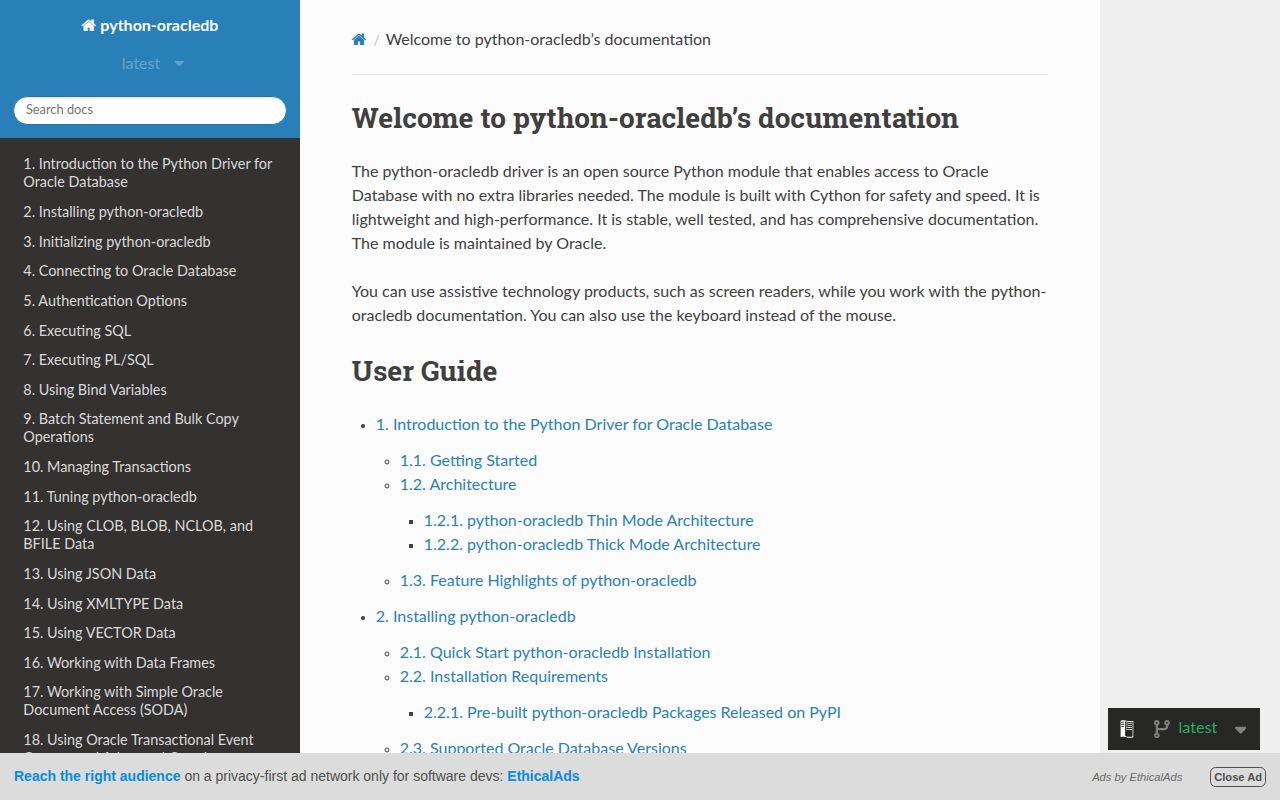
python-oracledb 4.0.2 is Oracle's DB API 2.0 driver and the supported successor to cx_Oracle. Default Thin mode connects to Oracle Database 12.1 or newer without Oracle Client libraries. Thick mode loads Oracle Client 19 or later when an application needs older database interoperability or a feature unavailable in Thin mode. Beyond cursors and transactions, the driver covers pools, PL/SQL, array DML, Advanced Queuing, notifications, data-frame interchange, and Thin-only async connections. Our wheel included compiled extensions and typing metadata.
python-oracledb 4.0.2 installed in 0.5 seconds, occupied 24 MB, and imported in 0.48 seconds in our sandbox with 0 audit findings. It is the right direct Oracle driver when Thin or Thick mode matches the database; it is not an ORM and does not make wallets, native clients, pools, or transaction boundaries disappear.
We installed it
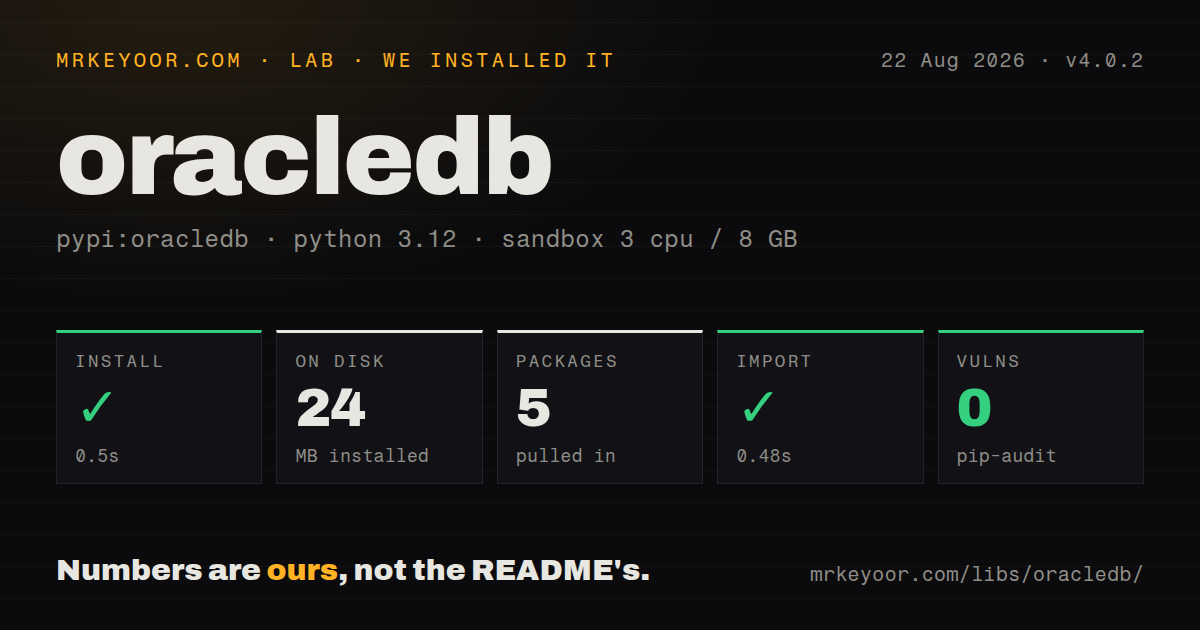
| Install | ✓ · 0.5s | 5 packages on disk · 24 MB |
| Import | ✓ | import oracledb in 0.48s · compiled extensions · py.typed · requires Python >=3.9 |
| Known vulns | 0 | (pip-audit) |
Answers from our run
Does oracledb install cleanly?
Yes. In a fresh container with an empty cache, pip install oracledb finished in 0.5s, leaving 5 packages and 24 MB on disk. pip-audit reported no known vulnerabilities.
What does oracledb need to run?
Python >=3.9, and a platform wheel with compiled extensions. In our run import oracledb succeeded in 0.48s, and the package ships py.typed for type checkers.
oracledb or SQLAlchemy: which should you use?
SQLAlchemy: You want an ORM or composable SQL layer and accept that an Oracle DB API driver is still required underneath. python-oracledb 4.0.2 installed in 0.5 seconds, occupied 24 MB, and imported in 0.48 seconds in our sandbox with 0 audit findings.
When should you not use oracledb?
You can choose another database and use none of Oracle's specific behavior. This driver does not remove Oracle licensing, administration, or SQL dialect work.
Use it if
- Python code needs Oracle's maintained DB API driver for direct SQL, binds, cursors, and transactions.
- The target is Oracle Database 12.1 or newer and deployment should avoid a separate Oracle Client install by using Thin mode.
- The application uses PL/SQL types, array DML, Advanced Queuing, session pools, notifications, or Oracle high-availability features.
- Async connections and pools are required and the project can stay in Thin mode.
- You can choose another database and use none of Oracle's specific behavior. This driver does not remove Oracle licensing, administration, or SQL dialect work.
- One portable database contract is the priority. DB API basics transfer, while PL/SQL, object types, AQ, DRCP, wallets, and Oracle error codes do not.
- Oracle Database 11.2 must work without native client files. Thin mode starts at Database 12.1; 11.2 requires Thick mode and a compatible Oracle Client.
- Async calls must run through Thick mode. The official support matrix limits async connections, pools, and pipelining to Thin mode.
- You want models and composable queries rather than SQL and cursors. SQLAlchemy can sit above this package; python-oracledb itself is only the driver layer.
Setup reality
We installed oracledb 4.0.2 in 0.5 seconds in a fresh Python 3.12 Bookworm sandbox. It left 5 packages and 24 MB on disk, and pip-audit reported 0 known vulnerabilities. The package declares 15 direct dependencies, requires Python 3.9 or newer, ships compiled .so extensions plus py.typed, and completed import oracledb in 0.48 seconds.
Thin mode is the default and needs no Oracle Client, but it requires Oracle Database 12.1 or later. Supply credentials outside source and use an Easy Connect string such as host:port/service_name, or configure the documented TNS and wallet path for the deployment. Service names, SIDs, RAC descriptors, proxy users, and Autonomous Database wallets are different connection cases; a generic database URL cannot stand in for all of them.
Call oracledb.init_oracle_client() before creating any connection or pool to enter Thick mode. Oracle Client 19 or later must be discoverable by the operating system, and Python plus client libraries need matching architectures. Put the native client and its system libraries into the real container image, then run a startup connection there. A developer machine with a globally installed client can hide a broken deployment.
Autocommit is off by default. Closing a connection rolls back unfinished work, and pooled sessions must not return with accidental transaction state. Bind values rather than formatting SQL, but remember that binds cannot replace table or column names. Size each process's pool against the database session budget. Async code uses connect_async() or create_pool_async() and works only in Thin mode; cursor creation itself remains local and synchronous.
Patterns
Connect in default Thin mode connect-thin
import os
import oracledb

with oracledb.connect(
    user=os.environ['DB_USER'],
    password=os.environ['DB_PASSWORD'],
    dsn='db.example.com:1521/appsvc',
) as connection:
    print(connection.version)
Thin mode needs no Oracle Client and connects to Oracle Database 12.1 or newer.
Enable Thick mode before connecting enable-thick-mode
import oracledb

oracledb.init_oracle_client(lib_dir='/opt/oracle/instantclient_23_8')

connection = oracledb.connect(
    user='app',
    password='secret',
    dsn='db.example.com/appsvc',
)
`init_oracle_client()` must run before the first pool or connection. Python and Oracle Client architectures must match.
Execute a query with named bind variables query-with-binds
sql = '''
    select employee_id, first_name, salary
    from employees
    where department_id = :department_id
    order by employee_id
'''

with connection.cursor() as cursor:
    cursor.execute(sql, department_id=50)
    for employee_id, name, salary in cursor:
        print(employee_id, name, salary)
Bind the values to avoid SQL injection and repeated parsing. Identifiers such as table names cannot be bind variables.
Return query rows as dictionaries fetch-dictionaries
def dict_row(cursor):
    columns = [item[0].lower() for item in cursor.description]
    cursor.rowfactory = lambda *values: dict(zip(columns, values))

with connection.cursor() as cursor:
    cursor.execute('select employee_id, first_name from employees')
    dict_row(cursor)
    rows = cursor.fetchall()
`cursor.description` exists after execution, so assign the row factory only after the query has run.
Insert a row and commit explicitly insert-and-commit
with connection.cursor() as cursor:
    cursor.execute(
        'insert into audit_log (event_id, message) values (:1, :2)',
        [event_id, message],
    )
connection.commit()
Autocommit is disabled by default; closing this connection before `commit()` would roll the insert back.
Insert many rows with executemany bulk-insert
rows = [(101, 'queued'), (102, 'queued'), (103, 'queued')]

with connection.cursor() as cursor:
    cursor.setinputsizes(int, 20)
    cursor.executemany(
        'insert into jobs (job_id, status) values (:1, :2)',
        rows,
    )
connection.commit()
`setinputsizes()` avoids repeated allocation in large batches. Enable batch errors only when partial success is intentional.
Create and use a fixed-size connection pool connection-pool
pool = oracledb.create_pool(
    user=os.environ['DB_USER'],
    password=os.environ['DB_PASSWORD'],
    dsn=os.environ['DB_DSN'],
    min=4,
    max=4,
    increment=0,
)

with pool.acquire() as connection:
    with connection.cursor() as cursor:
        value, = cursor.execute('select 1 from dual').fetchone()
Multiply this pool size by the worker-process count and compare the result with the database session limit.
Run a query with an async connection async-query
import oracledb

async def load_employee(employee_id):
    connection = await oracledb.connect_async(
        user='app', password='secret', dsn='db.example.com/appsvc'
    )
    async with connection:
        with connection.cursor() as cursor:
            await cursor.execute(
                'select first_name from employees where employee_id = :1',
                [employee_id],
            )
            return await cursor.fetchone()
Async connections work only in Thin mode. Creating the cursor is local, so that line is deliberately not awaited.
Acquire from an async connection pool async-pool
pool = oracledb.create_pool_async(
    user='app', password='secret', dsn='db.example.com/appsvc',
    min=2, max=10, increment=1,
)

async with pool.acquire() as connection:
    with connection.cursor() as cursor:
        await cursor.execute('select systimestamp from dual')
        row = await cursor.fetchone()
`create_pool_async()` returns the pool immediately; connection work occurs while the pool establishes or acquires sessions.
Call a PL/SQL procedure with an output value call-plsql-procedure
with connection.cursor() as cursor:
    total = cursor.var(oracledb.NUMBER)
    cursor.callproc('billing.calculate_total', [invoice_id, total])
    print(total.getvalue())
Use `cursor.var()` for an OUT parameter, then read its value after the PL/SQL call returns.
Read a CLOB value read-clob
with connection.cursor() as cursor:
    cursor.execute('select document_body from documents where document_id = :1', [doc_id])
    lob, = cursor.fetchone()
    text = lob.read() if lob is not None else None
LOB handles depend on the active connection. Read or stream the value before releasing a pooled session.
Inspect an Oracle database error handle-database-errors
try:
    cursor.execute(sql, values)
except oracledb.DatabaseError as exc:
    error, = exc.args
    print(error.full_code, error.message)
    if error.code == 1:
        raise ValueError('duplicate value') from exc
    raise
Match the documented numeric Oracle code. Message text varies with database version and language.
Alternatives
| Package | Registry | Pick it when |
|---|---|---|
| SQLAlchemy | PyPI | You want an ORM or composable SQL layer and accept that an Oracle DB API driver is still required underneath |
| pyodbc | PyPI | Your organization standardizes on ODBC across databases and can install and configure an Oracle ODBC driver |
| JayDeBeApi | PyPI | You must use an existing Oracle JDBC setup from Python and can accept a JVM bridge in the process |
More data guides
numpy · pandas · fsspec · lxml · pyarrow · sqlalchemy · the whole shelf →
How this guide is made: grounded in the library's documentation, release notes, changelog, and issue history, on a fixed rubric — not a hands-on install of every release. The 50 most-downloaded entries are additionally install-verified in clean containers. Corrections: contact the desk.