node-readfiles review
node-readfiles 0.4.0 is supposed to traverse a directory, read matching files one at a time, call a handler with each path, body, and stat object, then resolve with the collected filenames. Its options cover traversal depth, dotfiles, order, text encoding, relative or full paths, and a small home-grown filter syntax. The published package does not reach that API on current Node. In our Node 22 sandbox, both `require('node-readfiles')` and ESM `import` failed because the CommonJS package's main file contains AMD `define(...)` wrappers. That packaging break is the reason to avoid it, regardless of its 4.6 million weekly downloads.
node-readfiles 0.4.0 installed in 0.9 seconds, but both `require()` and ESM `import` failed on Node 22.23.2 in our sandbox because the published main file is AMD output. Do not install it for new code; replace direct use, or identify and upgrade the transitive parent.
We installed it
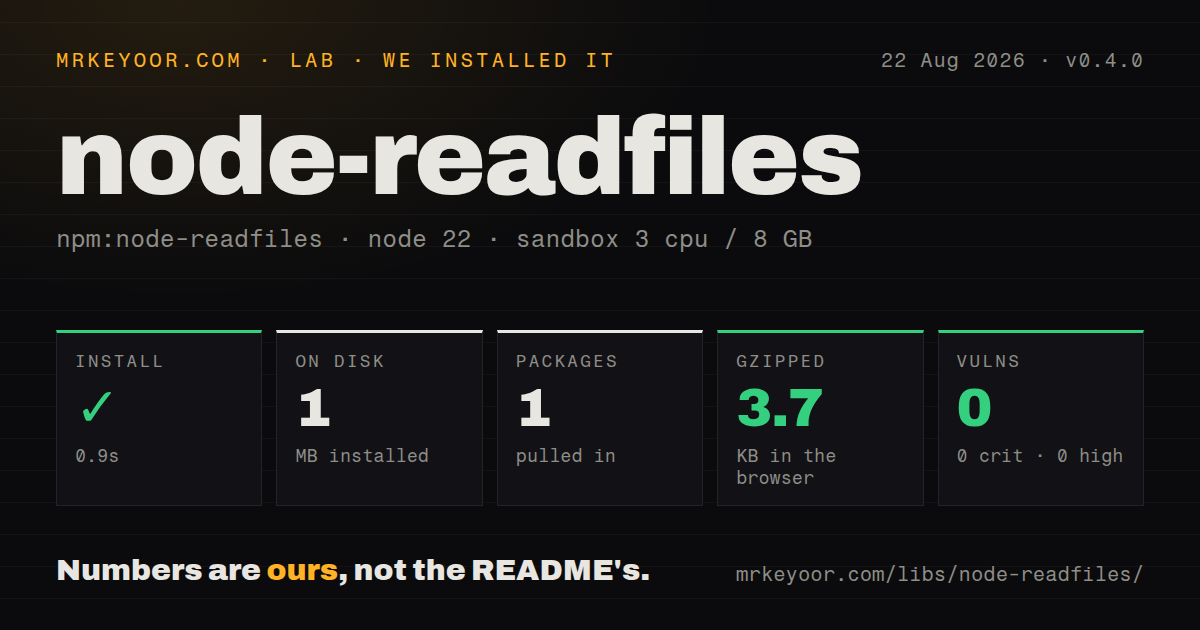
| Install | ✓ · 0.9s | 1 package on disk · 1 MB |
| Import | ✗ | ESM import fails · require() fails · CommonJS package |
| Browser | 3.7 KB | gzipped (16.1 KB minified), bundled with esbuild |
| Types | — | no TypeScript types found |
| Known vulns | 0 | 0 critical · 0 high · 0 moderate · 0 low (npm audit) |
Answers from our run
Does node-readfiles install cleanly?
Yes. In a fresh container with an empty cache, npm install node-readfiles finished in 0.9s, leaving 1 package and 1 MB on disk. npm audit reported no known vulnerabilities.
How much does node-readfiles add to a browser bundle?
3.7 KB gzipped (16.1 KB minified) when the whole package is bundled for the browser with esbuild. Importing only part of it is usually smaller.
Does node-readfiles work with both ESM and CommonJS?
Neither plain import nor require succeeded in our sandbox, so it needs a bundler or extra setup.
Does node-readfiles include TypeScript types?
No type declarations were found in our install, so TypeScript users need their own declarations.
node-readfiles or readdirp: which should you use?
readdirp: Choose it for recursive file entries, depth limits, and explicit file or directory filters. node-readfiles 0.4.0 installed in 0.9 seconds, but both require() and ESM import failed on Node 22.23.2 in our sandbox because the published main file is AMD output.
When should you not use node-readfiles?
You need to import the public package; Node 22.23.2 failed on both require() and ESM import in our sandbox
Use it if
- You are tracing a transitive dependency and need to reproduce why version 0.4.0 crashes before returning its API
- A private fork already recompiles the source correctly and legacy code depends on its callback and Promise contract
- You are mapping old `depth`, `filter`, `hidden`, or `filenameFormat` behavior before replacing the package
- An audit needs evidence from the published tarball instead of assuming its high download count means the entry point works
- You need to import the public package; Node 22.23.2 failed on both `require()` and ESM `import` in our sandbox
- You need TypeScript support; our installed-package check found no types
- You need standard glob rules; the README only promises `?`, `*`, and `**` through a custom filter
- You need bounded parallel reads; the documented callback chain advances serially and has no concurrency setting
- You need explicit symlink safety; the implementation uses filesystem stats and does not document cycle detection or a visited-realpath set
Setup reality
Our node-readfiles 0.4.0 install completed in 0.9 seconds in a fresh Node 22 container. It left 1 package and 1 MB on disk, with 0 known vulnerabilities from npm audit. The package has 0 direct dependencies and 0 peers and is 168 KB unpacked. It declares CommonJS and has no exports map. Both require() and ESM import failed under Node 22.23.2. No TypeScript types were found. Esbuild still emitted a 16.1 KB minified, 3.7 KB gzipped browser bundle, which does not make the Node entry point usable.
There are no credentials, native builds, or configuration files. Installation succeeds because npm does not execute the broken entry file. The crash appears on first load: package.json points to lib/readfiles.js, whose AMD define(...) calls have no loader in ordinary Node. Dynamic import reaches the same incompatible output. This is a publication defect, so adding an application option cannot fix it.
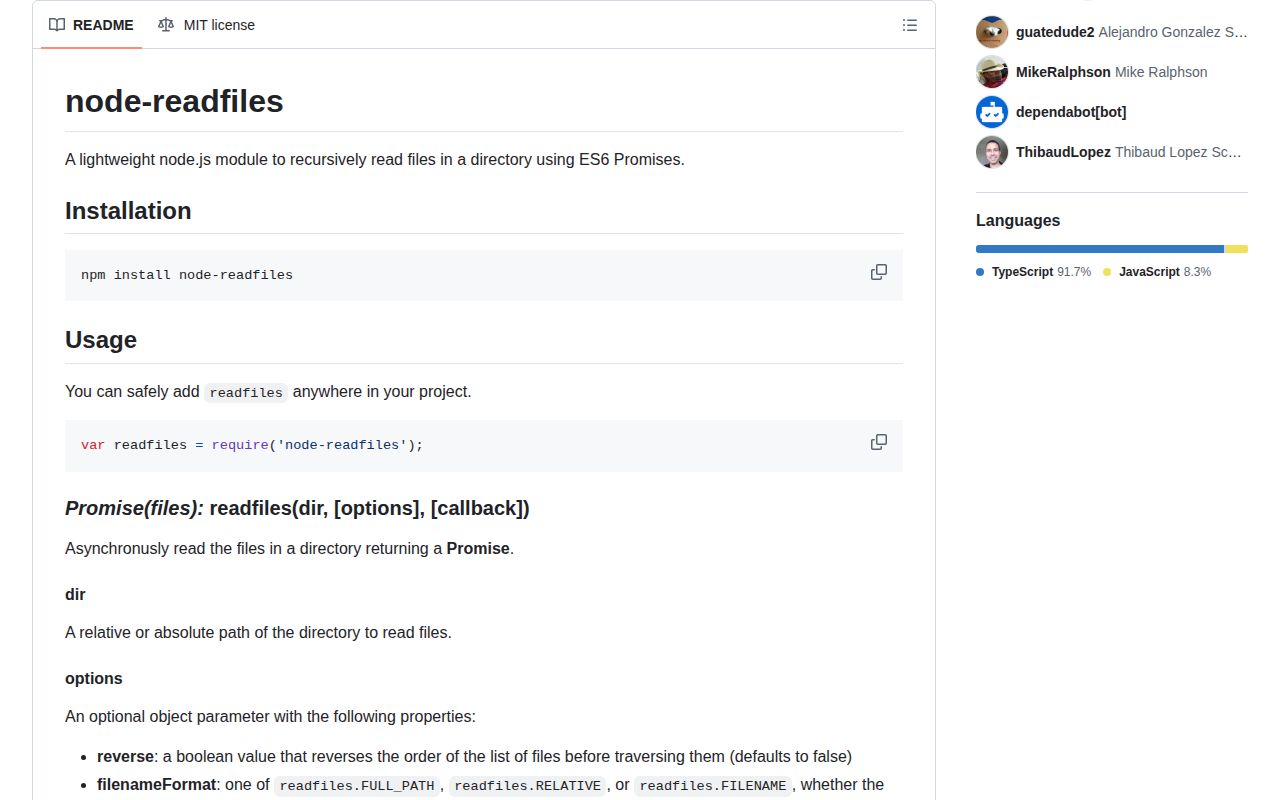
Even a locally rebuilt copy has dated behavior to review. The README says file traversal is sequential, UTF-8 content is read by default, dot-prefixed names are excluded, and filters understand only ?, *, and **. A callback may return another function and must call next() after asynchronous work. Missing that call leaves the outer Promise waiting, with no built-in timeout or concurrency cap.
Prefer readdir({recursive: true}) for a small native solution or a maintained walker for filters and symlink policy. If 0.4.0 arrives transitively, use npm explain node-readfiles before adding an override because removing the package may require upgrading its parent. The 3.7 KB gzipped esbuild result is beside the point for a utility that describes itself as a Node directory reader and fails in Node.
Patterns
Reproduce the package failure reproduce-load-failure
node -e "require('node-readfiles')"
# ReferenceError: define is not defined
Version 0.4.0 throws before returning a function; this is the published artifact's behavior.
Locate the declared main file inspect-entry-file
node -e "const p=require('node-readfiles/package.json'); console.log(p.version, p.main)"
# 0.4.0 lib/readfiles.js
The file exists, but its AMD wrapper is incompatible with the CommonJS declaration.
Find who installed the package find-transitive-parent
npm explain node-readfiles
npm ls node-readfiles
Run both commands before overriding 0.4.0 so the parent dependency and every installed path are visible.
List files with Node's filesystem API replace-native-recursion
import {readdir} from 'node:fs/promises';
const entries = await readdir(root, {recursive: true, withFileTypes: true});
const files = entries.filter(entry => entry.isFile());
Native recursive reading removes 1 broken package, but your code must decide path formatting and symlink policy.
Read selected text files replace-content-reading
import {readFile, readdir} from 'node:fs/promises';
import {join} from 'node:path';
const names = await readdir(root);
const rows = await Promise.all(names.filter(x => x.endsWith('.txt')).map(async x => [x, await readFile(join(root, x), 'utf8')]));
`Promise.all` reads concurrently, unlike the package's serial callback flow; add a limiter for large directories.
Use documented glob matching replace-glob-filter
import fg from 'fast-glob';
const files = await fg('**/*.txt', {cwd: root, dot: false, onlyFiles: true, followSymbolicLinks: false});
This makes dotfile and symlink behavior explicit instead of relying on the package's 3 wildcard forms.
Limit recursion with readdirp replace-depth-limit
import {readdirpPromise} from 'readdirp';
const entries = await readdirpPromise(root, {depth: 1, type: 'files', fileFilter: '*.txt'});
const files = entries.map(entry => entry.path);
A depth of 1 allows one nested directory level while returning entry metadata.
Preserve one-at-a-time handling process-sequentially
for (const filename of files) {
  const body = await readFile(filename, 'utf8');
  await processFile(filename, body);
}
This explicit loop matches serial processing without requiring a callback to call `next()`.
Record failures and continue continue-after-error
const failures = [];
for (const filename of files) {
  try { await processFile(filename); }
  catch (error) { failures.push({filename, error}); }
}
Every captured error retains its filename, unlike swallowing failures behind a broad continue option.
Make hidden-file policy visible exclude-dotfiles
const visible = entries.filter(entry => !entry.name.startsWith('.'));The old package excludes dot-prefixed basenames by default; preserve or change that rule deliberately during migration.
Alternatives
| Package | Registry | Pick it when |
|---|---|---|
| readdirp | npm | Choose it for recursive file entries, depth limits, and explicit file or directory filters. |
| fast-glob | npm | Choose it for mature glob syntax, ignore rules, and configurable symlink traversal. |
| globby | npm | Choose it for a Promise API around multiple glob patterns and ignore files. |
More utils guides
lru-cache · type-fest · ajv · zod · p-limit · find-up · the whole shelf →
How this guide is made: grounded in the library's documentation, release notes, changelog, and issue history, on a fixed rubric — not a hands-on install of every release. The 50 most-downloaded entries are additionally install-verified in clean containers. Corrections: contact the desk.