mysql-connector-python review
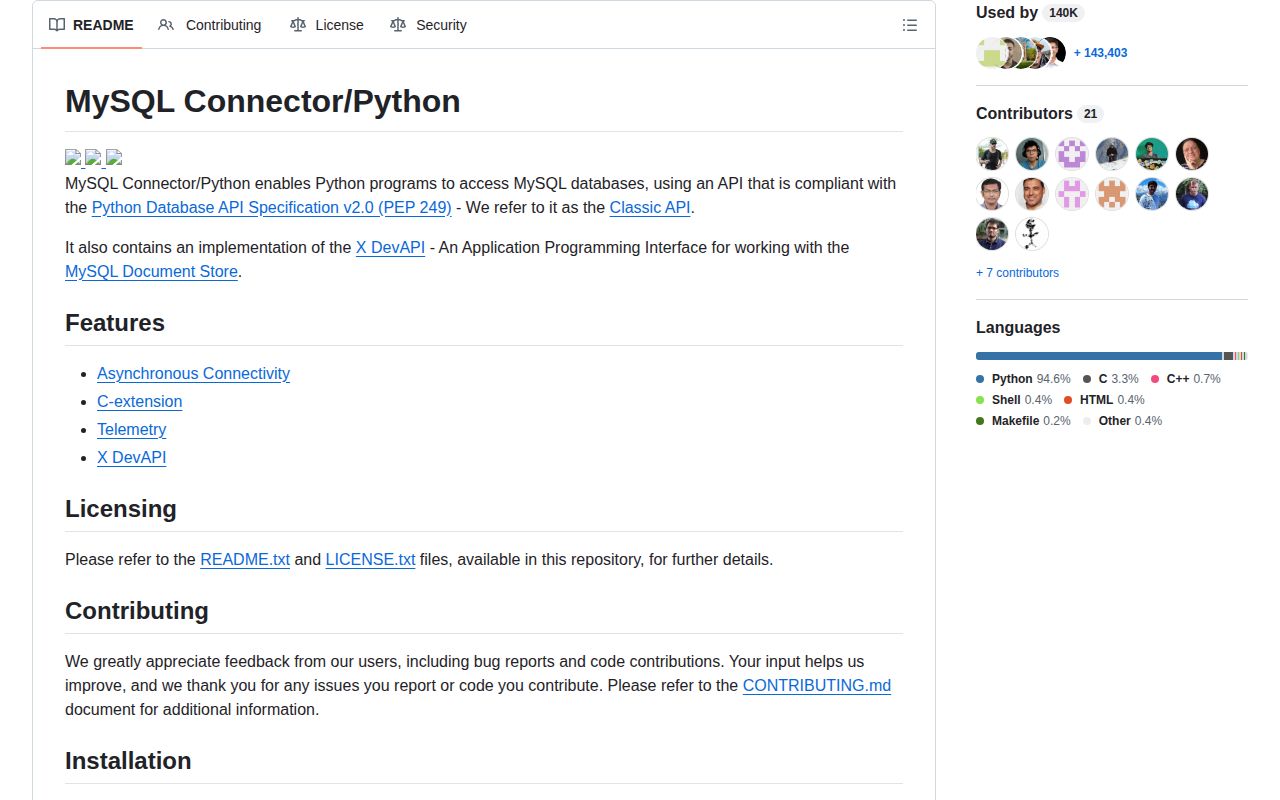
mysql-connector-python is Oracle's PEP 249 driver for talking to MySQL from Python. The `mysql.connector` API covers ordinary cursors and transactions, prepared cursors, connection pools, authentication plugins, telemetry hooks, and an asyncio namespace. Binary wheels include the `_mysql_connector` C extension, with a pure-Python implementation available through the same package. Version 26.7.0 is a release-number update with no functional connector changes; X DevAPI now installs separately as `mysqlx-connector-python`. Our Python 3.12 install loaded the compiled extension successfully.
mysql-connector-python 26.7.0 installed in 0.6 seconds and loaded its C extension in 0.03 seconds in our sandbox, with 0 audit findings, but it occupied 63 MB. Install it for Oracle-maintained MySQL authentication, sync plus async access, or HeatWave features; choose a smaller or permissively licensed driver when those capabilities are irrelevant.
We installed it
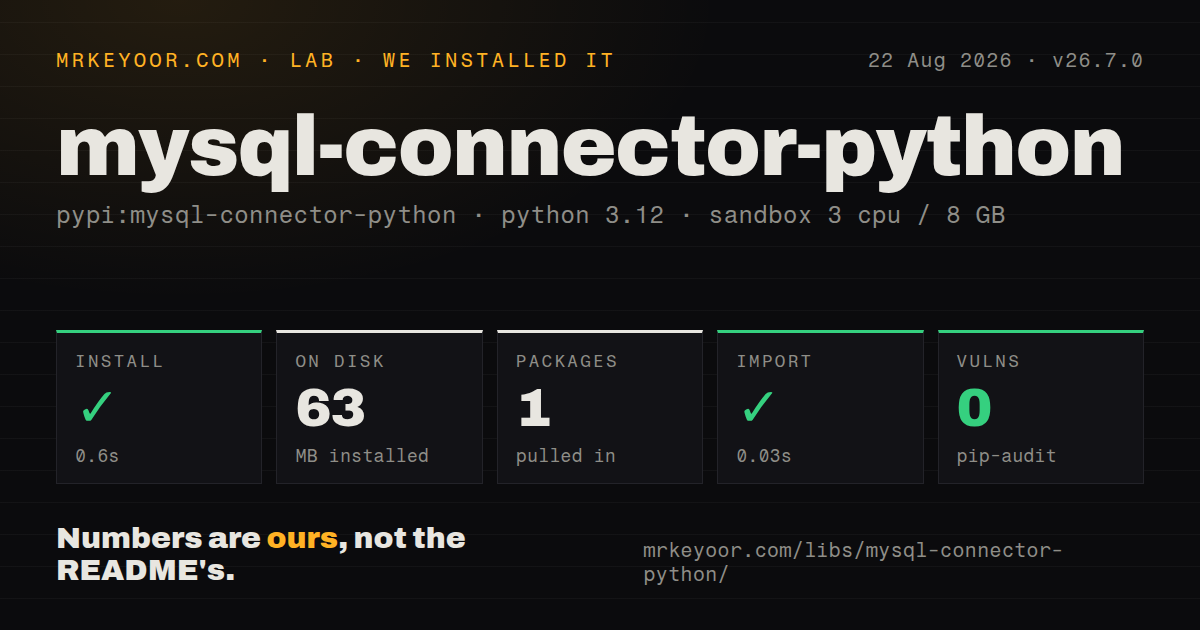
| Install | ✓ · 0.6s | 1 package on disk · 63 MB |
| Import | ✓ | import _mysql_connector in 0.03s · compiled extensions · py.typed · requires Python >=3.10 |
| Known vulns | 0 | (pip-audit) |
Answers from our run
Does mysql-connector-python install cleanly?
Yes. In a fresh container with an empty cache, pip install mysql-connector-python finished in 0.6s, leaving 1 package and 63 MB on disk. pip-audit reported no known vulnerabilities.
What does mysql-connector-python need to run?
Python >=3.10, and a platform wheel with compiled extensions. In our run import _mysql_connector succeeded in 0.03s, and the package ships py.typed for type checkers.
mysql-connector-python or PyMySQL: which should you use?
PyMySQL: Use it when a permissive pure-Python driver covers the authentication methods and performance your service needs. mysql-connector-python 26.7.0 installed in 0.6 seconds and loaded its C extension in 0.03 seconds in our sandbox, with 0 audit findings, but it occupied 63 MB.
When should you not use mysql-connector-python?
Your redistribution policy requires a permissive license. The package is GPLv2 with the MySQL FOSS License Exception, so proprietary distribution deserves legal review.
Use it if
- You need an Oracle-maintained driver for MySQL-specific authentication such as WebAuthn, GSSAPI, or OpenID Connect.
- One dependency should cover PEP 249 calls, connection pooling, prepared cursors, and an asyncio API.
- Your deployment needs the packaged C extension but must retain a pure-Python fallback for another platform.
- Connector-level OpenTelemetry spans or Oracle HeatWave integration are explicit project requirements.
- Your redistribution policy requires a permissive license. The package is GPLv2 with the MySQL FOSS License Exception, so proprietary distribution deserves legal review.
- A 63 MB installed footprint is too much for the service image. That is what the single package occupied in our Bookworm sandbox.
- Your observability stack cannot accept exact dependency pins. The telemetry extra pins three OpenTelemetry packages to version 1.33.1.
- The target lacks a compatible binary wheel and compiled-driver speed is mandatory. A universal pure-Python wheel exists, but it runs a different implementation.
- The service is built around asyncio and you want an async-native driver's established pool semantics. Compare `aiomysql` or `asyncmy` before choosing `mysql.connector.aio`.
Setup reality
Our install of mysql-connector-python 26.7.0 completed in 0.6 seconds in a clean Python 3.12 Bookworm container. It left 1 package and consumed 63 MB on disk. The distribution declares 6 direct dependencies, requires Python 3.10 or newer, contains py.typed, and ships compiled .so files. pip-audit found 0 known vulnerabilities. Importing _mysql_connector worked in 0.03 seconds, so this machine used the C extension rather than falling back to Python code.
Install the PyPI name mysql-connector-python, then import mysql.connector. Pass credentials to connect() or load an option file, and keep secrets out of code. TLS verification needs deliberate settings: provide ssl_ca and set ssl_verify_identity=True when the client must reject a certificate for the wrong host. X DevAPI code that imports mysqlx needs the separate mysqlx-connector-python distribution in the 26.7 line.
The driver exposes both compiled and pure-Python paths. Check mysql.connector.HAVE_CEXT to learn which one loaded, or pass use_pure=True for a controlled fallback test. Optional extras are tightly pinned: DNS SRV uses dnspython 2.6.1, WebAuthn uses fido2 1.1.2, and telemetry uses OpenTelemetry 1.33.1 packages. Those exact pins can collide with versions already chosen by a larger application.
Autocommit is off by default, so successful writes still need commit(). A normal cursor leaves results on the connection until fetched; issuing another statement too soon can raise Unread result found. Buffered cursors avoid that surprise by reading the full result into memory, which is risky for a large query. Closing a pooled connection returns it to the pool. The asyncio API uses awaitable connection and cursor creation, including the documented async with await connect(...) form.
Patterns
Open a connection and fetch one row connect-and-query
import mysql.connector

with mysql.connector.connect(
    host='db.internal',
    user='app',
    password=password,
    database='inventory',
) as cnx:
    with cnx.cursor() as cur:
        cur.execute('SELECT CURRENT_DATE()')
        print(cur.fetchone()[0])
The import name is `mysql.connector`, even though the PyPI distribution is named `mysql-connector-python`.
Bind values without building SQL strings bind-query-parameters
with cnx.cursor() as cur:
    cur.execute(
        'SELECT sku, quantity FROM stock WHERE warehouse_id = %s',
        (warehouse_id,),
    )
    rows = cur.fetchall()
Connector/Python uses `%s` placeholders for bound values; a one-item parameter collection needs the trailing comma.
Return columns by name fetch-dictionary-rows
with cnx.cursor(dictionary=True) as cur:
    cur.execute('SELECT id, email FROM users LIMIT 20')
    for row in cur:
        print(row['id'], row['email'])
`dictionary=True` returns each fetched row as a mapping keyed by selected column names.
Commit a write or roll it back commit-transaction
try:
    with cnx.cursor() as cur:
        cur.execute('UPDATE stock SET quantity = quantity - %s WHERE sku = %s', (2, sku))
    cnx.commit()
except Exception:
    cnx.rollback()
    raise
Autocommit defaults to false, so leaving a successful write uncommitted can discard it when the connection closes.
Batch parameterized inserts insert-many-rows
rows = [('A-1', 4), ('B-2', 7)]
with cnx.cursor() as cur:
    cur.executemany(
        'INSERT INTO stock (sku, quantity) VALUES (%s, %s)',
        rows,
    )
cnx.commit()
`executemany()` binds every tuple to the same statement; commit remains a separate operation.
Prepare a repeatedly executed statement use-prepared-cursor
with cnx.cursor(prepared=True) as cur:
    cur.execute('SELECT quantity FROM stock WHERE sku = %s', (sku,))
    quantity = cur.fetchone()[0]
Prepared cursors accept positional bound values; recent connector versions removed the old prepared raw and prepared named-tuple cursor combinations.
Borrow and return pooled connections configure-connection-pool
from mysql.connector.pooling import MySQLConnectionPool

pool = MySQLConnectionPool(
    pool_name='api',
    pool_size=5,
    host='db.internal',
    user='app',
    password=password,
    database='inventory',
)
with pool.get_connection() as cnx:
    with cnx.cursor() as cur:
        cur.execute('SELECT 1')
Closing the wrapper returns its connection to the named pool; leaked wrappers can exhaust all 5 slots.
Require a trusted server identity verify-tls-hostname
cnx = mysql.connector.connect(
    host='mysql.example.com',
    user='app',
    password=password,
    database='inventory',
    ssl_ca='/run/secrets/mysql-ca.pem',
    ssl_verify_cert=True,
    ssl_verify_identity=True,
)
`ssl_verify_identity=True` checks the server hostname in addition to validating its certificate chain.
Force the pure-Python connector choose-python-implementation
import mysql.connector

print(mysql.connector.HAVE_CEXT)
cnx = mysql.connector.connect(
    host='127.0.0.1',
    user='app',
    password=password,
    use_pure=True,
)
`HAVE_CEXT` reveals whether the compiled extension is available; `use_pure=True` deliberately selects the Python implementation.
Buffer a bounded result set buffer-small-result
with cnx.cursor(buffered=True) as cur:
    cur.execute('SELECT id FROM jobs WHERE state = %s LIMIT 100', ('ready',))
    ids = [row[0] for row in cur]
A buffered cursor reads the whole result so another statement can run, but memory use grows with every returned row.
Run a query through the asyncio API query-with-asyncio
from mysql.connector.aio import connect

async with await connect(
    host='db.internal',
    user='app',
    password=password,
    database='inventory',
) as cnx:
    async with await cnx.cursor() as cur:
        await cur.execute('SELECT id FROM jobs WHERE state = %s', ('ready',))
        rows = await cur.fetchall()
Connection and cursor creation are awaitable in this API, which produces the documented `async with await` syntax.
Handle a duplicate key by error number match-database-error
from mysql.connector import Error, errorcode

try:
    cur.execute('INSERT INTO users (email) VALUES (%s)', (email,))
    cnx.commit()
except Error as exc:
    cnx.rollback()
    if exc.errno == errorcode.ER_DUP_ENTRY:
        return 'email-exists'
    raise
Connector errors expose MySQL's numeric code through `errno`; rethrow codes your application does not explicitly handle.
Alternatives
| Package | Registry | Pick it when |
|---|---|---|
| PyMySQL | PyPI | Use it when a permissive pure-Python driver covers the authentication methods and performance your service needs. |
| mysqlclient | PyPI | Use it when the established C client used by many Django and SQLAlchemy projects fits your system-library deployment. |
| aiomysql | PyPI | Use it for a PyMySQL-shaped asyncio connection and pool API with a longer async-specific track record. |
More data guides
numpy · pandas · fsspec · pyarrow · lxml · sqlalchemy · the whole shelf →
How this guide is made: grounded in the library's documentation, release notes, changelog, and issue history, on a fixed rubric — not a hands-on install of every release. The 50 most-downloaded entries are additionally install-verified in clean containers. Corrections: contact the desk.