kysely review
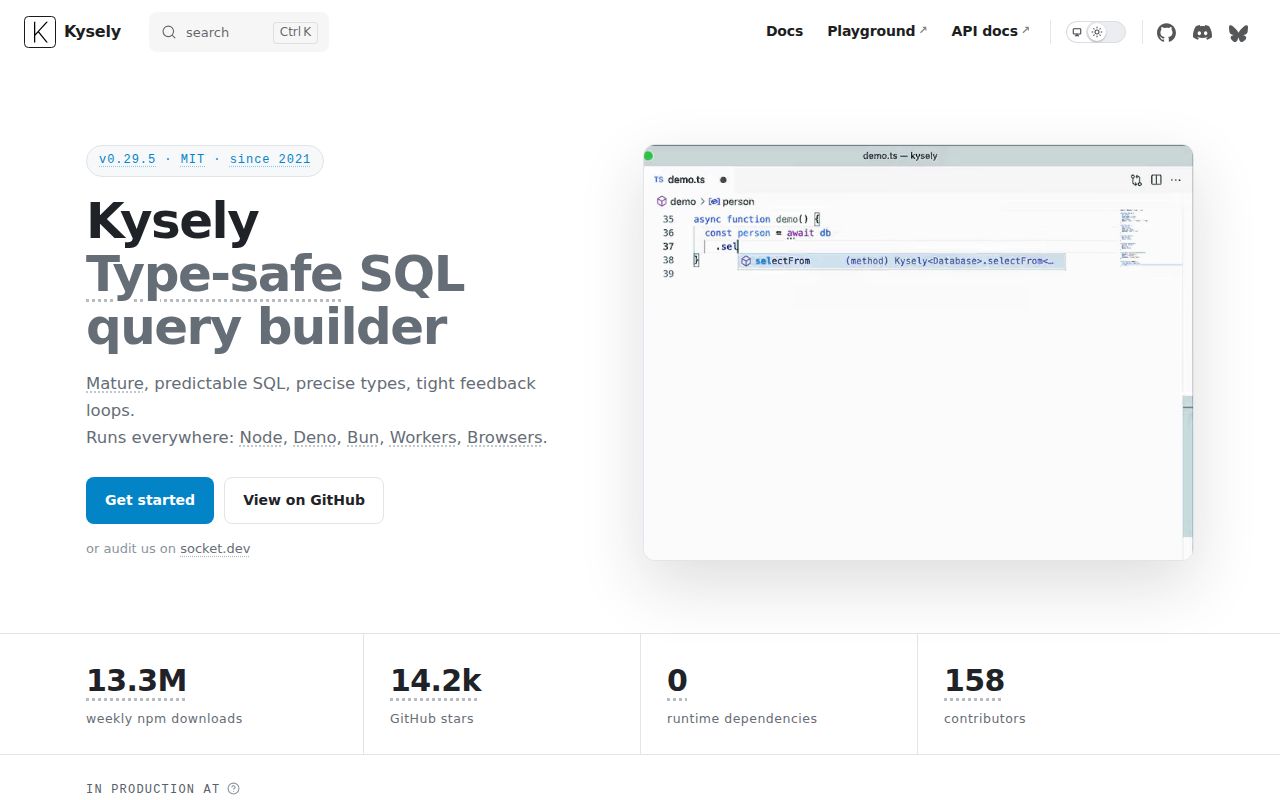
Kysely 0.29.5 is a SQL query builder whose generic database interface lets TypeScript check table names, columns, joins, aliases, and returned rows. It leaves schemas, relations, and persistence behavior visible instead of wrapping them in model objects. You bring a driver and dialect for PostgreSQL, MySQL, SQLite, MSSQL, or PGlite, then compose SQL-shaped method chains or use the sql template tag. Our install had no runtime dependencies and worked through require() and ESM import on Node 22. The package probe found no TypeScript declaration files, an unexpected result for a library built around compile-time inference. Version 0.29.5 fixes infinite type-check recursion and a missing abort-handler hook.
Kysely suits TypeScript teams that want their SQL visible and checked without adopting an entity ORM. Skip it if Node 22, a separately chosen driver, handwritten migrations, and explicit relation queries are costs your team does not want to own.
We installed it
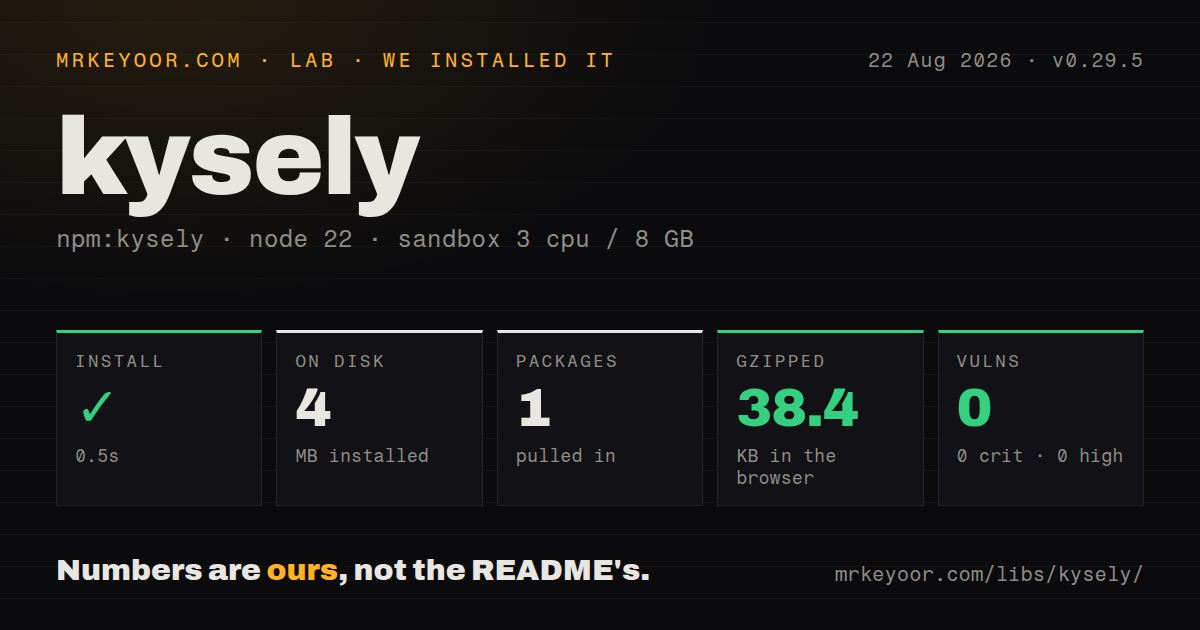
| Install | ✓ · 0.5s | 1 package on disk · 4 MB |
| Import | ✓ | ESM import works · require() works · ESM package with exports map |
| Browser | 38.4 KB | gzipped (188.4 KB minified), bundled with esbuild |
| Types | — | no TypeScript types found |
| Known vulns | 0 | 0 critical · 0 high · 0 moderate · 0 low (npm audit) |
Answers from our run
Does kysely install cleanly?
Yes. In a fresh container with an empty cache, npm install kysely finished in 0.5s, leaving 1 package and 4 MB on disk. npm audit reported no known vulnerabilities.
How much does kysely add to a browser bundle?
38.4 KB gzipped (188.4 KB minified) when the whole package is bundled for the browser with esbuild. Importing only part of it is usually smaller.
Does kysely work with both ESM and CommonJS?
Yes. Both import 'kysely' and require('kysely') worked in Node 22 in our run. The package is published as ESM with an exports map.
Does kysely include TypeScript types?
No type declarations were found in our install, so TypeScript users need their own declarations.
kysely or drizzle-orm: which should you use?
drizzle-orm: Use it when TypeScript schema definitions, migration generation, and a relational query layer belong in the same toolkit. Kysely suits TypeScript teams that want their SQL visible and checked without adopting an entity ORM.
When should you not use kysely?
The application must run on Node 20 or earlier; version 0.29.5 declares Node 22 as its minimum and targets ES2023
Use it if
- Your team already thinks in joins, CTEs, subqueries, returning clauses, and transactions and wants those operations checked against a TypeScript database interface
- You need a query layer that can sit beside raw driver calls without owning entities, relations, or a generated client
- Database-specific SQL is acceptable where engines differ, while most select, insert, update, and delete code should keep one builder API
- You want explicit escape hatches through parameterized sql templates when the fluent builder cannot express a query
- The application must run on Node 20 or earlier; version 0.29.5 declares Node 22 as its minimum and targets ES2023
- You expect the package to install a database driver; Kysely declares no dependencies or peers, so pg, mysql2, better-sqlite3, tedious, or PGlite remains your responsibility
- Schema introspection and generated migrations are part of the purchase decision; core Kysely expects a database interface and hand-authored migration functions
- Relation loading should look like include or populate; nested results require explicit JSON helper subqueries and sometimes ParseJSONResultsPlugin
- Your editor already struggles with a very wide schema; 0.29.5 specifically fixes infinite type recursion, and the 0.29 line added table-picking helpers to reduce type computation
Setup reality
Our clean Node 22 install of Kysely 0.29.5 succeeded in 0.5 seconds. One package used 4 MB, with zero direct dependencies and zero peers. npm audit reported no known vulnerabilities. The published package is 3,572 KB unpacked and MIT licensed. It declares ESM with an exports map, and both require() and ESM import worked in our Node 22 sandbox. Our package scan found no TypeScript declarations. The full esbuild browser import measured 188.4 KB minified and 38.4 KB gzipped.
Installing Kysely does not install a driver. PostgreSQL needs pg, MySQL commonly uses mysql2, and SQLite or MSSQL choices bring their own runtime and build constraints. Create a dialect around that driver's pool and keep DATABASE_URL or separate connection values in your application configuration. Call db.destroy() during process shutdown so the owned pool closes. Kysely does not read credentials itself and has no project config file.
The database interface is the real setup. Generated marks values the database can fill, while ColumnType<Select, Insert, Update> describes different shapes for reading and writing. Core does not inspect a live database to create this interface. Teams that want generated types can add kysely-codegen, but regeneration then becomes part of every schema-change workflow. Migration classes live under kysely/migration in 0.29, and migration failures arrive in the returned result object.
Version 0.29 requires TypeScript 5.4 or newer and no longer ships a separate CommonJS build. Node 22 can require the ESM entry, which our check confirmed. Query cancellation accepts an AbortSignal, but database-side cancellation depends on the dialect and abort strategy. Transactions commit when the callback returns and roll back when it throws. Every statement inside that callback must use trx; a call through the outer db instance runs outside the transaction.
Patterns
Describe selectable and writable columns define-database-interface
import type { ColumnType, Generated, Insertable, Selectable } from 'kysely'

interface PersonTable {
  id: Generated<number>
  name: string
  created_at: ColumnType<Date, string | undefined, never>
}

interface Database {
  person: PersonTable
}

type Person = Selectable<PersonTable>
type NewPerson = Insertable<PersonTable>
ColumnType uses separate select, insert, and update types. A wrong interface can make a valid query fail type checking or an invalid write look acceptable.
Create a PostgreSQL database instance connect-postgres
import { Kysely, PostgresDialect } from 'kysely'
import { Pool } from 'pg'

const db = new Kysely<Database>({
  dialect: new PostgresDialect({
    pool: new Pool({ connectionString: process.env.DATABASE_URL }),
  }),
})
Install pg separately. Kysely does not declare database drivers as dependencies or peers.
Join tables and type an alias select-joined-rows
const rows = await db
  .selectFrom('person')
  .innerJoin('pet', 'pet.owner_id', 'person.id')
  .select(['person.id', 'person.name', 'pet.name as pet_name'])
  .where('person.id', '=', 42)
  .execute()
The returned row type includes pet_name. execute() always returns an array, even when the predicate should match one row.
Require exactly one selected result read-one-row
const person = await db
  .selectFrom('person')
  .selectAll()
  .where('id', '=', personId)
  .executeTakeFirstOrThrow()
executeTakeFirst() returns undefined on no match. executeTakeFirstOrThrow() raises NoResultError unless you supply another error constructor.
Add a filter only when supplied apply-optional-filter
const query = db
  .selectFrom('person')
  .selectAll()
  .$if(prefix !== undefined, (qb) =>
    qb.where('name', 'like', `${prefix}%`)
  )

const rows = await query.execute()
$if keeps a conditional builder chain typed without mutating and reassigning the query variable.
Insert and return generated values insert-returned-row
const inserted = await db
  .insertInto('person')
  .values({ name: 'Ada' })
  .returning(['id', 'created_at'])
  .executeTakeFirstOrThrow()
returning() depends on the database dialect. MySQL callers commonly read insertId from the insert result instead.
Update one row from typed input update-selected-fields
const updated = await db
  .updateTable('person')
  .set({ name: nextName })
  .where('id', '=', personId)
  .returningAll()
  .executeTakeFirstOrThrow()
Keep the where clause close to updateTable(). An omitted predicate updates every row the database accepts.
Commit two related writes together run-transaction
await db.transaction().execute(async (trx) => {
  const person = await trx
    .insertInto('person')
    .values({ name: 'Ada' })
    .returning('id')
    .executeTakeFirstOrThrow()

  await trx.insertInto('pet').values({ owner_id: person.id, name: 'Miso' }).execute()
})
Use trx for every statement in the callback. Calls through db use another connection and are outside this transaction.
Use a parameterized SQL expression bind-raw-sql
import { sql } from 'kysely'

const rows = await db
  .selectFrom('person')
  .select([
    'id',
    sql<string>`upper(${sql.ref('name')})`.as('display_name'),
  ])
  .where('id', '=', personId)
  .execute()
Ordinary interpolated values become parameters. Use sql.ref() only for trusted identifiers, and remember the generic result type is your assertion.
Stop waiting for a slow query cancel-query
const signal = AbortSignal.timeout(3_000)

const rows = await db
  .selectFrom('person')
  .selectAll()
  .execute({ signal })
Ignoring the result after abort and cancelling work in the database are different strategies. Check the selected dialect's abort support before assuming server work stopped.
Create a table in a migration write-migration
import type { Kysely } from 'kysely'

export async function up(db: Kysely<any>) {
  await db.schema
    .createTable('person')
    .addColumn('id', 'integer', (column) => column.primaryKey())
    .addColumn('name', 'varchar(200)', (column) => column.notNull())
    .execute()
}

export async function down(db: Kysely<any>) {
  await db.schema.dropTable('person').execute()
}
Migration files describe changes by hand. Using Kysely<any> keeps an old migration independent of the current application interface.
Check the migrator result run-latest-migrations
import { FileMigrationProvider, Migrator } from 'kysely/migration'

const migrator = new Migrator({ db, provider })
const { error, results } = await migrator.migrateToLatest()

for (const result of results ?? []) {
  console.log(result.status, result.migrationName)
}
if (error) throw error
Migration utilities moved to kysely/migration in 0.29. migrateToLatest() reports failure in error, so check it before exiting successfully.
Alternatives
| Package | Registry | Pick it when |
|---|---|---|
| drizzle-orm | npm | Use it when TypeScript schema definitions, migration generation, and a relational query layer belong in the same toolkit. |
| prisma | npm | Use it when a schema DSL, generated client, relation loading, and managed migration workflow matter more than writing SQL-shaped queries. |
| knex | npm | Use it for an older Node or CommonJS codebase that needs a mature query builder and migration CLI. |
| kysely-codegen | npm | Add it when Kysely is the right builder but maintaining the database interface by hand is not. |
More data guides
numpy · pandas · fsspec · pyarrow · lxml · sqlalchemy · the whole shelf →
How this guide is made: grounded in the library's documentation, release notes, changelog, and issue history, on a fixed rubric — not a hands-on install of every release. The 50 most-downloaded entries are additionally install-verified in clean containers. Corrections: contact the desk.