jsonrepair review
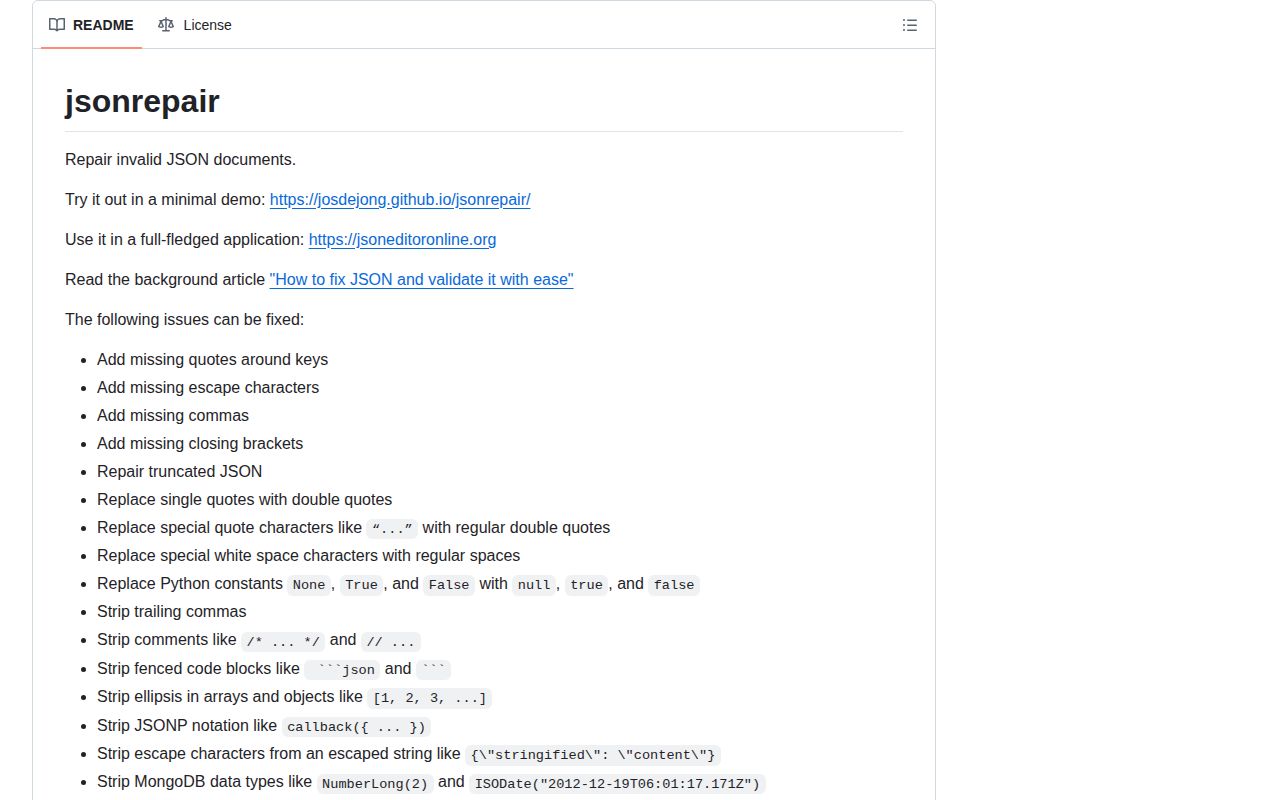
jsonrepair rewrites many kinds of malformed JSON into valid JSON text. Its rules cover bare keys, single or curly quotes, missing commas and brackets, comments, trailing commas, Markdown fences, JSONP wrappers, Python constants, MongoDB constructors, NDJSON, and truncated input. The root function works synchronously on one string; Node users also get a Transform stream and CLI. Version 3.15.0 adds repair of HTML-encoded entities and stops an infinite recursion case involving a backslash after a string. It fixes syntax only. It cannot establish that a repaired value is true, complete, authorized, or valid for your schema.
jsonrepair 3.15.0 installed in 0.8 seconds with 0 dependencies and made a 2.9 KB gzipped browser bundle in our sandbox, so syntax recovery adds little package cost. Use it at a messy-input boundary, then parse and validate the result; strict APIs should reject malformed JSON instead.
We installed it
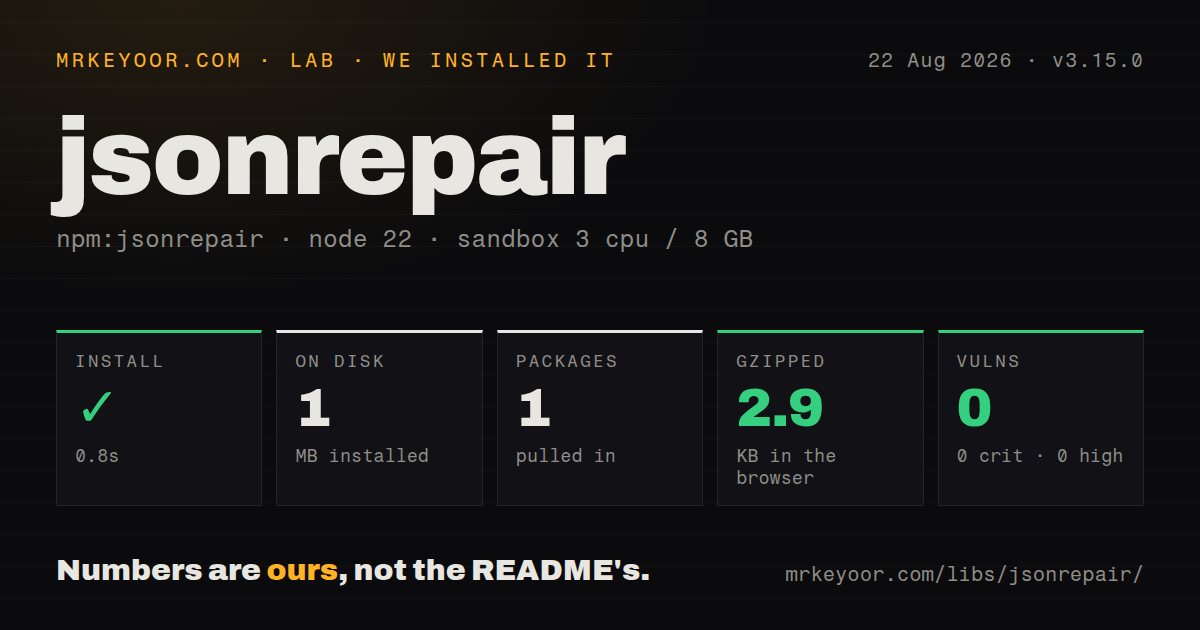
| Install | ✓ · 0.8s | 1 package on disk · 1 MB |
| Import | ✓ | ESM import works · require() works · ESM package with exports map |
| Browser | 2.9 KB | gzipped (7.7 KB minified), bundled with esbuild |
| Types | ✓ | TypeScript types bundled |
| Known vulns | 0 | 0 critical · 0 high · 0 moderate · 0 low (npm audit) |
Answers from our run
Does jsonrepair install cleanly?
Yes. In a fresh container with an empty cache, npm install jsonrepair finished in 0.8s, leaving 1 package and 1 MB on disk. npm audit reported no known vulnerabilities.
How much does jsonrepair add to a browser bundle?
2.9 KB gzipped (7.7 KB minified) when the whole package is bundled for the browser with esbuild. Importing only part of it is usually smaller.
Does jsonrepair work with both ESM and CommonJS?
Yes. Both import 'jsonrepair' and require('jsonrepair') worked in Node 22 in our run. The package is published as ESM with an exports map.
Does jsonrepair include TypeScript types?
Yes, type declarations ship inside the package, so no @types install is needed.
jsonrepair or dirty-json: which should you use?
dirty-json: Use it when a permissive parser should return a JavaScript value directly. jsonrepair 3.15.0 installed in 0.8 seconds with 0 dependencies and made a 2.9 KB gzipped browser bundle in our sandbox, so syntax recovery adds little package cost.
When should you not use jsonrepair?
Strict rejection is part of the API contract; this parser intentionally accepts comments, Python constants, JSONP, MongoDB wrappers, and code fences
Use it if
- Human-written, model-generated, Python-like, or shell-copied text must be recovered before JSON.parse
- Newline-delimited JSON should become one JSON array through a documented repair rule
- A large Node input needs a Transform stream with a configurable lookaround window
- One package must cover ESM, CommonJS, TypeScript, browser code, and a shell pipeline
- Strict rejection is part of the API contract; this parser intentionally accepts comments, Python constants, JSONP, MongoDB wrappers, and code fences
- A successful parse must prove the payload is safe or semantically complete; jsonrepair performs no schema, range, duplicate-key, or business-rule checks
- Streaming must run in a browser; jsonrepair/stream imports Node Transform while the browser-compatible root function holds the whole string
- Individual strings, numbers, or whitespace runs can exceed the chosen bufferSize; the README says the streaming window then throws Index out of range
- Comments and original formatting must survive; repairs discard comments, fences, ellipses, and wrappers and can convert malformed numbers to strings
- Heuristic changes cannot alter stored output between minor releases; parser fixes regularly expand or adjust ambiguous repair behavior
Setup reality
We installed jsonrepair 3.15.0 in 0.8 seconds in a fresh Node 22 sandbox. The result was 1 package occupying 1 MB, with 0 known vulnerabilities from npm audit. Its own unpacked size is 852 KB and it declares 0 direct dependencies and 0 peers. The ESM package has an exports map, bundled declarations, and working require() and ESM import paths. Our all-exports browser bundle measured 7.7 KB minified and 2.9 KB gzipped.
The root call requires no credentials or config, but it accepts a string and returns a string. Follow it with JSON.parse and schema validation before application code trusts any field. Unrepairable input throws JSONRepairError with a zero-based character position. Version 3 uses a named jsonrepair export rather than the old default export. Version 3.15.0 can decode HTML entities inside JSON-like text and fixes recursion when a parsed string is followed by a backslash; neither change validates the resulting values.
The regular implementation keeps both source and output in memory. Its README describes it as suitable up to 512 MB, which is a library claim rather than a safe allocation target for every browser or server. Node's jsonrepair/stream subpath supplies jsonrepairTransform(). Both chunkSize and bufferSize default to 65,536 bytes. The buffer must be larger than the longest string, number, or uninterrupted whitespace segment because repair sometimes looks ahead in input and walks backward through generated output.
Raising bufferSize increases memory use and can slow the transform. Infinity removes the window error but also removes its memory bound. Use stream/promises pipeline so read, repair, and write failures reach one awaited promise. The CLI reads a filename or stdin and normally writes stdout; --output preserves the source, while --overwrite replaces it. Put input-size and execution limits around untrusted content. A 3.13.2 security fix removed an XSS risk in regex repair, so avoid older locked versions in browser-facing paths.
Patterns
Quote keys and single-quoted values repair-object
import { jsonrepair } from 'jsonrepair'

const input = "{name: 'Ada', role: 'admin'}"
const repaired = jsonrepair(input)
console.log(repaired)
The 3.15.0 function returns JSON text, not an object. role remains unchecked application data until a later validation step.
Validate after repairing syntax parse-and-validate
const repaired = jsonrepair(rawText)
const value = JSON.parse(repaired)

if (!value || typeof value !== 'object' || typeof value.id !== 'string') {
  throw new TypeError('Expected an object with a string id')
}
JSON.parse checks syntax after repair. Use a schema validator rather than hand-written checks for nested production payloads.
Map Python constants to JSON convert-python-values
const repaired = jsonrepair(
  "{name: 'Ada', active: True, note: None,}",
)
console.log(repaired)
True, False, and None become JSON booleans and null. Arbitrary Python expressions are never evaluated.
Finish missing object and array brackets close-truncated-input
const repaired = jsonrepair('{"items":[1,2,3')
console.log(repaired) // {"items":[1,2,3]}
The parser can infer closing syntax, but it cannot recover omitted elements. Validate completeness separately before using the array.
Repair encoded quote characters decode-html-entities
const repaired = jsonrepair('{"answer": 42}')
const value = JSON.parse(repaired)
console.log(value.answer) // 42
HTML-entity repair arrived in version 3.15.0. Entity decoding does not make HTML rendering safe; escape data at its output sink.
Remove a fenced JSON block unwrap-markdown
const fence = String.fromCharCode(96).repeat(3)
const response = `${fence}json
{answer: 42}
${fence}`
const data = JSON.parse(jsonrepair(response))
Optional labels such as json are stripped with the fence. Unrelated prose outside the block can still prevent repair.
Collect NDJSON records into an array convert-ndjson
const ndjson = [
  '{"id":1,"name":"Ada"}',
  '{"id":2,"name":"Linus"}',
].join('
')
const rows = JSON.parse(jsonrepair(ndjson))
The root API constructs one complete array string. For a source near 512 MB, use the Node stream and impose your own resource limit.
Convert common MongoDB shell values strip-mongodb-wrappers
const input =
  '{created: ISODate("2012-12-19T06:01:17.171Z"), count: NumberLong(2)}'
console.log(jsonrepair(input))
ISODate content becomes a JSON string, not a Date instance. Parse and validate it before date arithmetic.
Expose an unrepairable offset report-error-position
import { jsonrepair, JSONRepairError } from 'jsonrepair'

try {
  return jsonrepair(input)
} catch (error) {
  if (error instanceof JSONRepairError) {
    console.error('Repair failed at offset', error.position)
  }
  throw error
}
position is a zero-based character offset, not a line and column. An editor must calculate its own location display.
Repair a file with backpressure stream-file
import { createReadStream, createWriteStream } from 'node:fs'
import { pipeline } from 'node:stream/promises'
import { jsonrepairTransform } from 'jsonrepair/stream'

await pipeline(
  createReadStream('./broken.json'),
  jsonrepairTransform(),
  createWriteStream('./repaired.json'),
)
The stream lives at jsonrepair/stream. pipeline propagates failures from all 3 stages and closes connected streams.
Allow a longer streaming token tune-stream-window
const repair = jsonrepairTransform({
  bufferSize: 1024 * 1024,
  chunkSize: 64 * 1024,
})
await pipeline(inputStream, repair, outputStream)
The 1 MB buffer must exceed every single string, number, and whitespace run. The 64 KB chunk setting only controls output chunks.
Keep the source while repairing from a shell use-cli
jsonrepair broken.json --output repaired.json

# Review and back up before using the destructive form:
jsonrepair broken.json --overwrite
--output preserves the malformed source for comparison. --overwrite replaces it, so a mistaken repair can erase evidence.
Alternatives
| Package | Registry | Pick it when |
|---|---|---|
| dirty-json | npm | Use it when a permissive parser should return a JavaScript value directly |
| json5 | npm | Use it when you control the producer and can specify one relaxed JSON dialect instead of guessing repairs |
| jsonc-parser | npm | Use it for configuration files that need comments, trailing commas, diagnostics, and edit operations |
| ajv | npm | Use it after parsing when JSON Schema validation is the missing requirement |
More utils guides
lru-cache · type-fest · ajv · zod · p-limit · find-up · the whole shelf →
How this guide is made: grounded in the library's documentation, release notes, changelog, and issue history, on a fixed rubric — not a hands-on install of every release. The 50 most-downloaded entries are additionally install-verified in clean containers. Corrections: contact the desk.